
What’s new in Leanback: Part 2
Custom Seekbar Thumbnails
New to Android TV? Curious about the new changes with the 26.0.0 support library? In this series of articles, we’ll look into different components. You do not have to read part 1 about the PlayerAdapter before reading this post.
In this second post, we explore how the new components help enhance the seeking experience.
Currently it is possible for the the playback control experience for users to be inconsistent when different apps choose different ways to seek in the stream. With 26.0.0-beta1, we introduced an easy way to enhance seeking in a consistent and easy way. There is a new component called PlaybackSeekDataProvider. This class works seamlessly with PlaybackTransportControlGlue.
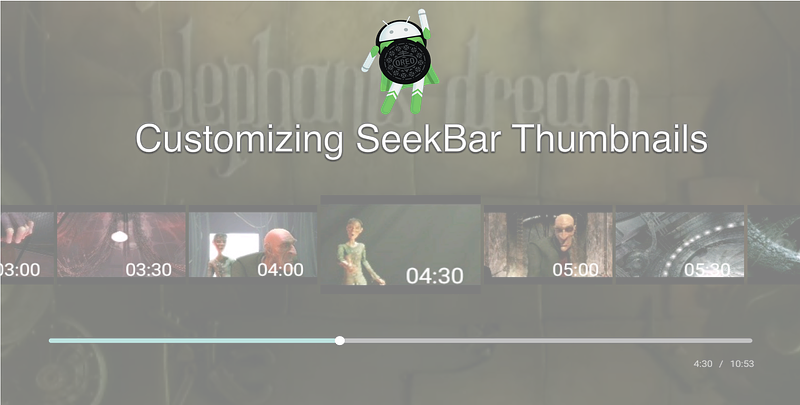
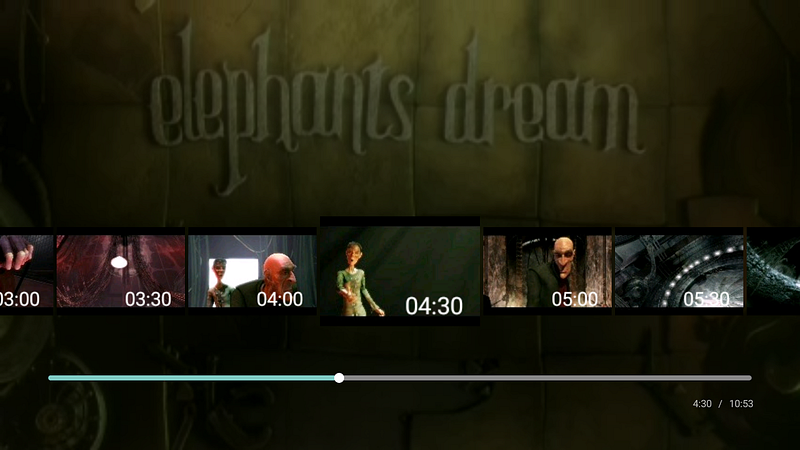
When the user seeks, an overlay of thumbnails appears above the seek bar, giving a visual clue as to where in the video the user will be after seeking.

Setup
Enabling this feature is quite simple; just set the provider on your transport control glue.
mGlue.setSeekProvider(new MyPlaybackSeekDataProvider(...));The real work happens in your implementation of the seek data provider.
API
The API is pretty straight forward and super simple. You need to extend PlaybackSeekDataProvider and implement three methods:
- getSeekPositions()
- getThumbnail(int index, PlaybackSeekDataProvider.ResultCallback callback)
- reset()
Since PlaybackSeekDataProvider is an empty implementation, you do not need to override all three methods if they do not make sense for your use case. So what is the responsibility of each method?
getSeekPositions() — is a list of positions where thumbnails can be shown. Think of this as a timeline of discrete moments where a thumbnail can capture the current scene in the video. Similar concept to scene selection for DVDs but much more fine grained.
getThumbnail(int, ResultCallback) — this method contains your magic secret sauce for retrieving those moments. We will dive more into the details in a bit.
reset() — this is a hook to notify you to release resources, clear cache, or perform any other cleanup that your implementation requires.
Implementation
Talking about an API is easy, but understanding how to create your implementation makes a lot more sense once you see an example.
Using MediaMetadataRetriever to help us extract the thumbnails, the implementation becomes almost trivial. Note that this requires your video stream to have more metadata embedded into it. You do not have to use MediaMetadataRetriever, there are many ways to get a bitmap. I just used it for the sake of this example.
The first thing we would want to do is calculate our seek positions. Having a determined interval makes this a simple math problem. If you keep track of a timeline in your metadata, then there is no need for this extra math, just pass the along the timeline of seek positions.
Now that we have calculated our seek positions, our first method to implement becomes a simple getter method:
@Override
public long[] getSeekPositions() {
    return mSeekPositions;
}
The bulk of the magic happens in the getThumbnail() method. We receive an index which corresponds to the a position in our seek positions array. The intent is that leanback gives us an index as a reference marker. We can combine that reference marker with our seek positions to get the time for the thumbnail.
Why don’t we return anything from getThumbnail() and why are are we passed a callback? This pattern suggests an asynchronous architecture.
getThumbnail() is called on the UI thread so it’s best to offload the bulk of the work to the background. In this example I use an AsyncTask. Note that retriever.getFrameAtTime() is really slow. In a real world app, the video thumbnails usually are preprocessed in the cloud and downloaded when playing.
We now need to manage the AsyncTask’s lifecycle appropriately.
If we implement the reset() method, we can use that to release our running threads. First we need to capture our async tasks when we start them; store them in a SparseArray, list, or some collection. Since the image will be the same for each index, we only need one task per index. Thus, a given index maps to one seek position, one thumbnail, and one AsyncTask.
Then in our reset() method, we should cancel and release the tasks.
We can apply this pattern for caching the thumbnails with an LruCache among other optimizations.
In summary, we have three methods to do whatever we need. As long as we understand each’s purpose, everything falls quietly into place.
getSeekPositions() — controls our index range
getThumbnail() — magic happens
reset() — releases resources
Continue learning
I recommend reading the source code for PlaybackSeekAsyncDataProvider which demonstrates caching and prefetching; along with PlaybackSeekDiskDataProvider.
If you would like to join the discussion, leave a response or talk to me on twitter.