
How to Find Anything in Your Home in Minutes
Even if you’ve not seen it in years
I used to be reasonably organised and could remember where things were when I needed them. Then life got overwhelming and left me with way too much to cope with. To make matters worse, the stress was affecting my memory and sometimes I struggled to remember what things were called. One day, while on a walk, it took me a full hour to remember what the cute fluffy little creatures were called with tiny hands and adorable faces, and big bushy tails bouncing along behind them.
Squirrels! I shouted in the car on the way home. They were squirrels! I started looking for help and found that none of the organising gurus had lives like mine. I turned to Marie Kondo for help.
Marie Kondo
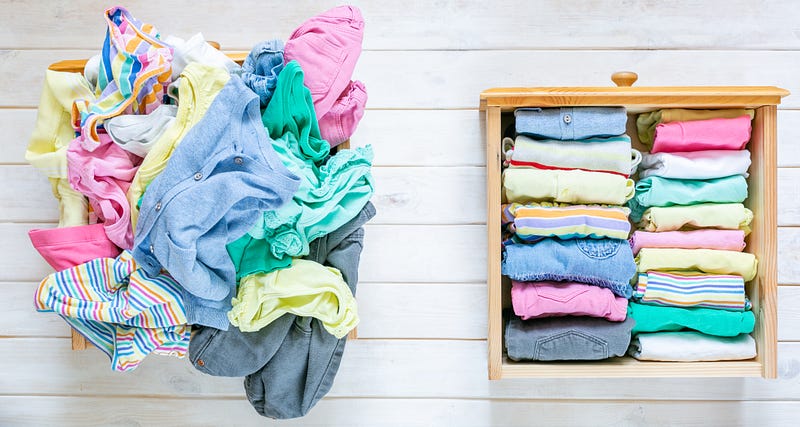
Much as I love Marie Kondo’s concept of only keeping things that spark joy and her ingenious way of organising clothing in drawers (my clothing drawers have never been the same), I couldn’t apply her process to the rest of the house. Marie suggests sorting things in groups, not rooms and deals with a group by bringing it all to the bedroom and dumping it on the bed to sort.
Clothing was easy enough. I don’t have much, to begin with, and I’m at a stage in life where I prefer comfort over style, so, as long as I can lay my hands on clean underwear, T-shirts and leggings when I need them, I’m happy. After I sorted the clothing, the system fell apart for me. I have an overwhelming amount of stuff and nowhere to put it. If I had dumped things on the bed, it would spill onto the floor and pile up to the ceiling, and I’d have nowhere to sleep for weeks, maybe months. I have an enormous task on my hands.
Sometimes life blindsides you and there’s nothing you can do about it
We had to move the contents of our 1,500 square foot office space into our home; this was followed by my parents’ deaths and bringing much of their stuff back to store, and sort through carefully when time allowed. Then my adult children fled the nest, leaving the things that wouldn’t fit in their houses in ours.
I was very ill and unable to do much other than sit, for some of this time. For two years, I even had to sleep sitting upright as my lungs filled with fluid. For months I couldn’t stand for much more than a minute at a time due to the pain in my back, and I had no muscle strength to deal with anything. We have so much stuff that we needed to hire a storage unit for the overspill, and I have so little energy that I can only deal with it a bit at a time.
Has life blindsided you?
I know others are dealing with this; maybe you are too or know someone who is. I’ve seen them in Facebook groups. They’ve all had difficult journeys to the point where they find themselves overwhelmed. One lost her only son while he was on active duty for the US military and slipped into a deep depression, losing control of her life and home.
Many had families who constantly trashed the place and offered no help in clearing up. Others like me had lost parents and had bought much of their stuff into the home. Others were battling illnesses that made it impossible for them to stay on top of things. There are many routes to this situation and probably many solutions. Not every way of doing things works for everyone, but I hope this helps you if you need it.
As if things weren’t hard enough
The situation is more complicated than decluttering alone. The house needs significant building repairs and renovation, so if I wanted to put things away in their forever home, I couldn’t right now. I can’t get the work done because of the stuff, and I can’t put the stuff in its place because there is no place at the moment.
My solution
So I have come up with a solution, and it’s working. It may work for you too. Do let me know if you try it, and it helps. By the end, I should be able to tell you where everything is in my house and get it in a matter of minutes at most.
You don’t have to remember where anything is. The database remembers for you.
Currently, my reality is that I know I have a plethora of sealant guns and screwdrivers, for example, but I can never find one when I need it, so I end up buying more.
My plan is; which is currently in process, not completed:
Step one: Setting up a database
- Download a free app called Notion to your laptop if you have one.
- Also, add the Notion app to your phone or tablet.
- Watch some YouTube videos to get familiar with how Notion works.
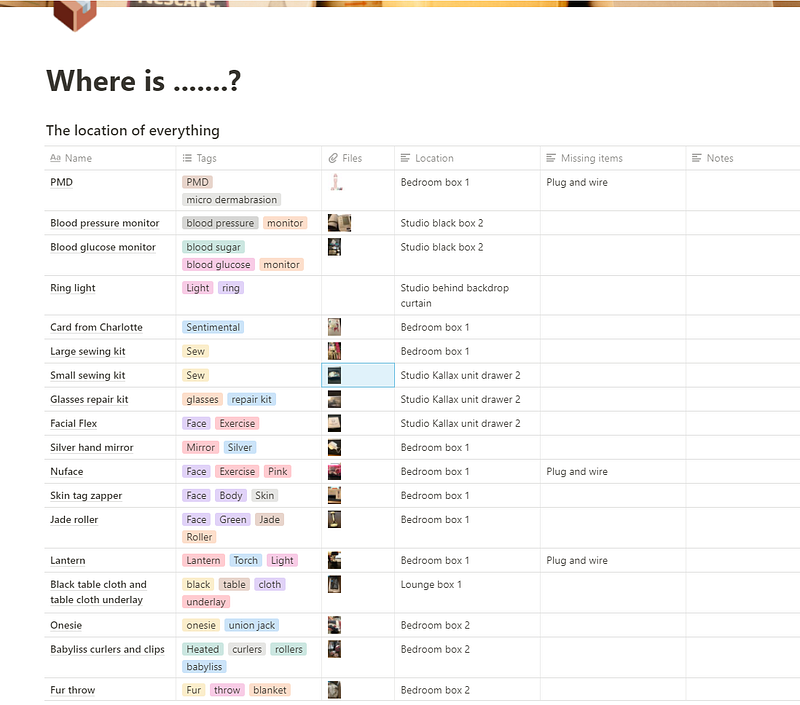
- Set up a page with a database with six columns. Call them Name, Tags, Files, Location, Missing Items and Notes.
- Set the property values for each of the column titles as follows: Name = Title; Tags = Multi-Select; Files = Files & Media and Location, Missing Items and Notes = Text.
- If you’re not familiar with databases, this is not as difficult as it may sound to you. Watch some how-to videos, and you’ll be okay.
Step two: Trying out the database
- Find a couple of items you don’t use very often but you know you want to keep.
- On the first line of the database, in the column called Name, type the name of the object you’re keeping. Give it the name you usually call it — this is important for finding it again, so write thingamabob if you call something a thingamabob.
- In the following field called tags, start putting some descriptive tags. What colour is it? What type of thing is it? — Perfume, tools etc. Add as many tags as you need. Tags are brilliant for the menopause brain when I can’t remember the name of things, but I can visualise them in my mind. It means I can find the object again even if at that moment I couldn’t tell you what it was if my life depended on it.
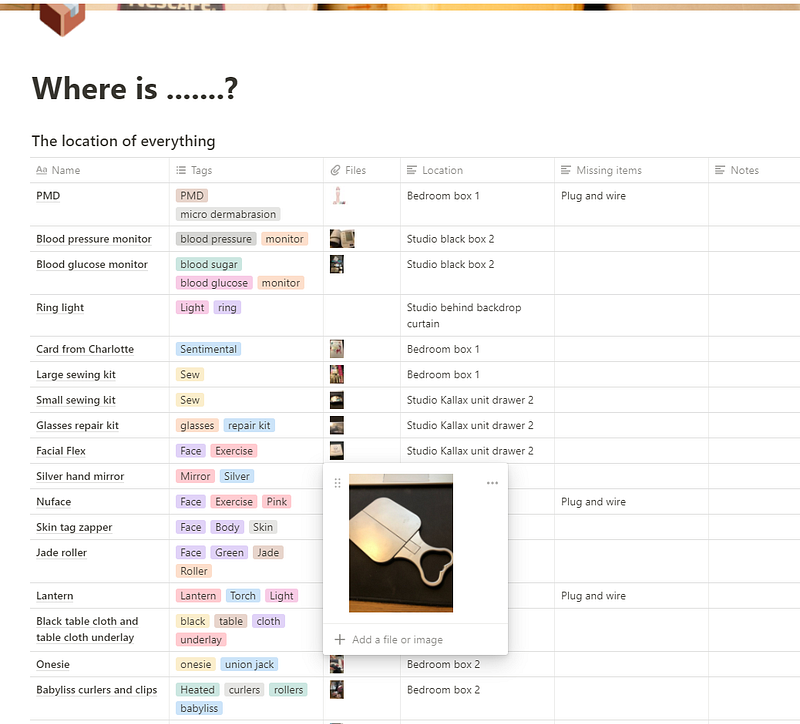
- In the following field called files, take a photo of the object on your phone or tablet and upload it. Images are handy when you have more than one object of the same type or you’ve forgotten that you ever owned something and need a visual reminder of it. Keep your file sizes small when uploading photos, as large file sizes will get rejected. Size is only likely to be a problem if you take RAW images. If you don’t know what RAW is, this doesn’t apply to you.
- In the following field, you’d write the location of the box you will store it in. Leave it blank for now until you’re ready for step three.
- The following field is for missing items, so you can still pack away jigsaws and toys with bits missing, but make a note of the missing bits, so when you find them, you know exactly where to find the item to reunite them. You will notice from my screenshots that I have a habit of misplacing plugs and wires.
- The last field is for notes — anything else that you need to remember goes in here.
Step three: The sorting begins
- Get some bags ready for the stuff you want to throw away, recycle, give away, sell or donate.
- Get a lot of sturdy cardboard packing boxes. I used packing boxes, but any container will do as long as you can carry it and it’s strong enough.
- Label them with the names of the rooms in your house; dining room, living room etc., and the box number — like main bedroom 1, or loft 4, for example.
- Go through your things, in any order, one at a time and decide if you want or need to keep them.
- If you don’t need or want it, place it in a bag for throwing away, recycling, giving away, selling or donating. Remove the bags from the house as soon as they’re full, if possible. That way, they don’t add to the problem.
- Enter the stuff you want to keep on the database and then place it in its corresponding box. You can store your boxes where you want, but I like to store mine in the room where the contents will eventually end up.
- When you need something that you’ve packed away, search the database for it, and you will instantly find its box and location.
- If you put something back into a different box, make sure to edit the database to reflect this.
- If you have cupboard or drawer space, you can use that for the items when you want them to stay there permanently. For example, on my screenshot, you can see I’ve put the location of some things in the drawers in the Kallax unit in my studio.
Finding stuff again
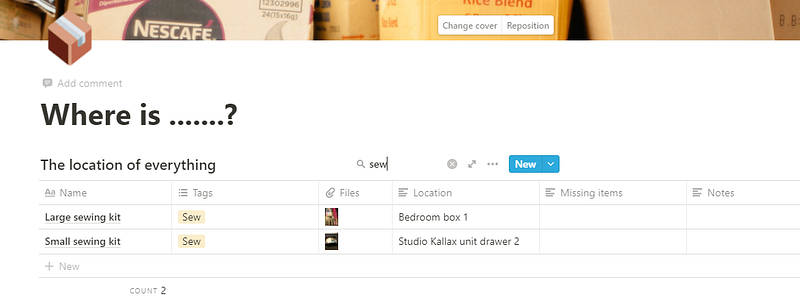
Finding your things again is as easy as typing whatever you can remember about the item into the search box. Use single words rather than multiple words because it will treat multiple words as a search string, and you’ll need an exact match of all the words in that specific order to get a match.
For example, use only the name, colour, class, and fitness (if you created a tag for that) or the room. If you want to know everything stored in a particular location, such as a storage unit or attic or even a specific box, type the location in the search box, and it will show everything in that location.
The advantages of this system
If you do this, no matter how much stuff you have, you will always know where to find anything, and because you can log into Notion on multiple devices, this is as easy to use in the garage, loft or storage unit as it is while sat at your desk.
The different devices will sync together, so you don’t need to worry about accidentally losing stuff because you’ve opened Notion on multiple devices. Finally, this is my favourite bit, hands down:
You don’t have to remember where anything is. The database remembers for you.
I don’t have to explain how good that is for those of us with older brains.