
What To Do When Pip Install Fails You

It happens. We might be migrating to a new computer, reinstalling Python for whatever reason and so on, and wish to install our favourite Python libraries, and pip just doesn’t work.

I’ve not faced this problem myself, but as a Python tutor, I’ve spent more time solving this problem for new students that I would have liked to. Life is too short to be spend a disproportionate amount of time debugging this, so to save our collective time, here’s a bunch of workarounds for this issue!
Using Python’s -m flag
python -m pip install somethingOne potential reason why Pip isn’t working could be that Python is in your PATH, but not Pip for some reason. As such, we can use Python’s -m flag as a workaround to execute pip through Python.
# some Windows computers
python -m pip install something
# other Windows computers
py -m pip install something# MacOS
python3 -m pip install somethingInstalling pip using get-pip.py
If the method above does not work, your Python installation probably doesn’t have pip installed. Here’s a workaround — download the Python script from the link below
The link: https://bootstrap.pypa.io/get-pip.py
After downloading the script, run the script.
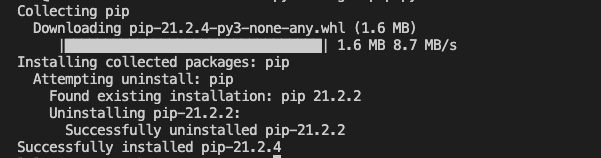
python get-pip.pySomething like this should appear:
Verifying your Pip installation
Type the following into your command prompt or terminal.
# Windows
pip
# MacOS
pip3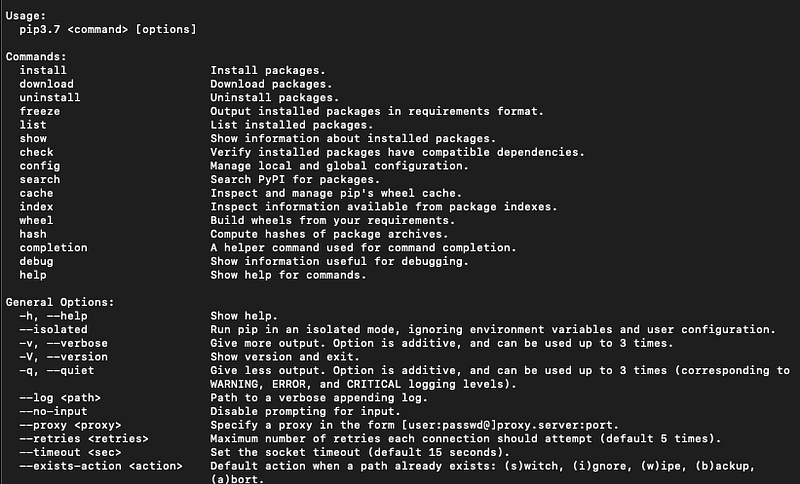
If something like this appears, you’re good to go.
Conclusion
Hope this helped with your pip headache!
If this provided value for you and you wish to support me as a writer, do consider signing up for a Medium membership! It’s $5 a month, and you get unlimited access to stories on Medium. If you sign up using my link, I’ll earn a small commission.