
What Obsidian is Me Think About — Part 2
What Obsidian is making me think about
So this is another post about Obsidian because I cannot talk enough about how much this has helped me. Today I’m talking about what I’ve thought about in the time I’ve been using this software, and why you should be checking it out.
Writing Seamlessly
The first reason I talked about before is that I’ve noticed I’ve been writing a lot more seamlessly and fluidly since I started using this app. This hasn’t changed in the entire time I’ve been working with Obsidian and I still have the same three reasons why:
- I don’t have to take my hands off the keyboard to type and to make things italic, bold or even to make lists like this one. It can all be done as I’m writing and with the live editor mode, it’s so easy to see how my blog post will actually look.
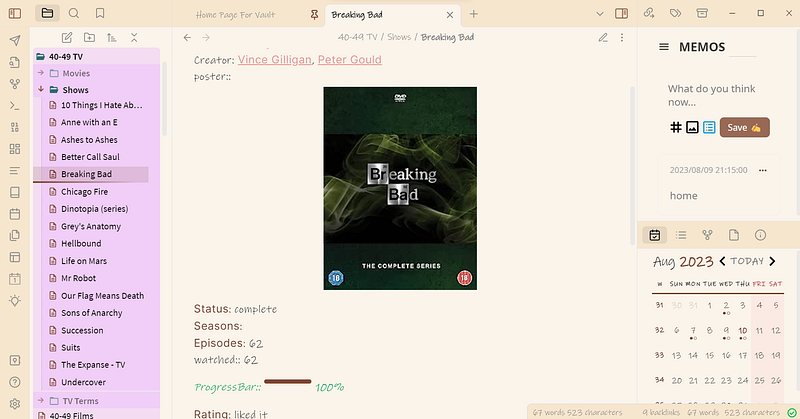
- I rarely (if ever) use my mouse when I’m writing a blog post, which means I’m nowhere near as likely to be distracted and start checking out other apps. I have my To-Do list here, Memos at the side of my screen (which I do use the mouse to navigate to!) but most things I can open, edit or change with just my keyboard!
- Markdown and templates make it so much easier to draft blogs. I don’t have to search for my outro to paste it in, I can just simply use the shortcuts I’ve set up and it’s there. Since I also use a text expander (Espanso) this has become even easier to do across other apps, but I love being able to have something like this inside Obsidian itself.
With all of this being so easy to set up, Obsidian will help you to write with as little interruptions as possible.
If you’re enjoying what you’re reading and would like to support my work, please consider leaving a tip in my virtual tip jar. Your contribution, no matter how big or small, helps me continue creating content that you love.
What I’m writing
Obsidian has also made me think a lot more about what I’m actually writing
Rather than having to go between research, open multiple folders and documents on my laptop I can contain everything in one place and filter through information much more smoothly. Everything can be viewed within the app and I can create links or embed sections of documents for easier reading.
The last time I wrote this blog post I hadn’t used Glasp before — now I’m using it all the time to highlight snippets from the web, save them into Obsidian and use them to work. So combining Glasp and Obsidian has made my workflow even smoother!
I also find it easier to structure my posts using this. I no longer over-organise my posts into very niche areas where I want to write much more since I have four headings, and then subheadings, and sub-subheadings and so on. I can also shift about content I’ve written easily and see a preview of what I’m writing next to where I’m writing it. This helps me to think about how the text looks to other people.
Learning More
And perhaps the best thing about Obsidian, in my mind, is how much it’s inspired me to learn.
Since downloading this I’ve been going through the Codecademy courses on HTML, CSS, Javascript and SQL. I would have never tried any of these things properly before, just learned enough to do whatever it was on my website (only using HTML) and then given up.
The plugins are immensely useful and while you can use Obsidian without them, and you don’t need to learn HTML and CSS and Javascript and SQL … I’ve found that it’s interesting to me. And it’s something I’ve always been interested in but never imagined I could do.
Thanks for taking the time to read my blog post. If you enjoyed what you read and would like to support my work, please consider leaving a tip in my virtual tip jar on Ko-Fi. Your contribution, no matter how big or small, helps me continue creating content that you love. Just click the link to head over to my Ko-Fi page and leave a tip. Thank you so much for your support, it means the world to me!


