What It Takes To Conquer Your Email Inbox
Inbox “Zero” is important, but not the paramount
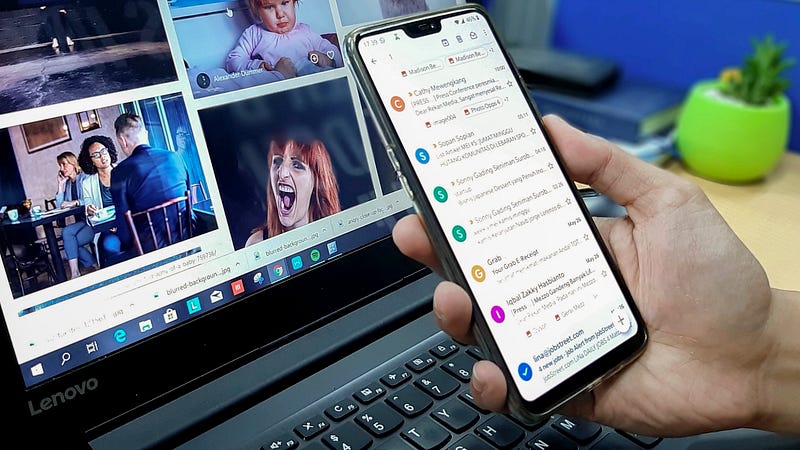
How many emails do you receive in any given week? How about a month or a year? I’ve never really thought about it too much, though I do receive a lot of emails between work and home. I also have a few emails for different writing ventures so there is that too.
When I decided to look into how many emails were coming and going like paper airplanes in Harry Potter, I was surprised to find out that at any given day, you and I receive around 88 emails per day.
Let’s do a little math on that, 88 emails a day for 365 days in a year comes out to 32,000+ emails a year.
15,000 Emails In My Wife’s Inbox
That last time I checked, my wife had more than 15,000 mew emails in her inbox. It creates tightness in my chest just thinking about that. Yet, she never misses an important email, but she never thinks to delete any emails until her email account says she is running out of space.
Personally, if I get more than a few hundred new emails sitting in my inbox, I have to set time to go through them all. Well, that was before I started doing things differently.
Unlike my wife, if I get a bunch of emails backed up in my inbox, I start missing things. When I start missing things, I end up losing information, missing issues with bills, and neglecting people who I want to connect with regularly.
Since I realized that I can have so many issues, I had to start doing something different.
Inbox Zero
People get very zealous about the concept of ‘inbox zero,’ but I’m not one of these people. This is a helpful idea to keep us on top of our email, but it isn’t something to get militant about.
What do I mean by inbox zero? Well ‘inbox zero’ isn’t actually about getting your email inbox to zero all the time. It was coined by productivity expert, Merlin Mann. His concept of ‘inbox zero’ was more about this:
“The amount of time an employee’s brain is in his inbox.”
That being said, it wasn’t as much about getting rid of all your emails. Though, it feels nice for someone like me and maybe you too. The goal was to keep your mind off of email as much as possible except when you were working on it. This way you can get the rest of your things done in the day.
So, how do we get on top of our email so we don’t have to think about it as much?
How to Clear Your Inbox and Be The One In Control

#1: Clear the Junk: Unsubscribe
First, we need to get rid of the things we aren’t reading. If you are like me, you have probably subscribed to a bunch of email lists thinking you were going to read them all. Or you did it because they gave you something in exchange for your email. All of this is good until you have hundreds of extra emails in your inbox.
Action #1: Get rid of all the extra emails. If you haven’t read an email from someone in 30 days, unsubscribe from that list.
#2: Save Your Regulars
You likely have people that you do read regularly. Save their emails to your contacts so you never lose those emails when they come into your inbox.
You also might have contacts that you are in constant contact with, or are important to remember, so save them to your contacts too.
Action #2: Save the important, regularly read emails and people to your contact list.
#3: Respond Now, If…
I am a big fan of the 2-minute rule. It basically says if you can do something and it takes 2-minutes or less than do it. You need to plan when you will look at your email. Will it be morning and evening? Every hour on the hour? Once per day?
Whatever it is, you need to choose when you will do it and then review your email until you have made it through everything in your inbox.
Action #3: Schedule your email review times. Then complete reviews with the Do, Defer, Delete, or Schedule Method.
#4: Respond To Your Deferred Email Responses
Now, if you had emails that were going to take a lot longer, you will have scheduled those responses for later. I try to do this all at once, so I schedule a time to do this email work. You should too. This way you have a set time to do it and you won’t have to think about those responses until it is time to work on them.
Action #4: Schedule your deferred email, then respond at that time.
#5: Canned Emails
A ‘canned email’ is a prepared response or regular email you might send on a regular basis. With my day job, I send a lot of emails that are the same, so instead of re-writing them every time.
I created a dozen or so canned emails to send out with very little information that needs to be updated in them. Then I saved them in my email signatures so I can click the signature, add an email subject line, and the person’s email and send.
Action #5: Create your canned emails and save them to your signatures.
Final Thoughts
Email management is important because we receive so many emails and we have constant access to email with our smartphones. No matter where we are we can check email, get stuck with email, and lose precious time from our day being bothered by it.
Yet, it doesn’t have to be this way.
In fact, you can take control of your email with these simple steps above and be able to get more done throughout your workday and in your personal life. With this freedom, think about all the things you have wanted to do that you will now be able to do.
You don’t have to be a slave to your email, you can take control, and make it work for you. After all, it is a tool to help you get more done, not a disaster keeping you from the rest of your life.
How do you manage your email? Share in the responses below.
Learn to take control of your mornings in order to maximize your day!