
How to Use User Stories Effectively on Your Agile Team
User stories are very popular though not all agile teams use them as intended. Learn to avoid common pitfalls and use user stories effectively with your team.
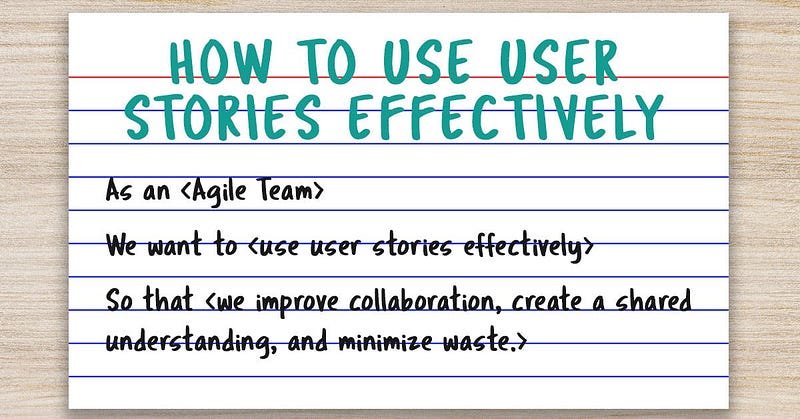
User stories are extremely popular with agile teams and have become nearly synonymous with agile ways of working. This article explains why user stories are so powerful with agile teams and how to use them effectively.
A user story is a simple way of expressing the business need — to answer the questions of who, what, and why. Though many people use the concept of user stories, it is by no means required.
Interestingly, user stories originated in Extreme Programming (XP) where they were simply called “stories”. It was a technique that evolved to encourage conversations about needs. These agile stories from XP have evolved into user stories. Though not formally part of the Scrum Framework, most Scrum teams take advantage of them.
Many teams today don’t understand the origin of user stories, and the importance of keeping them short and small. So they miss out on some of the most important benefits of using this technique.
Benefits of User Stories
One of the key strengths of user stories is that user stories are written from the perspective of the user. That helps every get a shared understanding of what the user is trying to accomplish. The format makes user stories easy to understand. It also keeps them free from technical details and the solution.
Here are some other benefits:
- Simplicity and Clarity: User stories spell out the user’s needs in simple, understandable statements. That makes them fast for the team to read and understand.
- Promote Discussion and Collaboration: The format encourages discussions between developers, product owners, and stakeholders. This is a dramatic improvement over the traditional approach of using requirements documents. Frequently users have a difficult time writing down what they need. Conversations allow for more collaboration and back and forth-between those making the solution and those using the solution. We will explore this more when we look at the background of user stories in Extreme Programming.
- Reduces Errors and Misunderstandings: The discussions and collaboration that are mentioned in the previous benefit also result in fewer errors and misunderstandings. When teams rely solely on documents, without conversations, they are more likely to misinterpret the actual needs. I have personally experienced this numerous times when teams are trying to understand written requirements without the ability to discuss those with the person who wrote them.
- Enable Just In Time Requirements Definition: Another key benefit of user stories is that they allow teams to gather requirements and other details at the last moment before they build the solution. This avoids the waste of doing this work earlier when it might become out of date or when priorities change and the functionality is no longer important. Additionally, teams develop the solution at a time when the requirements discussion is fresh in their minds.
- Flexibility: User stories can be easily reprioritized or rewritten as the team gains more knowledge or as requirements change. They are also small so it is easy to add new items or delete items that are incorrect or no longer needed.
- Iterative and Incremental Development: User stories support the agile principle of delivering software in small, iterative chunks. This provides teams with more flexibility for development, provides more opportunities to get user feedback, and allows them to build solutions faster.
- Facilitate Sizing and Estimation: Because they’re concise and specific, user stories are easier to size or estimate. In fact, if teams are good at creating consistently small stories, they can eliminate estimation altogether.
- Improve Testability: Proper user stories include acceptance criteria. These serve as a handshake agreement between the team and the requestor about what the solution should do. These acceptance criteria serve as a great starting point for the individual tests that the team will run to ensure the solution meets the user’s needs.
Now that we understand the benefits, let’s take a look at the use of stories in Extreme Programming, and then how to create user stories effectively. I will close the article out with a common anti-pattern for user stories that you should avoid.
Stories In Extreme Programming (XP)
As mentioned earlier, user stories originated in Extreme Programming. We can learn something from understanding how they were originally used. And that includes the 3 C’s — Card, Conversation and Confirmation.
User Stories on Cards
In the early days of XP, stories were written on physical note cards, either 3×5 or 4×6. The cards could be laid out on a table, taped on a wall, sorted and prioritized individually, and even be passed around and discussed in a meeting. Notes were jotted on the cards during discussions to remind the team of specific details about the story.
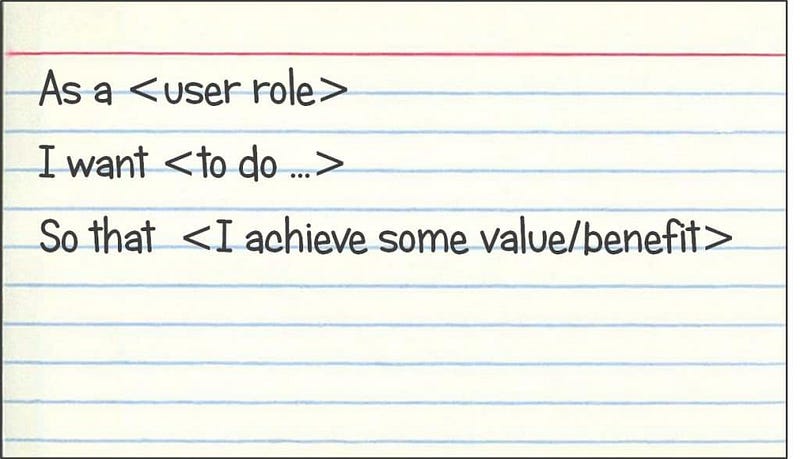
One key benefit of the notecard approach was that teams were forced to make stories very small in order to be able to put them on a card. It also prevented a lot of detail from being recorded since there just wasn’t much space for it. Another benefit of the card approach was that it was low-cost and lightweight.
Conversations about User Stories
The second C of the user story represented “conversation”. The idea was to rely on discussions to get to a common understanding, and not on documentation.
The card and user story were a reminder to have a conversation about the story. The Product Owner and team would meet and discuss the story. That conversation largely replaced the detailed documents which were used traditionally.
That doesn’t mean there is no documentations. Teams may find it necessary to write something down, but many teams find documents unnecessary if they have small user stories and conversations with the Product Owner about the underlying business need.
This is a big shift for many of us who have been involved with challenged or troubled projects and learned to document, document, and document some more. We believed that good requirements documents protected us from scope creep and virtually guaranteed that we would deliver what the end users wanted. Except that they didn’t!
Confirmation in the form of Acceptance Criteria
The final C represents confirmation. Confirmation means the test or acceptance criteria that will be used to determine whether we achieved the story or not. By beginning with the end in mind, we make sure we all agree on what we are going to build. Traditionally the acceptance criteria were written on the backside of the physical card.
How to Create User Stories
Creating effective user stories is super straightforward and requires little or no training. Agile stories consist of a few elements:
- A User Story Statement
- Acceptance Criteria
- Supporting Details
Let’s look at each of these in a little more detail.
User Story Statement
The user story statement is the most well-known aspect of stories. It is really just a format. The statement has three parts:
- Role: Specifies who the story is for.
- Goal: What the user wants to achieve.
- Benefit: The benefit or value the user hopes to gain.
You can also think of these three elements as WHO, WHAT and WHY.
The most common format for user stories today reads, As a
That format was said to be developed at Connextra; it has been made popular by Mike Cohn and other Agile proponents. Here is an example.
That format was said to be developed at Connextra; it has been made popular by Mike Cohn and other Agile proponents. Here is an example.
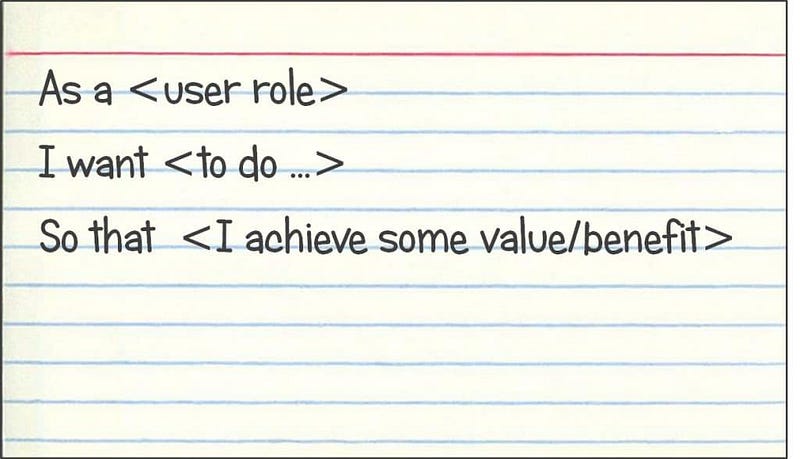
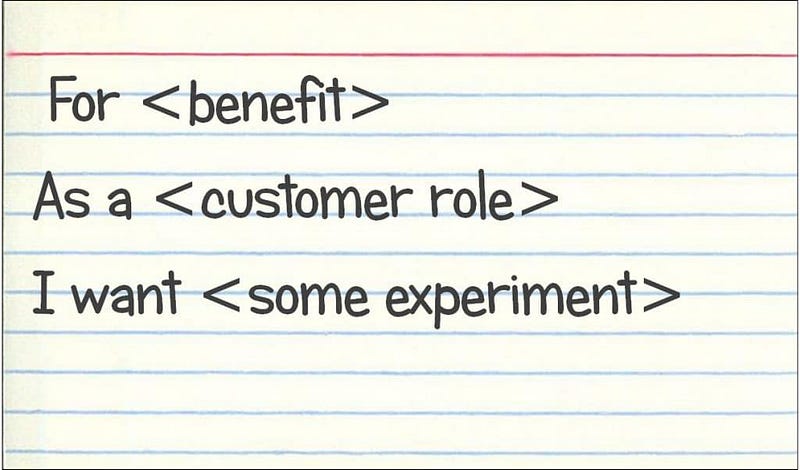
There are other formats that could also be used. One alternative format recommended by Craig Larman in his training courses is shown in the card below. Larman contends that this format helps facilitate better conversations.
Acceptance Criteria
The story statement describes the need in user terms. Acceptance criteria provide a handshake agreement on what the solution looks like. These are typically yes or no statements about the story.
Supporting Details
The final part of the user story is supporting details. And this is an area where a lot of teams get it wrong.
Supporting details should be minimal. They are often the notes or comments that the team records when having a discussion. They could also be data about the story such as priority, category, epic it is part of, or the size.
Unfortunately, these supporting details often balloon and expand. In doing so, they reduce the effectiveness of the user story and eliminate the benefit.
Modern Agile Lifecycle Management (ALM) tools exacerbate the problem. Their database approach to user stories encourages teams to collect more data elements than are needed, putting us right back in the position where we are using written requirements documents.
And that is a good introduction to my example of how not to use user stories.
How Not to Use User Stories
A recent conversation with a client revealed their misuse of user stories. And I don’t think this problem is unique to that client. The approach can be best demonstrated in the following illustration.
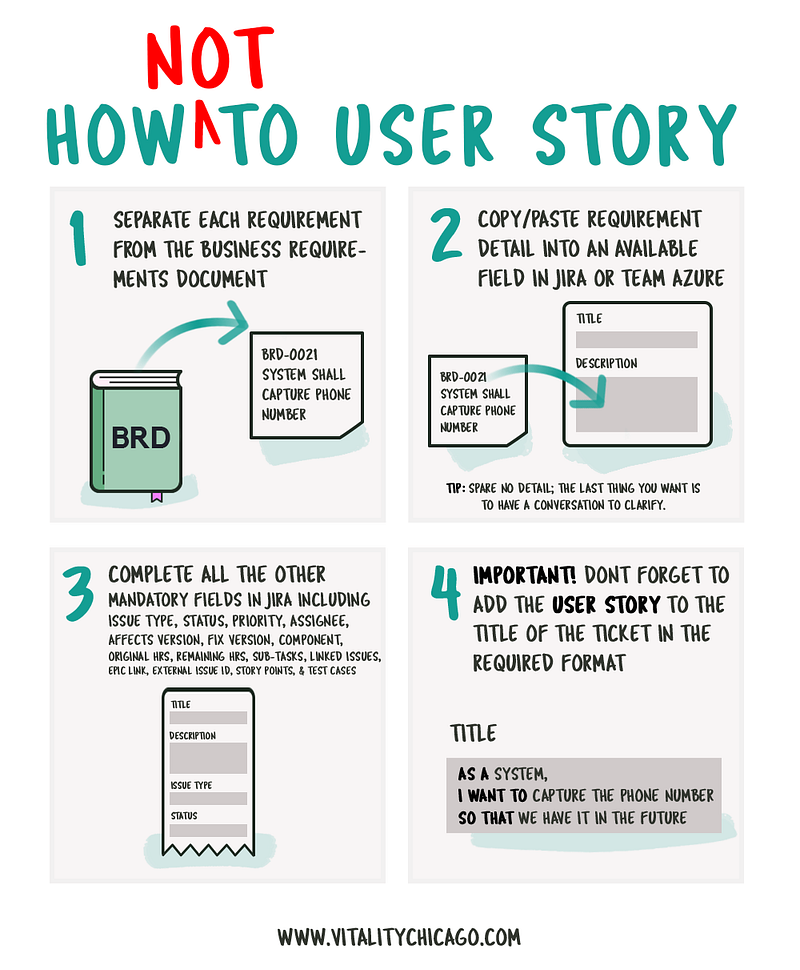
This improper use of stories reflects both a rigidity in using stories as well as that people didn’t really understand how to use stories effectively. They were simply replicating the flawed process they used with business requirements.
They wanted to have everything spelled out in perfect detail in the user story. This way, they could avoid lengthy discussions between the team and the requester.
It is not just that people think that they can use user stories as a substitute for traditional requirements documents. It is that the entire point of user stories was to foster conversation and create a shared understanding. The point was NOT to document in detail exactly what the technology team needed to build.
The carryover from traditional requirements documents doesn’t end with the form. Some people carry on the tradition that we need a specialist to write effective user stories.
They assign the job of writing user stories to a business analyst who is not truly part of the agile team. They may even make up a new title — Story Writers. See if you can find that role in the Scrum Guide — you won’t.
The point is, some mistakenly think we need a specialist to go out and talk to business people, decipher what they need, and then write it down in a way a technical team can understand. This is not only an insult to the intelligence of most developers and QA professionals, it is pure waste.
Another common mistake is to interpret the form of the user story with the value. The Connextra format that we described earlier is just a format. It is not a bad starting point of course and I use it as training wheels for new teams. But the format alone has no magical powers.
It is simply helpful to spell out the role, goal, and benefit. There are other ways to express it and some stories won’t fit that format and shouldn’t be forced.
How Does Misuse Undermine the Benefits?
Let’s be clear that I am not talking about a simple process issue here. The reason I think it is important to understand the history and use stories effectively is that if you don’t, you won’t gain the benefits. Here are some specific ways that the benefits can be reduced or eliminated through mis-use:
- Simplicity and Clarity: If the “user story” is now a row in the database with a long description and several pages of detail, they are no longer simple or clear. They take much more time for the team to read and understand which creates waste and misunderstanding.
- Promote Discussion and Collaboration: If the “user story” has pages of details spelled out, why have a discussion or collaborate on it? The requester has already spelled everything out, so just read the document! Zero discussion, zero collaboration. Good luck with that!
- Reduces Errors and Misunderstandings: Those written user stories are exactly like the requirements document or worse. We won’t reduce errors or misunderstandings.
- Enable Just In Time Requirements Definition: Those detailed requirements are no longer just in time. They don’t support change; changes to the written details are going to be slow and costly.
- Flexibility: One word — inflexible. Who wants to go back and edit all the details spelled out in those complex user stories?
- Iterative and Incremental Development: Good luck building in small chunks and getting feedback.
- Facilitate Sizing and Estimation: Improperly written user stories are no longer concise and specific, they are long, wordy, and difficult to understand. That makes them far more difficult to size and estimate.
- Improve Testability: For all the reasons mentioned above, testability is going to suffer if stories are not written correctly.
Bottom Line on Using Stories Effectively
Now that you understand the historical context for the user story, what can you do to improve your practice? Does your team create those wordy and complex “user stories” in an ALM tool that are simply thinly disguised requirements documents?
Avoid waste and boost your productivity by using user stories effectively.
I’d love to hear your thoughts.
⭐️Thank you for reading. If you enjoyed this article, feel free to hit that clap button 👏 to help others find it.
Let’s connect on Twitter or find me professionally in Linkedin.
Leave a comment below if you have any questions, and subscribe to receive the latest updates in Agile and Scrum.
Anthony Mersino is the founder of Vitality Chicago, an Agile Training and Coaching firm devoted to helping Teams THRIVE and Organizations TRANSFORM. He is also the author of two books, Agile Project Management, and Emotional Intelligence for Project Managers.