
What is the Best IDE or Editor for Developing in Lua?

When it comes to programming in a certain language, one of the most important decisions — besides simply starting — is the editor or the Integrated Development Environment (IDE) to use.
The choice isn’t a one-time thing where you choose and are locked in, but choosing wisely can really lead to reduced headaches not only now but down the road. The one that you choose could end up being great for the language but not for other languages, or it could be great for a lot of languages, and so you’ll have to make the choice for each one you learn and program with.
If you’re looking to hit the ground running with Lua specifically, though, and you want to save time finding out what a good IDE or editor would be, then hopefully this article will save you some time.
Here, I’ll summarize some options as well as provide further details and even some aggregated internet opinions from actual Lua users. Without further ado, let’s get started.
IntelliJ IDEA
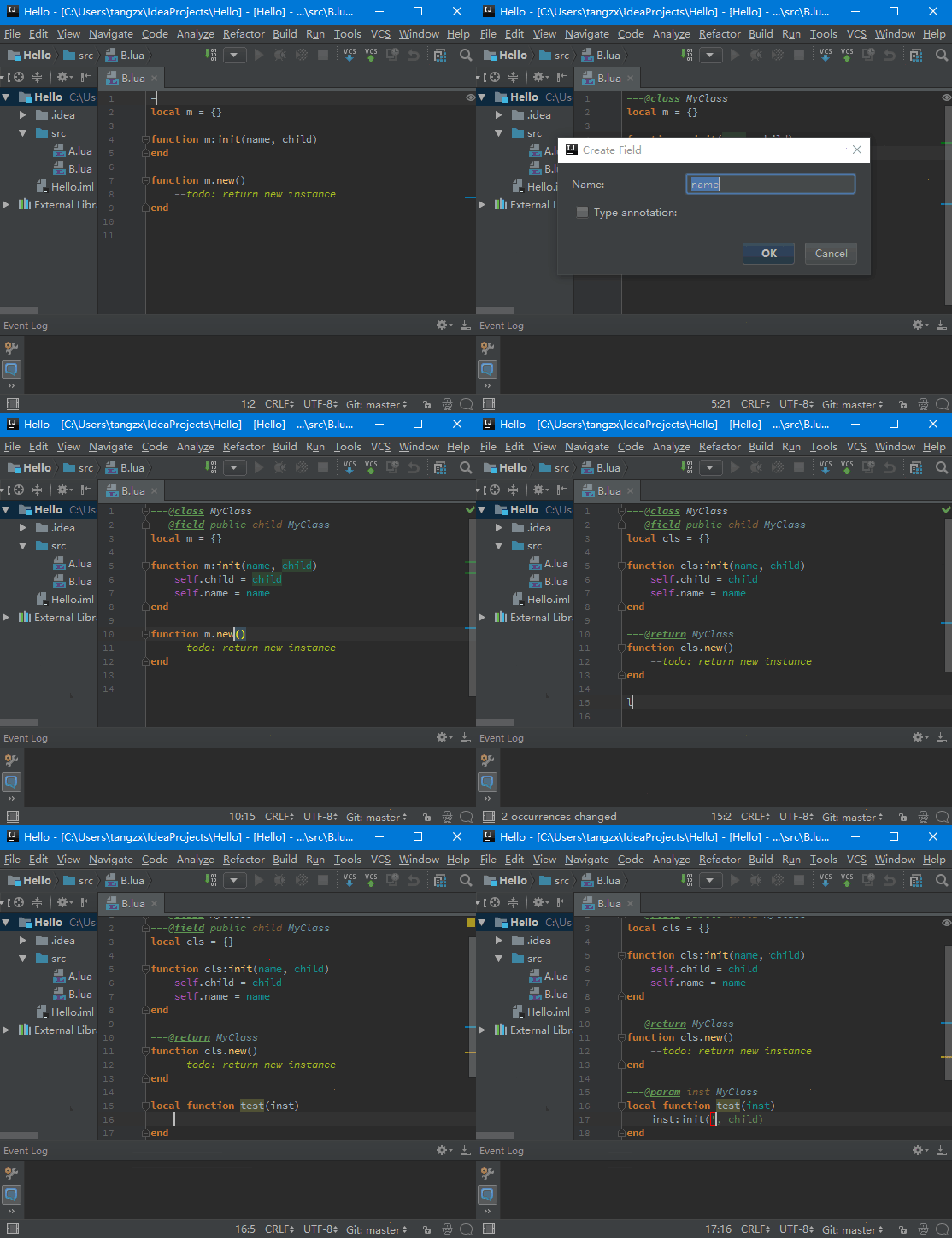
IntelliJ IDEA is consistently rated one of the best products in IDE-land; first of all, I suggest you check if the Community Version has what you need if you want a nice-featured (yet occasionally heavyweight) IDE option.
- Community edition of IntelliJ is free
- Ultimate edition of IntelliJ is not free; there is a free 30-day trial, but otherwise it’s $149 per year (for individuals) with $119 for a second year and $89 for the third and on
- EmmyLua plugin
- Syntax highlighting (highlight global value, highlight local/param value, highlight up value)
- Code completion
- Keyword completion
- Basic completion
- Type inferred based completion
- Debugger — Attach Debugger (Windows only) and Remote Debugger(Mobdebug.lua)
I use IntelliJ IDEA (with Lua plugin) for large projects, when I need maximum productivity and long-term code quality.
— /u/PhilipRoman on /r/Lua
Without a doubt, IntelliJ or Webstorm with EmmyLua plugin. Been using this for Lua development for four years and still regularly try others (Sublime, VS Code etc) but keep coming back to this.
I used to be a sublime guy. Easy build system config, a lot of nice editing features, some of it unique to sublime. Good stuff. But I could never get autocompletion and linters work with it flawlessly.
Nowadays I use Rider (IntelliJ IDE) which is usually for C# that I need for work with Unity anyway. Together with the EmmyLua plugin which adds the option to document your entire Lua code with types and all the good stuff which will show up for auto completion and can even enforce type safety.
A God given thing for larger projects. I am truly in love with it.
Vim
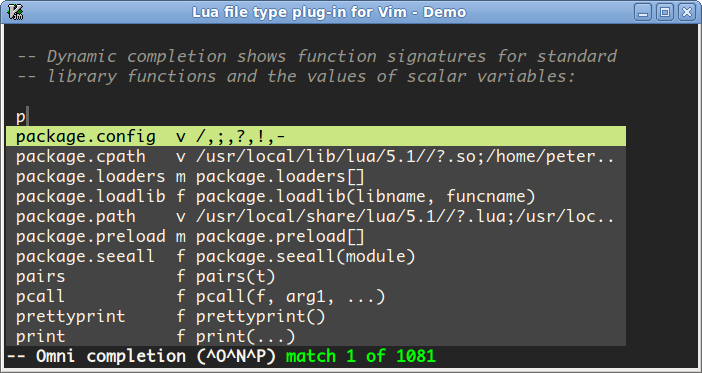
For Lua, many users suggest that you don’t need much more than a text editor of choice. For some core group of users, Vim fits that bill.
But for smaller free-time projects, I use any text editor (mainly
nano, but alsovim) +luacheck+ makefiles to automate testing, packaging, deployment +tmuxto have multiple panes (and one session per project, so I can start working where I left off). These tools can be easily integrated with each other, for example you can configurenanoto callluacheckand display the results.
Oh, and by the way, I usually run all this on Windows using WSL.
— /u/PhilipRoman on /r/Lua
There are multiple plugins for lsp on vim/neovim already, vim-lsp and LanguageClient-Neovim. There’s also a PR for neovim with semi functional lsp, from what I can tell (haven’t used that one).
If you go with vim, I recommend vim-lsp, it’s the cleanest written and I like how it loads functions (easy to delay loading).
This is probably the wrong answer, unless you’re really open to a long-term, high powered solution, but someone’s gotta mention Vim. It turns the act of editing text itself into its own language you can become fluent in. Plus it has plenty of plugins available to suit whatever purposes you might have.
But like I said, it’s a long-term, high powered solution. You kinda have to become familiar with Vim for its own sake before you can effectively customize its functionality with its myriad settings & plugins.
For an example of how crazy it can get, here’s my “vimrc” file, the place I put all my customized settings (and list my plugins, thanks to a plugin that lets me list them that way in order to automatically download & install them from the internet). It’s easier to navigate in vim itself, those box-character headers have “fold markers” in them for collapsing sections of text.
— /u/atimholt on /r/Lua
Emacs
Of course, you can’t mention Vim without mentioning Emacs.

- Free
- Lua-mode on GitHub pages : “lua-mode supports automatical code indentation and sending of lines/regions/files to a Lua interpreter. An interpreter (see variable
lua-default-application) will be started if you try to send some code and none is running. You can use the process-buffer (named after the application you chose) as if it were an interactive shell.” - Lua-mode on GitHub
Since there is an LSP for Lua, you should be able to use most any editor that supports that (mostly…) Atom, VS Code, Emacs, (Neo)VIM, etc. They’ll all be limited by what the specific server for Lua supports. VIM is my preferred editor, but takes a fair amount to get set up and maintain. I tend to not mind a couple hours every so often to maintain my editor config now that I have it working well for my needs.
— /u/losinggeneration on /r/Lua
I use Emacs with lua-mode and lsp-mode for navigation and other smarts. For the lsp backend I use Emmy with the LÖVE API support.
Visual Studio Code aka VSCode
VSCode is one of the most versatile and free IDEs on the market, and its extension game is getting better by the day. For Lua, it is more than functional given the right extensions.
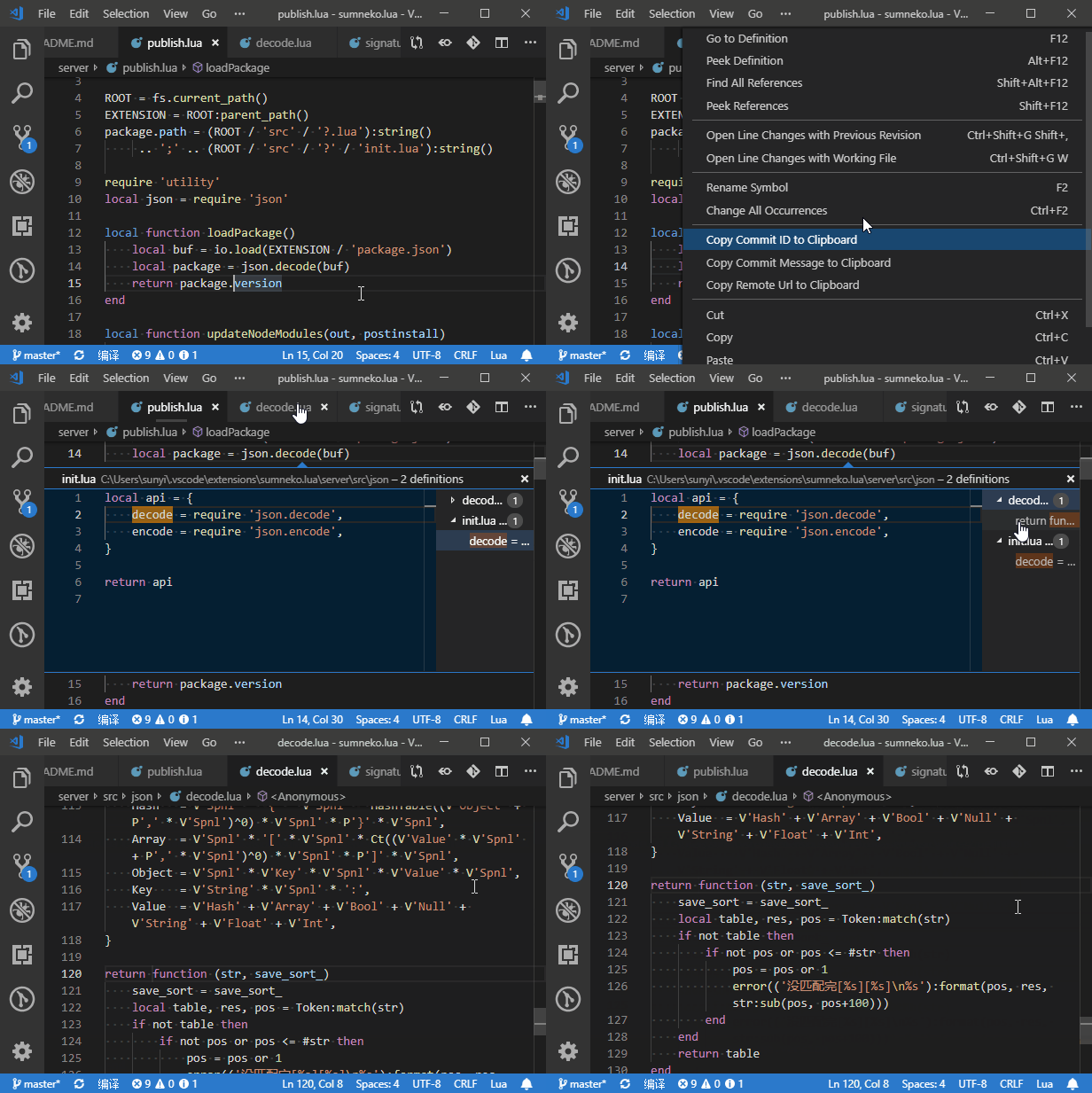
- vscode-lua extension here; contains:
- Autocompletion
- Go to Symbol
- Error checking
- Linting
- Formatting
- lua-language-server here; contains:
- Goto Definition
- Find All References
- Hover
- Diagnostics
- Rename
- Auto Completion
- IntelliSense
- …and more
vscode for me. There are fantastic Lua extensions for it.
— /u/ShenroEU on /r/Lua
I’m using LRDB vscode extension — https://github.com/satoren/vscode-lrdb
— /u/ArnCarver on /r/Lua
The [extensions] I am using are: vscode-lua: intellisense and linting for Lua; Code Outline: very good extension for outlining; Bookmars: well…bookmarks :)
— /u/DavidDrake_ on /r/Lua
Visual Studio Code, with the emmylua extension. I’m actually not using emmylua for the suggestions but because it’s the only lua debugger I’ve found that works properly. Although the suggestions are a nice additions.
— /u/nikeinikei on /r/love2D
vscode with extensions:
sumneko.lua — for language server tomblind.local-lua-debugger-vscode — best debugger ever trixnz.vscode-lua — for linting with luacheck
— /u/scoobyff666 on /r/love2D
ZeroBrane Studio
By Paul Kulchenko, ZeroBrane is billed as a “Lua IDE, written in Lua” and “simple and lightweight”. It’s free to download, but they suggest a donation.

According to ZeroBrane Studio’s site, the features include the following:
- Lua IDE, written in Lua; simple and lightweight
- Syntax highlighting and code folding
- Auto-completion for functions and keywords
- Interactive console to directly test code snippets with local and remote execution
- Integrated debugger (with support for local and remote debugging)
- Integrated static analyzer
- Unique live coding feature (demo)
- Love2d auto-completion, debugging, and live coding
- Moai integration, debugging, and live coding
- Gideros Mobile debugging and live coding
- OpenResty/Nginx Lua script debugging
- Adobe Lightroom Lua plugin debugging
- On-device debugging for Corona SDK and Gideros Mobile
- Integrated markdown formatting for providing lessons and instructions
- No install required; runs from any folder
- Open-source (MIT license)
- Windows, Mac, and Linux
ZeroBrane is one I tend to use for learning and all sorts. Although I use NP++ or sublime because I work with Garrysmod.
Although you do have to save the files before running them.
If anyone knows of an IDE that works like a text editor that doesn’t require you to save to activly test modifications, please let me know.
— /u/SimonJ57 on /r/Lua
I tend to favor the use of ZeroBrane Studio, Kate (with the File system browser, Kate Snippets, and Terminal tool view extensions), and GVim. There’s also LDT for Eclipse, but I’m not sure if I’d really recommend that that (especially to a new developer.) As others have said, you’ll do just fine in most cases with any editor with syntax highlighting. Especially just starting out, don’t get too carried away with thinking that you need an IDE.
— /u/losinggeneration on /r/Lua
I’ve really only used ZeroBrane Studio, but it seems to hit all the important stuff:
- Acceptable editor (project view, to jump definition)
- Out of the box support (including debugging) for different Lua runtimes (51, 52, 53, LuaJit, LOVE, etc)
- Static analysis
- Zero setup
While cool I’ve never actually used the live coding or Markdown comment support.
— /u/Buzzard on /r/Lua
I don’t know if it’s the best, but I liked ZeroBrane Studio.
Why? It did everything I needed it to with virtually no setup/messing around.
— /u/mechanicalgod on /r/Lua
So far I only know of one editor/IDE that was made specifically for lua, which is ZeroBrane. A list of its features can be found on the linked website. Other than that, there isn’t much out there, mostly multi-purpose editors that also do lua to a certain extent. As with most languages though, IDE features are just there to make life easier, and an editor like notepad is more than enough to write good lua code.
— DarkWiiPlayer on Stack Overflow
You may want to try ZeroBrane Studio IDE, which includes a remote debugger and integrates with Love2d, Moai, and other Lua engines.
Sublime Text
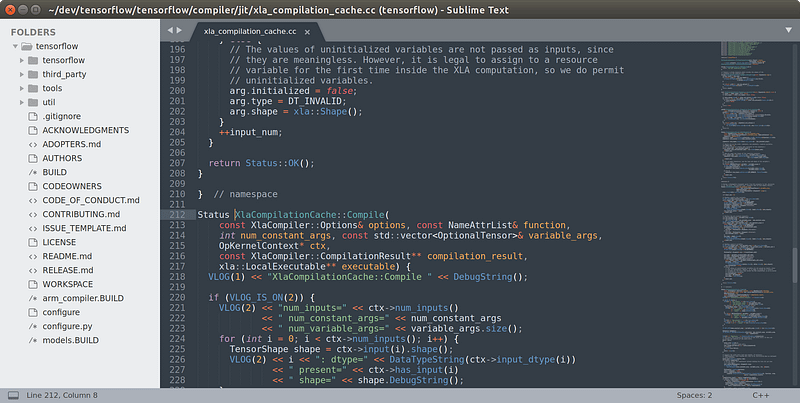
Sublime Text is a snappy and lightweight text editor as option that’s quick to download and simple to use.
If you’re looking for Sublime set up for LÖVE, then click here.
Sublime Text with the LuaExtended package is awesome.
— /u/KingofGamesYami on /r/Lua
I use sublime text 3 for pretty much everything involving code. I like the themes and package system I find it really convenient!
— /u/CornichonCostaud on /r/love2D
Also using Sublime Text. I’ve got SublimeLinter and luacheck set up so my code doesn’t rot. I think I’ve got a regular Lua plugin (unless there’s a Love-specific one) for syntax highlighting and whatnot. And a bunch of other plugins because I use Sublime for my day job as well (C, Python, etc.).
— /u/botsniper on /r/love2D
Warning: bias, opinion, and anecdotes beyond this point…
On the spectrum from basic editor to full-blown IDE I prefer an editor but with a very basic syntax highlighting and syntax checking (luacheck for lua) just to catch those annoying little slip-ups like forgetting an “end” keyword and having to go back and track it down.
All the other “fluff” that IDEs offer seem nice-to-have at first but usually come at the cost of a more bloated, slower-running editor. Or even worse– increasing your reliance on the editor as a crutch for doing basic tasks.
I have worked with people that use big IDE’s and when something goes wrong and the editor can’t help them they are helpless. As an aside, those also tend to be the kind of people that will bug me to run a few git commands for them to bail them out of a sticky situation the editor’s git gui can’t handle.
— /u/8E4F787A43D3807E9EA2 on /r/Lua
Notepad++
Notepad++ is a nice Windows text editor that many people are already familiar with, and it’s a very basic solution for Lua programming; having said that, it’s not to be counted out depending on one’s specific project or purpose.
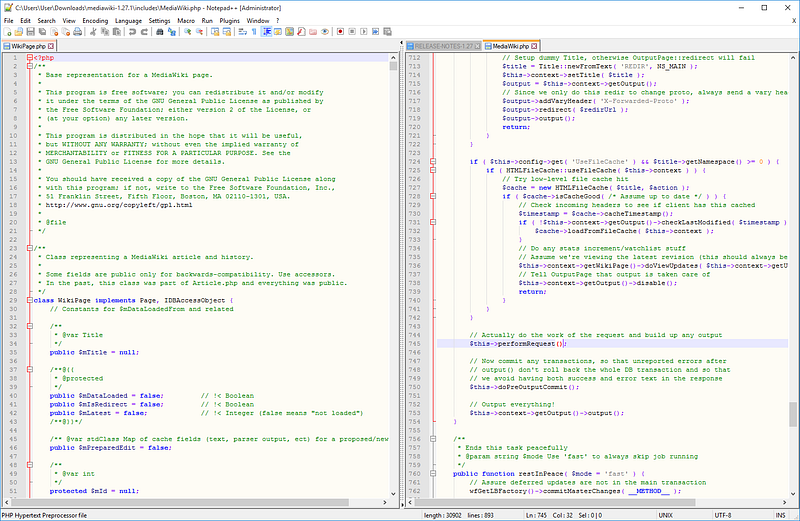
Notepad++……….. Or the standard text editor on your Linux.
— /u/Tritonio on /r/Lua
notepad++ will be more than ok for what you need to do… If you are on linux, notepadqq, or geany, or atom (atom being the most complex on in this small list).
Lua, like all good programming languages, doesn’t necessarily require anything other a text editor, like Notepad++, Emacs, Vim (what I use), etc.
— /u/marekkpie on /r/Lua
Atom
Atom is yet another simple text editor like Sublime Text, and it may fit your fancy.

The below quote summarizes it working with Lua pretty succintly:
Atom is open source, and has some nice Lua packages.
— /u/RobLoach on /r/Lua
Additional sources
I found this Lua Users wiki to be a useful resource; be sure to check it out for even more options than listed here.


