
What is a QR Code, Do You Want to Make One For Your Project
Scan me.
QR Code, short for Quick Response Code, is a two-dimensional barcode that contains information that can be read by a QR code reader or scanner.
The code consists of black modules arranged in a square pattern on a white background.
A QR Code, or Quick Response Code, is a barcode that can be scanned using a smartphone camera.
It contains a variety of data such as URLs, contact information, image, or text.
When scanned, the data is quickly decoded and the user can access the content or be directed to a website.
QR Codes are becoming increasingly popular as they are a quick and efficient way to share data or access content.
They are used in many different industries, from retail to education, as a way to quickly provide access to resources.
QR codes were first developed in Japan by Denso Wave, a subsidiary of Toyota, in 1994.
They were originally designed to track vehicles during the manufacturing process but have since been adapted for a variety of uses, such as advertising, payment systems, and inventory management.
QR codes can store a wide range of information, including URLs, text, images, phone numbers, email addresses, and even entire business cards. When a QR code is scanned, the information encoded in the code is decoded and displayed on the screen of the scanning device.
QR codes can be created using various QR code generators available online or through specific software.
They can be printed on various surfaces such as paper, plastic, and metal, or even embedded in digital media such as websites, emails, or mobile applications.
Overall, QR codes provide an efficient and convenient way to share and store information, making them a popular tool for businesses.
QR Code is a two-dimensional version of the barcode, typically made up of black and white pixel patterns.
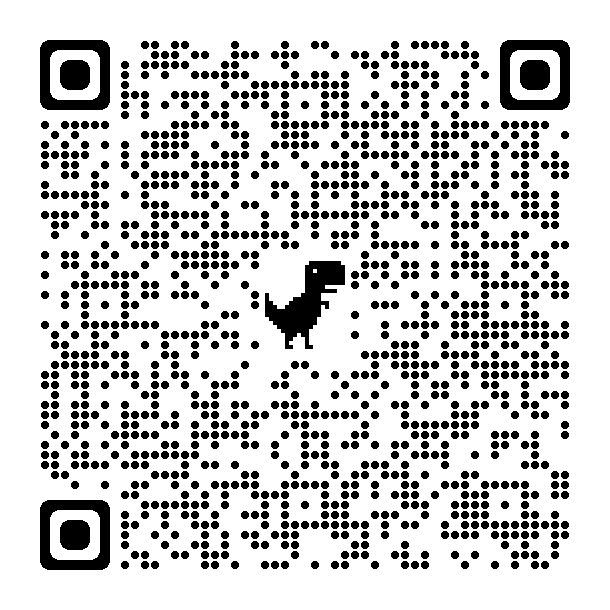
I ask Midjourney to create a QR code art for me… The result is here.

QR codes are a convenient and efficient way to share information quickly and easily. Here are some ways you can use QR codes.
Share website URLs:
QR codes can be used to share website URLs. You can generate a QR code for any website using an online QR code generator, and then share the QR code with others. The person can scan the code with their smartphone camera and be directed to the website.
Share contact information:
QR codes can be used to share contact information like your name, phone number, email, and address.
You can generate a QR code for your contact information and add it to your business card or email signature. When someone scans the code, they will automatically have your contact information added to their address book.
Share social media profiles:
QR codes can be used to share your social media profiles like Facebook, Twitter, and Instagram.
You can generate a QR code for your profile and add it to your business card or website. When someone scans the code, they will be directed to your social media profile.
Share product information:
QR codes can be used to share product information like ingredients, nutritional values, and usage instructions.
Companies can add QR codes to their product packaging, and when customers scan the code, they can access the information quickly and easily.
Share event information:
QR codes can be used to share event information like date, time, location, and registration links.
Event organizers can generate QR codes for their events and add them to their marketing materials. When someone scans the code, they will be directed to the event page.
How to use a QR code.
To use a QR code, you need a smartphone with a camera and a QR code reader app.
There are many free QR code reader apps available for both iOS and Android devices.
Once you have the app installed, you can open it, point the camera at the QR code, and scan it.
The app will then direct you to the relevant information or website.
How to create a QR code.
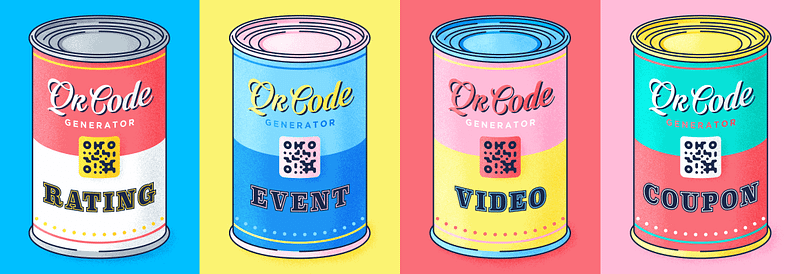
Creating a QR code is simple and easy!
To begin, you’ll need to get a QR code generator, such as QR code-monkey.com
Once you have a QR code generator, all you need to do is enter the data you want to include in the QR code, such as a website URL, text, or contact information.
Then, you’ll be able to customize your QR code with different colors, logos, and so on.
Finally, when you are satisfied with the QR code, you can download it and start using it in your project.
To create a QR code, you can follow these simple steps:
- Determine the type of information you want to encode: This could be a URL, text, phone number, email address, or any other type of information that you want to share.
- Choose a QR code generator: There are many QR code generators available online that can help you create a QR code. Some popular options include QR Code Generator, QR Stuff, and QR Code Monkey.
- Enter the information you want to encode: Once you have selected a QR code generator, enter the information you want to encode into the generator’s input field. This could be a website URL, text, phone number, or any other type of information.
- Customize the QR code: Depending on the generator you choose, you may have the option to customize the appearance of the QR code. For example, you can change the color of the code or add a logo.
- Download or save the QR code: Once you are satisfied with the appearance of the QR code, download or save it to your device. You can then print the code or share it digitally.
Some QR code generators may limit the amount of information you can encode depending on the type of information.
It's an interesting way to share whatever you want to share. Its application and placement enable a lot of possibilities.
Become a Medium member. Join here to read unlimited articles.
Thank you!

Regia Marinho. March 07, 2023.