
Medium Writing Tips / Medium Formatting
What is a Medium Series?
How to create a Medium Series
If you are new to Medium, or just haven’t had time to check it out, you may have wondered to yourself:
What is a Medium Series?
A Medium Series is a mobile-first format that lets you publish stories on cards, which can be added over time. It is the other main publishing option besides a standard Medium Story.
The feature was introduced on March 1st 2017:
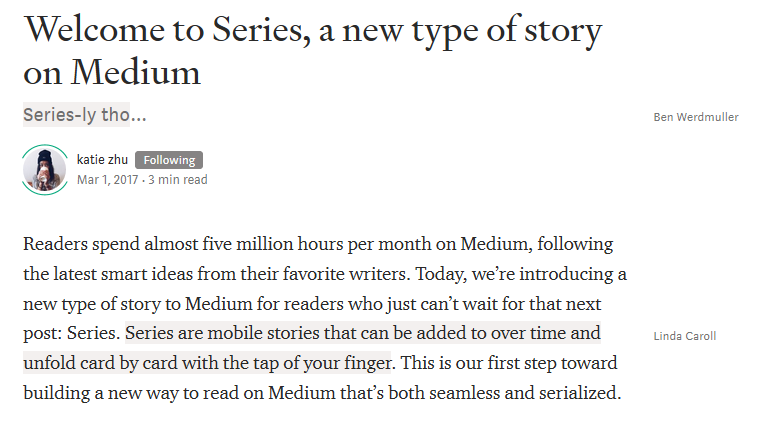
Despite all the fanfare from Medium and its ambitions to create “deeper” and “more meaningful” stories, Medium did not adequately explain why or how to create a Medium Series.
The Medium Series function was also handicapped because it was ineligible for compensation through the Medium Partner Program (MPP).

You may be wondering — why would I use the Medium Series function as opposed to stories?
Well there are some unique features of a Medium Series that may be worth your effort:
- A Medium Series is optimized for mobile devices. As I’ve discussed in previous articles about the shifting internet traffic of Medium, 68 percent of the traffic Medium.com receives is through mobile devices.
- When using a Medium Series, followers are updated when you add new “cards” to your series. This can be a clever tool for reader engagement.
- Text entry and formatting works the same as it does on Medium posts. So despite its somewhat intimidating look, it is not that hard to figure out.
Below is an example of a Medium Series that I created, called Urban Exploration:
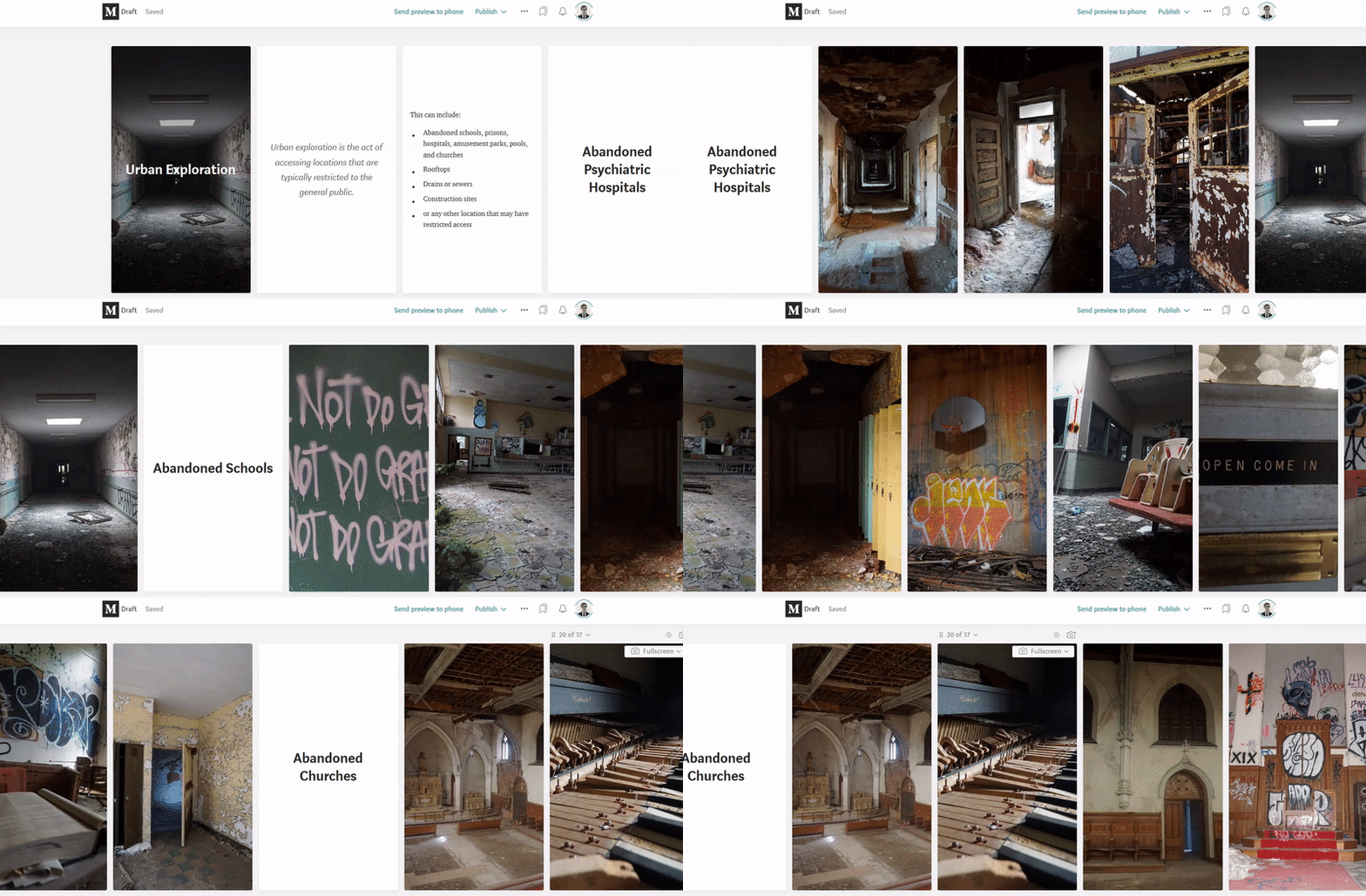
In this series, I attempt to explain what Urban Exploration is, utilizing pictures and other formatting tools Medium provides.
Below is how the Medium Series appears on a desktop device while being edited:
Below is how the Medium Series appears on a desktop device after being published:
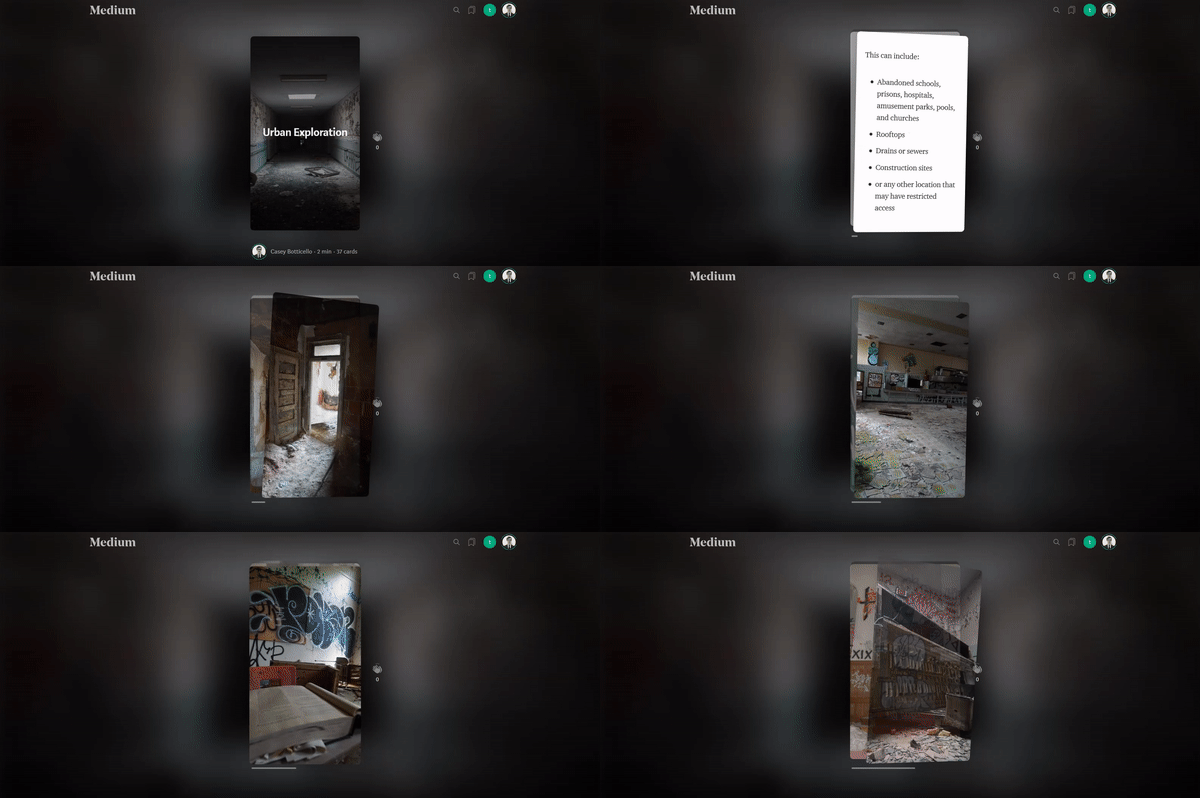
As you can see, Medium’s Series function creates a cool story telling tool, which can be customized with images, text overlay, quotes, and even links.
However, as I mentioned, Medium designed this for mobile devices.
Below is how the Medium Series appears on a mobile device after being published:
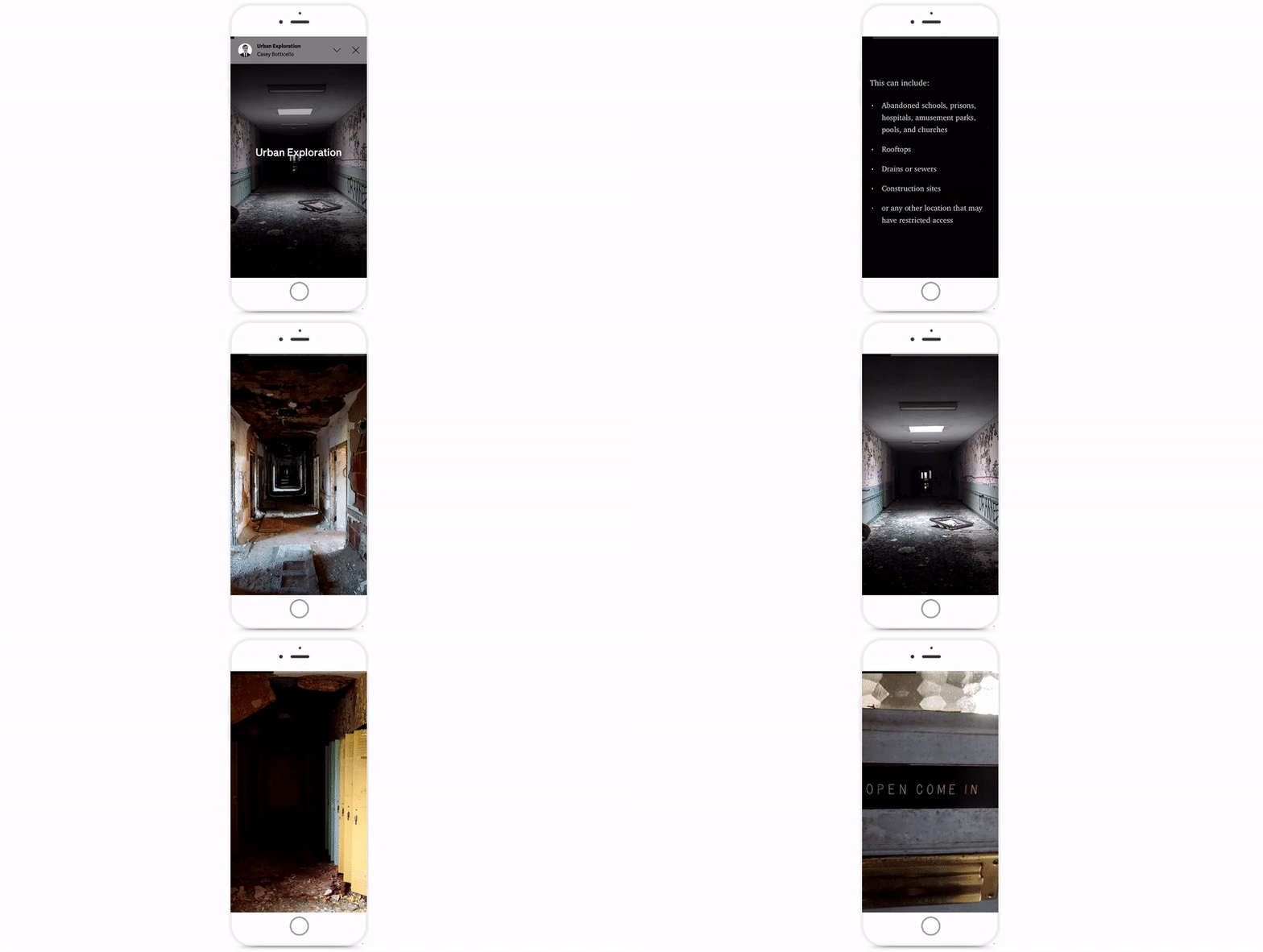
It looks great!
But there is one more key feature that sets Medium’s Series tool apart Medium Stories…
Medium’s Tilt Function allows large images (especially landscape format) to be explored by physically tilting your phone (as seen below).
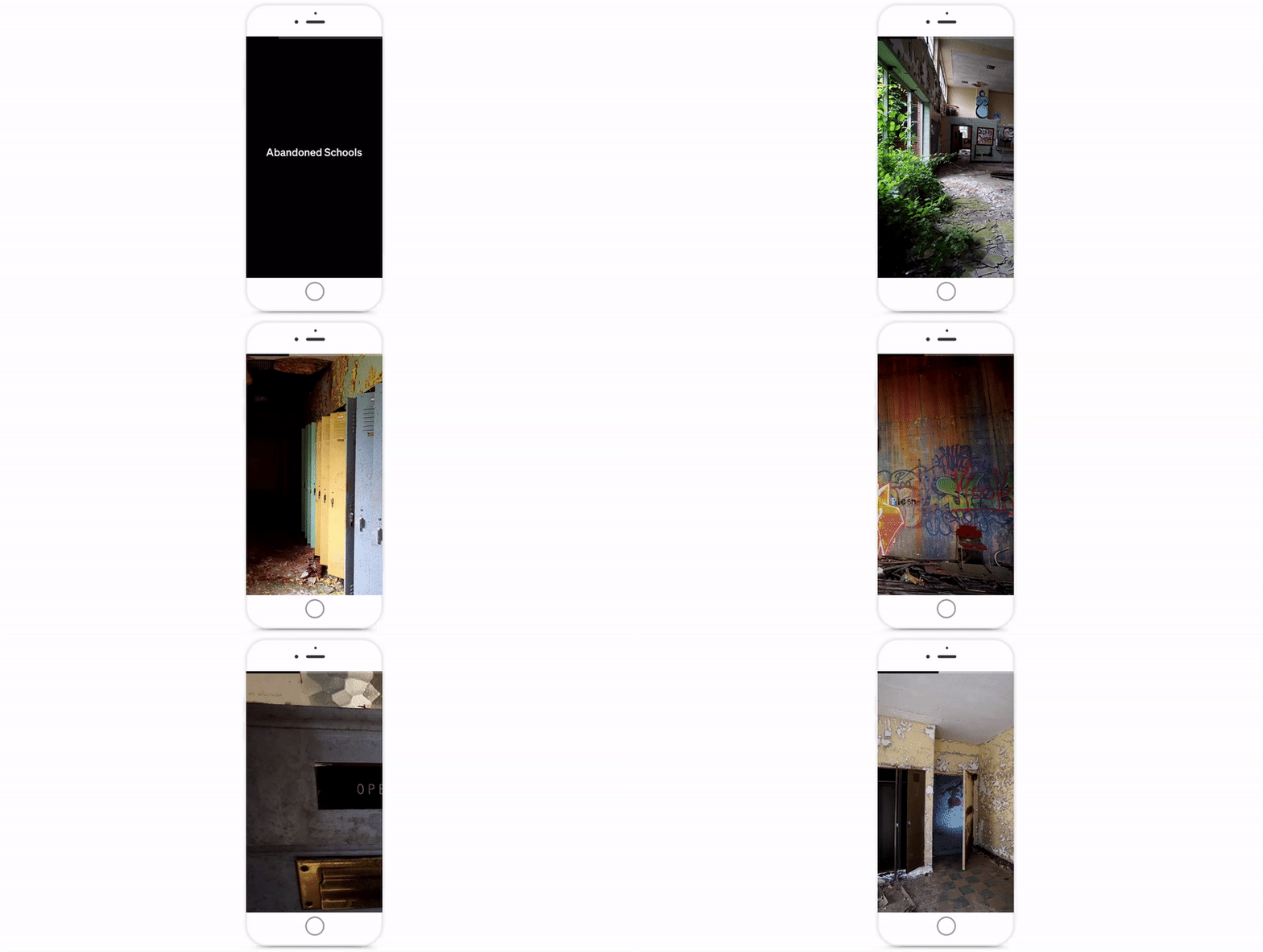
This allows readers to truly appreciate the detail and scope of a picture, with just the flip of their wrist.
How to Create a Medium Series
A Medium Series is made up of a series of “cards” which can contain images, text overlay, videos, or plain text.
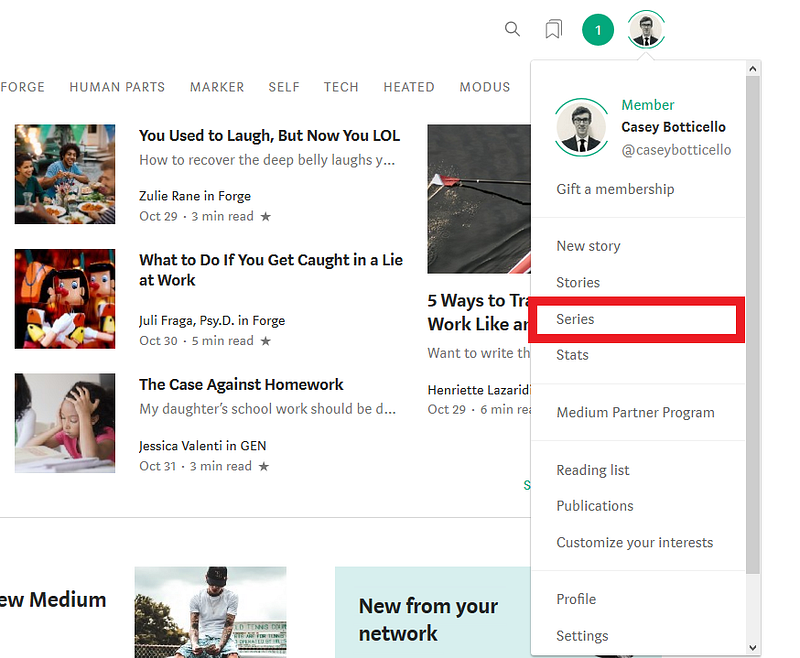
To create a Medium Series, click on the profile avatar at the top right corner of your account, and select the “series” button.
Add Card
To add a new card to a Medium Series, select a card and press the down arrow icon above it and choose whether to insert the card before or after, or delete it altogether.
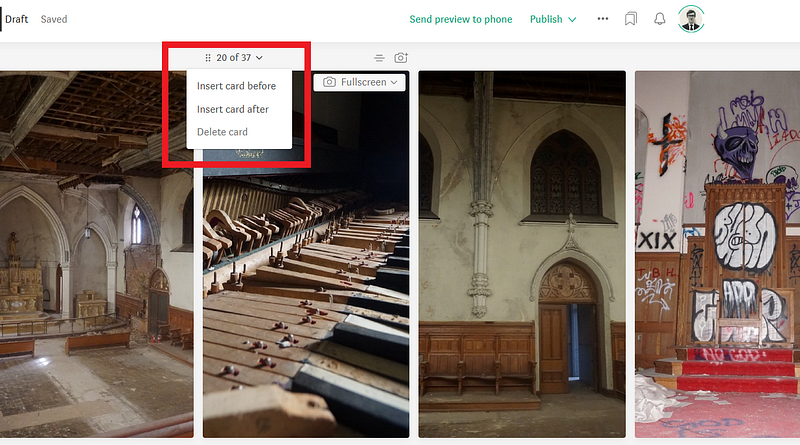
To add a new card in iOS, click the plus (+) and (-) icons to add or remove cards.
Re-order cards
To re-order cards using the web editor, click and drag the drag icon (six dots) to place the selected card where you want it.
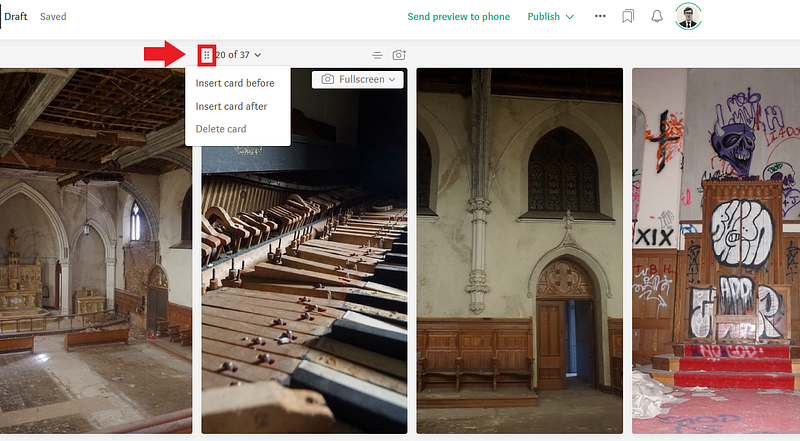
Image Formatting
You can use your phone’s camera or photo library to upload images to series. You will need to grant Medium access to your camera and/or photo library.
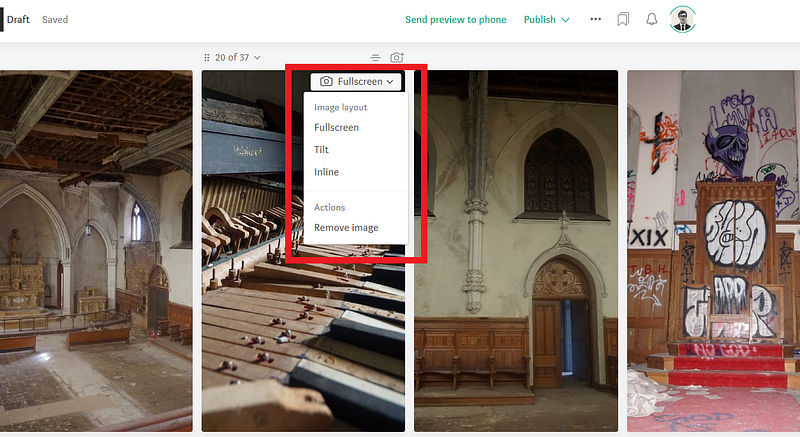
- Fullscreen — image expands to fill the screen, and will be cropped automatically.
- Tilt — large images (especially landscape format) can be explored by tilting your phone.
- Inline — images will scaled instead of cropped to fit screen, and may be accompanied by tex.
All image formats can accept a caption.
Preview & Publish
While working in the web editor, you can click Send preview to phone which will send a push notification to your iOS app.
Press publish to complete your Medium Series.
Share
To share a series, tap the top of the screen (or go to the end) > tap Share this series.

Thanks for reading this article! Leave a comment below if you have any questions. Be sure to sign up for the Blogging Guide newsletter, to get the latest tips, tricks, and news about writing on Medium and to join our Facebook group, Medium Writing, to share your latest Medium posts and connect with other writers.
If you liked this article, here are some other articles you may enjoy:

Casey Botticello is an internet entrepreneur and the founder of Blogging Guide, an online community of writers with an award-winning newsletter. He is also the creator of the popular Medium Writing Course and the Substack Newsletter Course.
Casey previously worked at several tech startups, a lobbying & strategic communications firm, and has created several businesses of his own. He is a graduate of The University of Pennsylvania, where he received his B.A. in Urban Studies.
You can connect with him on LinkedIn, Twitter, Facebook, follow his Medium publications, Digital Marketing Lab and Medium Blogging Guide, or reach out to him directly on his personal website.


