
What is a Firewall in Cybersecurity? 🛡️📋👨💻
Guardians of the Digital Networks and Gateways
In this article, we’re going to break down what firewalls are, how they work, and why they’re crucial for maintaining a secure network. By the end of this chapter, you’ll have a solid understanding of firewalls and the confidence to discuss their role in network security.
What is a Firewall?
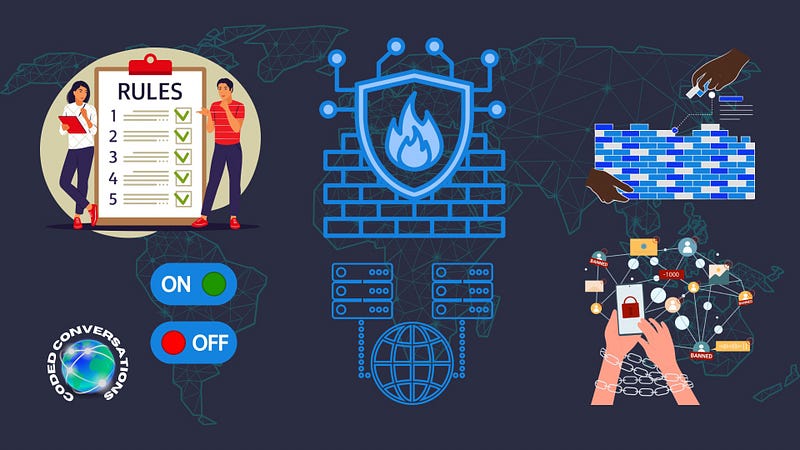
A firewall is like a bouncer at the entrance of a club, deciding who gets in and who stays out based on a list of rules. In the digital world, this club is your network, and the guests are the data packets that travel in and out. The firewall’s job is to inspect these packets to ensure that harmful or unwanted data doesn’t breach your network, while allowing safe and authorized data to pass through.
Types of Firewalls
Packet-Filtering Firewalls: These are the basic bouncers who check the ID (source and destination IP addresses, port numbers) of data packets against a set of rules. If the packet matches an allowed rule, it’s let in; if not, it’s turned away.
Stateful Inspection Firewalls: A more advanced bouncer who remembers previous transactions. This type ensures that incoming packets are part of an established connection, making it more secure than packet-filtering firewalls.
Proxy Firewalls (Application-Level Gateways): These act as intermediaries, receiving data packets, and then sending them on behalf of the source. It’s like having a personal assistant who checks your mail and only hands you the letters that meet your specific criteria.
Next-Generation Firewalls (NGFW): The elite bouncers with a VIP list, equipped with advanced features like deep packet inspection (DPI), intrusion prevention systems (IPS), and the ability to identify and block sophisticated threats.
How Firewalls Work
Firewalls work by inspecting incoming and outgoing data packets against a set of predefined security rules. These rules can be based on various criteria, such as IP addresses, domain names, protocols, programs, and ports. When a data packet arrives at the firewall, it checks the packet’s information against these rules. If the packet meets the criteria of an allowed rule, it’s passed through the firewall; otherwise, it’s blocked.
In the context of firewall functionality, these rules dictate the flow of network traffic based on protocol types, IP addresses, ports, and action (allow or deny).
Here’s a breakdown of how to interpret the rules:
- Type: This column specifies the protocol type, such as TCP (Transmission Control Protocol) or UDP (User Datagram Protocol).
- Source IP Address: The originating IP address of the traffic.
- Source Port: The port number at the source from which the traffic originates.
- Destination IP Address: The intended IP address for the traffic.
- Destination Port: The port number at the destination targeted by the traffic.
- Action: What to do with the traffic that matches the criteria (e.g., ‘permit’ to allow it through, ‘deny’ to block it).
Here’s an example from the list:
- Type: tcp
- Source IP address: *
- Source port: *
- Destination IP address: 195.55.55.10
- Destination port: smtp
- Action: deny
This rule says: Block all TCP traffic from any source IP and port headed to the IP address 195.55.55.10 on the SMTP (Simple Mail Transfer Protocol) port. This rule would be used to prevent email traffic from reaching this specific address.
Another example:
- Type: udp
- Source IP address: *
- Source port: 20
- Destination IP address: 0.0.0.0/255.255.255.0
- Destination port: dns
- Action: deny
- Action: deny
This rule dictates: Block all UDP traffic from any source IP with a source port of 20 going to any IP address within the subnet 0.0.0.0/255.255.255.0 on the DNS (Domain Name System) port. It could be used to prevent certain DNS queries from being initiated by a specific service identified by the source port 20.
Lastly:
- Type: ip
- Source IP address: *
- Destination IP address: *
- Action: permit
This very broad rule allows all IP traffic from any source to any destination, which is not common in practice due to security implications.
In practice, firewall rules are set up in a list and are typically processed from top to bottom. Once a rule matches the traffic, subsequent rules are not evaluated. It’s important to order the rules carefully to ensure the network is properly secured while allowing legitimate traffic. These rules are a key component of a firewall’s configuration and are crucial for enforcing the network security policy.
Why Firewalls are Important
Firewalls are crucial for several reasons:
- Protection from Cyber Threats: They protect networks from unauthorized access, hackers, and malware by blocking potentially harmful data packets.
- Privacy and Confidentiality: By controlling incoming and outgoing traffic, firewalls help keep your data private and secure from eavesdroppers.
- Regulatory Compliance: Many industries require firewalls as part of regulatory compliance to protect sensitive data, such as customer information, financial data, and health records.
Empowering Your Network with Firewalls
To empower your network with firewalls, follow these steps:
- Assess Your Needs: Determine the level of security required for your network. Consider factors like the size of your network, the type of data you handle, and your specific security needs.
- Choose the Right Firewall: Select a firewall that suits your network’s needs. For smaller networks, a basic packet-filtering firewall might suffice. For larger networks or those handling sensitive data, consider a stateful inspection firewall or NGFW.
- Configure Your Firewall Rules: Set up your firewall rules carefully. Define clear policies for what is allowed and what is blocked. Regularly review and update these rules to adapt to new security threats.
- Regular Maintenance: Keep your firewall software updated to protect against the latest threats. Regularly monitor firewall logs to identify and respond to suspicious activities promptly.
5 Most Used Open-Source Tools
Here’s a comprehensive list of five open-source tools, including a brief explanation of their use and implementation:
- pfSense: A versatile firewall and router platform based on FreeBSD, used to control network traffic with advanced security features.
- OPNsense: A user-friendly firewall and routing platform that includes features like intrusion detection and VPN.
- Firewalld: A dynamic firewall manager for Linux systems that provides firewall configuration and manages rulesets dynamically.
- IPFire: A Linux-based firewall distro focused on user-friendliness and flexibility, catering to different network setups.
- VyOS: An open-source network operating system that provides a unified management interface for all functions like firewall, VPN, and routing.
By understanding firewalls and implementing them wisely, you can significantly enhance the security of your network, protecting it from a wide range of cyber threats. Remember, a well-configured firewall is a key component of a robust network security strategy.
If you enjoyed this, don’t forget to give a clap, share with your peers, and leave your thoughts in the comments.