

What is the role of a UX Designer?
Common deliverables and day-to-day work for a UX Designer
User Research
Personas
Personas are fictional character representations of the person, object, situation, problem, challenge, redesign under consideration for your project, created based on the research to represent the different user types that will use the service, product or site. Creating personas helps to understand users’ needs, experiences, pain-points, behaviors, and goals.
Persona = Person + Activity
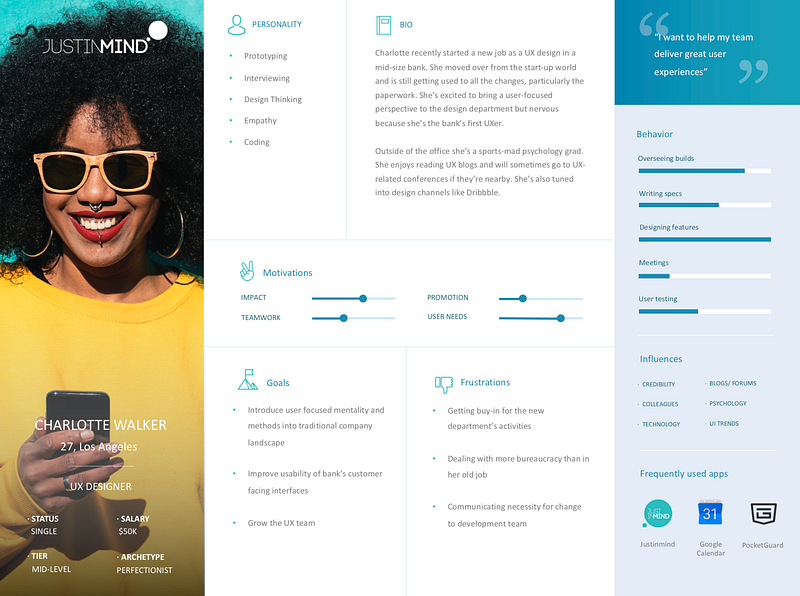
A UX Designer’s first job is to understand the people the design is for. A design outcome can be fruitful only after the personas are well-defined, well researched and well-analyzed.
The goal of personas is to create reliable and realistic representations of your key audience. Effective personas represent a major user group for your website which would give a clear picture of the user’s expectations and how likely they’re to use the site.
User Journey Maps
A user journey map is a flow that represents a scenario in which a user might interact with your design. User Journey Maps are a walk-through that encompasses users’ goals, motivations, emotions, pain-points, overall character, needs, and demands.
The journey maps or user maps are one of the fundamental basics for a UX Designer. Once the personas are clearly defined, a UX Designer is bound to design a journey map, a visualization of the process that a user will go through to accomplish a goal on your app/website. Example, a user from the login page to the checkout flow and everything in between.
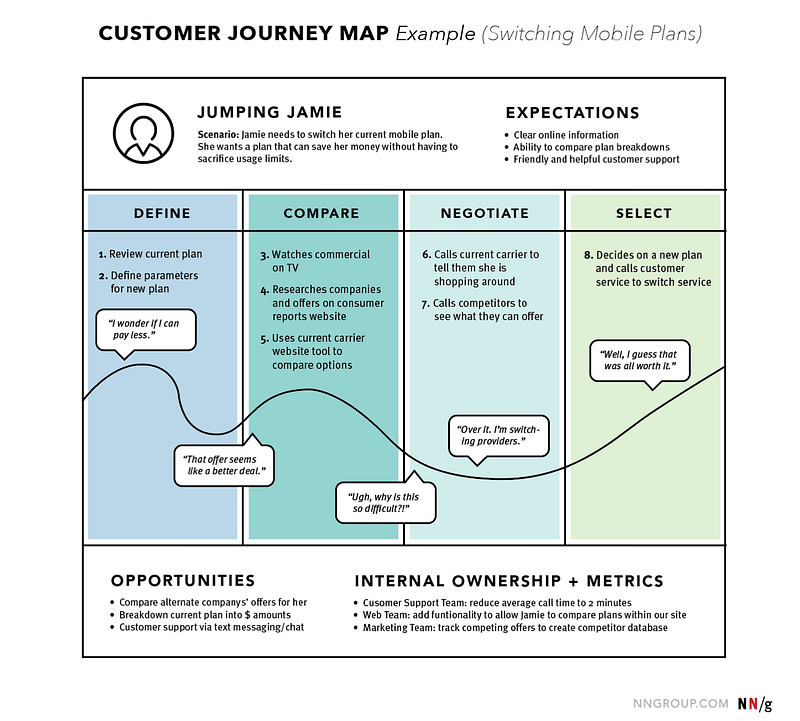
User journey mapping typically starts by contemplating and assembling a sequence of user actions into a timeline. Next, the timeline is injected with user emotions and thoughts to create a narrative, finally condensed and packed to translate into a visualization.
Breaking the user journey maps:
- Actor
- Scene
- Stages
- Emotions, actions, and thoughts
- Opportunities
For example, A girl (actor) wants to buy a Bluetooth speaker (scene), the stages can be to explore speakers, discover, try, buy, use, and seek support if stuck (emotion).
Task Models
A task model is important for the task analysis to identify where opportunities to improve the UX exist and generate preliminary ideas approach redesign challenges.
Task Models are an ecosystem of a trigger, desired outcome, base knowledge, required knowledge, and artifacts. Task models are single flow sketches completed similarly by all users for a specific action.
Example: Login/Sign up on the first screen. The steps that will be followed by a user will be described by a task model. A task model may or may not branch out; Say, a product screen. The product can either go to the cart/wishlist or a user might visit some other product or a page.
Use cases
Use case projection is a strategic process of capturing and communicating complex customer interactions. The activity of mapping builds knowledge and consensus across your organization. It helps to map the progress where we as UX Designers will next build seamless customer experiences.
Storyboarding
Creating a storyboard might just sound like an extra non-essential step in the process of User Experience Design, but trust me, the clarity you get as a UX Designer after storyboarding for your platform is unparalleled. It’s a step you won’t want to ignore! I found myself reworking the task model after I made my storyboards.
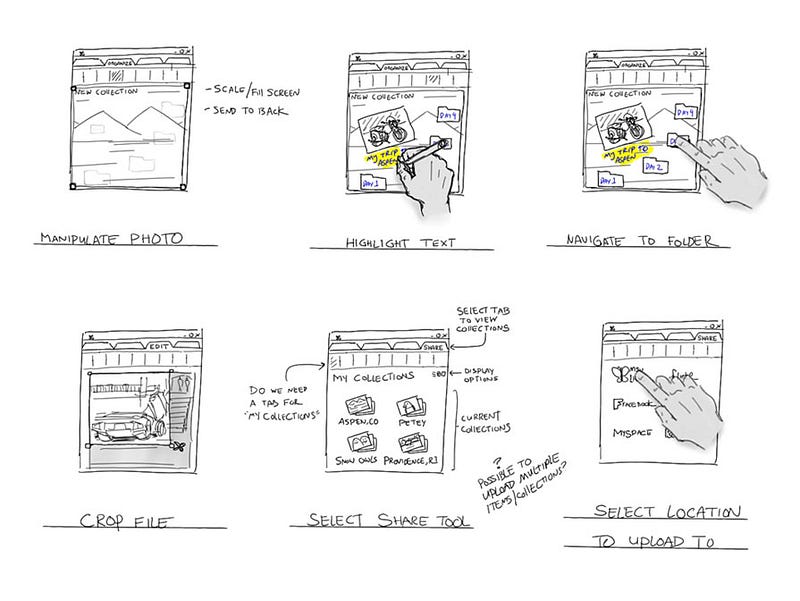
A storyboard can be visualized as a representation of your vision on a whiteboard. Creating a storyboard allows you to work out a lot of the intricate, often overlooked details of the design. It helps you organize your designs better, communicate your ideas to other people and simplifies everything that is about to come later.
Design
Flowchart
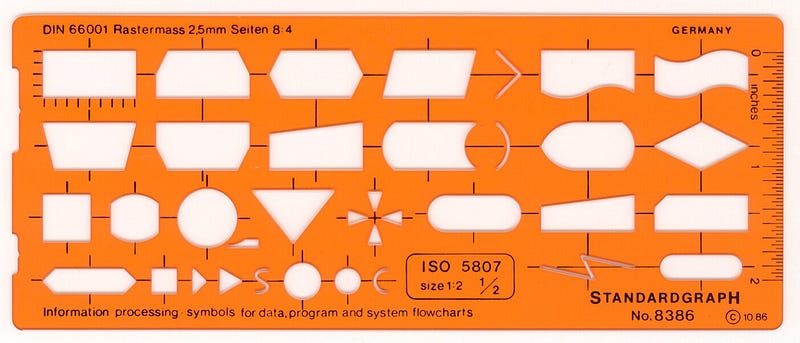
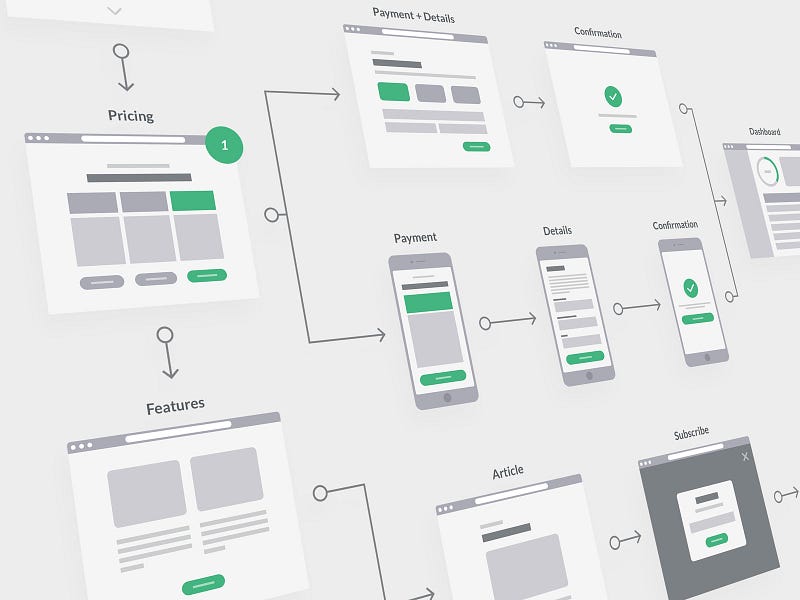
For a UX designer, a flowchart is a stepping stone towards creating visual representations of the previously created user flows or user tasks. Flowcharts can be a transition step from the traditional paper-pen visuals to a more specific representation. To functionally define, a flowchart is a diagram of a process using a set of standard symbols and connecting lines.
You can get yourself flowchart/user flow cards printed too if you are reusing the same templates over and over again.
Sketches
Wireframes
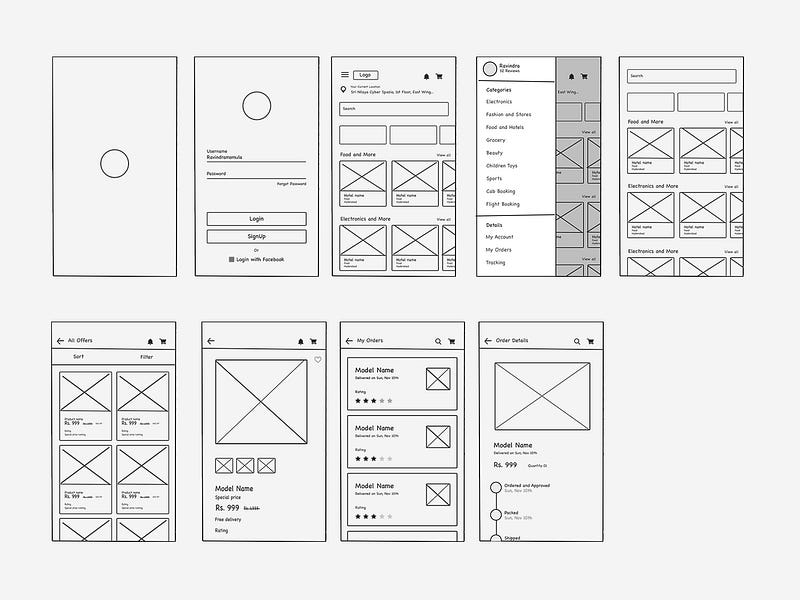
A wireframe can be described as an image or set of images that displays the functional elements of a website or page, typically used for planning a site’s structure and functionality.
Wireframes are the next steps to sketches where the sketches start to resemble a lot like the actual design.
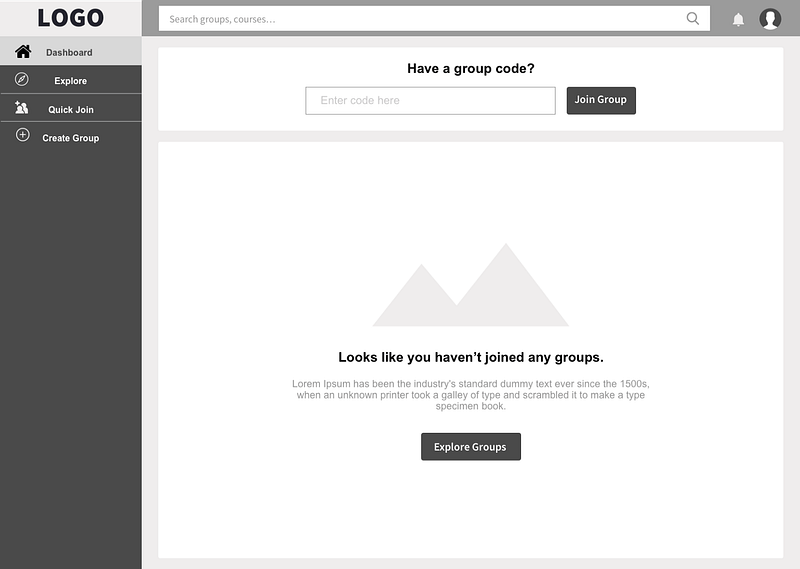
Wireframing is the deliverable stage for a UX Designer where all the previous work starts to translate into what we then recognize as our “piece of work”, Wireframes lays the foundation to the content, layout, and functionality on a screen that a user would look at.
It takes into account all the user needs and expectations we considered during our journey maps. Generally, wireframes are believed to be a part of the early development process, rather, I would say it is the principal step towards establishing the basic architecture of a screen before your visual design and content are added.
Clarity, confidence and simplicity
Prototypes
A prototype is the first or preliminary version of a website/ application from which other forms are developed.
A prototype is used to understand and see how the app or screen you designed will work. What will it do and how would users interact with it? Prototypes are first-level simulations of how a finished product will look and work like.
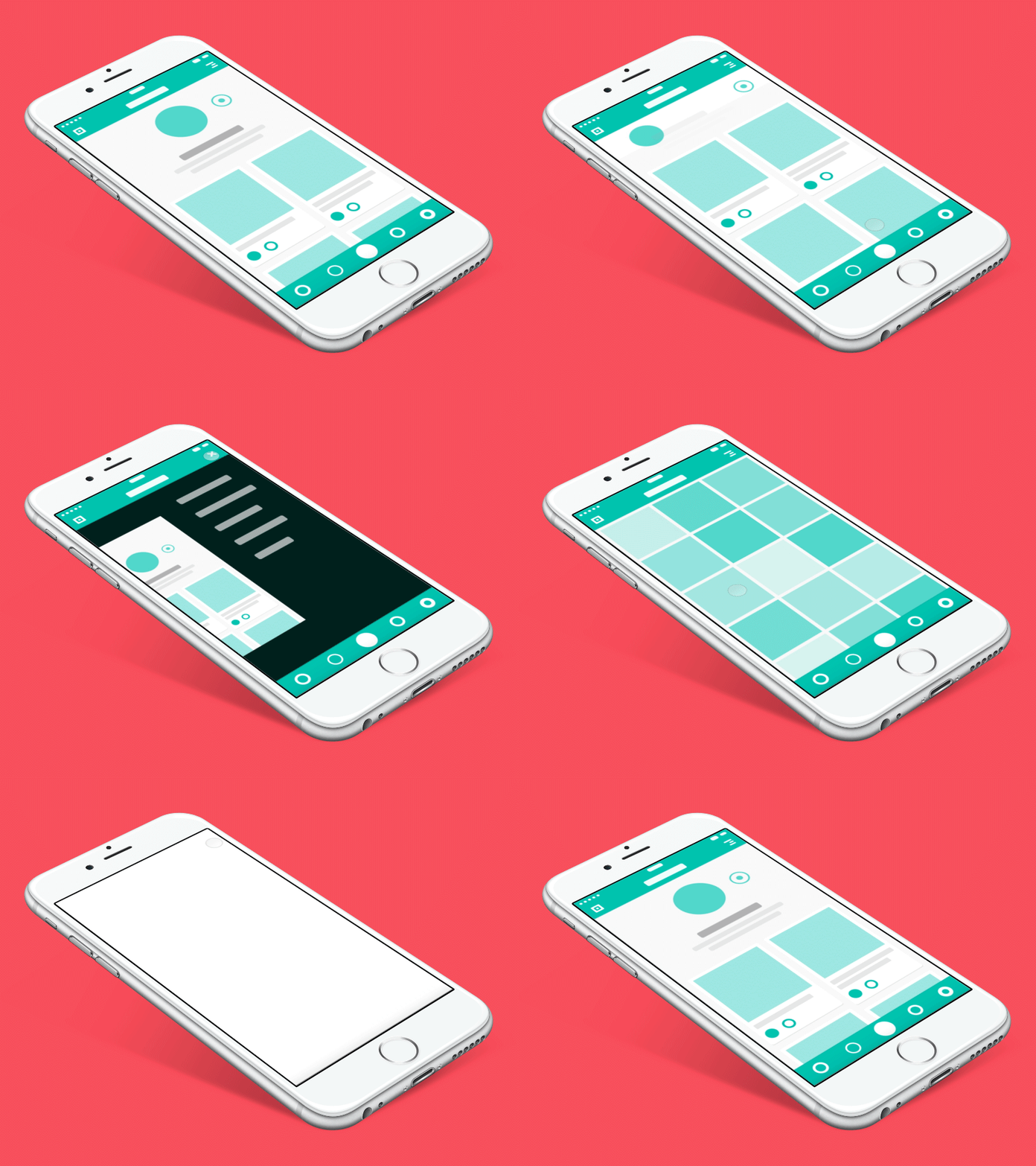
For me, prototyping is one of those skills that gives birth to a potent and powerful UX Designer; one that has the imagination and passion to translate simple wireframes into fully functional mockups.
Designing a prototype is not a simple deliverable to give to the next person to build. It is quintessential to understand what are the expectations out of the prototype, what on the table is being solved. The prototyping process is what I feel can make or break you and your final product!
Testing
User Survey
The first question I would answer is why user surveys for a UX Designer deliverable?
Now, any decision making in the world would have to start with an assumption, maturing into a hypothesis and traversing to find a conclusion. User Surveys are that part in the UX Design process where you have certain questions and/or hypotheses and a general but keen interest in getting some feedback from “actual users”, in turn, learn more about your users.
For the precision that is required for a UX Design, it comes when you ask a sizeable sample on how they feel about your work.
Common user survey questions to look for answers: [Source]
- What types of people will use the app or platform?
- What proportion of users fits various types/segments, groups/audiences, or personas?
- What are people’s goals and “top tasks”?
- How do expectations and needs vary between user groups?
- How do those expectations and needs align with adoption and satisfaction?
- Where are the best opportunities to improve adoption and satisfaction?
- Which changes or features should we prioritize to make those improvements?
Usability report
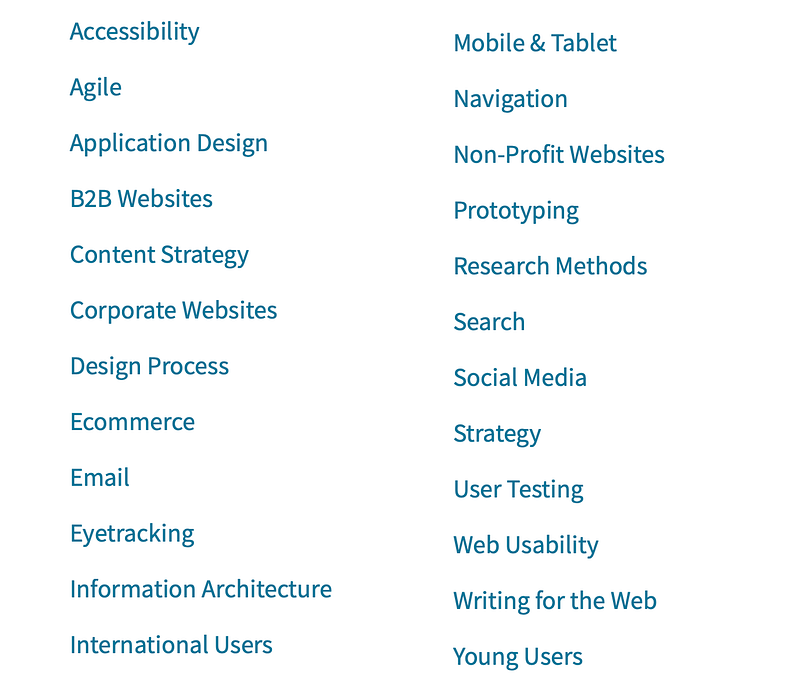
Usability testing is important. It serves as a confidence booster when you see the metrics and numbers meeting your target goals (and making your boss happy😉). It bolsters the belief that the changes you make to your website or app have a positive impact on your conversion rate and other metrics. You can use statistical analysis to provide a sound mathematical foundation for making business decisions and eliminating false positives or rely on some pre-made report templates. You can measure usability across:
A/B Testing
A/B testing, also known as split testing/ bucket testing is an experiment wherein you split your audience to test several variations of a campaign and determine which version performs better.
You can show version A of a design or business strategy one half of your audience, and version B to the other half. The turf of an A/B test will need you to create two different versions of one piece of content to two similarly sized audiences and analyze which one performed better over a specific period (long enough to make accurate conclusions about your results).
You can also read my story on “How To Make Your A/B Testing Accurate Each Time?” for a deeper understanding of the before and after A/B testing.
Visual Design
The last one on my list I would like to include delivering the visual cues. It would be a nightmare for a UX Designer if the style guide specifications are not followed and have to end up thinking about a UX Redesign rather than a fresh design.
The principles of information theory, cues, font size, style, font family, padding, images, colors, space, hierarchy, balance, contrast, scale, dominance, and a list I can keep adding things to.
Visual design is a field that has grown out more from User Interface (UI) Design and Graphic Design as it focuses more on the aesthetics of screen design and the peripheral. However, it is important for UX Designers also because visual design relates itself to how elements can form or arrange visuals to address the principles of good experiences.
To sum it up, UX Designers can shape the UX to elicit a fluent, effortless dialog between users, their behaviors and responses. Something that suits the use cases we develop in the primitive stages.
And wouldn’t you agree more, invariably, it’s the small details of a product’s aesthetics that plays a significant role in the design of the user experience?
Thank you for reading the article! I hope you liked it. Do let me know if you as a UX Designer are entitled to any more deliverables than this.
Happy UXing!
Disclaimer: The views expressed in this article are my own and do not represent a strict outlook.
Know your author
Rashi is a graduate student at the University of Illinois, Chicago. She loves to visualize data and create insightful stories. She is a User Experience Analyst and Consultant, a Tech Speaker, and a Blogger.