
What essential productivity tools have I relied on in the past year?
I hope these tools can also help improve your efficiency.

As I reflect on 2023, a year of mixed emotions, many friends have shared their year-end reflections. I want to take this opportunity to introduce you to several productivity apps that I frequently used throughout the year, which form my personal 2023 year-end roundup.
I regularly use a wide array of applications, in line with Zhang Yuxin’s philosophy (advocate of smart software use) — “light use of powerful tools”. After much distillation and refinement, I’ll focus on three specific areas and their key applications, namely, video editing, content management, and information retrieval.
Video Editing
If you visit my Bilibili homepage, you’ll come across a variety of videos that I’ve created previously.
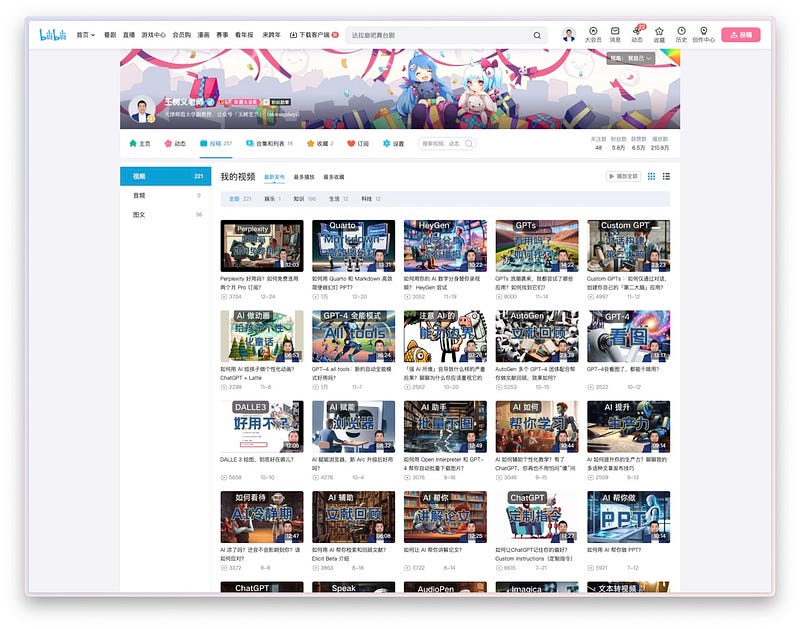
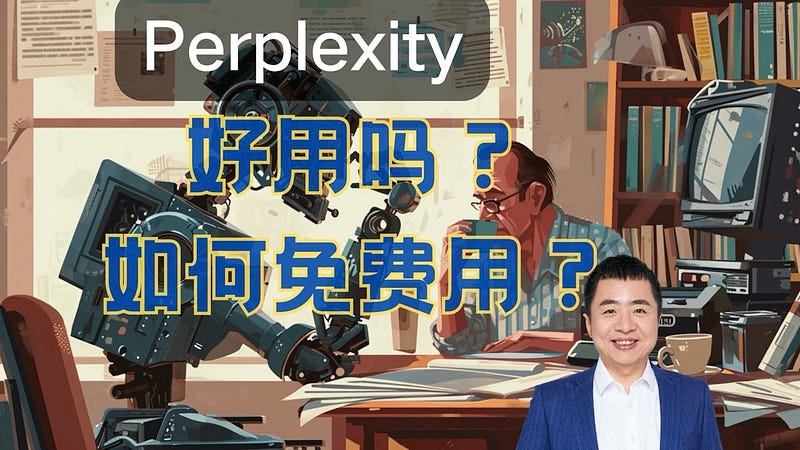
You might see that I’ve used AI to create these video covers, but we’re not focusing on AI drawing today (since it’s been covered in several past issues 😂). After completing the recording, the next step is video editing. Editing a lengthy video often involves a significant amount of time to resolve a variety of issues:
Take pauses, for example. During video recording, I might need to pause to gather my thoughts before delivering the planned content.
Consider errors, for example. I might occasionally misspeak or use repetitive phrases like “this” or “that”. Too many such issues could detract from the viewing experience and need to be rectified.
Previously, the editing process was quite laborious. I had to manually track the progress bar and identify each issue individually. But now, with Recut, my efficiency in editing has dramatically improved.
Simply drag your recorded video into the Recut interface. Take, for example, this video I produced recently. On the interface, you’ll notice the audio waveform. Recut first “scans” this, automatically identifying pauses, indicated by red areas.
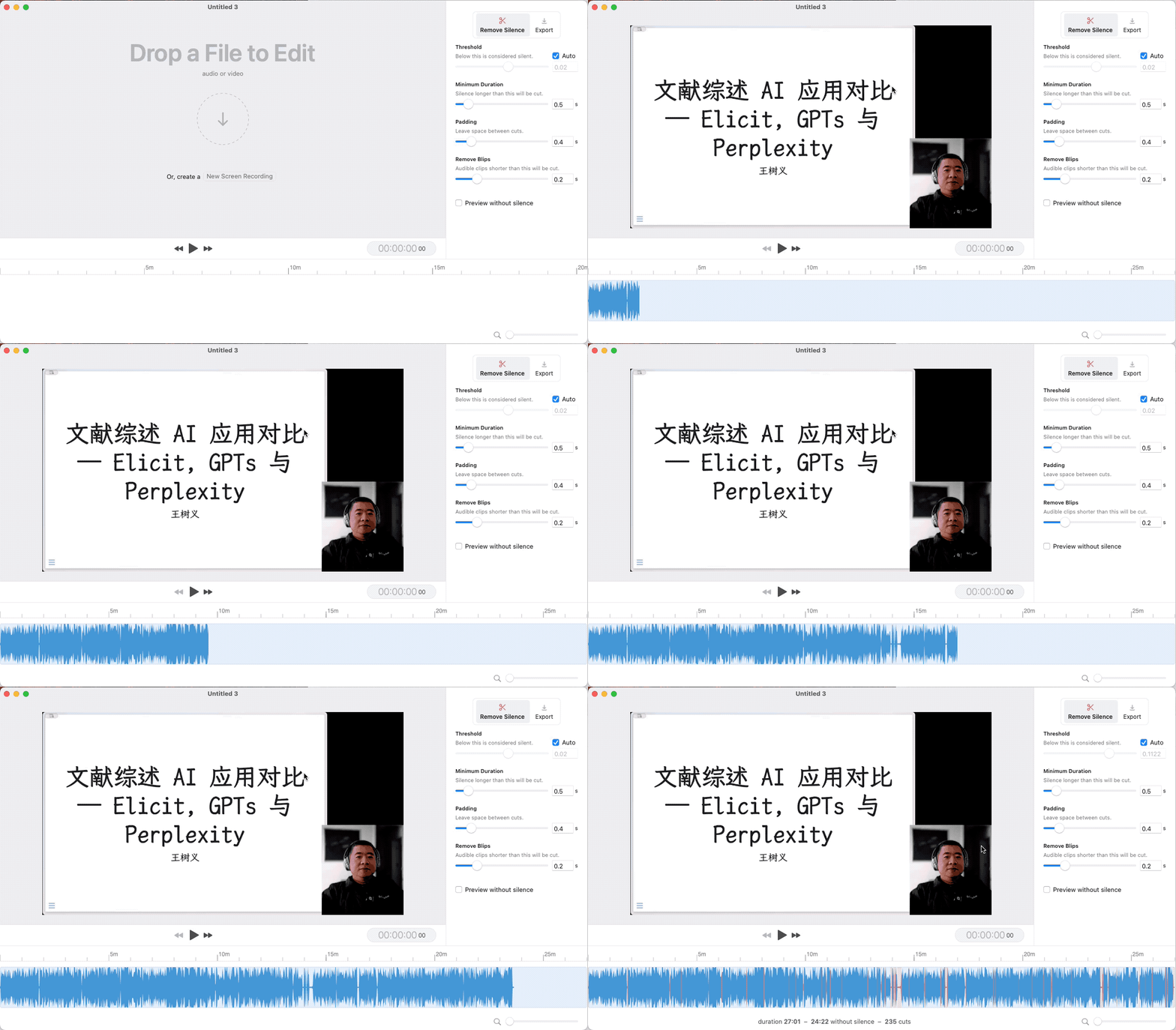
What does Recut do? It automatically identifies pauses in videos. Recut can detect pauses that exceed a predetermined threshold. I generally stick to the default settings, which are quite effective.
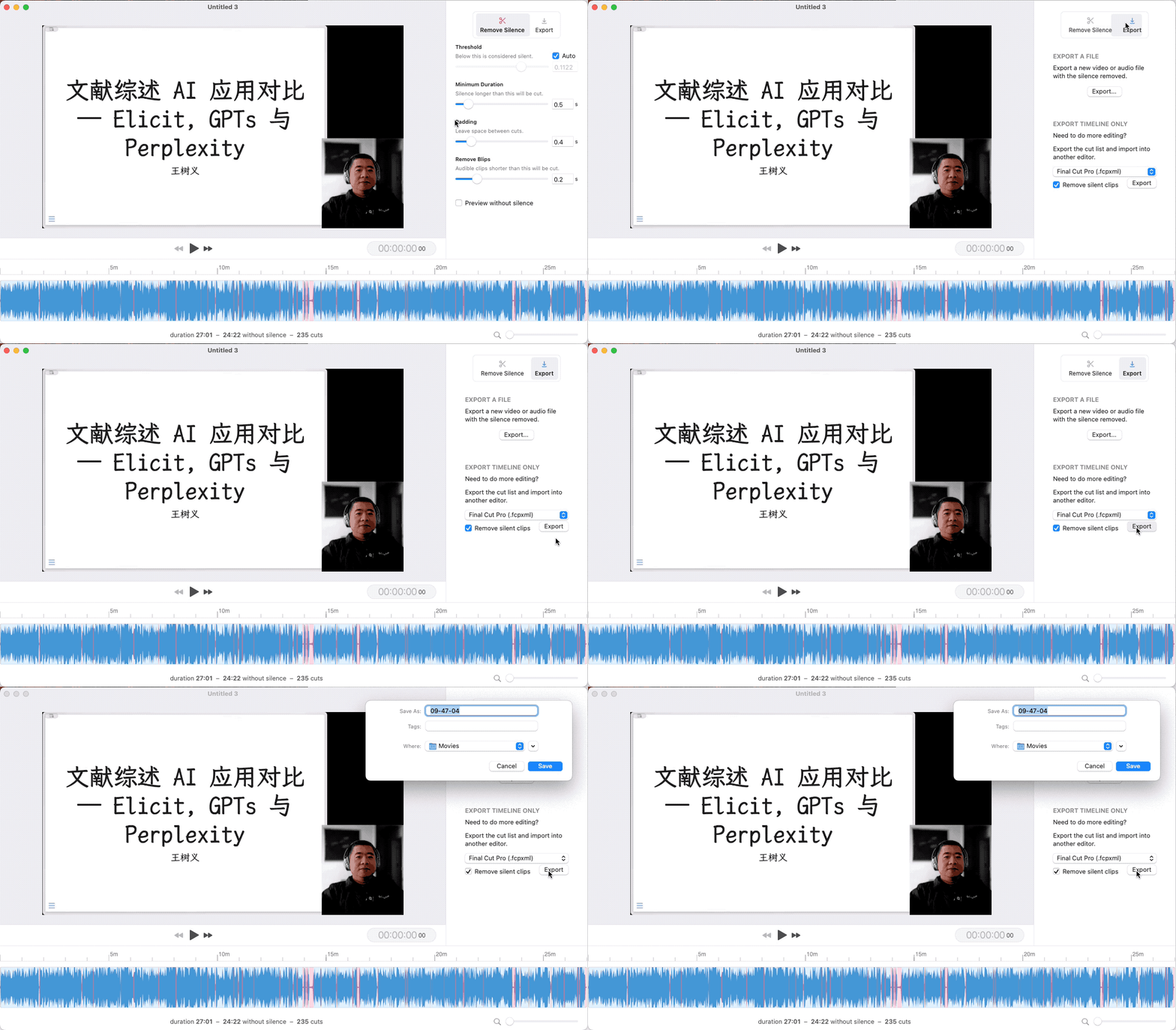
It’s important to note that after processing with Recut, you don’t have to immediately cut out these silent sections. Instead, you have the option to convert the edited video into a Final Cut Pro project.
When you open the Final Cut Pro project, you’ll find that it has already automatically split the video for you.
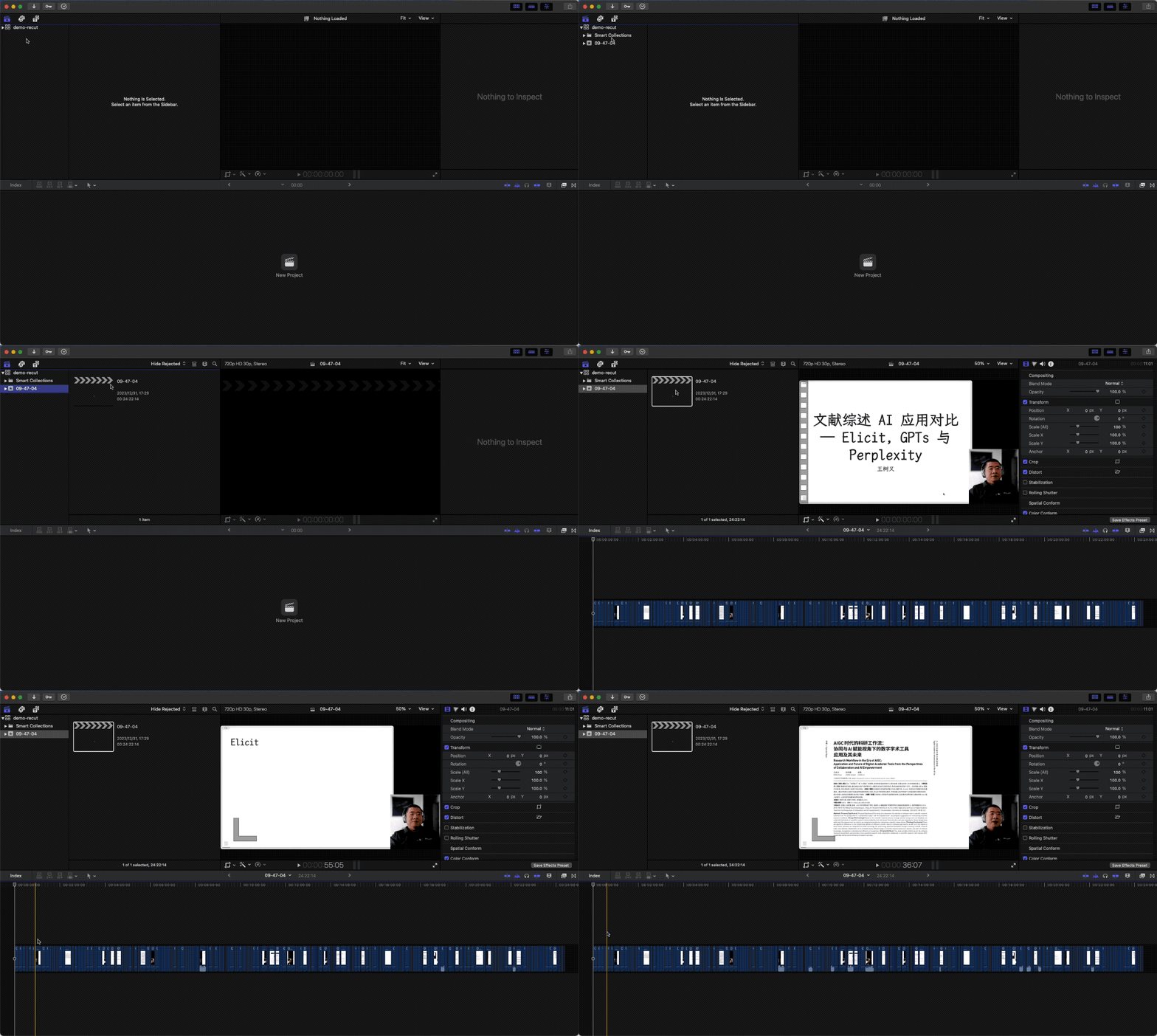
In this project, all the cut content is still intact. This is beneficial because you might need those quiet sections sometimes. If they were directly cut out, it would be difficult to get them back. These divided segments indicate the original pauses in the video. This makes it incredibly convenient to start editing and trimming along these points.
Throughout the past year, I’ve consistently used Recut for editing assistance each time I produced a video. I want to especially thank Lu Liqing, who introduced this app in our WeChat group. After using it, I found it extremely efficient and am thankful for Liqing’s recommendation.
Content Management
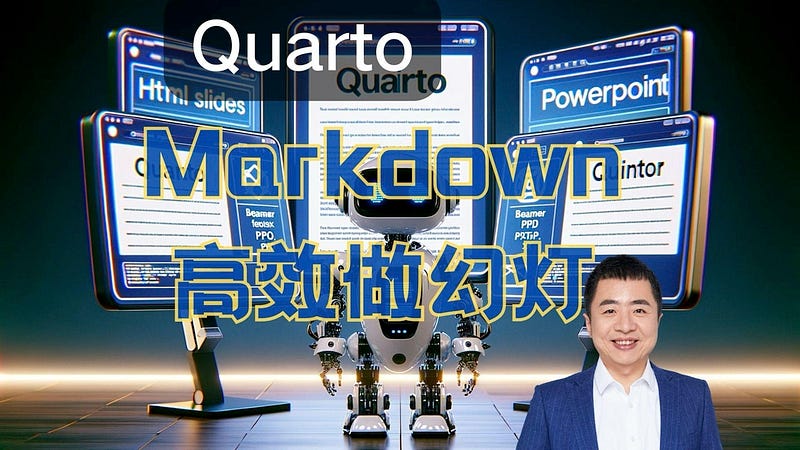
Moving on, let’s delve into content management, focusing on managing materials for slide production. I’ve created many videos this year, using Quarto for slide effects. For insights on using Quarto effectively for slide production, you can refer to this part of my video.
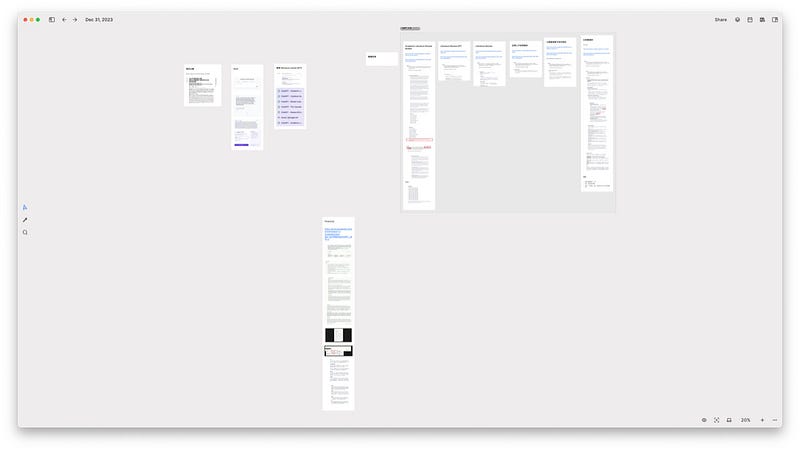
But the key function of Quarto in slide making is to convert all materials into a specified format. The question is, how to accumulate and manage these materials and then integrate them effectively? This is where Quarto falls short. I’ve been using Heptabase for content organization. In the image below, you’ll see a typical Heptabase whiteboard. Every time I have a new idea, I create cards with images and text and add them to the board. These cards slowly accumulate, each linked to a specific project.
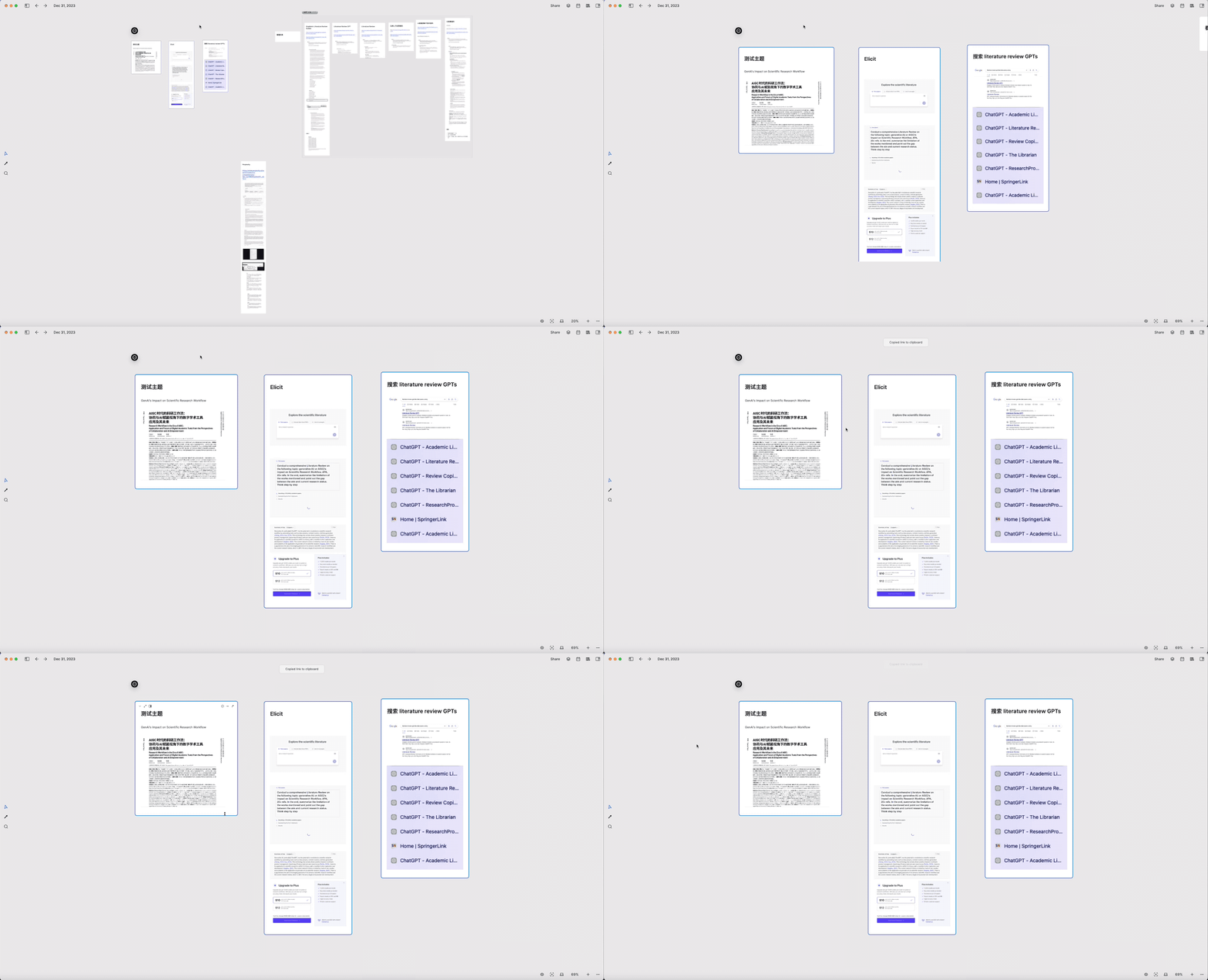
For the integration and output phase, I pick multiple cards within Heptabase, arrange them in order, and then consolidate and output them. For instance, here I first chose three cards and used the Cmd + L shortcut to copy their links.
Subsequently, I create a new, empty card and paste these links into it. Heptabase prompts me if I wish to use them as references, to which I respond affirmatively.
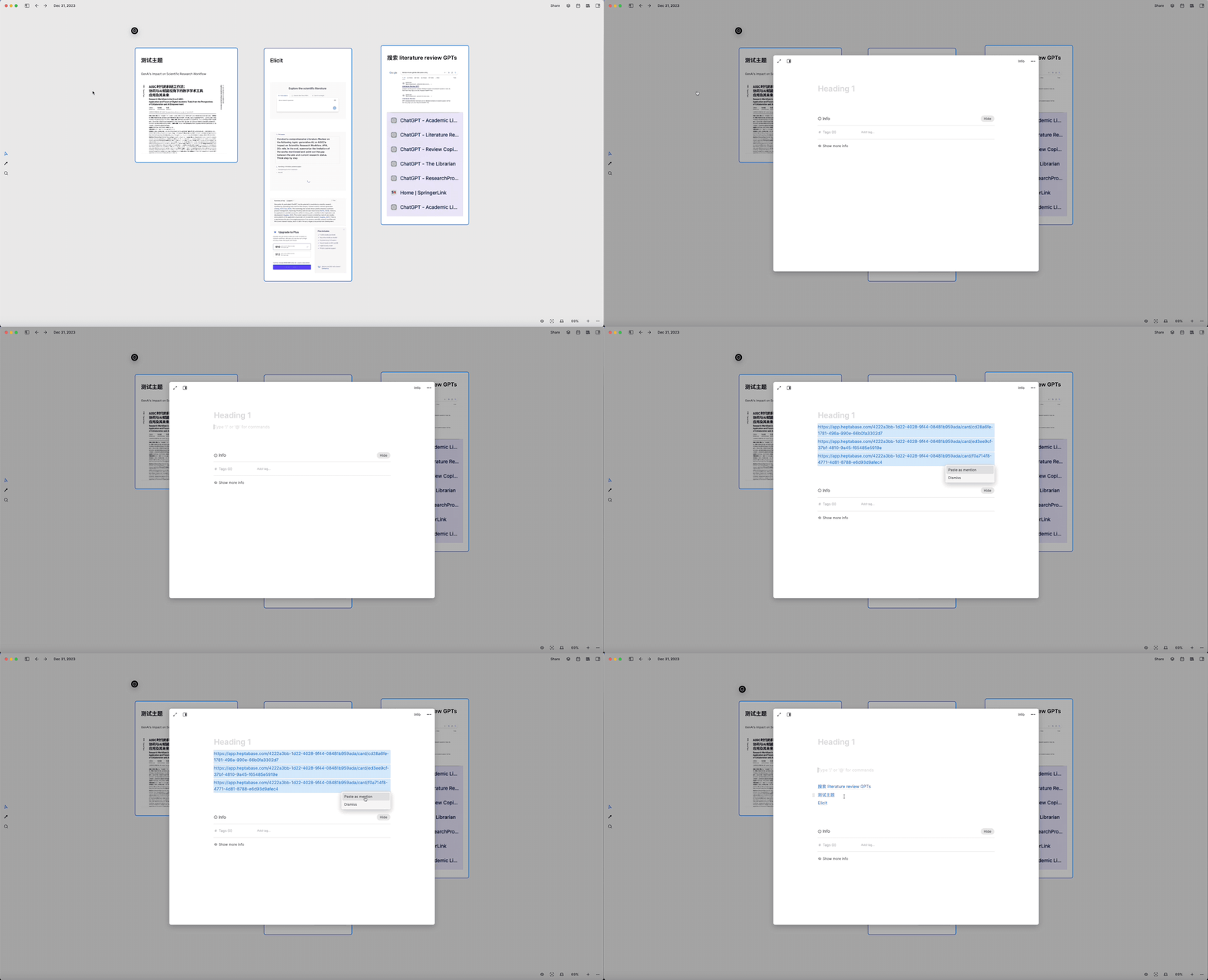
Then, I expand this card, sequentially click on these organized links, and transfer the content from each card into this new “larger card.”
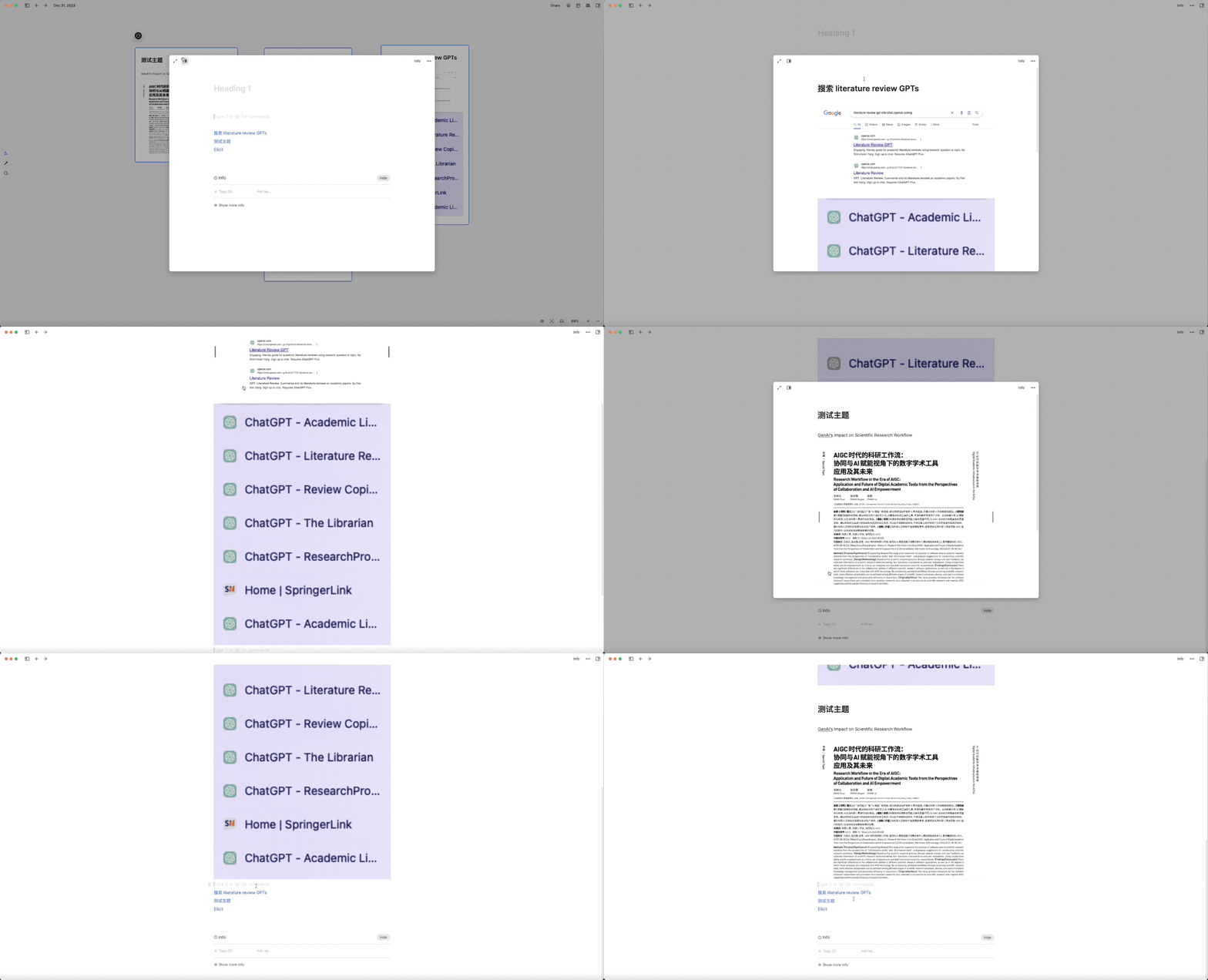
This process transforms the content, initially laid out non-linearly and two-dimensionally on the whiteboard, into a structured, linear format, forming the first draft of the slide. Then, I use Quarto for the final transformation and output, creating elegant and visually appealing HTML5 slide effects, similar to those in my videos. In Heptabase, I can incorporate not just images and text but also easily add other multimedia elements like videos, which can be copied from Finder and previewed directly in Heptabase.
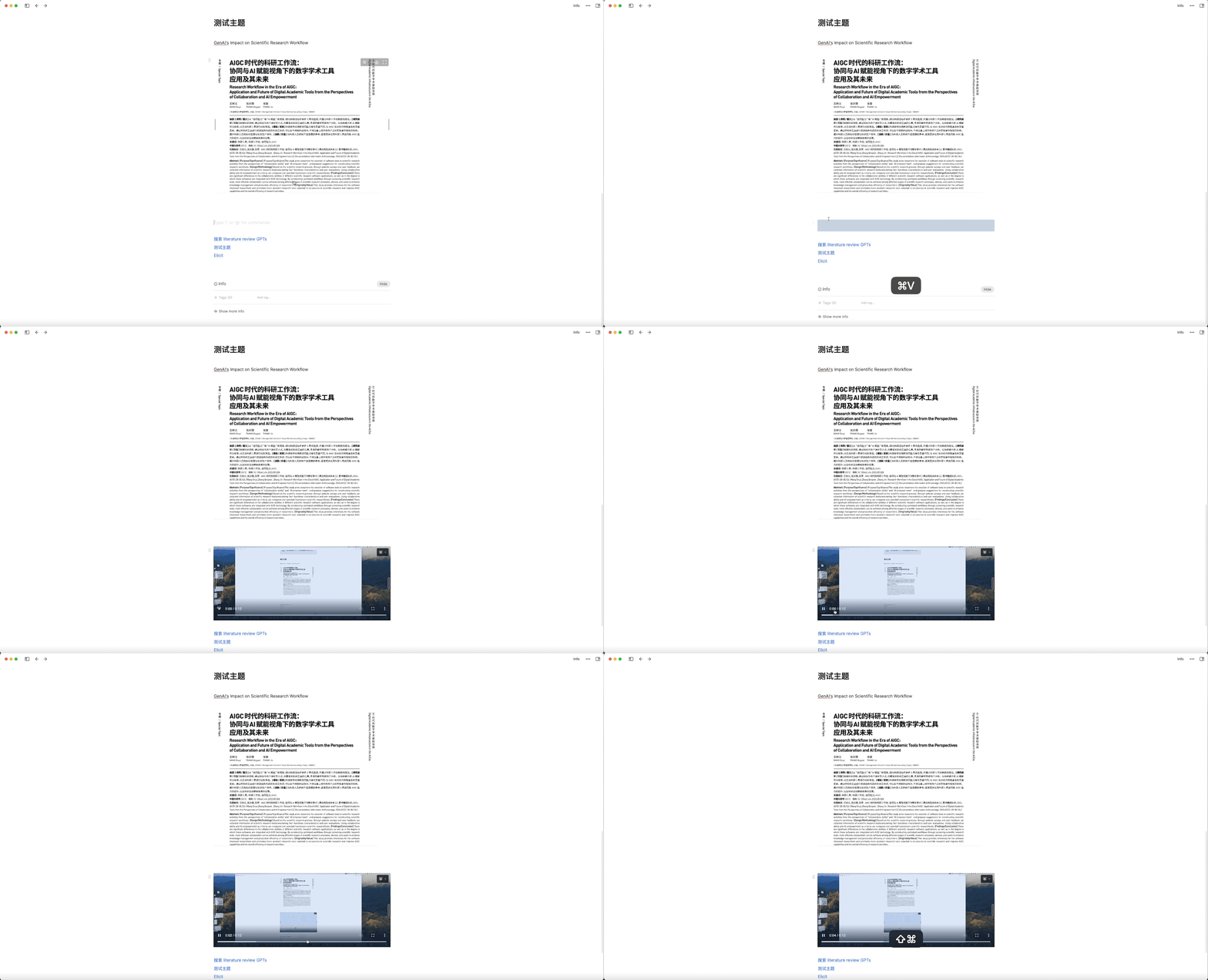
When it’s time to output, these videos are also included in a compressed file, simplifying my subsequent work with Quarto. While using Heptabase for slide material organization might seem like an overkill, it has been immensely helpful in organizing my thoughts and easily managing various presentation scenarios.
Information Retrieval
Moving on, I’d like to introduce an application that I often use for information retrieval: Perplexity. I’ve recently produced a series of videos and written tutorials on the utility of Perplexity and how to use it for free.
I also authored an article on Zhihu Planet, where I compared the abilities of Elicit, GPTS, and Perplexity in the field of literature review.
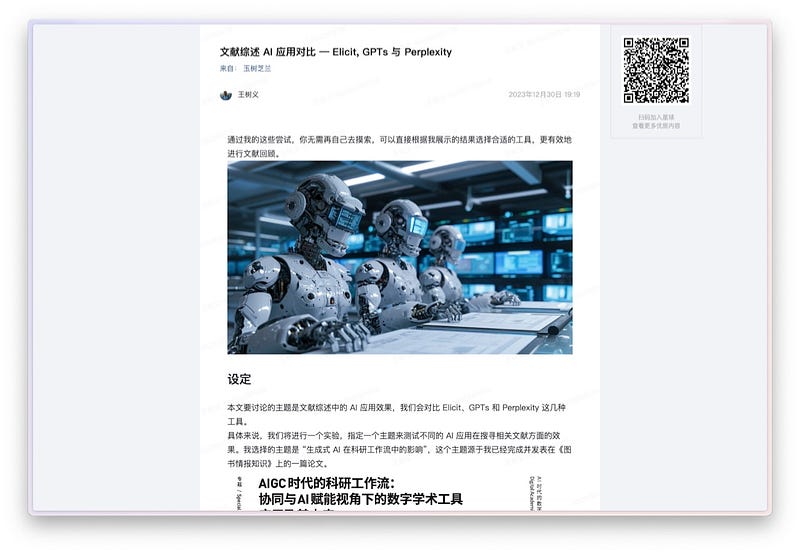
The article features a screenshot that illustrates the remarkable effectiveness of using Perplexity for literature reviews.
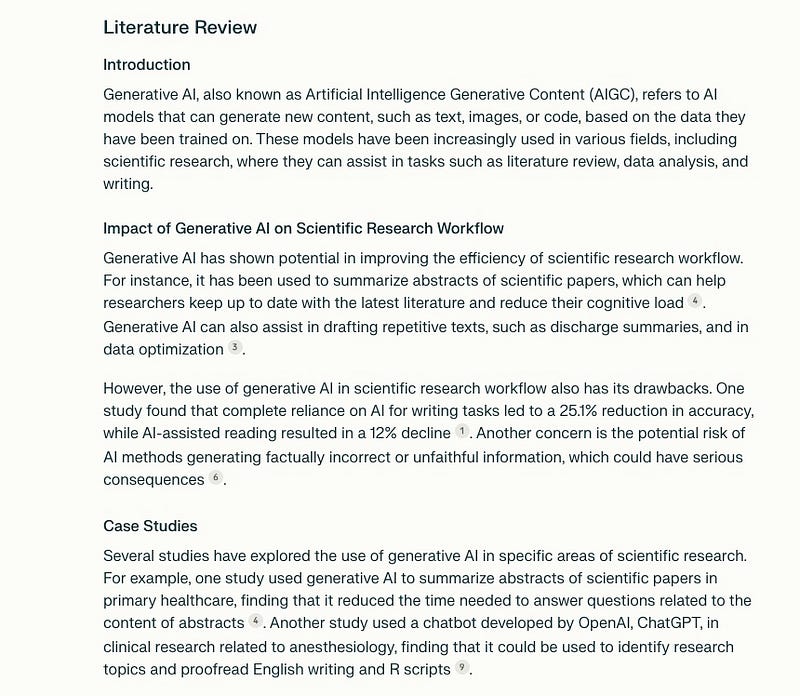
In addition to literature reviews, Perplexity can be used to locate tutorials. Traditionally, when trying to understand new concepts, we needed to search for learning materials ourselves. I wrote an article, “What to do when you can’t understand a paper”, discussing quick ways to find such materials. But now, Perplexity can efficiently replace many of those methods.
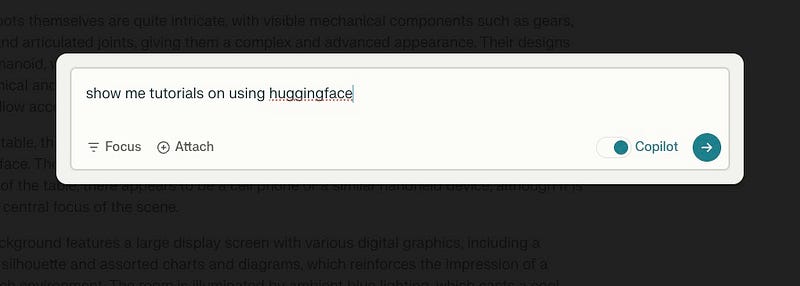
I queried Perplexity to see if it could help me find tutorials related to HuggingFace. It initially asked me what specific areas of machine learning applications with HuggingFace I wanted to learn about, like text generation, sentiment classification, etc.
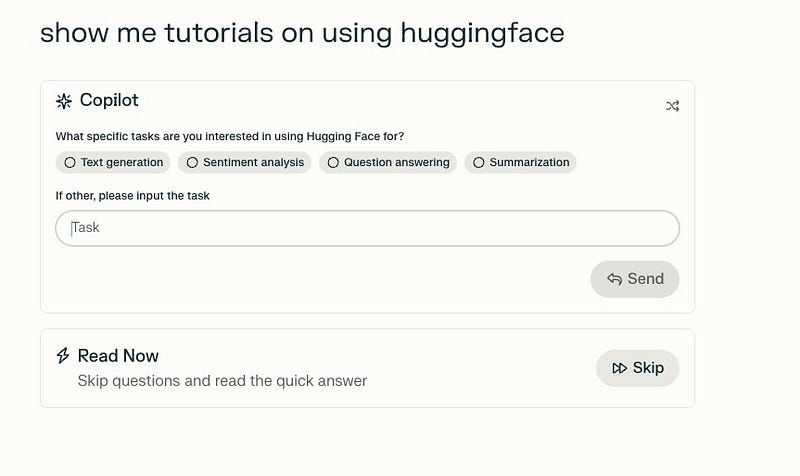
I entered “all” (indicating everything), and it started to find all related tutorials, eventually identifying 25 sources and showing them one after another.
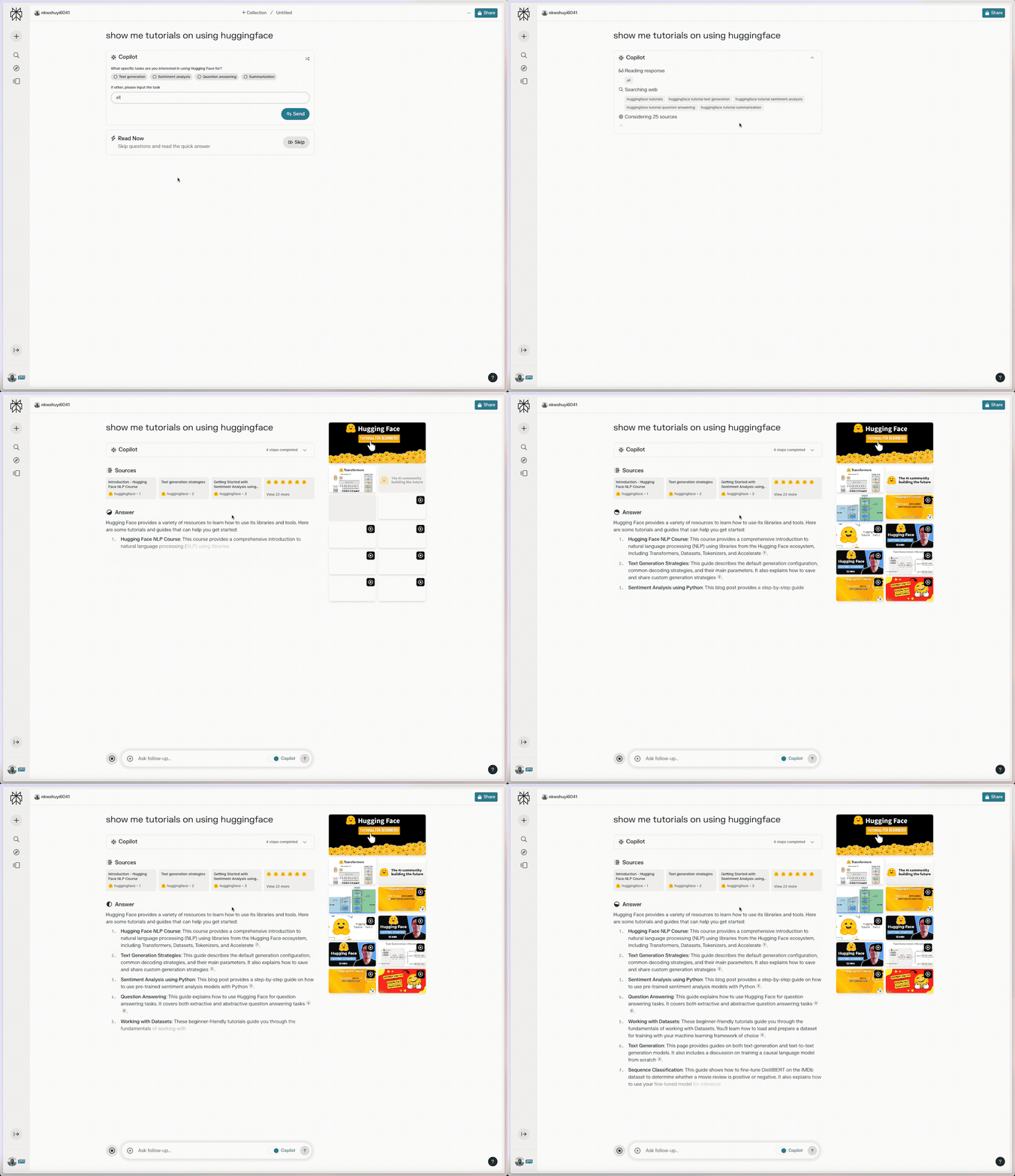
The results from Perplexity cover a wide range of tutorials, including both text-based and video tutorials, produced by both official and third-party creators. The range and depth are quite comprehensive.
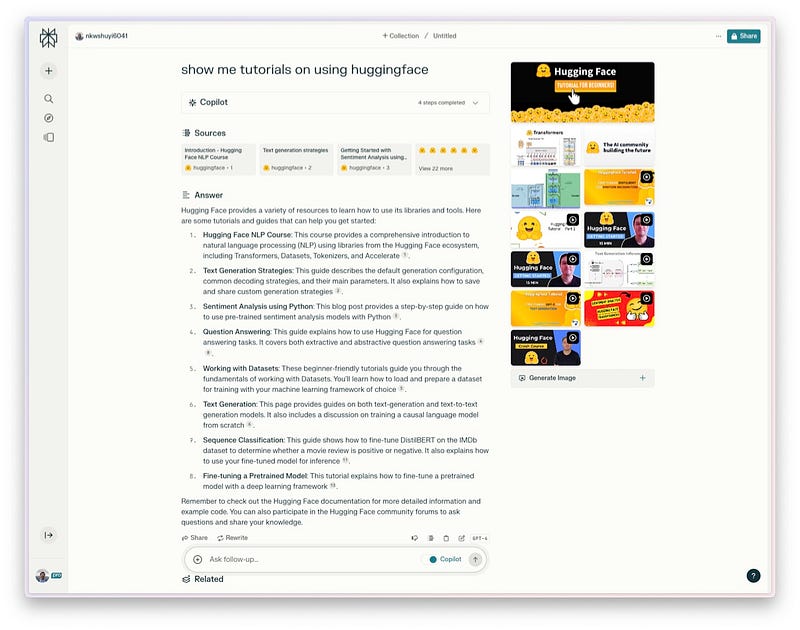
Additionally, in the Perplexity dialogue interface, right at the end of the reference links on the right side, there’s an option named “generate image”.
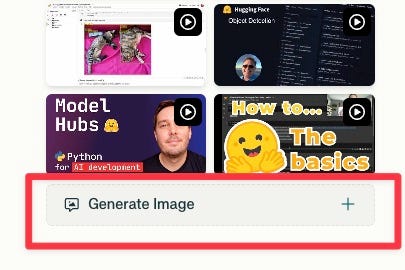
What does this function do? It can create images based on the current answer. In other image generation tools, users usually generate images based on specific prompts. However, in Perplexity, this feature allows for automatic image generation based on a series of answers. For example, when I asked it about ChatGPT’s training process, it provided a series of answers. After clicking “generate image”, it produced a flowchart depicting the entire training process of ChatGPT.
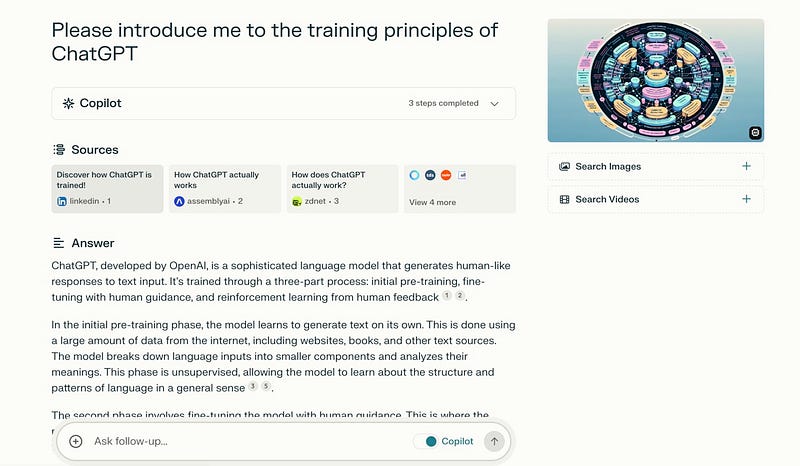
The result is a kind of 3D flowchart, depicting various relationships and steps, all organized in diverse colors.
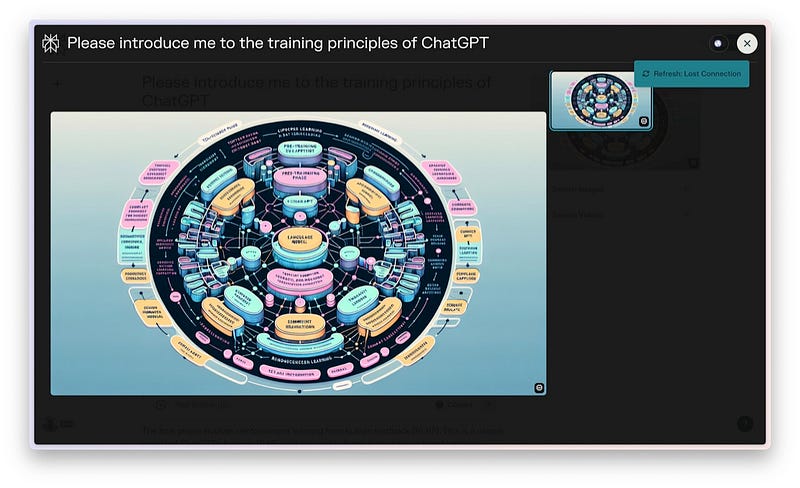
While the flowchart created by Perplexity might not be perfectly accurate, like some word spellings might be off, it offers a tangible and holistic overview with a significant visual impact. Indeed, as the saying goes, a picture is worth a thousand words.
In addition to its new image generation feature, Perplexity also boasts a notable image recognition capability. We’re not just restricted to text interactions with Perplexity anymore; we can now upload an image for it to analyze.
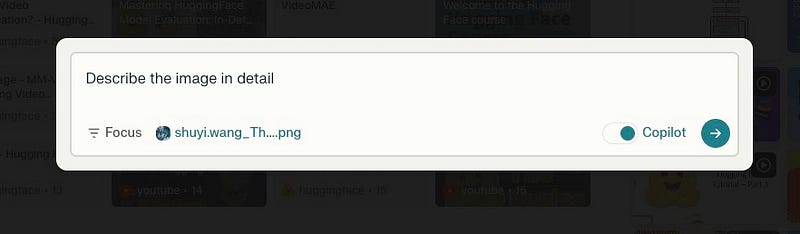
As an example, I uploaded the cover image from one of my previous videos and asked Perplexity to give a detailed analysis of this image.

It began by analyzing the image, then outlined a detailed description based on its understanding.
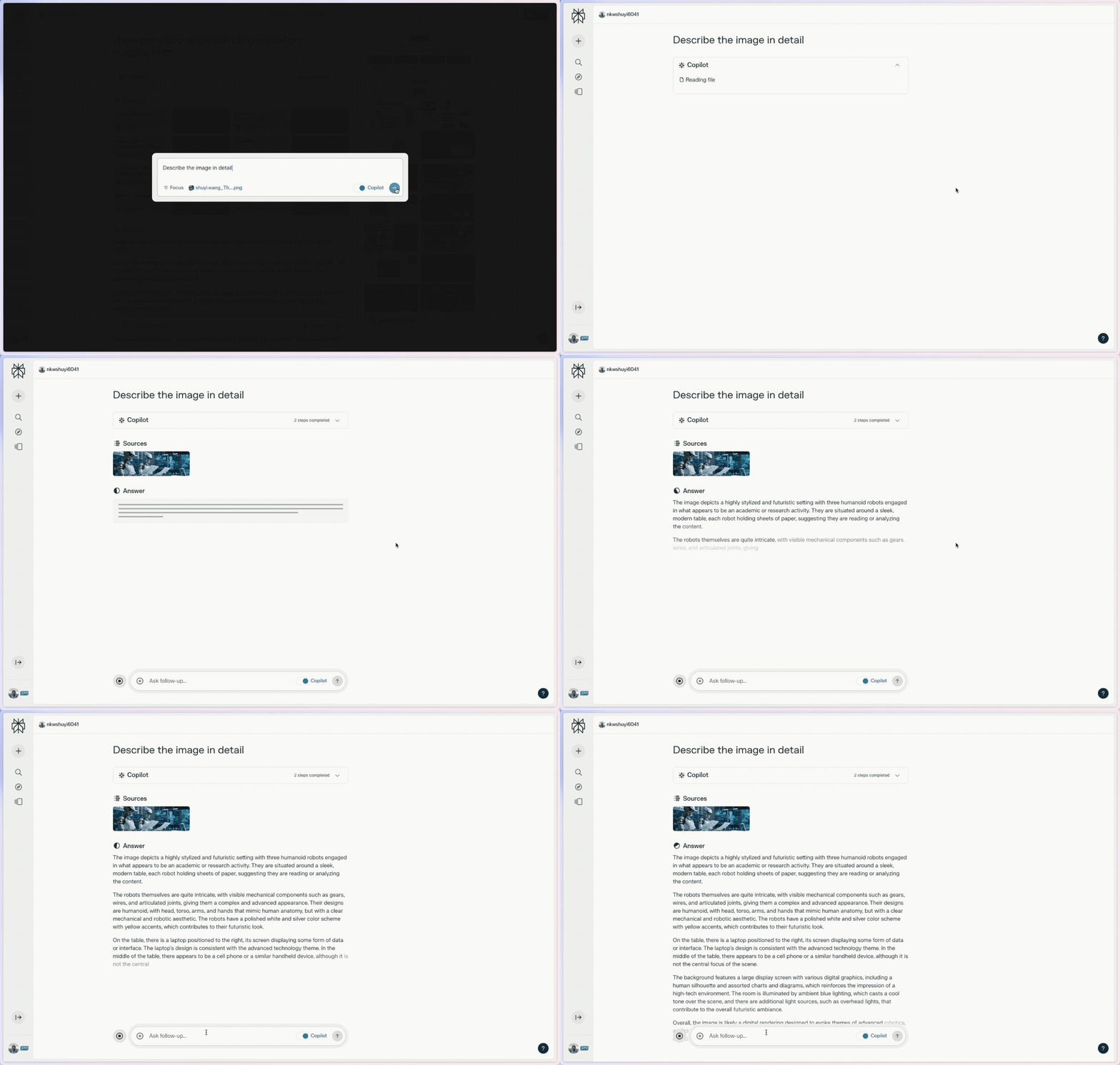
I was notably impressed by the thoroughness and accuracy of the description.
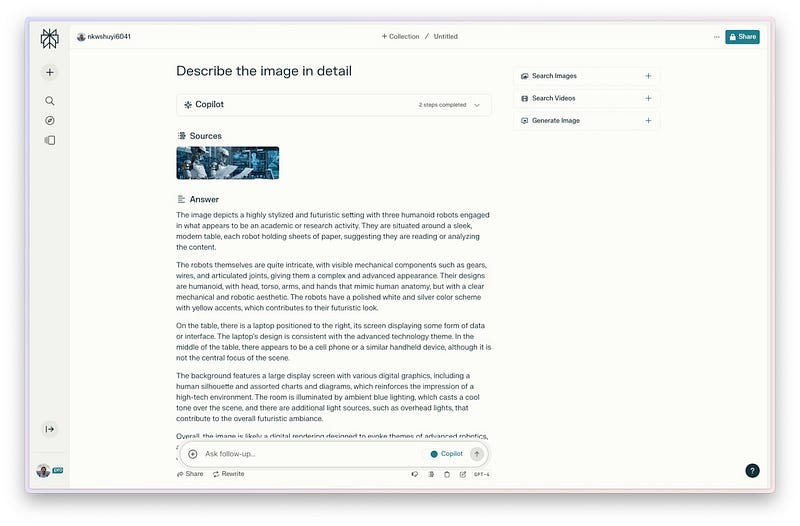
If you’re curious, you can closely review to determine how well the description matches the image.
I’d like to remind you again that the Perplexity Pro discount code HOLIDAYS23 will soon expire. As mentioned in the official tweet on December 23, the promotion is valid for the next 10 days, lasting until early January 2024. By using this code at checkout, you can benefit from the first two months free, which amounts to a saving of 40 USD (20 USD/month x 2).

If you’re interested in experimenting with it, this is an ideal time, definitely an opportunity not to be missed.
Summary
In this article, I’ve shared with you a few key productivity tools that I’ve extensively used over the past year and have become nearly indispensable in my workflow. These tools are Recut for video editing, Heptabase for managing content, and Perplexity for information retrieval.
What efficiency tools have you found to be essential over the past year? I welcome your comments and am eager to share and learn from our experiences.
If you find this article useful, please hit the Applaud button.
If you think this article might be helpful to your friends, please share it with them.
Feel free to follow my column to receive timely updates.
To watch video content, please subscribe to my Youtube channel.
My Twitter: @wshuyi


