
What Does It Take To Go iPad-Only?
I’m gonna give it a go, folks!
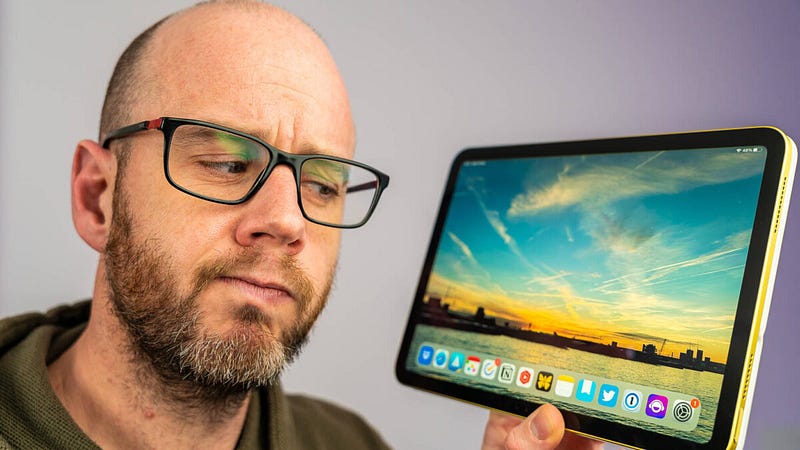
I’ve created a lot of content about the iPad. I’ve reviewed most versions of Apple’s tablet, tried out a multitude of brilliant accessories for it, and even designed my own ultra-productive setup for the iPad Air.
But what I’ve done the most is lament the inability of the iPad to become an integral part of my business.
The one exception to the rule remains the iPad mini. I’m the most broken of broken records about that thing, but it has a role — that of a digital notetaker — which is so defined and useful that it sits head and shoulders above every other iPad I’ve ever used.
The rest just feel like brilliant but ultimately replaceable devices.
I’ve had enough of my own winging about this, though — so I’m going to do something about it. I’m going to try an iPad-only lifestyle and approach it systematically.
Let me explain.
The (perceived) advantages of going iPad-only
Whenever I write or talk about the iPad in less than glowing terms, there are plenty of people who immediately leap to its defence.
This is encouraging; it suggests that there is hope.
There are lots of perceived and fully-realised benefits of going iPad-only. The first is, obviously, mobility. As wonderfully light and portable as MacBooks are these days (particularly the Air), they still can’t beat the iPad — even with a Magic Keyboard attached.
I’ve FINALLY Worked Out How to Buy the Right iPad!
Welcome to my 2022 iPad buyer’s guide!
medium.com
There’s the cost, too. Although you can spend an eye-watering amount on an iPad Pro, you really don’t need to. Throughout the iPad lineup, there’s a device for every budget which will outlast the competition. Compare the price, relatively, with similarly-capable MacBooks and the iPad will always be fairer on your wallet.
Battery life, app availability (to a point — I’ll come onto that in a moment), and the capabilities within iPadOS make a compelling case for most people to go iPad-only. Still, there’s also the fact that it offers a completely new computing paradigm for many of us.
The iPad is still akin to a massive iPhone. That isn’t a disadvantage or criticism, though — it simply amplifies that new computing paradigm. Traditional input methods such as the trackpad and keyboard — although still available — are swapped for touch, and despite most macOS features now gradually making their way into iPadOS, the latter offers an entirely new experience.
Going iPad-only is an exciting prospect.
It’s just a shame there are so many challenges.
My iPad-only challenges
For people like myself, the lure of the iPad has its limits. From afar it does look like an exciting prospect as a full-time device. That touch interface (which we’ll probably never see on macOS), beautiful hardware, and an abundance of awesome accessories are almost enough to pry us from our Macs.
Almost.
There are problems, though. For me, macOS still feels like a nice, warm pair of much-loved slippers. That doesn’t make it better than iPadOS, but it does mean I can get things done quicker, and in my business, time really is money.
This is why, when using my iPad, I regularly miss the familiarity of macOS. The way in which I can scoot super-fast around my files; the way windows interact with one another ( Stage Manager isn’t the answer, I’m afraid); the presence of a desktop onto which I can place anything I like — by comparison, iPadOS can feel incredibly restrictive.
There’s also the glaring omission of specific apps. I’ve made no secret of my disappointment about the fact we still don’t have a version of Final Cut Pro for the iPad. There’s DaVinci Resolve, sure, but switching wholesale to a different video editing platform is a massive lift for me and one I simply cannot afford to undertake at the moment.
My biggest iPad-only challenge, however, is fear. It’s taken me a while to realise this, but I now accept that I’m just fearful of ditching macOS and going all-in with the iPad.
This has to change.
A thank you to my YouTube audience
Last week, I published a video on YouTube which asked for help from my audience. You see, due to the requirements of an upcoming sponsored video, I have no choice but to dip my hand into my pocket and buy an M2 iPad Pro. Again.
My request for help was simple; I wanted people to suggest ways in which I could put that significant investment to use beyond its starring role in the aforementioned sponsored content.
The ideas immediately came flooding in. Learn how to draw with Procreate; use the iPad as a second screen for your workflow; get into gaming; use it with an external monitor for Stage Manager. But the most consistent suggestion was exactly what I was expecting.
Install DaVinci Resolve and give video editing a go.
You spoke, I listened, and I’ve already come up with a plan as a result. So, thank you!
Wrapping up: the plan
My iPad-only plan is going to involve more than one iPad (because of course it is). After all, I have them — why not put them to use?
So, the iPad mini will remain as it is — the digital notetaker of choice. I’ll also be putting it to more sustained use during a day out in London soon, where it will be the only device I take with me.
The iPad Air (and, occasionally, the 10th generation iPad which is configured like-for-like with the Air) will be the all-rounder, used mainly for writing and admin duties.
The M2 iPad Pro will be an all-rounder, too, but with one serious addition — video editing. Yup, I’m going to act on the advice of my audience and finally give DaVinci Resolve a proper go. I promise.
I must highlight that I’m approaching this pragmatically and in stages. I’m not ditching the Mac altogether, either. As noted earlier, I simply cannot do that; Final Cut Pro serves a vitally important role in this business.
However, I can conduct all of my writing on the iPad and use DaVinci Resolve on that M2 iPad Pro to edit the shorts for my new YouTube venture — Mark’s Solo Club.
Stay tuned. This is going to be a pretty wild ride, I think!
Before you go
Join my Substack newsletter for tips on becoming a profitable, happy online creator!
If you enjoy my writing, it’s only a snippet of what’s on Medium. I’m a paying member myself and highly recommend joining. Click here to join (a portion of your membership fee will be sent my way and therefore directly support my work!).
Originally published at https://markellisreviews.com on March 27, 2023.