
What are @IBDesignable and @IBInspectable in Swift?
Create your custom views faster with Interface Builder

Today we’ll learn how to quickly and easily create custom views using @IBDesignable and @IBInspectable in Swift.
@IBDesignable provides functionality for live rendering of changes of our custom views directly in a Storyboard or .xib. All we have to do is mark the class of a custom view with a @IBDesignable attribute and implement the prepareForInterfaceBuilder() method.
@IBInspectable allows us to create attributes in code that we can assign in a storyboard or a .xib file. For example, when we want a cornerRadius property available in a Storyboard, we create a cornerRadius property inside our custom view and mark it with @IBInspectable.
The source code of this project is available at the bottom of the article.
Let’s Start
First, we create a new class, called CustomView :
We can see that we have the following modifiable properties: color, cornerRadius, shadowColor, shadowRadius, shadowOpacity, borderWidth, and borderColor.
Let’s start by rendering this view in a .xib file called CustomView.xib:
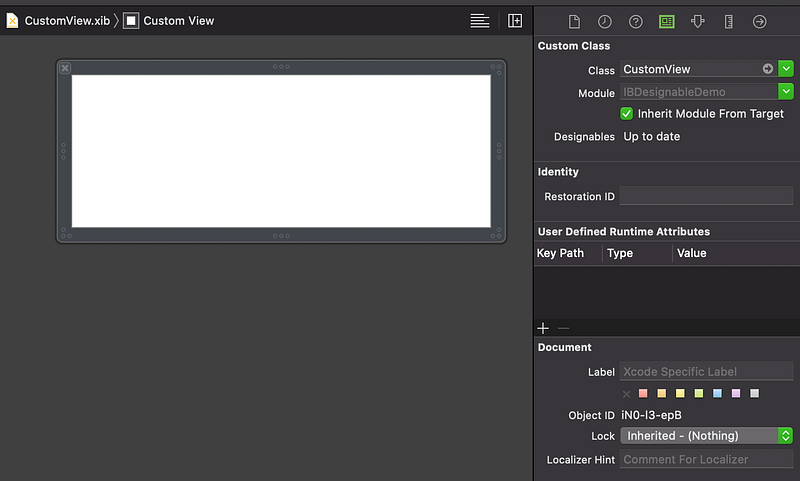
Now let’s add the @IBDesinable signature to the CustomView class, implement the prepareForInterfaceBuilder() method, and update the init(frame:) initializer:
Now if we change the default properties of the CustomView, we will see CustomView.xib updating:
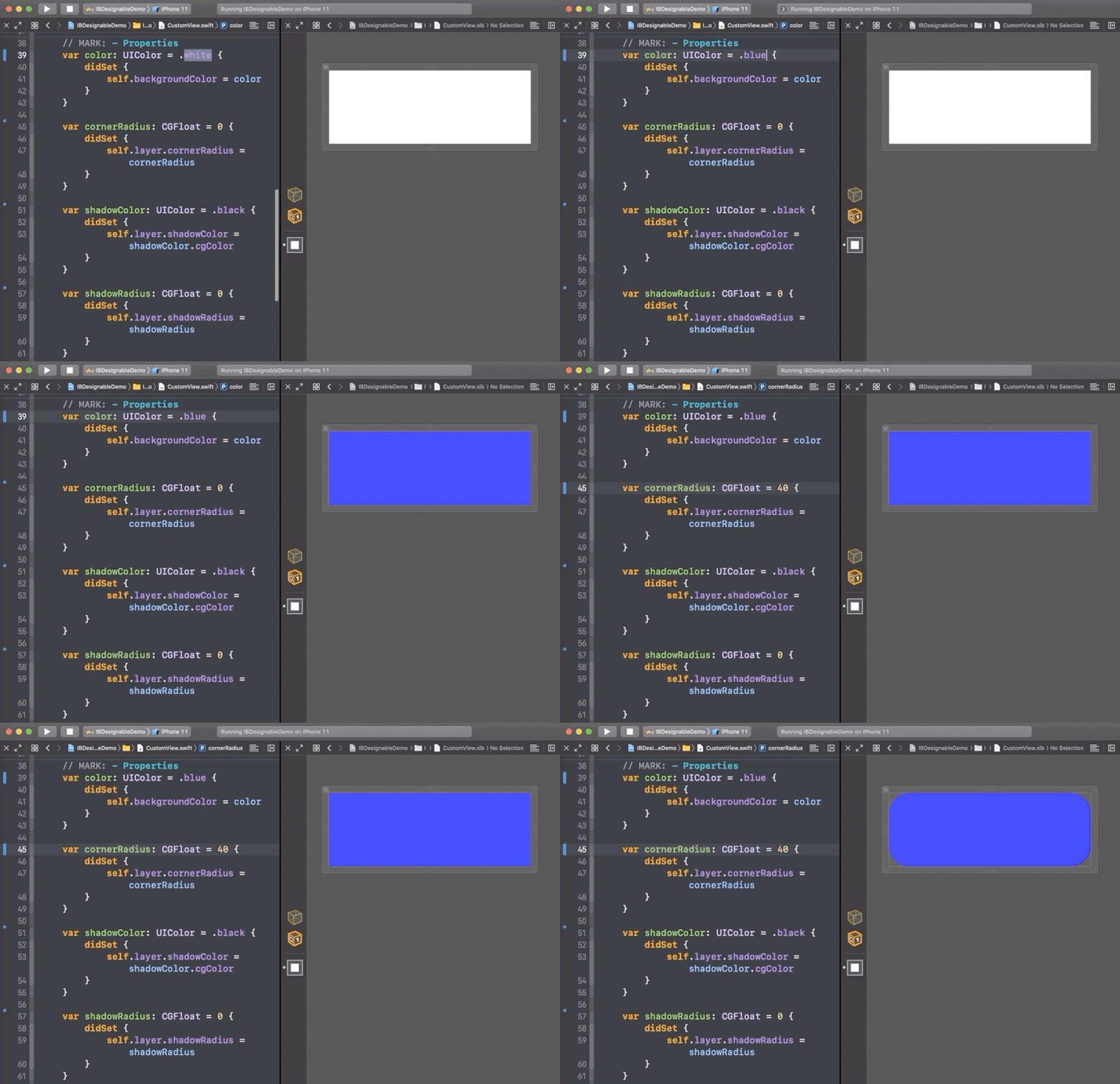
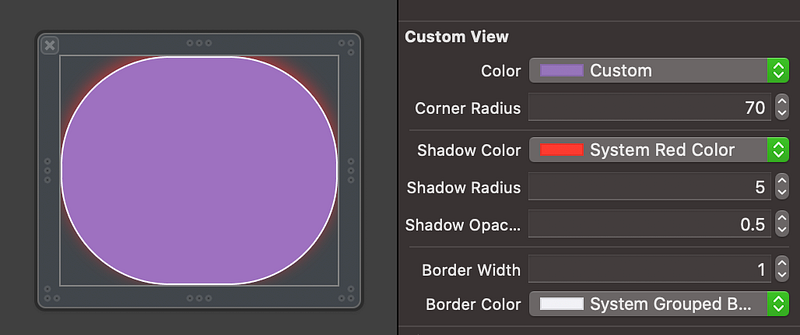
The final step is to explore the @IBInspectable attribute. Let’s mark every property of CustomView with @IBInspectable:
Now we’re able to set theses properties right from the CustomView.xib file:
Resources
The source code of the project is available on GitHub:
To learn more about @IBDesignable and @IBInspectable, visit the official Apple tutorial:
Thanks for reading!


