
Vision AI, a Free Machine Learning Tool That Every Writer Should Use
Google Vision AI can help you understand if a picture is a perfect match for your article. No coding required.
Vision AI by Google is a cloud machine learning tool. It derives insights from your images, meaning that can detect emotions, objects, text, and much more.
As a marketing data scientist, I used Vision AI, for training advanced machine learning models. Once, I worked on an assignment and I analyzed all the top-performing advertising banners for a client. I investigated if there were common patterns in the images’ structures, explaining the reason for their outstanding performance. On another project, I used image recognition to detect in a client’s catalog, which picture had to be removed because they were low-quality images or they contained explicit, inappropriate, or not relevant content. These tasks require coding skills to train the algorithm.
The fantastic thing about the Vision AI is the presence of a drag and drop widget to try the tool, so you don’t need any programming skills to get some useful insights. You can upload your file and get immediately your results. The tool is free and you can use it as much as you like. There is no reason why you shouldn’t benefit from it.
Let’s assume that you just wrote a great article and its core topic is joy. Now, you need to pick the right picture that is appropriate and relevant for the story, as Medium’s Curation Guidelines explain. Following the guidelines, it means to get curated, to gain more exposure and traction for your work.
A few words about the curation process. I think that they run first, a natural language process (NLP) procedure to analyze your article’s title and subtitles. They run this code to understand what your articles talk about. Later, I believe, they use image recognition to analyze your article’s image content. If the semantic results and image content don’t align, meaning that they are not communicating the same concept to the readers, I think that your article doesn’t have a chance to make it to the next stage. It’s an educated guess, so take it for what it is.
Let’s start with the Vision AI, so you can learn how to use it.
Paste in your browser the following URL: https://cloud.google.com/vision#benefits
Scroll down the page and you will find the drag and drop widget. From here, you can upload your images. I pasted a screenshot of the widget below:

For this test, I upload the images of two similar subjects: they have similar somatic features and they are both smiling because, remember, your article rotates around the concept of joy.
The first picture:

The only tabs you should focus on, are the ones named “Faces” and “Safe Search”. The other tabs are not really useful to detect emotions from a given imange.
First picture Face tab results
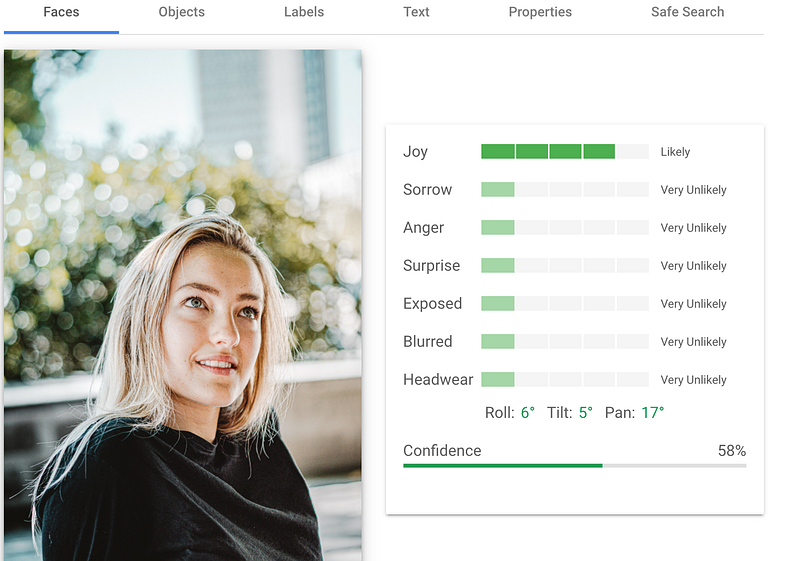
The Face tab detects the emotions and we can see that the joy feeling is likely. Below you can see a Confidence value. This percentage is called the Confidence interval. It’s simply telling us how sure the tool is, that the sentiment in the picture is joy.
First picture Safe Search tab results:
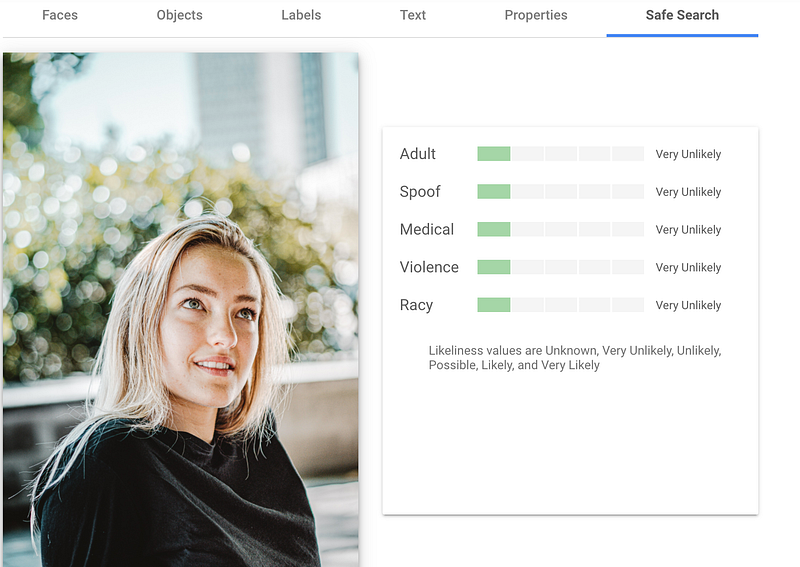
The Safe Search Tab detects explicit content such as adult content or violent content within an image. You can see the five categories the tool support. it returns the likelihood that each is present in a given image. Always check the output of the Safe Search Tab. Your article could be not curated if the Medium algorithm detects that your picture belongs to one of these categories. Probably Medium is using a similar or even more advanced algorithm to detect explicit content.
The second picture.

Second picture Face tab results
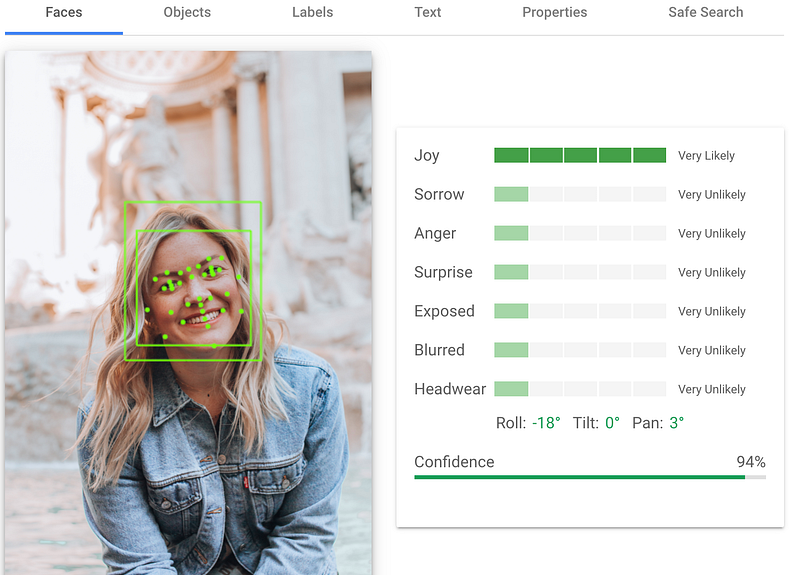
The Face tab recognizes in this second case that joy feeling is very likely and you can notice the confidence interval is much higher.
Second picture Safe Search tab results:
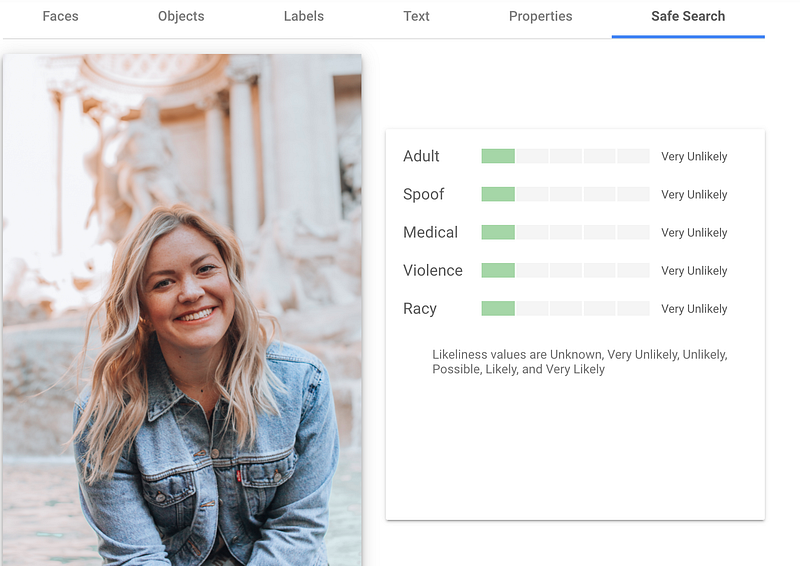
The outputs, for the safe search results, are identical for the two pictures.
CONCLUSION
The tool suggests to us that the second picture is the best pick for our article. The Joy confidence interval is much higher, therefore we can conclude that is more relevant for our story. Theoretically speaking, our chances to get curated choosing the second images are higher. Great!!
I hope that you enjoyed the article. Give it a try where you have a bunch of pictures to choose from and you can’t decide which is the best fit. The tool can provide useful insights, it’s fun to play with, it doesn’t require any coding skills and it can increase your chance to get curated.


