
Using the Slot Recommender in BigQuery
How to use the new Feature in Google BigQuery

With the Slot Recommender, Google allows the user to analyze the use of BigQuery and, if necessary, cost savings can be achieved here. Here is what you have to know about the new feature which is general available.
BigQuery slots are virtual CPU used by BigQuery to execute SQL queries. BigQuery automatically calculates how many slots are required for each query depending on the size and complexity of the query. In BigQuery you can work with on-demand pricing, so Google charges you for each query individually and sends you an invoice at the end of the month, or you can charge flat rates, which is interesting for large companies, a fixed price. So for example: 100 slots would then cost 2000$ per month. If more are needed, then the following queries are waiting in the queue.
The BigQuery Slot Recommender creates recommendations for customers using the on-demand billing. You can use these recommendations to determine your BigQuery capacity requirements and the cost and performance penalties of purchasing different slot capacities.
The Slot Recommender analyzes slot usage over the last 30 days and groups the usage data into percentiles. For example, if a project’s slot usage is 2,500 slots at the 99th percentile, this means that the project used less than 2,500 slots in 99% of the measurement period. It also compares the slot value to on-demand charges during the same period to determine if you can reduce costs by switching from on-demand billing to flat-rate pricing [1][2].
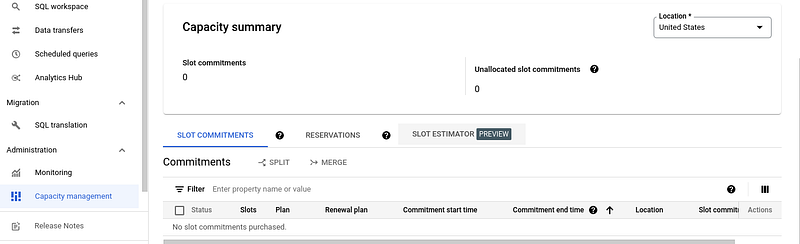
This API can then be activated and used under Capacity Management (see screenshot above). Here, I have now no data to show, but theoretically it would then be listed by Google in their statistics. In my opinion, this is a very useful feature, which can even save customers quite a bit of money. Of course, if you or your company uses BigQuery, you can also save on other ends, click here for more tips on working with Google Data Warehouse:
Sources and Further Readings
[1] Google, Understand slots (2022)
[2] Google, BigQuery pricing (2022)


