
Using The Pomodoro Technique For Computer Science Students
When I was an undergraduate student in Computer Science in college, I tried a myriad of ways to improve my study habits. I tried out different study methods to get the highest grades I could as a Computer Science major. After many times of trial and error, constant research, discipline, and hard work, I came across the Pomodoro technique developed by Francesco Cirillo. For those that have not heard about this technique, here’s a brief explanation. The Pomodoro technique consists of first deciding on a task you are going to do with total focus and determination.
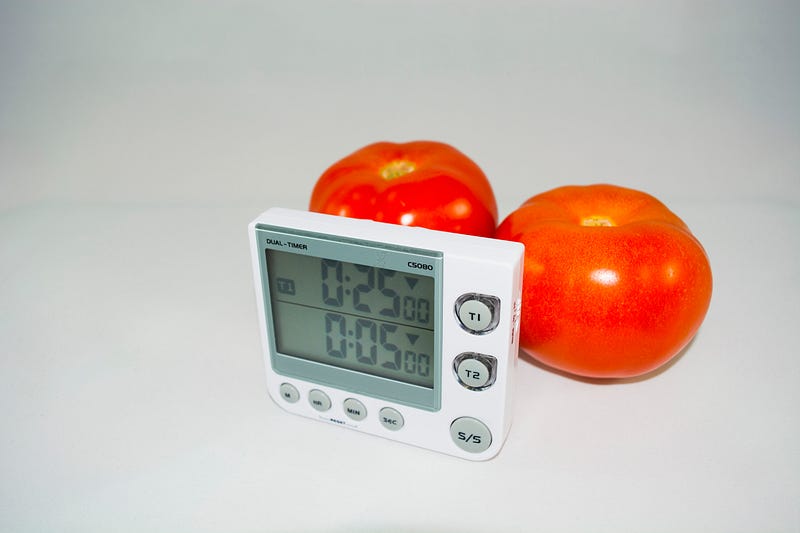
Then, you would set up a timer for 25 minutes and work on that individual task for the whole 25 minutes. This interval of work is called a “Pomodoro session.” You might hear people say; I did four pomodoros, three pomodoros, so, the term “Pomodoro” refers to the period you invested in accomplishing a particular task.
After you finished each Pomodoro, the next step is to take a small 5-minute break before you go on to the next Pomodoro session. Then, after completing four Pomodoro sessions successfully, you would proceed to take a longer break, for about 15–30 minutes which is recommended. Note, this technique can be used to perform any task, not applicable to study related task.
However, today I am going to share my experience using the Pomodoro technique to study for exams as a Computer Science student in college, tips and the adjustments I made that served me to finish with one of the highest GPA’s in my graduating class, so you can apply these tips and do it as well.
Divide sessions into “study” and “practice”
Through the course of completing my bachelor’s degree in Computer Science, I noticed that studying for Computer Science courses requires a balance of understanding the theory and applying it to answer the questions that may come up in the exam, or even in the classroom discussions. Furthermore, to increase the chances of getting a higher grade on the exam, I would need to do not only have a deep understanding of the theory discussed in class but use the theory to answer questions successfully that came up on test day.
So, the first thing I realized is to divide my sessions into categories. One for “studying” and another one for “practicing.” The Pomodoro sessions I classified as “study” I dedicated my time to read the course textbook, review my class notes and supplement my understanding of the topic using tools such as watching videos online on the subject. The purpose of these sessions was to maximize a deep understanding of the concepts discussed in class, this way; I could see how the worked in the background, comprehend the underlying idea to apply them later.
On the other hand, the sessions I classified as “practice” sessions, I used this time to do all of the assigned practice problems from the textbook and class exercises. Also, if the course required, I would use this time to solve programming problems by writing the code and running it on my computer. The purpose of these sessions was to develop the skill of applying the ideas I grasped for my theory sessions.
What I noticed through time was that the more I repeated the process of separating time for studying the concepts, then applying them, I would get the most out of the time invested in the study sessions but get good at understanding the concepts and using them to solve real-world problems. I know that it looks like a lot of work, however, as you keep repeating this process, it will get easier for you.
Trust me; it is worth it.
Don’t skip break time
A common mistake I noticed I started to do was to skip the break between the Pomodoro sessions. Sometimes, when I started to get into the flow studying, I would go right into the next Pomodoro session without taking a short break. This worked for me for one session or two, but I would feel overwhelmed with the overload of information I would deposit into my brain all at once. Plus, I would use my laptop or read the book for an extended period, so my eyes would get tired after working for a while.
Thus, leading me to reduce my understanding of the concepts, and harm my productivity. However, I noticed that when I took the short 5-minute break, my productivity would skyrocket. I would take this break to stand up, get a glass of water or even a short walk. When I came back to my desk, I would feel refreshed and have a clear mind. Hence, when I started again, I studied more and accomplished a lot during that period.
Another tip that worked for me is that if I got stuck on understanding a concept or solving a problem, I would proceed to take the break even if the session was not over. Why? Because I noticed, that when I kept forcing myself to look at the concept or problem, not only I did not understand it, but sometimes it led me to feel frustrated.
Thus, reducing my productivity. If you have other tasks to do and are short on time, perhaps, homework for other classes, dedicate your time to doing that. My suggestion is to switch to a lower demanding task. That is, a task that does not require as much of focus and mental energy. Then, later during the day, get back to the concept or problem you were struggling with.
I sometimes remember that when I came back to tackle the concept or solve the problem; I would see details that I did not see before and solve it quickly. Through this process, I also learned not to be so hard on myself and realized that there were considerable benefits to taking a break to increase my productivity when studying. So, I suggest to not be so hard on yourself as well.
Conclusion
Well, there you have it, tips on how to use the Pomodoro technique to study as a Computer Science student. These tips are things I have learned through the years as a former Computer Science undergraduate student in college, based on my experience when preparing for Computer Science tests. Nonetheless, the Pomodoro technique can be used to study for other courses so that you can give that a try as well. If you would like to learn more about the Pomodoro technique, check out this link.
For a video version of this content, watch the video below.
Remember to check out last week’s article on how to take better notes in class as a Computer Science student, where I share some tips that can help you on your journey as a Computer Science student. Also, feel free to share how you have used the Pomodoro technique and how it has helped you get the most out of your study sessions. By doing this, we can help more students that need this knowledge as well.
As always, don’t forget to follow me, so you don’t miss a story and check out my YouTube channel, “Felix The Dev”, for more study tips you can use as a Computer Science student.
Hope this helps!
Photo by Ioannis Gyftakis from Pexels
Originally published at yadielcabrera.com on November 18, 2018.


