
Using the Lambda Runtime Interface Emulator With a Custom Bash Runtime
ACM.307 Revisiting the RIE with a revamped Arm container for Lambda
~~~~~~~~~~~~~~~~~~~~~~~~~~~~~~~~~~~~~~~~~~~~~~~~~~~~~
⚙️ Check out my series on Automating Cybersecurity Metrics | Code.
🔒 Related Stories: Lambda | Container Security | Application Security
💻 Free Content on Jobs in Cybersecurity | ✉️ Sign up for the Email List
~~~~~~~~~~~~~~~~~~~~~~~~~~~~~~~~~~~~~~~~~~~~~~~~~~~~~
In the last post, I fixed the error handling in my custom Bash runtime in the container I’m testing with Lambda.
Now I want to revisit the Lambda Runtime Interface Emulator (RIE) and see if we can get it working with this container. Recall that we built this container using an AWS base image that should have the Lambda Runtime Interface Emulator built into it.
So the first thing I tried to do was to move the RIE code to a separate script and create a separate entry.sh script.
entry.sh

I moved the runtime code to rie-bash.sh and changed it to use the Handler variable for the function that gets called. Note that I am *not* going to let someone override the work directory for the reasons in the comment.
rie-bash.sh
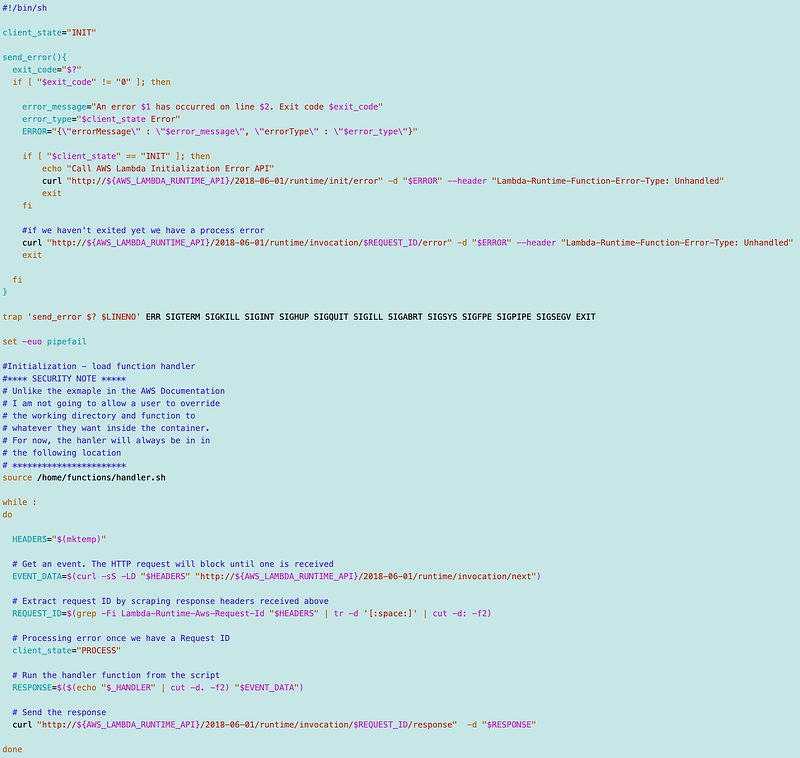
Allowing a user to specify and execute any file inside the container would be a security risk I’m unwilling to take.
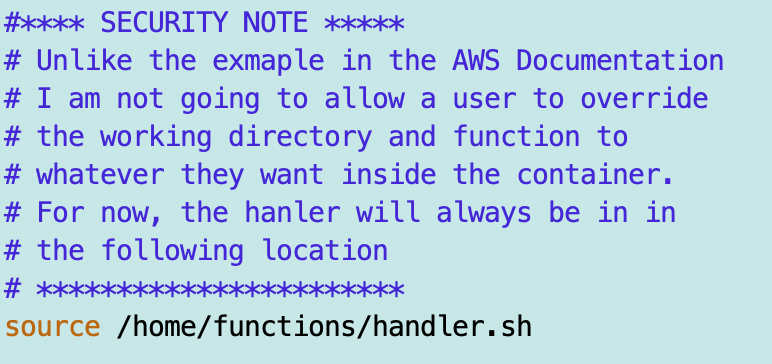
I have to copy those to the Docker image and set the permissions and I renamed the function directory to functions everywhere it is referenced.
Dockerfile
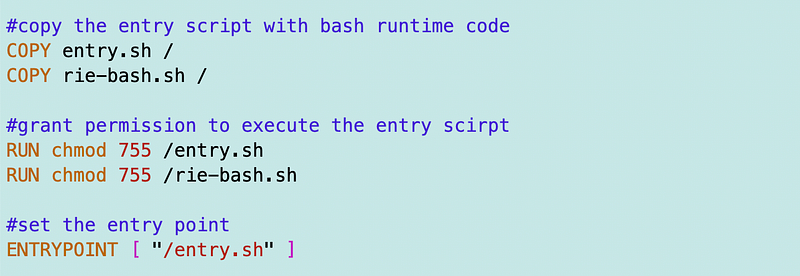
Recall from our prior attempt to use the RIE that it was located here after installing it on the container:
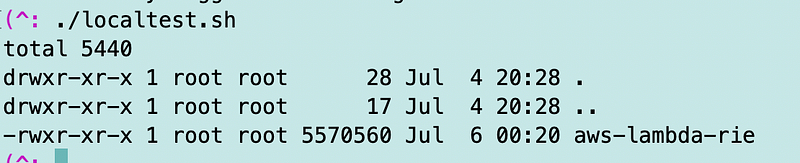
/usr/bin/aws-lambda-rieSo the first thing I had my entry point do is run this command to see what’s in that directory and if the RIE exists there.
ls -al /usr/binI built and ran the container using the local test script I created in an earlier post. The contents of the directory got displayed but no sign of the RIE. I do wonder what that random bracket is at the top of the list, but that’s beside the point.
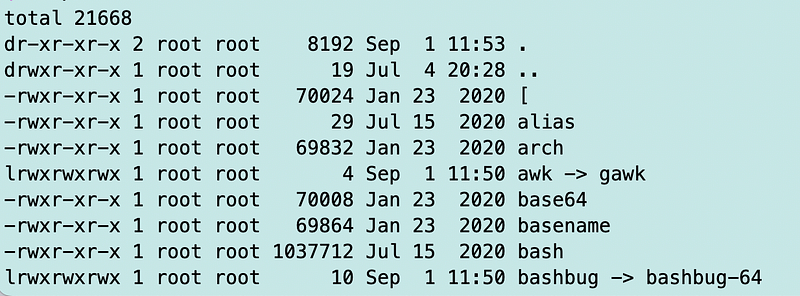
Hmmm. If I were a Lambda Runtime Interface Emulator where would I be on Amazon Linux 2023? I asked Google that question and it said:
/usr/local/binYes. There it is.
OK here’s where I realize what I was doing wrong before. The blog post I was reading wasn’t that clear to me or I just didn’t read it carefully enough. When you use the RIE here’s what happens:
- You start up an API server that acts as your Lambda function would if it was running on Lambda on your localhost when you run the command that executes your container with the RIE. That’s what entry.sh does.
- Next, open a new terminal window and make a request to your Lambda function running via the RIE and it responds.
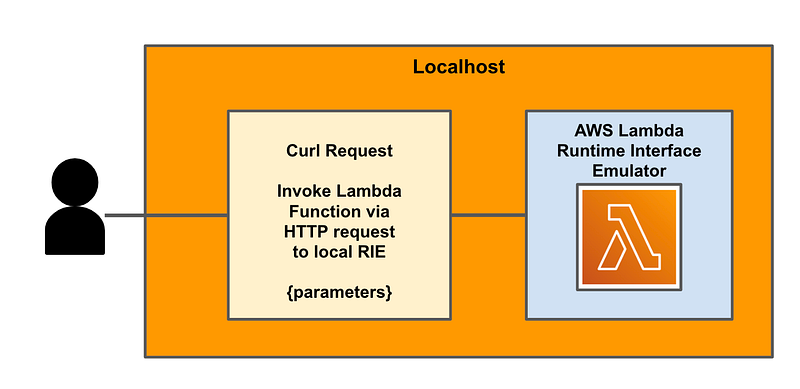
Here’s what that looks like.
I have localtest.sh file that I use to run the container as if it were running in Lambda hat includes the following code:

When I execute that it starts the local API server that is listening for requests to the Lambda function and processes them with the custom runtime script (rie-bash.sh) and the function script (functions/handler.sh)
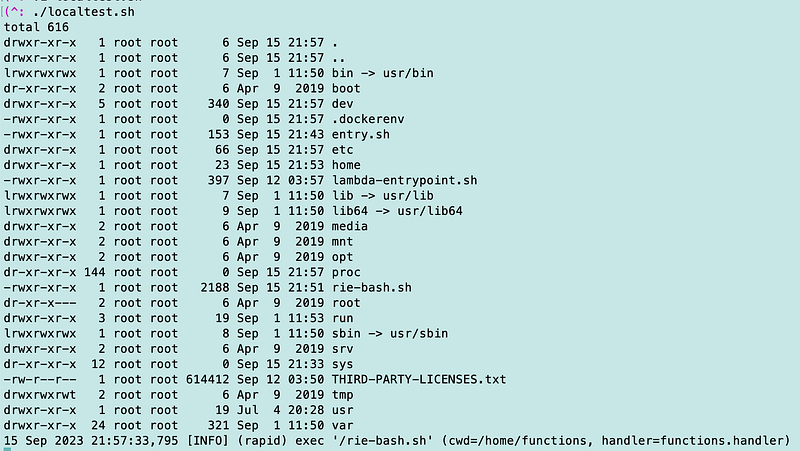
Open a new terminal window.
Call the local version of your Lambda function using localhost and the port specified when you ran the container. Pass in whatever payload is appropriate. In my case, it doesn’t matter what I pass in because my function simply echoes out whatever I pass into it in the response.
curl "http://localhost:9000/2015-03-31/functions/function/invocations" -d '{"payload":"hello world!"}'Here you can see I’m running the curl request and my function is echoing the results out just as it did when I ran it from within Lambda.

One more test. I want to make sure this still runs in Lambda. Push it to ECR using the push.sh file I created in a prior post.
./push.shDeploy the new image using the button in the Lambda console.

Test. Good to go.
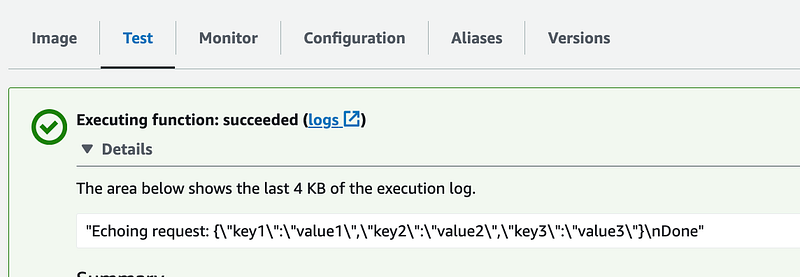
Alright, we have a Lambda function that we can test locally or within Lambda and it can run a bash script. Let’s see what we can do about cloning a repo within the image now that we can run command line scripts.
Follow for updates.
Teri Radichel | © 2nd Sight Lab 2024
About Teri Radichel:
~~~~~~~~~~~~~~~~~~~~
⭐️ Author: Cybersecurity for Executives in the Age of Cloud
⭐️ Presentations: Presentations by Teri Radichel
⭐️ Recognition: SANS Award, AWS Security Hero, IANS Faculty
⭐️ Certifications: SANS ~ GSE 240
⭐️ Education: BA Business, Master of Software Engineering, Master of Infosec
⭐️ Company: Penetration Tests, Assessments, Phone Consulting ~ 2nd Sight Lab
Need Help With Cybersecurity, Cloud, or Appication Security?
~~~~~~~~~~~~~~~~~~~~~~~~~~~~~~~~~~~~~~~~~~~~~~~~~~~~~~~~~~~~~
🔒 Request a penetration test or security assessment
🔒 Schedule a consulting call
🔒 Cybersecurity Speaker for PresenationFollow for more stories like this:
~~~~~~~~~~~~~~~~~~~~~~~~~~~~~~~~~~~~~~~~~~~~~~~~~~~~~~~~~~~~~
❤️ Medium: Teri Radichel
❤️ Sign Up For Email
❤️ Twitter: @teriradichel
❤️ Mastodon: @[email protected]
❤️ Facebook: 2nd Sight Lab
❤️ YouTube: @2ndsightlab