
Generate Color Palettes Automatically Using Python & Pixabay
Get instant access to the best color palettes for your next project
Hello World!
Today we are going to have a look at how to use Python to generate a color palette from a series of pictures. For this tutorial we are going to:
- Download a bunch of pictures using the Pixabay API
- Extract the colors from the images using colorgram
- Build an HTML page showing the results

As usual, I’ll divide the post into paragraphs so feel free to skip ahead.
0. Requirements and Target
For this tutorial you’ll need:
- Python 3.x
- The following packages: colorgram.py and requests_html
We are going to install the requirements (except for Python) in the next step.
The tutorial is targeted at:
- Python intermediate programmers
- People who work a lot with reporting and want a quick way to generate a color palette starting from a picture
1. Installing the requirements
colorgram
The first thing we need to install is colorgram:
Colorgram is an awesome package capable of extracting colors from an image. This is the package we are going to use to generate the colors for our palette.
To install the package just paste this line into your terminal:
pip install colorgram.pyrequests_html
The second package we need for this example is requests-html. Requests-html is, it is a library intended to make web scraping as easy and intuitive as possible. This is what we are going to use to download the pictures we need from the Pixabay API.
To install this package just paste this into your terminal:
pip install requests-html2. Getting an API key
Before we can start coding, we need to get an API key from Pixabay.
Getting an API key is incredibly easy, just go to the following page and login (or join) Pixabay:
Once you’ve logged in, scroll down the page and you should see your API key:

3. Writing the code
Downloading the required resources
For this tutorial, you’ll need a few files that I’ve already built. To download them just go to Github and clone my project:
Importing the libraries
As usual, the first thing we need to do is to import the packages we will need and define the main variables we are going to use.
For this example we are going to use 4 packages:
- requests_html: to download the pictures
- colorgram: to extract the colors
- os: to loop over the pictures
- math: to find the nearest color name
In this piece of code we also define 4 variables:
- API_KEY: the API key you’ve retrieved in the previous paragraph
- URL: the URL to the Pixabay API
- QUERY: the query for the pictures we are going to download
- colors: the list of colors names
Downloading the pictures
In the snippet above we download the results of our query. In the 3rd row we instantiate a new requests_html session and then we make a GET request to the URL we’ve defined before.
After that we loop over the results and download the pictures inside our img folder:
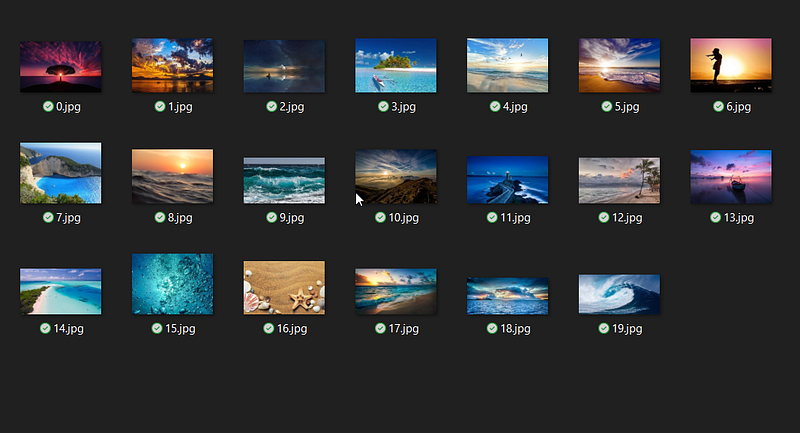
Calculating color distance
We need a way to calculate the closest color name based on the color retrieved by colorgram. The main part of the function is row number 12 where we define the formula to find the distance between the input color and the color names.
After looping over each color name we finally return the result based on the best match.
Extracting the colors and building the output
The final step of our example is to loop over the pictures we have downloaded and get the RGB of the main colors. To do this we just call the extract function of the colorgram package asking for the main 5 colors of the picture. Once we have that we load the palette template HTML and we use that to create a row for each picture.
Finally, we create an output HTML in the HTML folder named after the query we’ve just made. If you open the HTML inside that folder you should see something like this:

That’s all for today. As usual, you’ll find the code for this tutorial on my Github.
Donations and stuff
If you’d like to support me consider subscribing to Medium using my referral:
If you don’t want to activate a subscription plan, but you’d still like to support me consider buying my music from Bandcamp:
Other URLs:
Personal Website:
Social Links:
LinkedIn:

More content at PlainEnglish.io. Sign up for our free weekly newsletter. Follow us on Twitter and LinkedIn. Check out our Community Discord and join our Talent Collective.


