
Using GraphQL With Spring Boot: Interfaces and Unions
GraphQL’s interfaces and unions provide a good way to handle multiple field types in queries
First and Foremost
I’ll start with the explanation of the concepts, and then we’ll look into its implementation with Spring Boot and Kotlin.
Consider the following data classes and interface.
Now we’re going to write a GraphQL schema that models the same interfaces and classes. We’ll have a query to fetch the Profile, which will give us a User or Company based on what the client needs in a single query.
In our GraphQL schema, when using interfaces, we’ll add the following.
We can also use Union instead of Interface.
Which one should we use?
It can vary based on the use case and your end goal. The following points can be used to finalize the option.
- There isn’t always an advantage to grouping shared fields into interfaces — it depends on the use case
- Interfaces are good for when the types have a fundamental commonality in how they should be used
- Unions are good for documenting and forcing the client to understand how different types should be treated
Implementation With Spring Boot
1. The setup
You can skip to the third section if you know how to set up a Spring Boot project with GraphQL. Also, the code to this is available here.
Otherwise, go to https://start.spring.io/.
Select a Gradle project, and set the language as Kotlin.
You don’t have to select any dependencies for a bare-minimum implementation.
Download the ZIP file, and open it in your favorite IDE.
Jump to build.gradle.kts, and add:
These are the GraphQL libraries you’d need to get started with your first endpoint.
2. The first endpoint
Create a file called schema.graphqls inside the resources directory.
Add the following lines:
And then create a resolver class that can actually do something when the query is triggered by the client.
That’s it.
Run the server using ./gradlew bootRun.
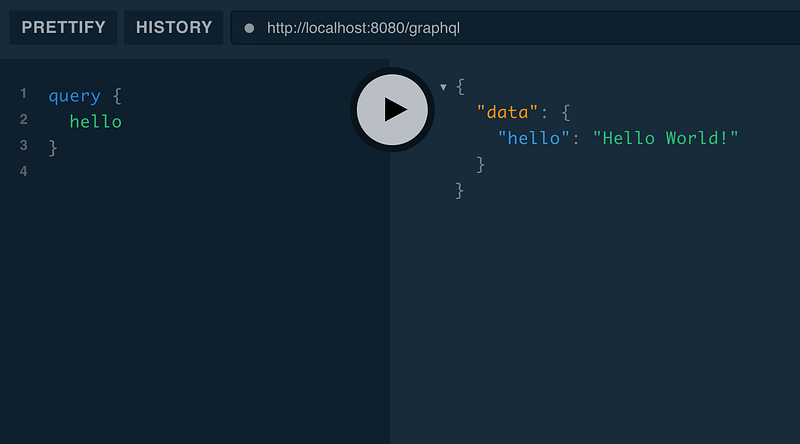
Go to your browser, and open http://localhost:8080/playground. The Playground is one of the developer tools used as a client for GraphQL APIs.
This will be the output when you trigger the query.
That’s it.
3. The interface implementation
Let’s start by changing the schema. In your schema.graphqls file, add the following code.
Now add some Kotlin classes and interfaces to match the schema entities.
After this mapping, we can start creating the service that’ll fetch the IVehicle data when the getIVehicles query is triggered.
You need to create Resolver and a Service.
That’s it.
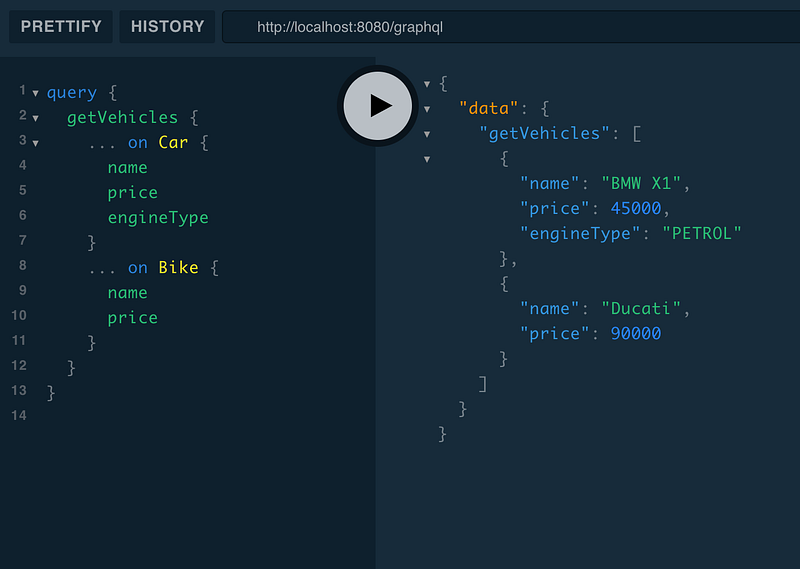
You’ve successfully created an endpoint that can fetch both car and bike data with the same query. How cool is that?
You can run this query to fetch the data.
Wait a minute! I forgot something.
You need to do one more thing before this actually works.
You need to add those interface types in the GraphQL’s schema parser dictionary.
The way to do that is to add this code.
This needs to be done because there’s a problem in the library, and autodiscovery for these types doesn’t work unless you explicitly put it.
You can find the issue here.
That’s it.
Conclusion
I’m not adding the implementation for Union here, as it’s pretty similar to the implementation of interfaces. Don’t worry: If you’re interested, you can find the implementation here.
I’m glad you made it to the end. It means you’re interested in implementing GraphQL. Here is another article in which I share my experience of using GraphQL for six months.


