
Using Gmail’s Python API To Delete 10,000 emails In Less Than Two Minutes (Pt. I)
Never manually delete emails again with this script integrating Python and Google Cloud Platform’s Gmail API.
Want to create your own portfolio-worthy project like this one? Learn how with my free project guide.
Paying The Price Of Information Laziness
One of my dirty secrets is, despite being a data engineer, I’m a bit of an information hoarder.
Don’t get me wrong. I don’t save terabytes of the Internet on USB drives. I’m also not proactively gathering evidence for a trial I hope never comes.
What it comes down to is that, like a lot of us, I’m overwhelmed with information. And I lack the time, motivation and effort to continually trawl my inbox for gems in a landfill of conversational junk.
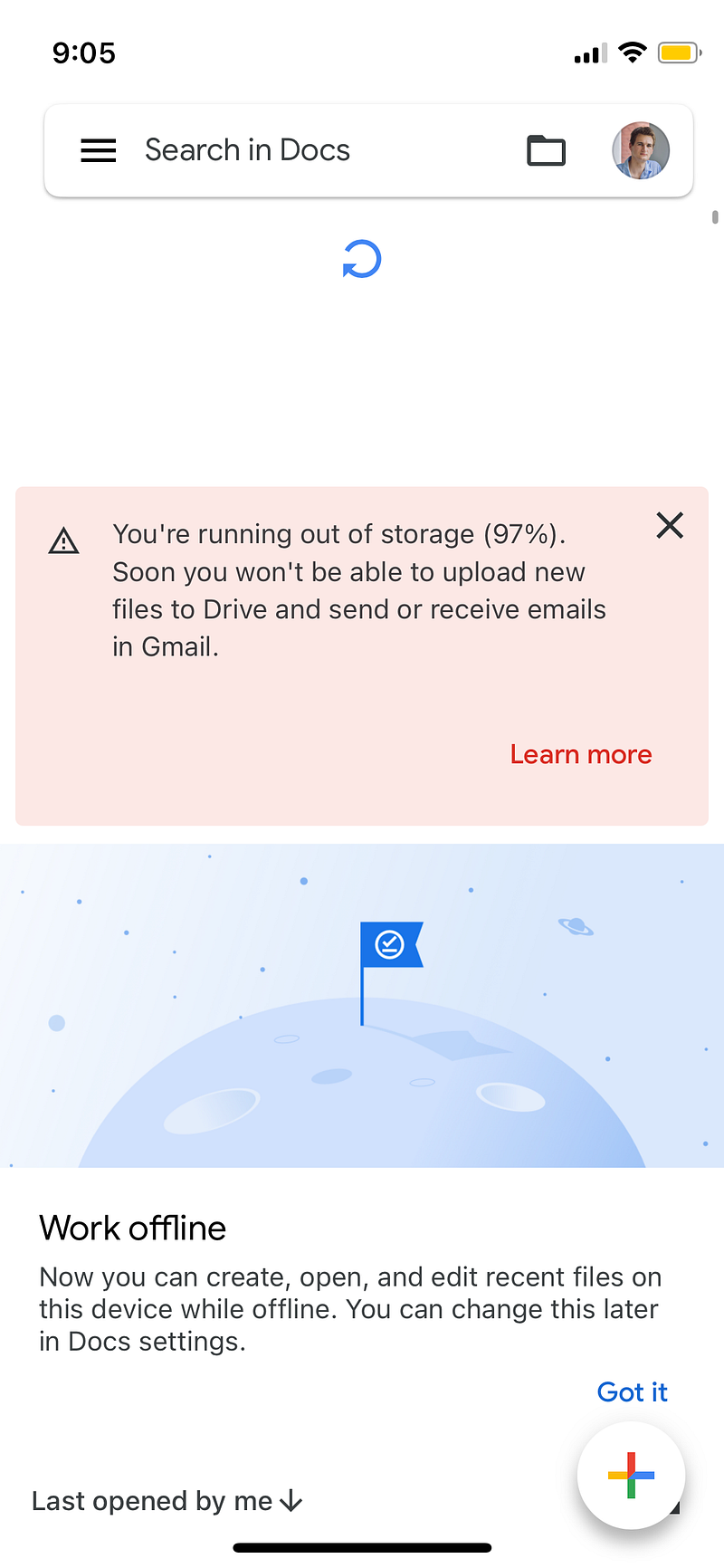
Which is why I’ve recently been getting some blatant warnings that if I don’t start hauling some of these messages to the trash icon, I’m going to hit gmail’s 15 GB cap.
With less than 3% of my storage limit remaining, I’m still stubbornly avoiding a manual process.
Instead, I’ve conceived a script that will leverage gmail’s Python API to delete messages based on query parameters.
In the first of (at least) two parts, I’ll take you through my process from authentication to cleaned data to be used as an input for the DELETE end point in part two.

Auth
In my experience with 50+ APIs I’ve found authentication is either a really easy or really difficult process.
Rarely is there any middle ground.
In this case authentication was a pain.
Unlike other APIs which can just be “enabled” and associated with their respective service accounts, the gmail API requires a user to create an app with the appropriate OAuth scope.
The first time I attempted this I didn’t do it right.
The mistake I made was trying to use an existing service account rather than correctly setting up one associated with “gmail_cleanout.” I referenced the video below which was particularly helpful in walking me through the auth process.
Once that’s correct, Google includes a helpful code snippet in the Gmail API docs.
Most of the code should be fairly self-explanatory.
import os.path

from google.auth.transport.requests import Request
from google.oauth2.credentials import Credentials
from google_auth_oauthlib.flow import InstalledAppFlow
from googleapiclient.discovery import build
from googleapiclient.errors import HttpError

# If modifying these scopes, delete the file token.json.
SCOPES = ["https://www.googleapis.com/auth/gmail.readonly"]

def main():

    creds = None

    if os.path.exists("token.json"):
        creds = Credentials.from_authorized_user_file("token.json", SCOPES)
    if not creds or not creds.valid:
        if creds and creds.expired and creds.refresh_token:
            creds.refresh(Request())
        else:
            flow = InstalledAppFlow.from_client_secrets_file(
                "credentials.json", SCOPES)
            creds = flow.run_local_server(port=0)
    # Save the credentials for the next run
    with open("token.json", "w") as token:
        token.write(creds.to_json())
The SCOPES variable contains the parameters or SCOPE of access of the app. In this case, the app is only authorized to conduct read operations.
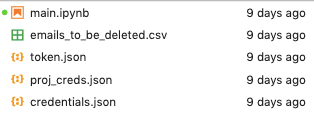
The part to pay attention to is the path to your credentials. To avoid read issues, make sure they’re stored in the same folder as your main script.
You can see an example of a properly structured directory below.
Refresh Me On Refresh Tokens
The other aspect of this process I want to highlight is the temporary nature of the token you’re requesting. Since you will most likely be using this app in testing mode (I am), the tokens you request have a limited lifespan.
According to the docs, it is a maximum of 7 days.
Hit that limit and you’ll see the error discussed in this StackOverflow post.
Between my initial tinkering with the build to getting to this write up, I let my token lapse. So this was a bit frustrating.
The code snippet above is really only helpful if you have an existing token since the first “if” block checks for existing credentials. If they don’t exist the code is supposed to automatically refresh them, but I didn’t have success using that logic.
Instead, I extracted those lines and created a quick reauth function.
def reauth():

  flow=InstalledAppFlow.from_client_secrets_file(
  "credentials.json", SCOPES)
  creds=flow.run_local_server(port=0)
  with open("token.json", "w") as token:
      token.write(creds.to_json())
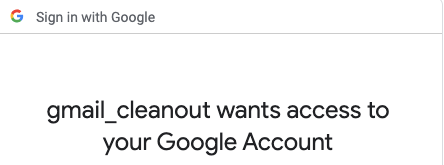
If it executes successfully, you’ll be rerouted to a URL that will let you auth in the UI.
Making The Requests
For new-to-me-APIs I prefer to avoid end points that require excessive parameters, at least initially.
That means I don’t start with anything that requires, say, an id, because I want to first understand how the data is returned.
My initial call for this API was to a labels endpoint which returned a list of folders I have in my inbox.
This info is, frankly, useless to me. And not relevant to this particular project. However, the exercise did confirm that I can make successful requests and it gave me a template I can expand upon for future ones.
With that in mind, I next attempted to get my emails. Using a query string, I grabbed all the ids of read emails within a certain time period.
q="'184bc4ed09392dbfd', is:read"It’s important to note, to get the content of the message, such as the sender and subject, you need to pass this id to another endpoint.
Once you successfully execute this step then you’ll get the message payload.
After completing a successful test, it’s time to make this step dynamic.
Let’s pass two email addresses as a variable to the “q” parameter. One from a Disney Parks blog I unsubscribed to. The other from Starbucks.
Side note: I love cold brew but I hate being reminded daily that I love cold brew. So like day-old cake pops, messages from Starbucks are going in the trash.
try:
    # Call the Gmail API
    service = build("gmail", "v1", credentials=creds)

     addr = ["[email protected]", "[email protected]", ""]

     msg_lst = []
     ids_lst = []

     for a in addr:
         messages = service.users().messages().list(userId='me', labelIds=['INBOX'], q=f"{a}"+ ",is:read").execute()

         msg = messages.get("messages", [])

         for m in msg:
             ids = m["id"]
             ids_lst.append(ids)
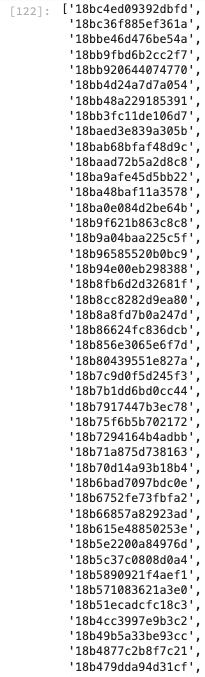
This should return a list of ids which we’ll pass to the messages endpoint to grab the sender and subject lines associated with each to make sure we’re deleting the right data.
Cleaning The Data
Unlike other APIs, this one doesn’t return an easily parse-able JSON format. It’s a list of dicts.
So, in order to grab the data, we need to use the appropriate logic.
We’ll search for text strings that contain
- The sender
- The message
for i in ids_lst:

    msg_test = service.users().messages().get(userId='me', id=i).execute()

    header = msg_test["payload"]["headers"]

     for values in header:
          name = values["name"]
           if name == "From":
              from_name = values["value"]

               return from_name
for i in ids_lst:

    msg_test = service.users().messages().get(userId='me', id=i).execute()

    header = msg_test["payload"]["headers"]

     for values in header:
          name = values["name"]
           if name == "Subject":
              subject = values["value"]

               return subject
But extracting these attributes isn’t enough. We need to store them. You can choose either a dictionary or list to get the job done.
I personally like creating and appending to an empty list. It’s only 2–3 lines of code. And lists can convert nicely to data frame columns.
from_lst = []
subject_lst = []
for i in ids_lst:

    msg_test = service.users().messages().get(userId='me', id=i).execute()

    header = msg_test["payload"]["headers"]

    from_lst = []
    subject_lst = []

    for values in header:
         name = values["name"]
         if name == "From":
            from_name = values["value"]
            from_lst.append(from_name)
              if name == "Subject":
                 subject = values["value"]
                 subject_lst.append(subject)

            print(from_lst, subject_lst)
This data is neater but presents an issue. These are two separate lists.
How can we combine these to create one coherent data frame?
We can combine and iterate through the lists seamlessly using one of my favorite functions: zip().
for f, s in zip(from_lst, subject_lst):
    from_ = f
    subject = s

    df = df.append({
       "id": i,
       "from": f,
       "subject": s
       }, ignore_index=True)

return df
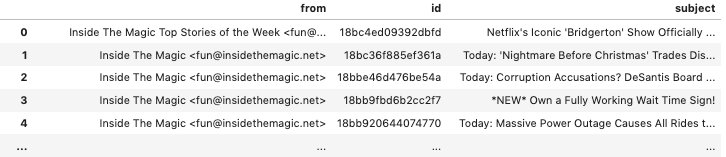
So, looking at the two attributes we want to record, we’ll expect at least two columns: One for sender and the second for subject.
The corresponding variables (and iterators) are:
- from=f
- subject=s
And a third for the ids associated with these messages. Since this loop will go inside the outer loop that iterates through the id list, we can also dynamically record ids:
- ids=i
But we’re not finished yet.
Final Output And Full Code
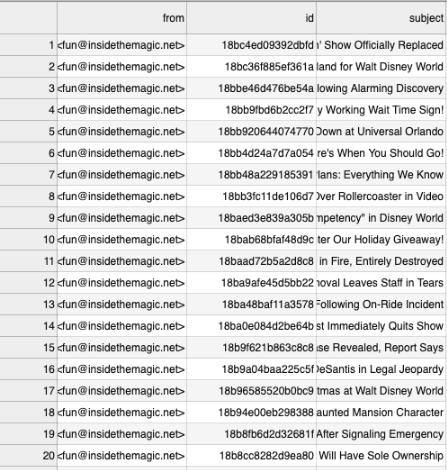
Since I want to pass this data as an input to a secondary function I want a clean output. I want to emphasize this data contains actual messages I’ve received, some of which I might want to keep.
Therefore, I need to be cautious.
And, ideally, I’d like this to be a one-time delete. With that in mind, I want a permanent file I can:
- Review/edit if something isn’t intended to be deleted
- Convert to a clean list of ids to pass iteratively to another function
We’ll change the “return df” to “df.to_csv()” to create a static output.
Make sure that you eliminate any stray index column with index=False.
df.to_csv("emails_to_be_deleted_test.csv", index=False)Out:

If we scroll down, however, we notice something concerning.
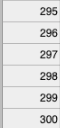
The index stops at 300. If I’m using almost 15 GB of storage shouldn’t I see thousands, not hundreds of emails?
I’ll address this underlying issue and begin the DELETE portion in part II.
Full Code
import os.path

from google.auth.transport.requests import Request
from google.oauth2.credentials import Credentials
from google_auth_oauthlib.flow import InstalledAppFlow
from googleapiclient.discovery import build
from googleapiclient.errors import HttpError

# If modifying these scopes, delete the file token.json.
SCOPES = ["https://www.googleapis.com/auth/gmail.readonly"]

def main():

    creds = None

    if os.path.exists("token.json"):
        creds = Credentials.from_authorized_user_file("token.json", SCOPES)

    if not creds or not creds.valid:
        if creds and creds.expired and creds.refresh_token:
            creds.refresh(Request())
            flow= InstalledAppFlow.from_client_secrets_file(
            "credentials.json", SCOPES)
            creds=flow.run_local_server(port=0)

        with open("token.json", "w") as token:
            token.write(creds.to_json())

# USE THIS BLOCK TO OBTAIN NEW REFRESH TOKEN

#     flow=InstalledAppFlow.from_client_secrets_file(
#     "credentials.json", SCOPES)
#     creds=flow.run_local_server(port=0)

#     with open("token.json", "w") as token:
#         token.write(creds.to_json())

    try:
    # Call the Gmail API
        service = build("gmail", "v1", credentials=creds)

        addr = ["[email protected]", "[email protected]", ""]

        msg_lst = []
        ids_lst = []

        for a in addr:
            messages = service.users().messages().list(userId='me', labelIds=['INBOX'], q=f"{a}"+ ",is:read", pageToken="11504711188901899192").execute()

            msg = messages.get("messages", [])
            for m in msg:
                ids = m["id"]
                ids_lst.append(ids)

        df = pd.DataFrame()

        for i in ids_lst:

            msg_test = service.users().messages().get(userId='me', id=i).execute()

            header = msg_test["payload"]["headers"]

            from_lst = []
            subject_lst = []

            for values in header:
                name = values["name"]
                if name == "From":
                    from_name = values["value"]
                    from_lst.append(from_name)
                if name == "Subject":
                    subject = values["value"]
                    subject_lst.append(subject)

            for f, s in zip(from_lst, subject_lst):
                from_ = f
                subject = s

                df = df.append({
                    "id": i,
                    "from": f,
                    "subject": s
                }, ignore_index=True)

        df.to_csv("emails_to_be_deleted_test.csv", index=False)

    except HttpError as error:
        print(f"An error occurred: {error}")

# if __name__ == "__main__":
#     main()
I need your help. Take a minute to answer a 3-question survey to tell me how I can help you outside this blog. All responses receive a free gift.


