
Using custom reducers to make shared data even easier with TCA

You can jump straight into the code here… https://github.com/oliverfoggin/swift-composable-subscriber
In my recent article on creating and subscribing to shared data in a TCA app I detailed how to use dependencies to store shared data that can be subscribed to from anywhere in your app.
This means that anywhere in your app a reducer can return a run Effect from its body and loop on the values from an AsyncStream and return some other action to deal with the updated values…
case .task:
  return .run { send in
    for await value in await someDependency.valueStream() {
      await send(.newValueReceived(value))
    }
  }
This makes it really easy to subscribe to any stream of data in your app and even keeps your reducers in sync when the data is updated.
I then received a question on Mastodon…
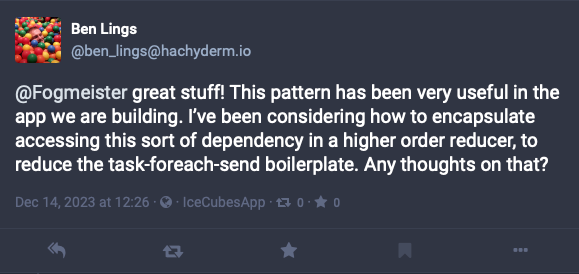
And I was thinking about this in the app I’m working on currently. There are a few reducers that rely on multiple streams of data. This very quickly started to flood the reducer body with these same lines over and over again. We needed a way to refactor this out to make it easier to maintain whilst still giving us the control that we have here.
This is where a custom reducer can come in to help us.
The problem we are trying to solve can be described as…
- When an
Actionoccurs… - We should subscribe to some
AsyncStream… - And when it receives a new
valuewe should run some otherAction.
We can create this by creating our own custom Reducer.
I created a SubscriberReducer that is generic over…
Parent: Reducerit needs to know about theActionandStateof the parent.TriggerActiona specific action that will be used to trigger the subscription.StreamElementthe type of element that theAsyncStreamwill yield.Valuethe type of the value that we want to handle (this allows us to provide a transform if necessary).
By doing this we can create several helper functions like…
.subscribe(to: myDependency.valueStream, on: \.task, with: \.newValueReceived)
This takes the five lines above and reduces it to a single line. And allows us to add multiple subscriptions very easily.
If the AsyncStream type matches the action then we can just do like above…
Reduce { state, action in
  // this is ther regular reducer
}
.subscribe(to: myDependency.valueStream, on: \.task, with: \.newValueReceived)
If the type of the AsyncStream doesn’t match the action then you can provide a simple transform…
Reduce { state, action in
  // this is ther regular reducer
}
.subscribe(to: myDependency.intStream, on: \.task, with: \.newStringReceived) { intValue in
  "\(intValue)" // convert the int to a string for the action
}
And even if we have more complex logic that we need to run we can do that also…
Reduce {
  // this is ther regular reducer
}
.subscribe(
  to: myDependency.stream,
  on: \.some.trigger.action
) { send, streamElement in
  // here you have the usual send argyment that you can use to send actions as you wish
  await send(.responseAction)
  await otherDependency.doSomethingElse(with: streamElement)
}
This has been great for us as it has allowed us to greatly simplify the code involved when we have multiple subscriptions firing off. And it makes it much easier to read also…
Reduce { state, action in
  // this is ther regular reducer
}
.subscribe(to: myDependency.userStream, on: \.task, with: \.newUserDataReceived)
.subscribe(to: myDependency.chatStream, on: \.task, with: \.newChatMessageReceived)
.subscribe(to: myDependency.reactionStream, on: \.task, with: \.newReactionReceived) {
  Reaction(payload: $0)
}
Custom reducers can really help shift a lot of the cognitive load of your app so that you don’t have to worry about it at code time and it makes for easier reading and understanding too.
What custom reducers have you been able to create to help you offload repetitive work and reduce cognitive load?
I hope this has helped you. You can find my code and SPM package on GitHub https://github.com/oliverfoggin/swift-composable-subscriber


