avatarJohn Teehan

Free AI web copilot to create summaries, insights and extended knowledge, download it at here

3018

Abstract

l activities for my kid, and similar events. Then I fill out the week ahead. I usually do this Sunday evening before bed, so I’m ready to rock come Monday morning.</p><p id="bc4d">The daily pages (or weekly spreads depending on the kind of planner you’re using) see my various freelance assignments and deadlines. My writing assignments usually fit nicely here. For larger projects such as book layouts, I note those as well and their projected deadlines.</p><p id="b107">If you work in audio recording, illustration, programming, or another freelance field, you should be able to plan out your week ahead in a similar fashion.</p><p id="6008">If necessary, you can fill in more long-term projects in the coming weeks of your planner.</p><h1 id="c9c1">Don’t Forget Your Secondary Tasks</h1><p id="592b">While writing and layout are my primary sources of freelance income, there’s more to freelance life than that, and it’s important not to let the secondary tasks slide.</p><figure id="1ffb"><img src="https://cdn-images-1.readmedium.com/v2/resize:fit:800/0*I6RPYWYoUuU1ihjE"><figcaption>Photo by <a href="https://unsplash.com/@thepaintedsquare?utm_source=medium&amp;utm_medium=referral">Jessica Lewis</a> on <a href="https://unsplash.com?utm_source=medium&amp;utm_medium=referral">Unsplash</a></figcaption></figure><p id="a56a">Along the bottom of each day’s entry in my planner, I also remind myself to follow up on any billing I need to do. I also remind myself to hit social media, so I keep my freelance profile up and active. For me, this means spending a little time on LinkedIn, Twitter, and Instagram. I also make notes for my personal blogging schedule, website updates, and work on art elements used in my blogs and Instagram accounts.</p><p id="5432">Essentially, each day has its own little checklist. If I don’t get to everything in a single day, that’s okay, but it’s essential to remember that it’s all part of the job.</p><h1 id="b243">Make Checking the Planner a Ritual</h1><p id="972e">Once you have your planner filled out for the week, make checking it a morning ritual.</p><p id="3a0b">Before I open my laptop, I make a cup of coffee or tea (depending on my mood), take out my planner and open it. I glance over the monthly page for a Big Picture look and then move to the weekly pages. I check the day’s to-do list, look at the previous days to see if anything needs to be carried over, and look briefly at tomorrow’s entries.</p><p id="5c83">Then I’m back at today’s list. I make notes if necessary — either on the page or in a separate Field Notes notebook I keep for project notes. Then…</p><p id="9fab">Then my workday can get underway.</p><h1 id="d2ac">Extra Tips for Freelancing With a Planner</h1><p id="a958">Here are a few extra things you can do to optimize your freelancing planner game:</p><ul><li>Every two weeks, add a reminder to pitch new clients.</li><li>Consider different colored pens for different types of tasks. If pens don’t do it for you, use highlighters. The idea is to

Options

visually pick out like types of tasks.</li></ul><figure id="49d0"><img src="https://cdn-images-1.readmedium.com/v2/resize:fit:800/0*27XJ8R-5dntWCyjH"><figcaption>Photo by <a href="https://unsplash.com/@stationery_hoe?utm_source=medium&amp;utm_medium=referral">Kasturi Roy</a> on <a href="https://unsplash.com?utm_source=medium&amp;utm_medium=referral">Unsplash</a></figcaption></figure><ul><li>Give yourself a small warm-up task at the start of your workday, then immediately move on to any large, essential project you have waiting. Don’t get distracted by the little easy things. Give preference to your big fish.</li><li>Feel free to personalize your planner or select a planner style that suits you. I like leather cases, cream-colored pages, and fancy pens. You might like brightly colored pages and stickers. Go with what speaks to you. It’s your planner.</li></ul><h1 id="fa16">A Planner For Life</h1><p id="13e6">Okay, maybe that’s a little much for a title for a conclusion, but I do find a well-organized planner can not only be a benefit to your life as a productive freelancer but for your life overall.</p><p id="cead">It may seem a bit primitive in these modern times, but that’s okay.</p><p id="14da">If a planner doesn’t work for you, that’s fine. Those apps are popular for a reason. But there’s also a reason why so many people these days still use traditional planners.</p><p id="9c91">I’m one of them, and I’ve no intention of changing anytime soon.</p><p id="c867"><i>Cheers!</i></p><div id="c7cd" class="link-block"> <a href="https://readmedium.com/a-new-new-years-strategy-that-could-change-everything-ef54fc311039"> <div> <div> <h2>A New New Year’s Strategy That Could Change Everything</h2> <div><h3>This year, redirect your energy to something practical.</h3></div> <div><p>medium.com</p></div> </div> <div> <div style="background-image: url(https://miro.readmedium.com/v2/resize:fit:320/0*ThfXqRpOSGRhLAac)"></div> </div> </div> </a> </div><div id="e0f2" class="link-block"> <a href="https://readmedium.com/so-you-want-to-go-freelance-1ea2ae202acc"> <div> <div> <h2>So You Want To Go Freelance…</h2> <div><h3>Here are nine practical tips.</h3></div> <div><p>medium.com</p></div> </div> <div> <div style="background-image: url(https://miro.readmedium.com/v2/resize:fit:320/0*RK53v5SZ6j7F7JsS)"></div> </div> </div> </a> </div><h1 id="88e1">About John Teehan</h1><p id="143f"><i>John lives in Rhode Island with his wife, son, and dog. He specializes in tech, health, business, parenting, pop culture, and gaming. Visit<a href="http://www.wordsbyjohn.net/"> wordsbyjohn.net</a> for more info and rates. Twitter: @WordsByJohn2</i></p></article></body>

Using a Paper Planner To Support Your Freelance Routine

Paper is king when you’re flying solo.
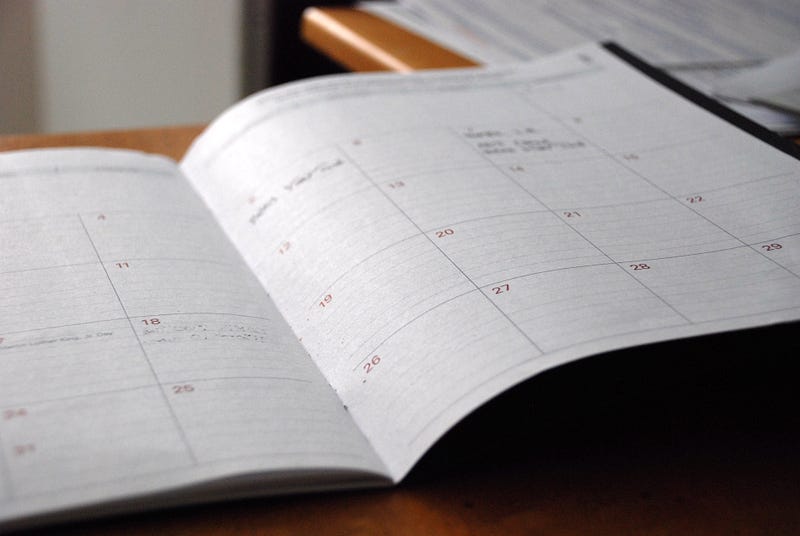
Photo by Eric Rothermel on Unsplash

I live and die by my planner.

As a freelancer, it’s probably my most indispensable tool to keep me organized and on top of everything from current projects to billing to keeping the occasional medical appointment.

Now that it’s a new year, it’s time for a new planner. Sure enough, I got a nifty one for Christmas (the one I specifically asked for) and spent January 1st prepping it and getting ready for the new year.

I am such a nerd.

That said, I believe a traditional bound paper planner can be your best solution to keeping track of your freelance life. I’ve tried numerous apps, and, as impressive as they are, I always go back to the paper planner.

Here’s how you can use your paper planner to optimize your freelance year and be productive as all hell.

Examine Your Morning Routine

Days often begin in the morning. Crazy, right?

The first thing I recommend is to identify the parts of your morning routine you find most useful. While you could compose a mental list, I find writing a list of your productive habits down on paper more helpful.

Look over the list, and feel free to tweak it as needed. For instance, if part of your routine has been to respond to overnight emails first thing in the morning, consider shifting those to after breakfast. Not only does it give stragglers time to come in so you can effectively deal with them, but you can also spend that early-morning time on something more personal.

Photo by Green Chameleon on Unsplash

Technically, you don’t need to write down and organize habits and routines, but I find it helps immensely. The act of writing adds a level of seriousness and is itself a form of ritual.

Get Your Planner Up To Date

You could do this on a computer or mobile device, but I find the tactile experience of using a paper planner more effective. Checking it each morning has a ritualistic effect that can get you in the mood for a productive day.

I start by filling out the month with things like doctor appointments, important deadlines, game nights, school activities for my kid, and similar events. Then I fill out the week ahead. I usually do this Sunday evening before bed, so I’m ready to rock come Monday morning.

The daily pages (or weekly spreads depending on the kind of planner you’re using) see my various freelance assignments and deadlines. My writing assignments usually fit nicely here. For larger projects such as book layouts, I note those as well and their projected deadlines.

If you work in audio recording, illustration, programming, or another freelance field, you should be able to plan out your week ahead in a similar fashion.

If necessary, you can fill in more long-term projects in the coming weeks of your planner.

Don’t Forget Your Secondary Tasks

While writing and layout are my primary sources of freelance income, there’s more to freelance life than that, and it’s important not to let the secondary tasks slide.

Photo by Jessica Lewis on Unsplash

Along the bottom of each day’s entry in my planner, I also remind myself to follow up on any billing I need to do. I also remind myself to hit social media, so I keep my freelance profile up and active. For me, this means spending a little time on LinkedIn, Twitter, and Instagram. I also make notes for my personal blogging schedule, website updates, and work on art elements used in my blogs and Instagram accounts.

Essentially, each day has its own little checklist. If I don’t get to everything in a single day, that’s okay, but it’s essential to remember that it’s all part of the job.

Make Checking the Planner a Ritual

Once you have your planner filled out for the week, make checking it a morning ritual.

Before I open my laptop, I make a cup of coffee or tea (depending on my mood), take out my planner and open it. I glance over the monthly page for a Big Picture look and then move to the weekly pages. I check the day’s to-do list, look at the previous days to see if anything needs to be carried over, and look briefly at tomorrow’s entries.

Then I’m back at today’s list. I make notes if necessary — either on the page or in a separate Field Notes notebook I keep for project notes. Then…

Then my workday can get underway.

Extra Tips for Freelancing With a Planner

Here are a few extra things you can do to optimize your freelancing planner game:

  • Every two weeks, add a reminder to pitch new clients.
  • Consider different colored pens for different types of tasks. If pens don’t do it for you, use highlighters. The idea is to visually pick out like types of tasks.

Photo by Kasturi Roy on Unsplash
  • Give yourself a small warm-up task at the start of your workday, then immediately move on to any large, essential project you have waiting. Don’t get distracted by the little easy things. Give preference to your big fish.
  • Feel free to personalize your planner or select a planner style that suits you. I like leather cases, cream-colored pages, and fancy pens. You might like brightly colored pages and stickers. Go with what speaks to you. It’s your planner.

A Planner For Life

Okay, maybe that’s a little much for a title for a conclusion, but I do find a well-organized planner can not only be a benefit to your life as a productive freelancer but for your life overall.

It may seem a bit primitive in these modern times, but that’s okay.

If a planner doesn’t work for you, that’s fine. Those apps are popular for a reason. But there’s also a reason why so many people these days still use traditional planners.

I’m one of them, and I’ve no intention of changing anytime soon.

Cheers!

About John Teehan

John lives in Rhode Island with his wife, son, and dog. He specializes in tech, health, business, parenting, pop culture, and gaming. Visit wordsbyjohn.net for more info and rates. Twitter: @WordsByJohn2

Productivity
Freelancing
Planning
Morning Routines
Advice
Recommended from ReadMedium