
Use the Cheapest LLM Inference API to Build a Multi-agent App
A Quick Tutorial for Building LLM Apps Using OpenRouter
Recently, OpenAI has updated the price for GPT-3.5-Turbo that input prices for the new model are reduced by 50% to $0.5 /M tokens, and output prices are reduced by 25% to $1.5 /M tokens. The continuous drops in the price help most for the multi-agent app developers and researchers as those types of applications cost tokens more than other types.

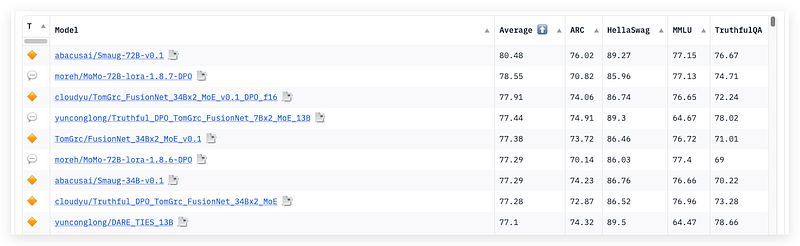
Unfortunately, the GPT-3.5 is no longer one of the top competitive models regarding various evaluation results and practical usage. So many open-source models and their fine-tuned varieties are released every day claiming they are better choices for certain generation tasks. You must have found the average score of the newly uploaded models on HuggingFace’s LLM leaderboard is insanely high.
For those who are interested in those advanced models but do not own enough local GPU resources to run them, there are several quick approaches. You can search for the model’s space or playground for a quick taste of the chatbot. Or, running the inference code in Google Colab can provide you time-limited access for small models (normally under 7B) for free.
Obviously, these are not good choices when you want to do complicated application tests on a wide range of models. Using a pay-as-you-go service for remote model inferences with fast speed and low cost would be naturally the choice for most developers in the PoC (Proof of Concept) stage.
After searching and comparing low-cost online inference services other than OpenAI-like commercial APIs, I have a good recommendation for you — OpenRouter.
OpenRouter
OpenRouter is a very new platform that serves as an aggregator for AI models, offering both an API and a conversational interface accessible via openrouter.ai. This API enables developers to engage with an array of large language models, image generation models, and 3D model generation tools. Furthermore, developers have the opportunity to showcase their applications to the public through the OpenRouter platform.
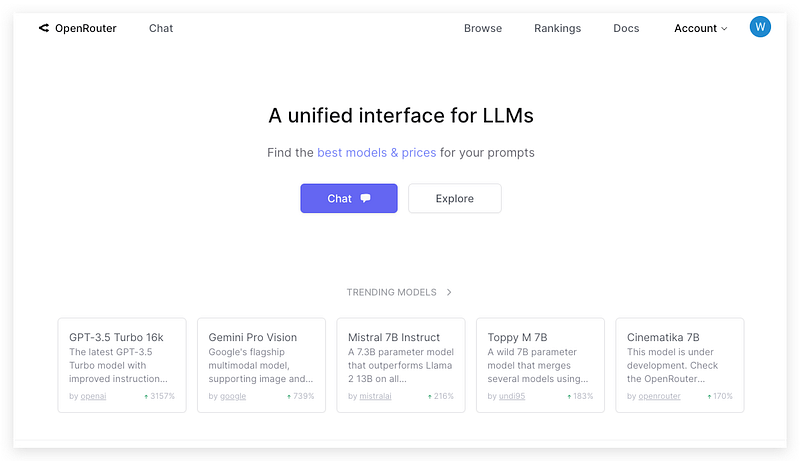
From its model list, you will find 30+ popular open-source models and several commercial models like OpenAI, Google Gemini, and Anthropic Claude.
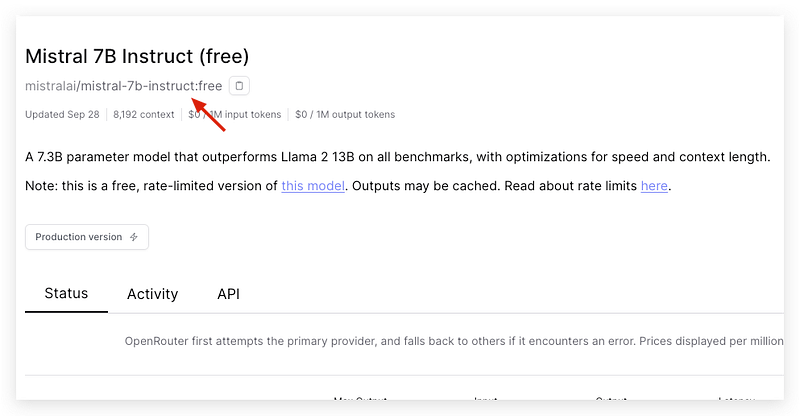
To your surprise, there are a couple of 7B models that are free to use including Mistral-7B-Instruct, Eagle -7B, and Zephyr-7B. The only limitation is the rate limit of 10 API requests per minute.
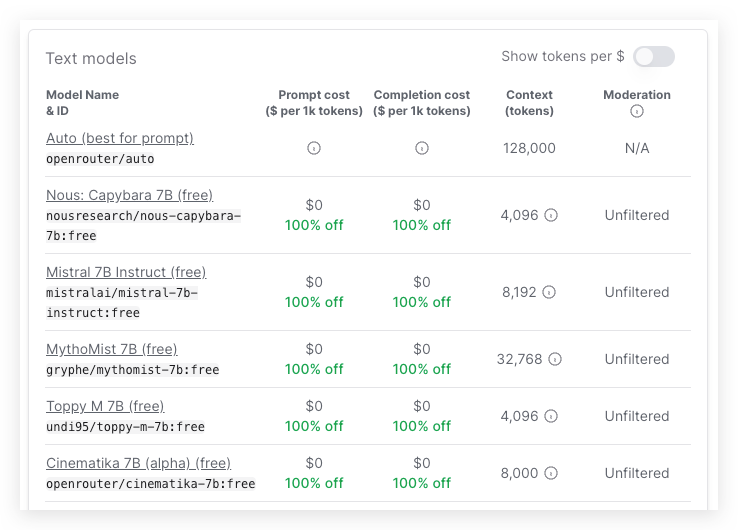
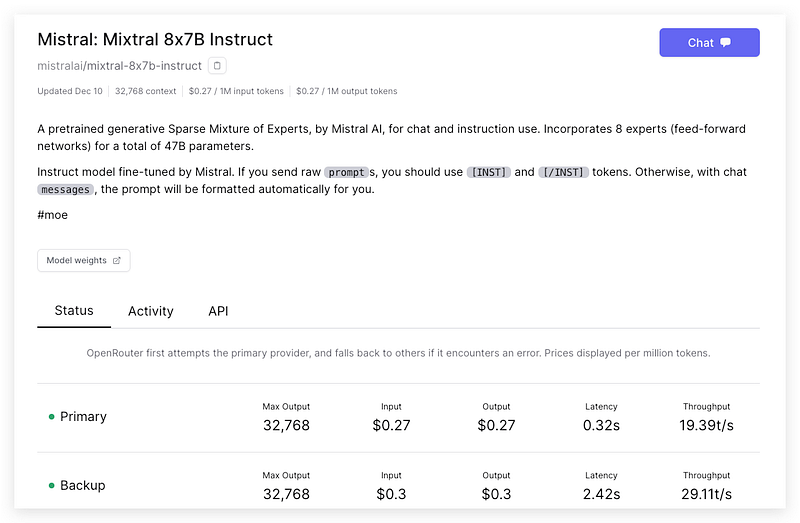
Most of the paid models are much cheaper than those you can find on the market. For example, Meta’s Llama-2–13B-chat only costs 0.1474/M for input and output tokens, the hot Mixtral-8x7B-Instruct only costs 0.27/M, Yi-34B-Chat costs 0.72/M and CodeLlama-70B-Instruct costs 0.81/M. Besides the token price, the throughput is also quite acceptable.
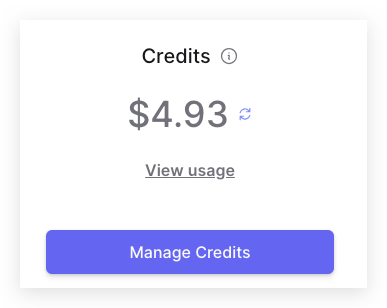
The 5 USD credit I purchased seems like it will last for quite a while!
Code Walkthrough
I would like to use OpenAI-compatible API so that I don’t need to change any of my existing code for GPT models to run OpenRouter’s inference.
Let’s write a simple code to test.
- Install the latest OpenAI package
pip install openai
2. Create the client
Make sure you use the Openrouter’s base URL and the API Key from your Openrouter account.
client = OpenAI(
  base_url="https://openrouter.ai/api/v1",
  api_key="sk-or-v1-...",
)
3. Create a generation
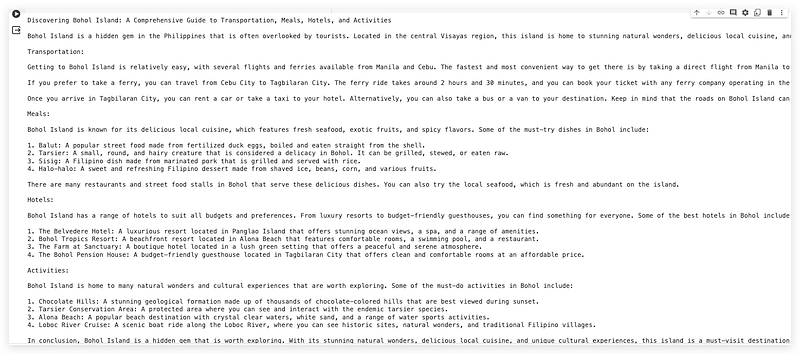
Let’s try the free version of the model Mistral-7b-Instruct to write a blog post.
completion = client.chat.completions.create(
  model="mistralai/mistral-7b-instruct:free",
  messages=[
    {
      "role": "user",
      "content": "write a blog post in Bohol island including transportation, meals, hotels and activities.",
    },
  ],
)
print(completion.choices[0].message.content)
The exact model name with the path can be found on its Browse page.
The response quality is quite good considering such a small model.
Creating such simple applications lacks a substantial challenge, let us explore the utilization of Openrouter’s API within the framework of multi-agent applications.
AutoGen+OpenRouter
In this AutoGen demo, I will continue our last task which generates a blog post, and add a reviewer agent to provide professional blog review comments.
- Install the pyautogen.
Since the AutoGen project is in the fast iteration, please make sure you have updated to the latest version (0.2.12).
pip install --quiet pyautogen2. Define an LLM config
Since AutoGen’s orchestration process will require LLM to have a certain level of capabilities to select the proper speakers from the descriptions, the free 7B models will not be suitable, instead, I will use a Llama-2 fine-tuned model Nous-Hermes-Llama2–13b for this application. This model will cost me only 0.27/M for input and output tokens.
Set a global variable first.
import os

os.environ['OAI_CONFIG_LIST'] ="""[{"model": "nousresearch/nous-hermes-llama2-13b",
"api_key": "sk-or-v1-...",
"base_url": "https://openrouter.ai/api/v1",
"max_tokens":1000}]"""
Define the llm_config used by agents.
import autogen

llm_config={
    "timeout": 6000,
    "cache_seed": 22,  # change the seed for different trials
    "config_list": autogen.config_list_from_json(
        "OAI_CONFIG_LIST",
        filter_dict={"model": ["nousresearch/nous-hermes-llama2-13b"]},
    ),
    "temperature": 0.7,
}
3. Create a group chat
We create three agents for this task, the User_proxy for acting human prompt, the Writer for writing the blog post, and the Reviewer for providing comments on the blog post. Make sure both the Writer and Reviewer have decent description fields for being orchestrated.
user_proxy = autogen.UserProxyAgent(
    name="User_proxy",
    system_message="A human admin.",
    code_execution_config=False,
    human_input_mode="TERMINATE",
)
writer = autogen.AssistantAgent(
    name="Writer",
    system_message="Blog post writer",
    llm_config=llm_config,
    description="This is a blog post writer who is capable of writing travel blogs."
)
reviewer = autogen.AssistantAgent(
    name="Reviewer",
    system_message="Review the blog post and give comments on Writer's post",
    llm_config=llm_config,
    description="This is a writing reviewer who will normally review the blogs from writers."
)
groupchat = autogen.GroupChat(agents=[user_proxy, writer, reviewer], messages=[], max_round=8)
manager = autogen.GroupChatManager(groupchat=groupchat, llm_config=llm_config)
4. Initial the group chat
user_proxy.initiate_chat(
    manager, message="""Generate a qualified blog post about travelling
                        in Bohol Island, then ask Reviewer to give professional
                        comments in details."""
)
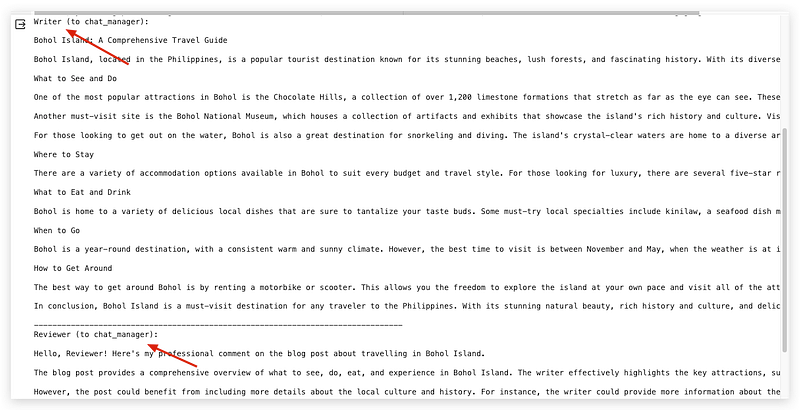
From the result, although the proper TERMINATE timing of the group chat needs to be improved by accommodating system messages for this particular model, the overall performance of group orchestration and agents’ response output looks very decent!
CrewAI+OpenRouter
If you are good at developing under LangChain, it will be very easy to apply a model to the sequential CrewAI application.
- Install CrewAI package
pip install crewai2. Create an LLM object
By using LangChain’s ChatOpenAI() method, we can easily bridge the model from the OpenRouter platform to OpenAI API.
import os
from crewai import Agent, Task, Crew, Process

from langchain_openai import ChatOpenAI

llm = ChatOpenAI(model="nousresearch/nous-hermes-llama2-13b",
                  api_key="sk-or-v1-...",
                  base_url="https://openrouter.ai/api/v1")
3. Create agents and tasks
Like what we did in the AutoGen project, we are going to create a Writer and a Reviewer with their definitions of role, goal, and backstory.
Writer = Agent(
  role='Writer',
  goal="""Writing attractive travel blog post.""",
  backstory="""This is a blog post writer who is capable of writing travel blogs.""",
  verbose=False,
  allow_delegation=False,
  llm=llm,
)
Reviewer = Agent(
  role='Reviewer',
  goal="""Review the blog post and give comments on Writer's post""",
  backstory="""This is a writing reviewer who will normally review the blogs from writers.""",
  verbose=False,
  allow_delegation=False,
  llm=llm,
)
Then create two relevant tasks with the agents.
task_writer = Task(
  description="""Generate a qualified blog post about travelling in Bohol Island.""",
  agent=Writer
)

task_reviewer = Task(
  description="""give professional comments in details for a given blog post.""",
  agent=Reviewer
)
4. Kickoff
Now, we can assemble the crew and kick off the process.
crew = Crew(
  agents=[Writer, Reviewer ],
  tasks=[task_writer, task_reviewer],
  verbose=2
)

result = crew.kickoff()
From the result, the crew successfully completed the task by providing relevant text responses within less than 20 seconds.
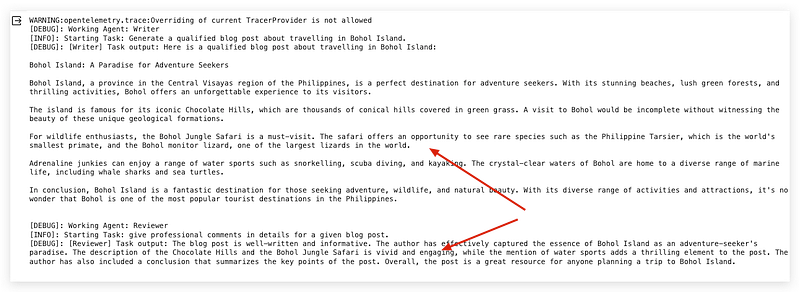
The entire test including AutoGen and CrewAI has not cost me even 1 cent of my credits on the OpenRouter platform. This clearly demonstrates how cost-effective it is to conduct preliminary testing and functional validation of open-source models using the inference service from the OpenRouter platform.
Thanks for reading. If you think it’s helpful, please Clap 👏 for this article. Your encouragement and comments mean a lot to me, mentally and financially. 🍔
Before you go:
✍️ If you have any questions or business requests, please leave me responses or find me on X and Discord where you can have my active support on development and deployment.
☕️ If you would like to have exclusive resources and technical services, checking the membership or services on my Ko-fi will be a good choice.


