
URL Analysis: How to Determine Maliciousness
Tools for cyber professionals. Yes, they are free.

What is URL analysis?
URL analysis is a thorough examination of a web address to determine the risk of malicious intent upon visiting the site. This process includes checking of reputation score and IP information of the web address. URL expander, sandboxing, and proxy check are also used to observe the behaviour of the website upon a visit.
Why do URL analysis?
As a cyber security analyst, I face a flood of information to process everyday. URL analysis comes up as the most frequently used toolkit out of many others in my virtual utility belt as I surf the internet.
Manual URL analysis are hardly called for with automatic filtering done by your applications. The layman may not know this but web servers and browsers constantly filter web traffic to protect their users.
Unfortunately, the best protection is only as strong as its weakest link. And that is usually human. Well, can’t blame ’em if…
- 40% of malicious URLs were found on good domains. Legitimate websites are frequently compromised to host malicious content.
- Phishing attacks increase by 65% as success rate of attacks increase globally. Avanan’s research shows that phishing attacks increased globally by 65% between 2016 and 2017.
- Home user devices are more than twice as likely to get infected as business devices. Sixty-eight percent of infections are seen on consumer endpoints, versus 32 percent on business endpoints.
If there is only one purpose, it is this: To avoid clicking on that malicious link. Because no amount of filter can protect a insistent action by the human. Be it for personal safety or the company’s, this knowledge goes a long way.
Optimism Bias
Under what circumstances will someone be caught off-guard, and has the highest likelihood of clicking on a malicious link?
From my experience, people are most likely to unwittingly click onto a malicious link during a phishing email campaign. This is especially so if the phishing email appear urgent, legitimate, and task-oriented.
This does not escape even the cybersecurity professionals. In fact, they are just as likely to fall for a phishing scam.
The old adage “Once bitten twice shy” does not apply here either. One mishaps is all it takes for an attacker to succeed. And the victim is just as likely as ever to make a second one.
It does not help to be overly confident, or think that one wouldn’t fall for a trick such as phishing. Till that faithful day when the unlikely happens, the fool never knows of his optimism bias.
Imagine my surprise when I found no resource online detailing the admittedly menial process!
The cyber world is full of malicious website to get you. So wait, Before you click on that link, do this first.
Caveat:
1. Free tools are something to be careful of. They say, no such thing as free lunch. Use these tools with the knowledge that there might be a cost, maybe collection of data. If your use case is high-stake, such as company data, then beware. Take this advise with a pinch of salt, as always. Run along.
2. Some of these tools may present false positives. This is based on the a cybersecurity operation principle of whitelisting on the safe side.
Step by step: How To Determine Maliciousness
Step 1: Recognise potential malicious URL
Step 2: Masking to prevent accidental visit
Step 3: Recognise url shorteners
Step 4: Check it’s reputation
Step 5: Check it’s IP score
Step 6: Make use of sandbox to discover hidden behaviours
Step 7: Network forensics with proxy
List of URL Analysis Tools
Reputation Tools:
Reputation tools are services that help you detect potentially malicious websites. There are multiple ways these services use to determine reputation scores; some provide historical information, others examine the URL in realtime. With the advent of OSINT, these reputation score are increasingly dynamic and accurate.
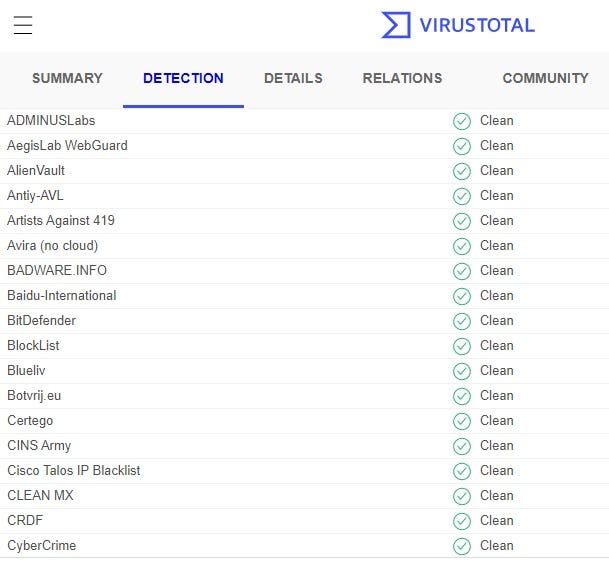
- VirusTotal: Analyze suspicious files and URLs to detect types of malware, automatically share them with the security community.
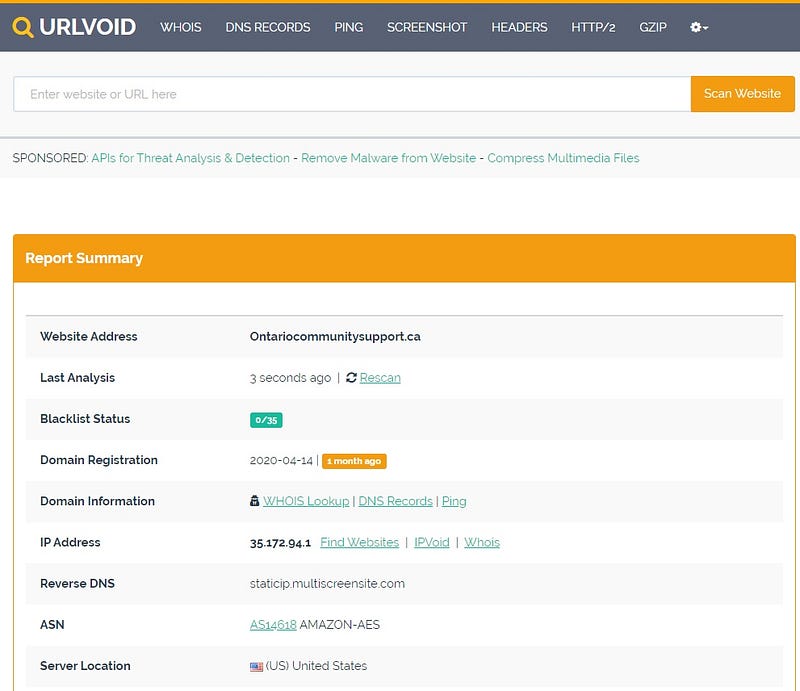
- URLVoid: Check if a Website is Malicious/Scam or Safe/Legit: Free website reputation checker tool lets you scan a website with multiple website reputation/blacklist services to check if the website is safe and legit or malicious.
- Trend Micro Site Safety Center: With one of the largest domain-reputation databases in the world, Trend Micro’s web reputation technology is a key player in determining website trust and reliability.
IP lookup tools:
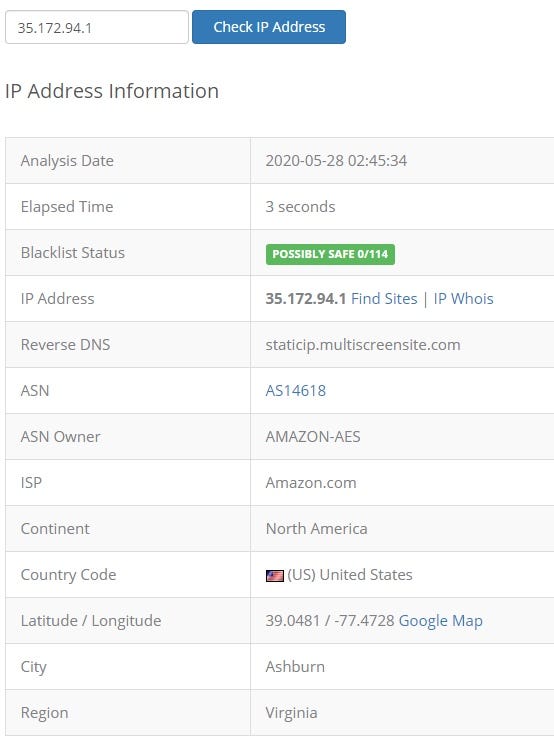
IP analysis reveals the location of the web hosting server. This can tell us information of their motive and the likelihood of malicious intent.
- Da whois: IP Whois Lookup, Domain Name Search, Visual …: Advanced ip whois and domain name search. Domain name whois lookup service, ip lookup, my ip address information, IP and URL visual traceroute with geo location information.
- IPVoid: IP Address Tools, Network Tools, DNS Tools: We offer a vast range of IP address tools to discover details about IP addresses. IP blacklist check, whois lookup, dns lookup, ping, and more!
URL expander:
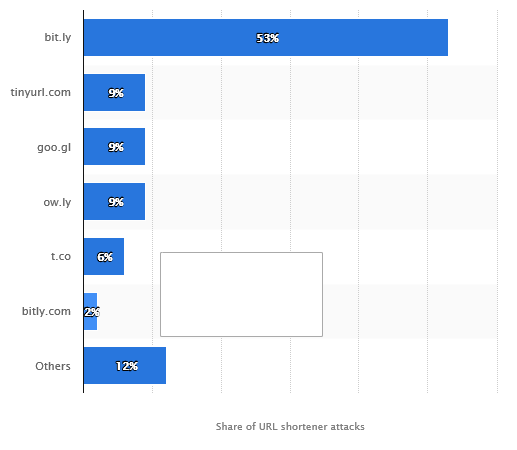
URL shorteners are frequently used for phishing attacks, often used by malware peddlers and attackers to trick users into following a link they otherwise wouldn’t.
- CheckShortURL — Your shortened URL expander: CheckShortURL is an expand link facility: it allows you to retrieve the original URL from a shortened link before clicking on it and visiting the destination.
- Expand Shortened URLs — ExpandURL: By examining the link prior to clicking, you’ll have more of a chance of avoiding phishing, malware, and viruses by examining short URLs before visiting them.
Sandbox:
Using a sandbox allows you to detect and analyze potential malicious files and URLs on Windows, Android, Mac OS, Linux, and iOS virtual machine for suspicious activities, all without compromising your actual machine.
Note: Some malware are capable of different behaviour in VMs.
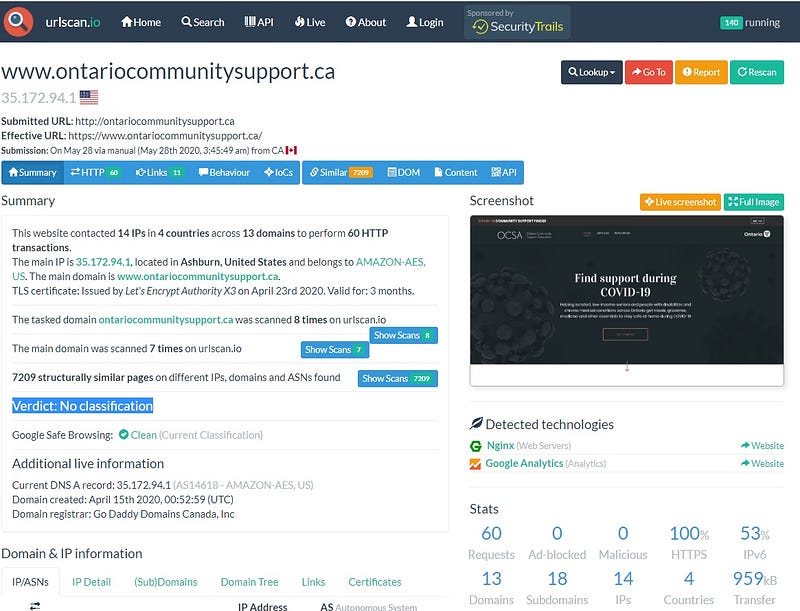
- urlscan.io: urlscan.io is a URL and website scanner for potentially malicious websites.
- ANY.RUN — Interactive Online Malware Sandbox: Cloud-based malware analysis service. Take your information security to the next level. Analyze suspicious and malicious activities using our innovative tools.
- Screenshot Machine — Capture full website screenshot: Capture website screenshot with powerful website screenshot service or online website screenshot generator. FREE website screenshot API included.
Proxy:
Similar to sandbox, proxy provides a layer of protection by acting as a intermediary between clients and the potentially malicious URL. Unlike a sandbox, a proxy does not have a VM client to interact with, but instead relays URL requests from clients to a server.
Analysing web proxy logs can give insights to identify anomalous browsing behaviour and serve as evidence in network forensics.
- Symantec Sitereview: Note: This tool does not perform full real-time analysis of malicious URLs or files, which is included with the complete Symantec security solution.
These tools are free on the internet. They complement the paid versions of the service. They also feature APIs for developers, or Threat Intelligence for that matter. Often, these tools are not standalone, and they work together with a central SOAR platform.
SOAR is short for Security Operation and Automated Response, which I have yet to talk about in any post.
This post has stretched longer than I expected. Therefore, I will write again on this topic on another post. In that post, I will detail the process of how I use the aforementioned tools for url analysis.
Thanks for reading.
Read about my Thorough URL Analysis for Professionals — I will write about it soon!
Follow me on Medium for more


