Unveiling a Hidden Gem: A PKM Tool That Outshines the Rest

In my last article I promised to reveal the one PKM tool I can’t do without. I’ll get to it soon, but first I have a question.
Why is it that we’re so attracted to these sophisticated PKM tools? Why do we stay on this never-ending quest for The Grail of PKM? And I use the word Grail on purpose here. I think it’s because we’re looking for something miraculous. Something that doesn’t exist. Something perfect for us.
I’m sure that’s why Obsidian is so popular. Its vast library of plugins promises to make all things possible. It promises an end to our quest.
For some people that promise gets fulfilled, at least for a while. The problem is, tools like Obsidian take our precious time in return. We waste it tinkering around under the bonnet (hood) instead of speeding down the road of creation.
We’ve decided that managing knowledge is a complicated business requiring complicated software. That means we can’t do it by ourselves.
I don’t take that view.
I’ve made a habit of zigging when everyone else is zagging.
As life gets more complex most folks look for more complex ways to deal with it. I go in the opposite direction. I look for simpler. That’s been the guiding principle behind my search for a PKM tool. I spent ages looking before realising I already had it.
It’s called Workflowy and its strapline fits my desire to a tee — A simpler way to organise your work.
Workflowy isn’t new. It’s been around since 2010 and I’m pretty sure I first downloaded it around that time. It’s been on my devices ever since. I’ve fallen in and out of love with it more times than I can remember. But it’s always been there for me when I needed it. Workflowy is a faithful friend.
Workflowy’s biggest advantage is also its biggest drawback. Because out of the box, it looks like nothing. It’s a blank page, pure and simple. Take a look at it and you’ll likely dismiss it as a PKM tool right away.

“But it’s only an outliner” you’ll cry. And it is. But one with superpowers.
- You create nodes and subnodes. As many as you like. Each of them can contain a piece of knowledge. (Text, image, file, PDF)
- Links and mirrors let you connect any of them together.
- Powerful search operators allow you to find anything you dump into them.
- All your precious data is in plain text format. Easy to export. Usable elsewhere. Yours to keep.
- MFA and encryption make it secure.
- You can use it on pretty much any device.
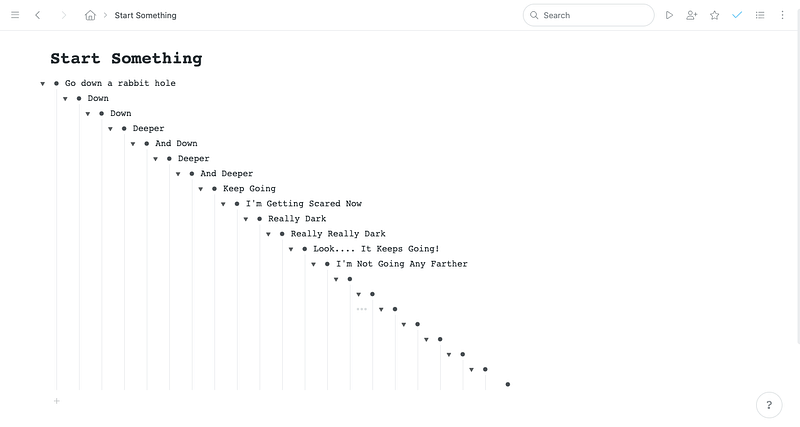
Do you need more than that?
If you’ve heard of Workflowy at all then you’ve likely heard that its development has been slow to say the least. For many years it was non-existent. A few super-fans and dedicated users like Frank Degennar kept it alive. Frank in particular has come up with creative ways of using the tool. He also developed shortcuts and scripts to add personalisation and functionality. I use many of them myself.
Development has speeded up this year. A lot of updates have come along including things like better use of dates and a nested search feature.
These follow other major improvements to tags, backlinks, mirrors, text formatting and colours.
I could look at each of these in detail, but I’m not going to. Because none of the above are necessary. Open Workflowy and you can start storing and using your knowledge immediately.
Returning to the analogy I used earlier. Workflowy is a vehicle you can drive without having to lift the bonnet (pop the hood) first.
If you must dive deeper into its usage then go to the Reddit group or Frank’s Workflowy blog.
So yes, Workflowy can do pretty much anything the most sophisticated PKM software can do. But start using it as is and who knows, you may discover you don’t need it to.
The way to build a complex system that works is to build it from very simple systems that work. - Kevin Kelly (Founding executive editor of Wired magazine)
Workflowy is free to use forever in its basic form (250 items per month limit). Or $4.99/month for the unlimited Pro version. Sign up for free and you get a 7-day trial of Pro.
Note: I have no affiliation with Workflowy.