
Unlocking the AI Frontier: Prompt Travel, ControlNet, and IP-Adapter in AnimateDiff
Introduction
In the ever-evolving world of technology, where innovation knows no bounds, a visionary developer has unveiled an experimental paradigm shift within the animatediff-cli toolkit. This transformational feature, aptly named “Prompt Travel,” ushers in a new era of interaction with generative AI models, underpinned by the dynamic forces of ControlNet and IP-Adapter. In the ensuing exploration, we will delve into this groundbreaking enhancement to animatediff-cli, peering into the exciting implications it holds for both creative and technical communities.
Prompt Travel: Pioneering the Unconventional
Prompt Travel is not just another feature; it’s a paradigm shift in AI interaction. Traditionally, working with AI models has been a one-way street where users provide a static prompt and await the model’s output. However, Prompt Travel empowers users to change the prompt dynamically in the middle of generating content. This introduces a level of real-time interactivity that was previously unimaginable.
Imagine a scenario where you’re crafting a story with the help of a language model. With Prompt Travel, you can guide the model’s narrative in real-time, shifting the storyline to suit your creative vision. Or, in the world of software development, you can experiment with AI-generated code, tweaking the input to fine-tune the desired outcome.
The Tech Behind Prompt Travel
Prompt Travel is made possible through the clever integration of two key components: ControlNet and IP-Adapter.
- ControlNet: ControlNet is a neural network architecture that allows fine-grained control over the AI model’s behavior. It enables users to manipulate various parameters during the content generation process. ControlNet essentially acts as a bridge, connecting the user’s intent with the AI model’s output. This enables users to guide the AI model in real-time, making it an invaluable tool for creative projects, content generation, and problem-solving.
- IP-Adapter: IP-Adapter, on the other hand, plays a crucial role in connecting the ControlNet with animatediff-cli. It serves as the interface between the user and the AI model, facilitating prompt changes in the middle of frame generation. This adapter streamlines the process, making it accessible to a wider range of users, regardless of their technical expertise.
Practical Applications
The potential applications for Prompt Travel with ControlNet and IP-Adapter are vast and exciting:
- Creative Content Generation: Artists, writers, and designers can now have real-time creative conversations with AI models. Prompt Travel enables them to fine-tune the AI-generated content to match their artistic vision or written narrative, creating stunning and unique works of art.
- Problem-Solving and Prototyping: In technical fields, such as software development and engineering, Prompt Travel can be invaluable for rapidly prototyping ideas and experimenting with AI-generated solutions. Engineers and developers can dynamically adjust prompts to iteratively refine and enhance their projects.
- Education and Research: Researchers and educators can use Prompt Travel to explore AI model behavior, test hypotheses, and gather insights. It provides a powerful tool to study AI models’ responses to varying inputs, enhancing our understanding of these complex systems.
Code Implementation: Bridging Prompt Travel with ControlNet and IP-Adapter
The true magic of Prompt Travel lies in the seamless synergy between ControlNet and IP-Adapter, which allow users to dynamically alter prompts while generating content with AI models. In this section, we will delve into a code implementation that demonstrates how to bridge these two vital components, enabling a dynamic and interactive experience with AI models.
Step 1: Install and Import libraries
git clone https://github.com/s9roll7/animatediff-cli-prompt-travel
cd animatediff-cli-prompt-travel

python3 -m venv venv
source venv/bin/activate

python -m pip install --upgrade pip
pip install -q torch==2.0.1+cu117 torchvision==0.15.2+cu117 torchaudio==2.0.2+cu117 torchtext==0.15.2 torchdata==0.6.1 --extra-index-url https://download.pytorch.org/whl/cu117 -U
pip install -e .
pip install -e .[stylize]
pip install -e .[dwpose]
pip install xformers mediapipe
### In models/sd folder
wget https://huggingface.co/Justin-Choo/epiCRealism-Natural_Sin_RC1_VAE/resolve/main/epicrealism_naturalSinRC1VAE.safetensors
## In models/motion-module
wget https://huggingface.co/guoyww/animatediff/resolve/main/mm_sd_v15_v2.ckptStep 2: Create a Directory test00
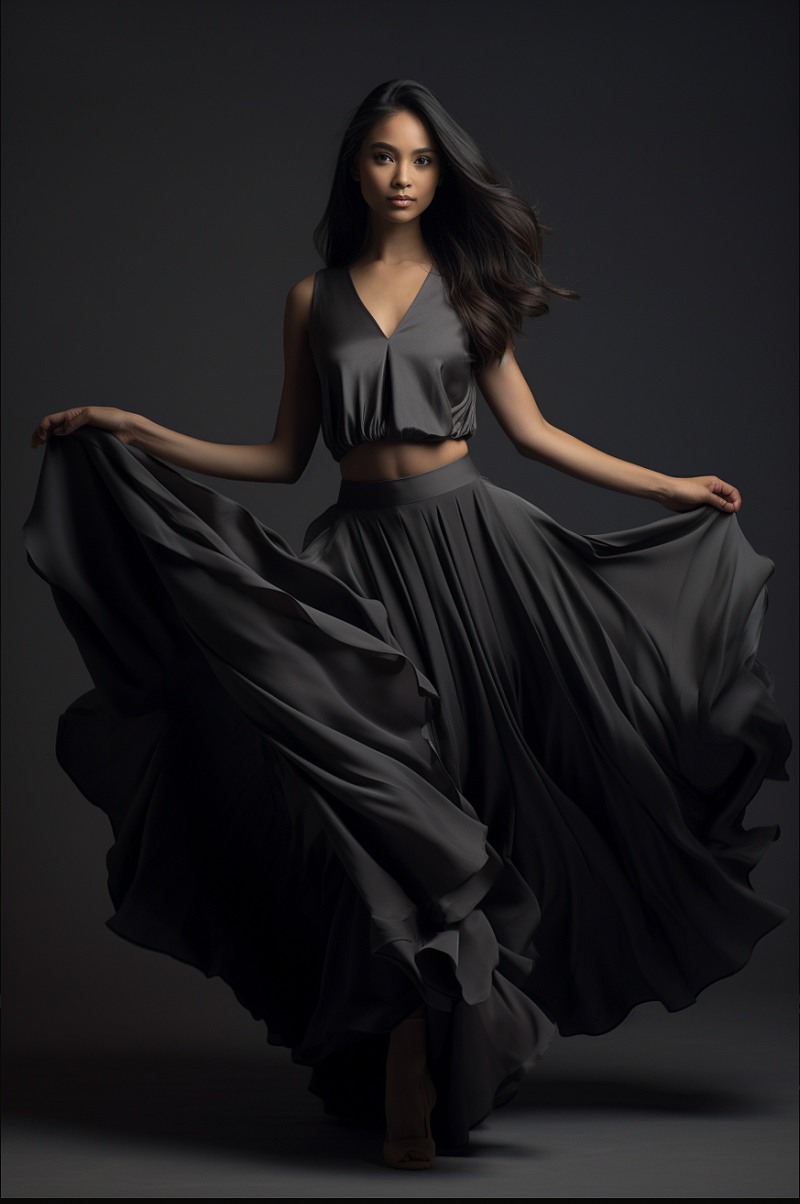
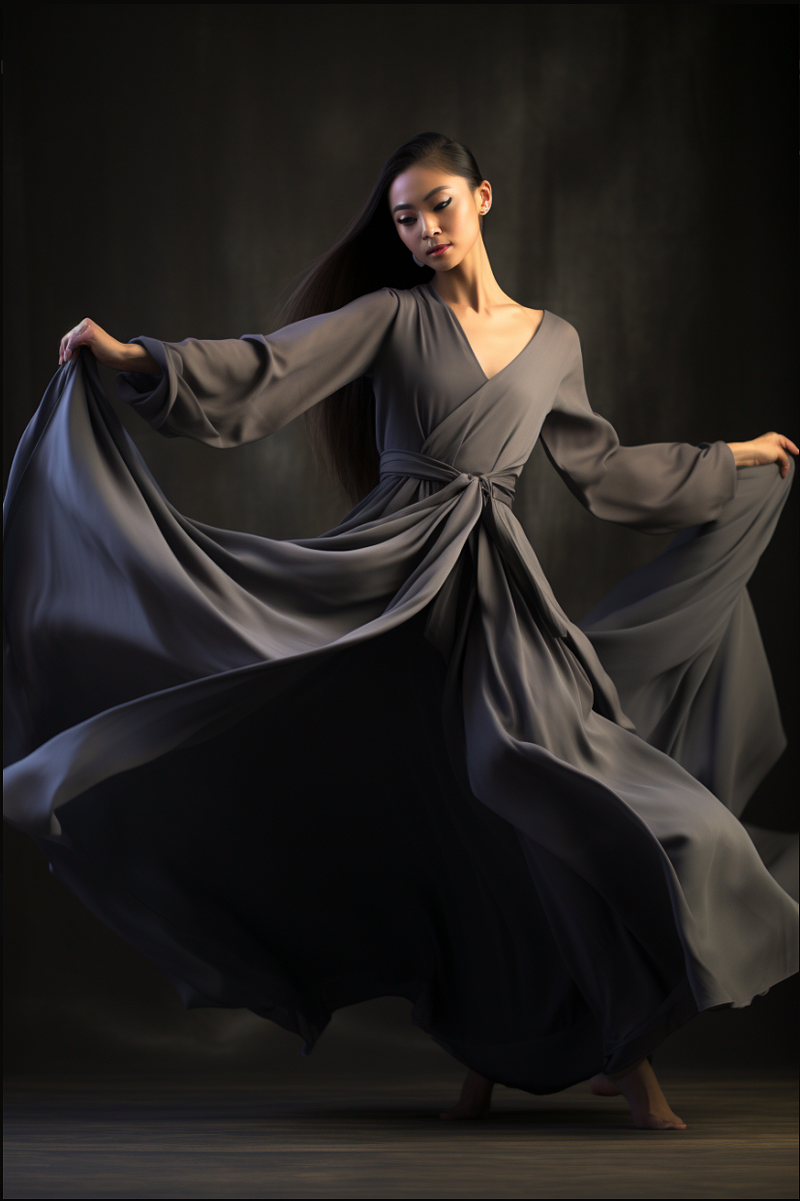
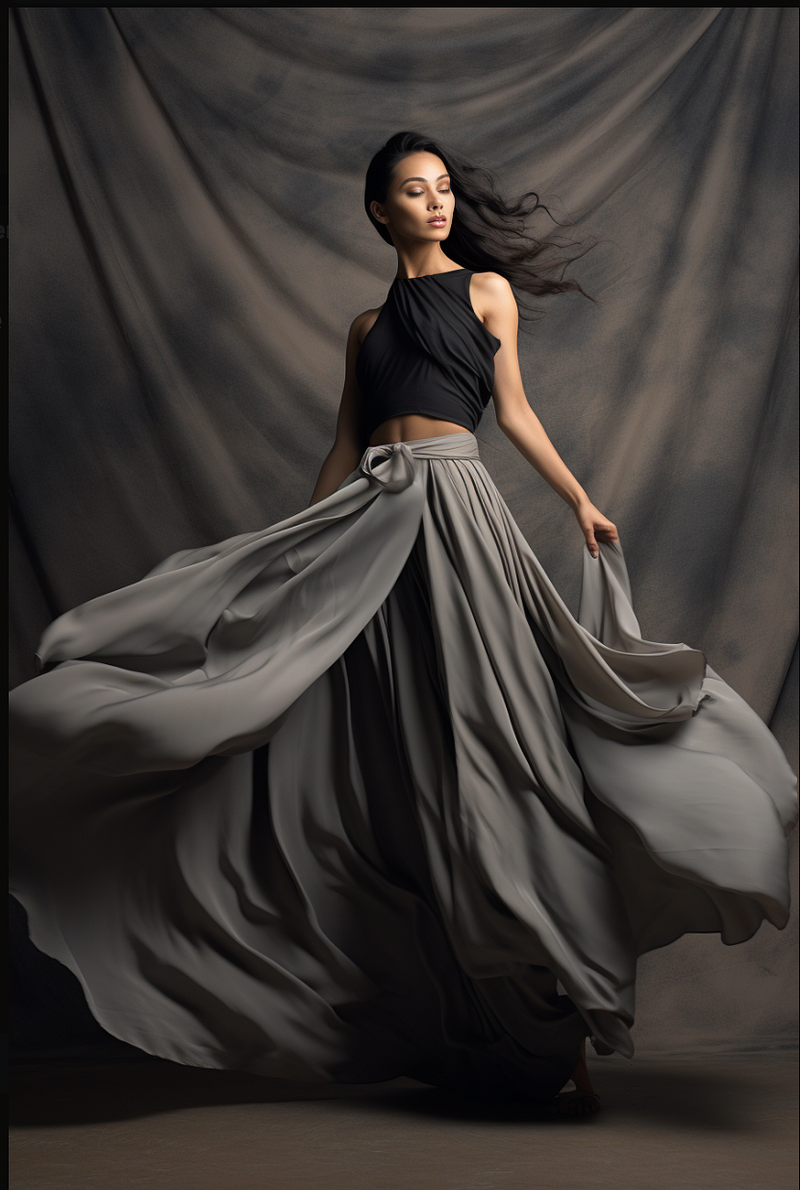
In this step, we will create a directory named “test00” and add three image files with the names “0000.png,” “0016.png,” and “0032.png.”
Step 3: Config file
{
    "name": "epicrealism",
    "path": "models/sd/epicrealism_naturalSinRC1VAE.safetensors",
    "vae_path": "",
    "motion_module": "models/motion-module/mm_sd_v15_v2.ckpt",
    "compile": false,
    "tensor_interpolation_slerp": true,
    "seed": [
        8547953963516854478
    ],
    "scheduler": "euler_a",
    "steps": 20,
    "guidance_scale": 4.0,
    "clip_skip": 2,
    "prompt_fixed_ratio": 0.8,
    "head_prompt": "a young dancer in a black dress, innovative composition, hip-hop style, Asian-inspired, lively, high-angle, candid --ar 85:128, (long black dress), bokeh",
    "prompt_map": {
  "0": "a young dancer in a black dress extending her leg, in the style of innovative composition, hip-hop style, light gray and light black, asian-inspired, flowing draperies, princesscore, candid --ar 85:128",
  "32": "the dancer wearing the black dress dances on a white background, in the style of asymmetrical compositions, light black and gray, sandara tang, body extensions, vibrant, lively, minimalistic style, anastasiya dobrovolskaya --ar 85:128",
  "64": "portrait of a female dancer in a black dress posing on white, in the style of high-angle, innovative, asian-inspired, light gray, loose and fluid, brightly colored, candid moments captured --ar 85:128",
  "96": "a dance girl in a black dress and dancing, in the style of strong facial expression, light gray, high-angle, innovating techniques, tachisme, luxurious drapery, minimalistic simplicity --ar 85:128"
},
    "tail_prompt": "",
    "n_prompt": [
        "easynegative, verybadimagenegative_v13, cartoon, painting, illustration, (worst quality, low quality, normal quality:2), (watermark), immature,"
    ],
    "is_single_prompt_mode": false,
    "lora_map": {
        "lora/add_detail.safetensors" : 1.0
    },
    "ip_adapter_map": {
        "enable": true,
        "input_image_dir": "ip_adapter_image/test",
        "save_input_image": true,
        "scale": 0.1,
        "is_plus_face": true,
        "is_plus": true
    },
    "motion_lora_map": {},
    "controlnet_map": {
        "input_image_dir" : "controlnet_image/test00",
        "max_samples_on_vram" : 200,
        "max_models_on_vram" : 3,
        "save_detectmap" : true,
        "preprocess_on_gpu": true,
        "is_loop": true,

        "controlnet_tile":{
          "enable": false,
          "use_preprocessor":true,
          "preprocessor":{
            "type" : "tile_resample",
            "param":{
              "down_sampling_rate":2.0
            }
          },
          "guess_mode":false,
          "controlnet_conditioning_scale": 1.0,
          "control_guidance_start": 0.0,
          "control_guidance_end": 1.0,
          "control_scale_list":[1]
        },
        "controlnet_ip2p":{
          "enable": false,
          "use_preprocessor":true,
          "guess_mode":false,
          "controlnet_conditioning_scale": 1.0,
          "control_guidance_start": 0.0,
          "control_guidance_end": 1.0,
          "control_scale_list":[0.5,0.4,0.3,0.2,0.1]
        },
        "controlnet_canny":{
          "enable": false,
          "use_preprocessor":true,
          "guess_mode":false,
          "controlnet_conditioning_scale": 1.0,
          "control_guidance_start": 0.0,
          "control_guidance_end": 1.0,
          "control_scale_list":[0.5,0.4,0.3,0.2,0.1]
        },
        "controlnet_depth":{
          "enable": false,
          "use_preprocessor":true,
          "guess_mode":false,
          "controlnet_conditioning_scale": 1.0,
          "control_guidance_start": 0.0,
          "control_guidance_end": 1.0,
          "control_scale_list":[0.5,0.4,0.3,0.2,0.1]
        },
        "controlnet_lineart":{
          "enable": false,
          "use_preprocessor":true,
          "guess_mode":false,
          "controlnet_conditioning_scale": 1.0,
          "control_guidance_start": 0.0,
          "control_guidance_end": 1.0,
          "control_scale_list":[0.5,0.4,0.3,0.2,0.1]
        },
        "controlnet_openpose":{
          "enable": true,
          "use_preprocessor":true,
          "guess_mode":false,
          "controlnet_conditioning_scale": 1.0,
          "control_guidance_start": 0.0,
          "control_guidance_end": 1.0,
          "control_scale_list":[0.5,0.4,0.3,0.2,0.1]
        },
        "controlnet_softedge":{
          "enable": true,
          "use_preprocessor":true,
          "preprocessor":{
            "type" : "softedge_pidsafe",
            "param":{
            }
          },
          "guess_mode":false,
          "controlnet_conditioning_scale": 1.0,
          "control_guidance_start": 0.0,
          "control_guidance_end": 1.0,
          "control_scale_list":[0.5,0.4,0.3,0.2,0.1]
        },
        "controlnet_ref": {
            "enable": false,
            "ref_image": "ref_image/ref_sample.png",
            "attention_auto_machine_weight": 1.0,
            "gn_auto_machine_weight": 1.0,
            "style_fidelity": 0.5,
            "reference_attn": true,
            "reference_adain": false,
            "scale_pattern":[0.5]
        }
      },
    "upscale_config": {
        "scheduler": "ddim",
        "steps": 20,
        "strength": 0.5,
        "guidance_scale": 10,
        "controlnet_tile": {
            "enable": true,
            "controlnet_conditioning_scale": 1.0,
            "guess_mode": false,
            "control_guidance_start": 0.0,
            "control_guidance_end": 1.0
        },
        "controlnet_line_anime": {
            "enable": false,
            "controlnet_conditioning_scale": 1.0,
            "guess_mode": false,
            "control_guidance_start": 0.0,
            "control_guidance_end": 1.0
        },
        "controlnet_ip2p": {
            "enable": false,
            "controlnet_conditioning_scale": 0.5,
            "guess_mode": false,
            "control_guidance_start": 0.0,
            "control_guidance_end": 1.0
        },
        "controlnet_ref": {
            "enable": false,
            "use_frame_as_ref_image": false,
            "use_1st_frame_as_ref_image": false,
            "ref_image": "ref_image/path_to_your_ref_img.jpg",
            "attention_auto_machine_weight": 1.0,
            "gn_auto_machine_weight": 1.0,
            "style_fidelity": 0.25,
            "reference_attn": true,
            "reference_adain": false
        }
    },
    "stylize_config": {},
    "output": {
        "format": "mp4",
        "fps": 8,
        "encode_param": {
            "crf": 10
        }
    },
    "result": {}
}
Step 4: Generate the Animation
animatediff generate -c config/prompts/prompt_controlnet.json -W 512 -H 768 -L 128 -C 16Step 5: Output:
Conclusion
In the ever-evolving landscape of art and technology, the fusion of artificial intelligence and creative expression continues to push the boundaries of what’s possible. With the introduction of innovative features like “Prompt Travel” in animatediff-cli, we are witnessing a dynamic shift in the way we interact with AI models and generate art.
The experimental feature, “Prompt Travel,” which leverages ControlNet and IP-Adapter, empowers users to change prompts in real-time, opening up new horizons of interactivity with AI models. It allows artists, creators, and tech enthusiasts to explore uncharted territories, making the creative process more versatile and engaging.
The dance of a young performer in a black dress, captured in various styles and moods, showcases the beauty of AI-generated art and its ability to adapt and respond to diverse prompts. From the elegance of innovative compositions to the vibrant energy of hip-hop and the candid moments of a candid snapshot, AI brings art to life in unprecedented ways.
As we gaze into this innovative world of AI-generated dance art, we can’t help but be inspired by the endless possibilities. It’s a testament to the harmonious collaboration between human creativity and machine intelligence, where the lines between artist and algorithm blur.
This journey is just the beginning, and the future holds even more exciting prospects for AI in the creative domain. As we continue to explore, experiment, and innovate, one thing is certain: the canvas of human imagination has expanded, and the possibilities are as limitless as the universe itself.
So, whether you’re an artist looking for new ways to express yourself, a technophile curious about the cutting edge, or simply an appreciator of art in all its forms, the world of AI-generated dance art beckons you to dive in, explore, and create.
As we embrace this future of creativity, we are reminded that the magic of art lies not only in the end result but also in the journey and the endless possibilities it presents. So, join us in this exciting adventure, and let your imagination soar with AI as your creative partner.
The dance continues, and the stage is set for boundless innovation. Welcome to the future of artistic expression, where AI and human ingenuity unite to create something truly extraordinary.
I hope that this article has inspired you to learn more about animatediff-cli-prompt-travel. Together, we can use these tools to shape a better future for all.
“Stay connected and support my work through various platforms:
- GitHub: For all my open-source projects and Notebooks, you can visit my GitHub profile at https://github.com/andysingal. If you find my content valuable, don’t hesitate to leave a star.
- Patreon: If you’d like to provide additional support, you can consider becoming a patron on my Patreon page at https://www.patreon.com/AndyShanu.
- Medium: You can read my latest articles and insights on Medium at https://medium.com/@andysingal.
- The Kaggle: Check out my Kaggle profile for data science and machine learning projects at https://www.kaggle.com/alphasingal.
- Hugging Face: For natural language processing and AI-related projects, you can explore my Huggingface profile at https://huggingface.co/Andyrasika.
- YouTube: To watch my video content, visit my YouTube channel at https://www.youtube.com/@andy111007.
- LinkedIn: To stay updated on my latest projects and posts, you can follow me on LinkedIn. Here is the link to my profile: https://www.linkedin.com/in/ankushsingal/."
Requests and questions: If you have a project in mind that you’d like me to work on or if you have any questions about the concepts I’ve explained, don’t hesitate to let me know. I’m always looking for new ideas for future Notebooks and I love helping to resolve any doubts you might have.
Remember, each “Like”, “Share”, and “Star” greatly contributes to my work and motivates me to continue producing more quality content. Thank you for your support!
Resources:


