
Unlocking Python’s *args and **kwargs: A Comprehensive Guide with Real-world Examples
Discover the power of Python’s *args and **kwargs. Learn their differences, practical use-cases, and how they enhance your code’s flexibility.
Introduction
With its rich and expressive syntax, Python has various constructs that make it a highly flexible and user-friendly programming language. Two such constructs are *args and **kwargs. They might sound cryptic to beginners, but once you get the hang of them, they can be incredibly powerful tools for writing more reusable and maintainable code.
In this article, we will dive deep into understanding *args and **kwargs, their differences, and practical examples from real-world applications. By the end of this post, not only will you be comfortable using these constructs, but you'll also be able to appreciate how they can make your code more flexible and Pythonic!
Before starting, if you want to learn more about data structure, algorithms, and data science I suggest checking out my other post using the below lists:
Now, let’s get started!
Deep Dive into *args
In Python, *args is used in function definitions to handle arbitrary numbers of non-keyworded arguments. The term 'args' is a convention, and the magic lies in the asterisk (*), which implies "take any extra positional parameters and put them in a tuple called 'args'.
Let’s consider a simple example:
def add_numbers(*args):
    return sum(args)

print(add_numbers(1, 2, 3, 4))  # Outputs: 10
In this example, the function add_numbers can take any number of arguments, and it will return their sum.
Dive into **kwargs
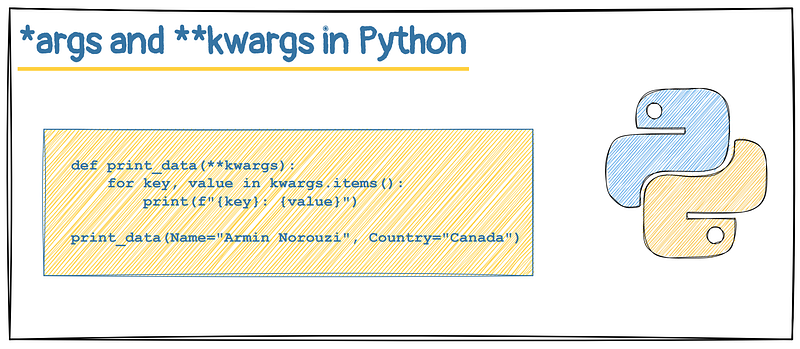
The **kwargs is used in function definitions to handle an arbitrary number of keyword arguments. Like *args, the term 'kwargs' is just a convention, and the magic lies in the double asterisks (**), which says "take any additional keyword parameters and put them in a dictionary called 'kwargs'".
Here’s an example to illustrate this:
def print_data(**kwargs):
    for key, value in kwargs.items():
        print(f"{key}: {value}")

print_data(Name="Armin Norouzi", Age=31, Country="Canada")
In this example, **kwargs takes in any number of keyword arguments and prints each key-value pair.
Differences between *args and **kwargs
While both *args and **kwargs are used to handle arbitrary numbers of arguments, the main difference lies in how they handle those arguments and how they are subsequently accessed within the function.
*argsis used to send a non-keyworded variable-length argument list to the function. It lets you pass any number of positional arguments which are then packed into a tuple.**kwargsallows you to pass a keyworded, variable-length argument list to a function. It lets you pass any number of keyword arguments which are then packed into a dictionary.
In essence, *args is used when the number of input arguments is unknown and those arguments are not keyword arguments. On the other hand, **kwargs is used when the number of input keyword arguments is unknown.
Examples of *args and **kwargs in well-known Packages
*args in Matplotlib
One of the most common real-world applications of *args is seen in Matplotlib, a popular data visualization library in Python. Many functions in Matplotlib, such as plot(), use *args to handle an arbitrary number of arguments.
import matplotlib.pyplot as plt
plt.plot([1, 2, 3, 4], [1, 4, 9, 16], 'ro')
plt.show()
In the plot() function, *args is used to handle any number of input arguments, providing the flexibility to plot in many different ways.
**kwargs in Pandas
The **kwargs is used extensively in the Pandas library, a powerful data manipulation and analysis tool. For instance, the read_csv() function in Pandas uses **kwargs to handle a variety of optional arguments.
import pandas as pd
data = pd.read_csv('file.csv', delimiter=',', header=None)
In the read_csv() function, **kwargs is used to handle optional arguments like delimiter, header, and many others, providing the flexibility to read CSV files in many different formats.
Conclusion
Mastering *args and **kwargs is a big step towards writing more flexible and pythonic code. They allow your functions to handle a variable number of input arguments, improving their reusability. Although the syntax might seem cryptic at first, with practice, it becomes an indispensable tool in your Python toolkit.
Remember, *args and **kwargs are not just about making your functions flexible. They are also about making your code more readable and self-documenting.
Thank you for reading my post, and I hope it was useful for you. If you enjoyed the article and would like to show your support, please consider taking the following actions: 👏 Give the story a round of applause (clap) to help it gain visibility. 📖 Follow me on Medium to access more of the content on my profile. Follow Now 🔔 Subscribe to the newsletter to not miss my latest posts: Subscribe Now 🛎 Connect with me on LinkedIn for updates.
Level Up Coding
Thanks for being a part of our community! Before you go:
- 👏 Clap for the story and follow the author 👉
- 📰 View more content in the Level Up Coding publication
🔔 Follow us: Twitter | LinkedIn | Newsletter
🧠 AI Tools ⇒ Become an AI prompt engineer


