
Unit, Widget, and Integration Testing in Flutter — 14 best packages for testing
Testing is a very important phase in the development life cycle of an application. It ensures that the application is of high quality. Testing requires careful planning and execution. It is also the most time-consuming phase of development.
Dart language and Flutter framework provide extensive support for the automated testing of an application, from unit and widget tests up to integration tests.
Testing in Flutter can be split into three categories:
- A unit test tests a single function, method, or class.
- A widget test (in other UI frameworks referred to as a component test) tests a single widget.
- An integration test tests a complete app or a large part of an app.
Unit Testing
A unit test tests a single function, method, or class. The goal of a unit test is to verify the correctness of a unit of logic under a variety of conditions. External dependencies of the unit under test are generally mocked out. Unit tests generally don’t read from or write to disk, render to screen or receive user actions from outside the process running the test. For more information regarding unit tests, you can view the following recipes or run flutter test --help in your terminal.
Widget Testing
A widget test (in other UI frameworks referred to as a component test) tests a single widget. The goal of a widget test is to verify that the widget’s UI looks and interacts as expected. Testing a widget involves multiple classes and requires a test environment that provides the appropriate widget lifecycle context.
For example, the Widget being tested should be able to receive and respond to user actions and events, perform layout, and instantiate child widgets. A widget test is, therefore, more comprehensive than a unit test. However, like a unit test, a widget test’s environment is replaced with an implementation much simpler than a full-blown UI system.
Integration Testing
An integration test tests a complete app or a large part of an app. The goal of an integration test is to verify that all the widgets and services being tested work together as expected. Furthermore, you can use integration tests to verify your app’s performance.
Generally, an integration test runs on a real device or an OS emulator, such as iOS Simulator or Android Emulator. The app under test is typically isolated from the test driver code to avoid skewing the results.
I have compiled a list of the most popular packages to help us create and automate tests in our flutter applications:
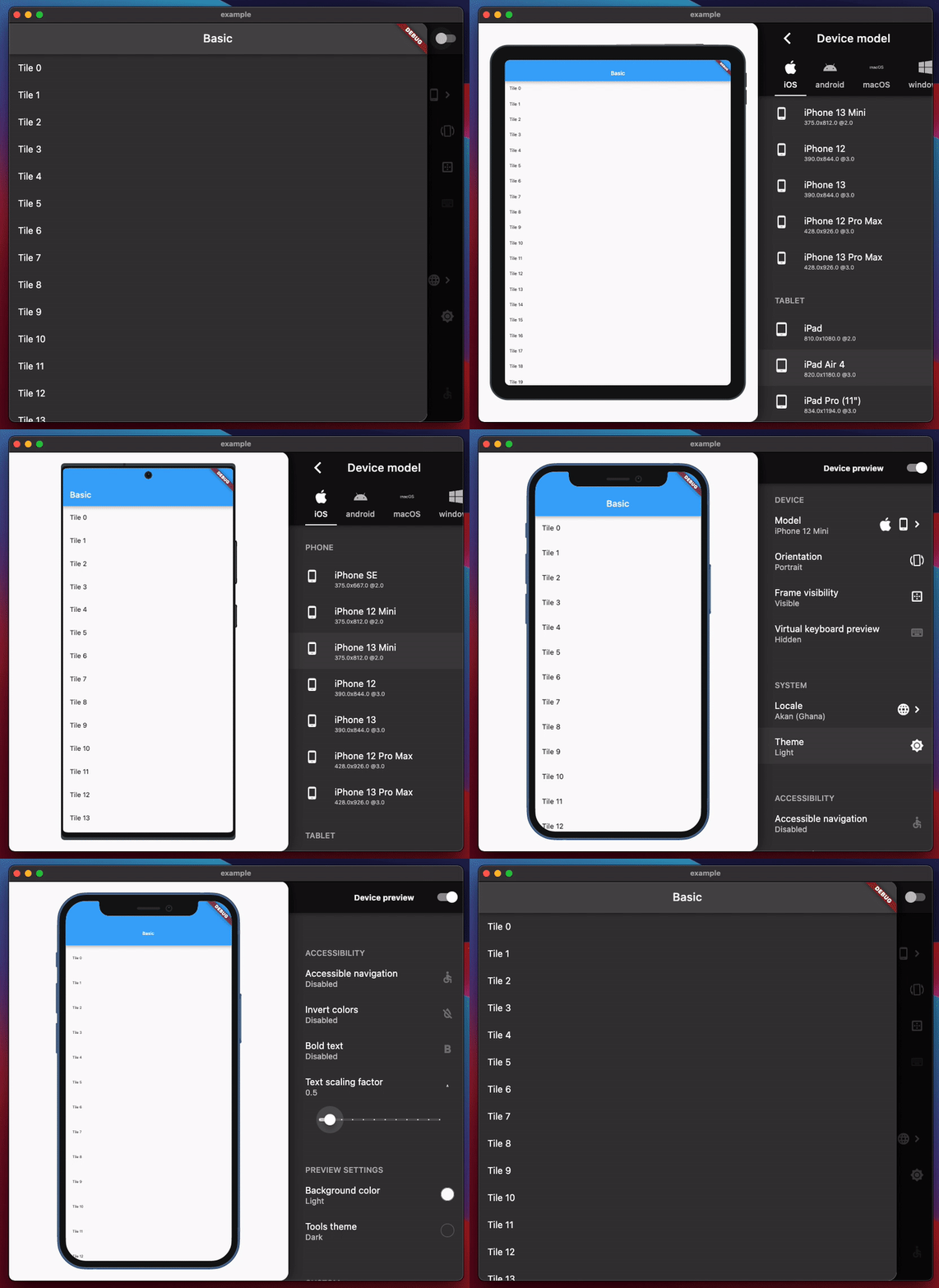
device_preview: approximate how your app looks and performs on another device. Also, you can change the device orientation, change some system configurations (language, dark mode, text scaling factor, …), freeform device with adjustable resolution and safe areas…
mockito: A mock framework inspired by Mockito with APIs for Fakes, Mocks, behavior verification, and stubbing.
faker: A library for generating fake data. faker is heavily inspired by the Python package faker and, the Ruby package ffaker.
test: A full-featured library for writing and running Dart tests across platforms.
mocktail: A Dart mock library that simplifies mocking with null safety support and no manual mocks or code generation.
pixel-perfect: Development tool that helps you make your flutter application “pixel perfect”.
bdd_widget_test: A BDD-style widget testing library. Generates Flutter widget tests from *.feature files.
http_mock_adapter: A simple to use mocking package for Dio intended to be used in tests. It provides various types and methods to declaratively mock request-response communication.
firebase_auth_mocks: Fakes for Firebase Auth. Use this package with `google_sign_in_mocks` to write unit tests involving Firebase Authentication.
round_spot: Customizable, easy-to-use heat map interface analysis library.
device_frame: Mockups for common devices.
fake_async: Fake asynchronous events such as timers and microtasks for deterministic testing.
gherkin: A Gherkin parsers and runner for Dart which is very similar to Cucumber, it provides the base BDD functionality ready for use in platform-specific implementations i.e. flutter/web.
test_coverage: Command-line utility to run tests in Dart VM and collect coverage data.
Let us know in the comments what other tools or packages you use in your day-to-day life.
Feedback
If you find something wrong or anything else, you can always reach me at
If you have found the information in this guide useful, please do not forget to share, recommend and clap. :)


