
Understanding : SQLDelight a Kotlin Mutiplatform Mobile library for managing database.
Databases are used to persistently store and manage data, such as user information, app settings, and content. Both Android and iOS offer different options for working with databases. Here, I’ll provide an overview of how to store data in a database for both platforms:
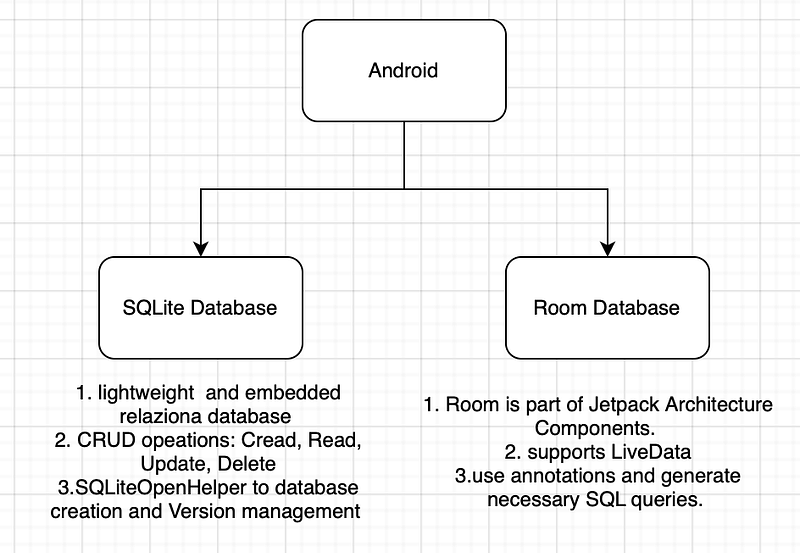
Android
provides several options for data storage, but the most commonly used methods are SQLite and Room. Here’s how you can use these options:
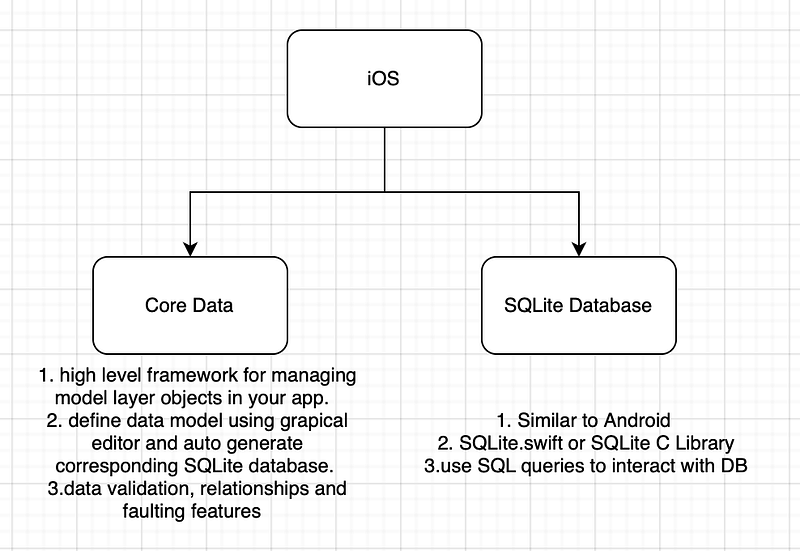
iOS
offers several options for data storage as well, with Core Data and SQLite being the most commonly used methods:
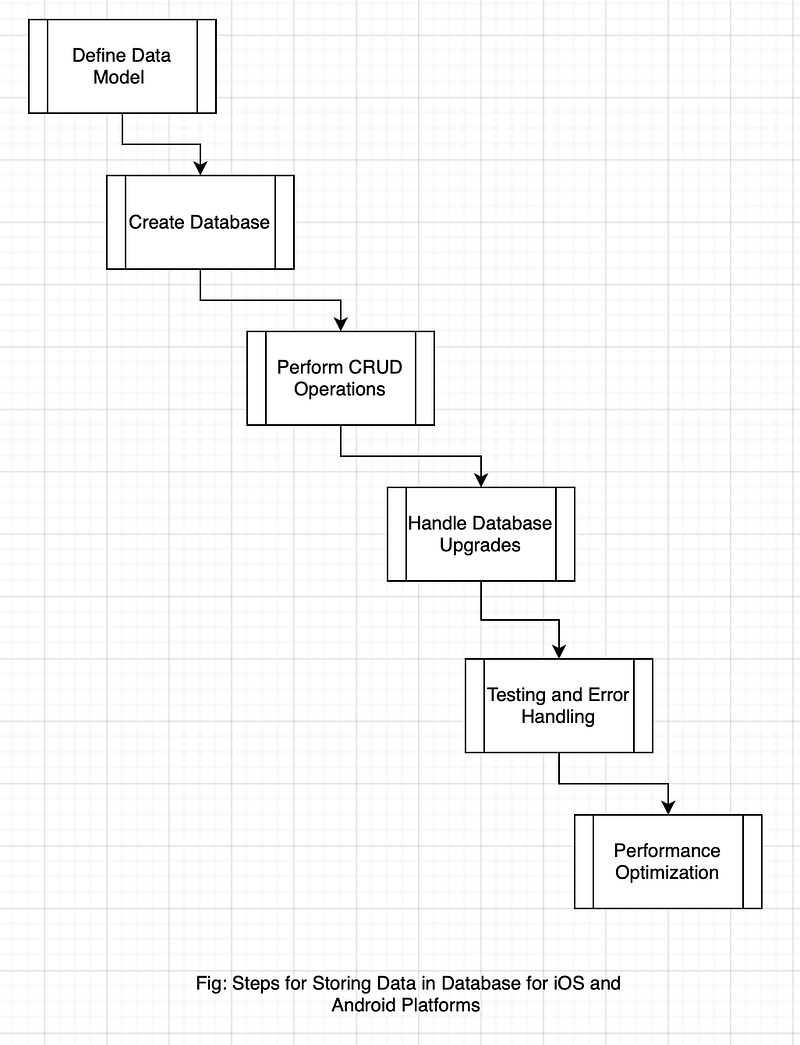
Here are some common steps for storing data in a database on both platforms:
Let’s learn about persisting data in KMP:
If you want to store just few bits of information you can use Key-Value Storage mechanism.
For storing larger bits of information, use Database mechanism.
We will discuss Database mechanism here.
Database is a structured collection of datas which we access it using queries. SQLite is the most popular relational database model among the mobile developers.
For Kotlin Multiplatfrom we have a great library called SQLDelight, which generates typesafe Kotlin APIs from your SQL statements and is easy to setup.
Before seting up the SQLDelight lets take the notes:
SQL is a query language used for database it’s not database itself.
Some famouse database used are SQLite, MySQL and PostgresSQL but do not support multiplatform.
Relational database representes data in the structure of the Tables.
Setting up SQLDelight:
go to shared module > commonMain > create a nested directory called db > add this file Table.sq (.sq is the file extension for SQLDelight)
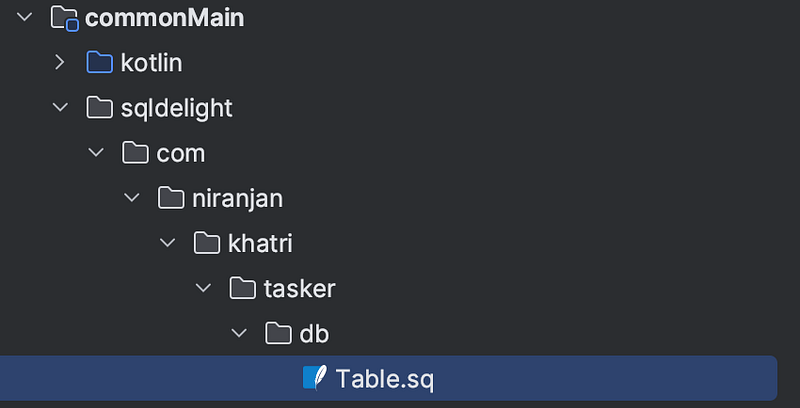
Android Studio will suggest you to download the plugin for sqldelight.

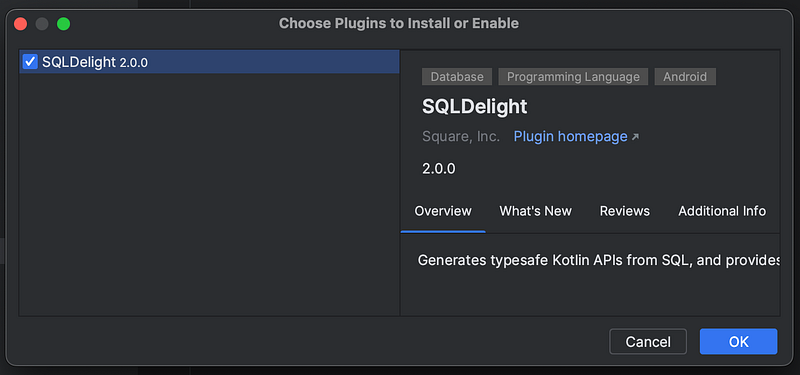
create a table called TaskerDb by writing this block of code in Table.sq file
CREATE TABLE TaskDb (
id TEXT NOT NULL PRIMARY KEY,
title TEXT NOT NULL UNIQUE,
isCompleted INTEGER NOT NULL DEFAULT 0,
dueDate INTEGER
);
Here in this code, we create columns : id, title and isCompleted (in simple terms you can think this as your data class with this fields or properties)
Also you can see we specify the type using TEXT or INTEGER.
NOT NULL is to specify non-nullability.
DEFAULT will let you provide a defualt value for this property.
UNIQUE key will prevent you from duplication.
Note* that Boolean type is not supported so you can represent that using INTEGER type.
Now let’s define the actions you want to perfom in your database
selectAll:
SELECT * FROM TaskDb;
This code will select all items in the TaskerDb table. * means all
Now let’s add an action that interts the new task into our table.
insertTask:
INSERT OR IGNORE INTO TaskDb(id, title)
VALUES (?,?);
IGNORE will ignore all the potential errors for Eg. duplications of your title.
(?,?) are placeholders that will subsitute with your real values.
Now let’s add a actions that finishes tht addition of our new task
updateIsCompleted:
UPDATE TaskDb SET isCompleted = ? WHERE id = ?;
go to build.gradle.kts > Apply the SQLDelight Gradle plugin in your project
buildscript {
    dependencies {
        classpath("com.squareup.sqldelight:gradle-plugin:1.5.5")
    }
}
const val sqlDelight = "com.squareup.sqldelight"
plugins {
id(sqlDelight)
}add this block to make the SQLDelight Gradle plugin to read the Table.sq file.
sqldelight {
    database("TaskerDb") {
        packageName = "com.niranjan.khatri.tasker"
        schemaOutputDirectory = file("src/commonMain/sqldelight/com/niranjan/khatri/tasker/db")
    }
}
add the dependencies for drivers on all platforms. Drivers are required to run your statements.
// Database
object Database {
    const val sqlDelightAndroid = "com.squareup.sqldelight:android-driver:${Versions.sqlDelightVersion}"
    const val sqlDelightiOS = "com.squareup.sqldelight:native-driver:${Versions.sqlDelightVersion}"
}
Android
val androidMain by getting {
    dependencies {
        with(Deps){
            implementation(Deps.Database.sqlDelightAndroid)
        }
    }
}
iOS
val iosMain by getting {
    dependsOn(commonMain)
    dependencies {
        implementation(Deps.Database.sqlDelightiOS)
    }
    iosX64Main.dependsOn(this)
    iosArm64Main.dependsOn(this)
    iosSimulatorArm64Main.dependsOn(this)
}
Sync your Gradle
How to use the database in your app ? Follow the steps:
Setup a Database Helper : It’s a common interface that abstracts the database you’re using.
go to commonMain > data > create a file DatabaseHelper.kt
class DatabaseHelper(
    sqlDriver: SqlDriver  // inject using KOIN for each platform
) {
    /**
     * We need Driver to run SQL statements
     */
    private val dbRef : TaskerDb = TaskerDb(sqlDriver)

    // Fetch all Task from database
    fun fetchAllItems(): List<TaskDb> =
        dbRef.tableQueries.selectAll().executeAsList()

    // insert new Task
    fun insertTask(id: String, title: String) {
        dbRef.tableQueries.insertTask(id, title)
    }

    // to update the task added is complete
    fun updateIsCompleted(id: String, isCompleted: Boolean){
        dbRef.tableQueries.updateIsCompleted(
            isCompleted.toLong(), id
        )
    }

    fun TaskDb.isCompleted(): Boolean = this.isCompleted != 0L

    internal fun Boolean.toLong(): Long = if (this) 1L else 0L
}
Go to the Repository and inject the DatabaseHelper
class TaskerRespository(
    private val databaseHelper: DatabaseHelper
) {

    val tasks: List<TaskUiModel>
        get() = databaseHelper.fetchAllItems().map { TaskUiModel(
            id = it.id,
            title = it.title,
            isCompleted = it.isCompleted != 0L,
            type = it.type.getType()
        )}

    fun createTasks(title: String, taskType: TaskType) {
        databaseHelper.insertTask(
            id = UUID().toString(),
            title = title,
            type = taskType.value,
            isCompleted = false,
        )
    }

    fun markTasks(id: String, isCompleted: Boolean) {
        databaseHelper.updateIsCompleted(id, isCompleted)
    }
}
Now inject the dependencies in Koin for each platform
commonMain > KoinCommon.kt
object Modules{
    val core = module {
        factory { Platform() }
        factory { DatabaseHelper(get()) }
    }

    val repositories = module {
        factory { TaskerRespository(get()) }
    }

    val viewModels = module {
        factory { TaskViewModel(get()) }
        factory { AboutViewModel(get(), get()) }
    }
}
Android
androidMain > KoinAndroid.kt
actual val platformModule = module {
    single<Settings> {
        AndroidSettings(get())
    }
    single<SqlDriver> {
        AndroidSqliteDriver(TaskerDb.Schema, get(), "TaskerDb")
    }
}
iOS
iOSmain > KoinIOS.kt
actual val platformModule = module {
    single<SqlDriver> {
        NativeSqliteDriver(TaskerDb.Schema, "TaskerDb")
    }
}
Build and Run your App
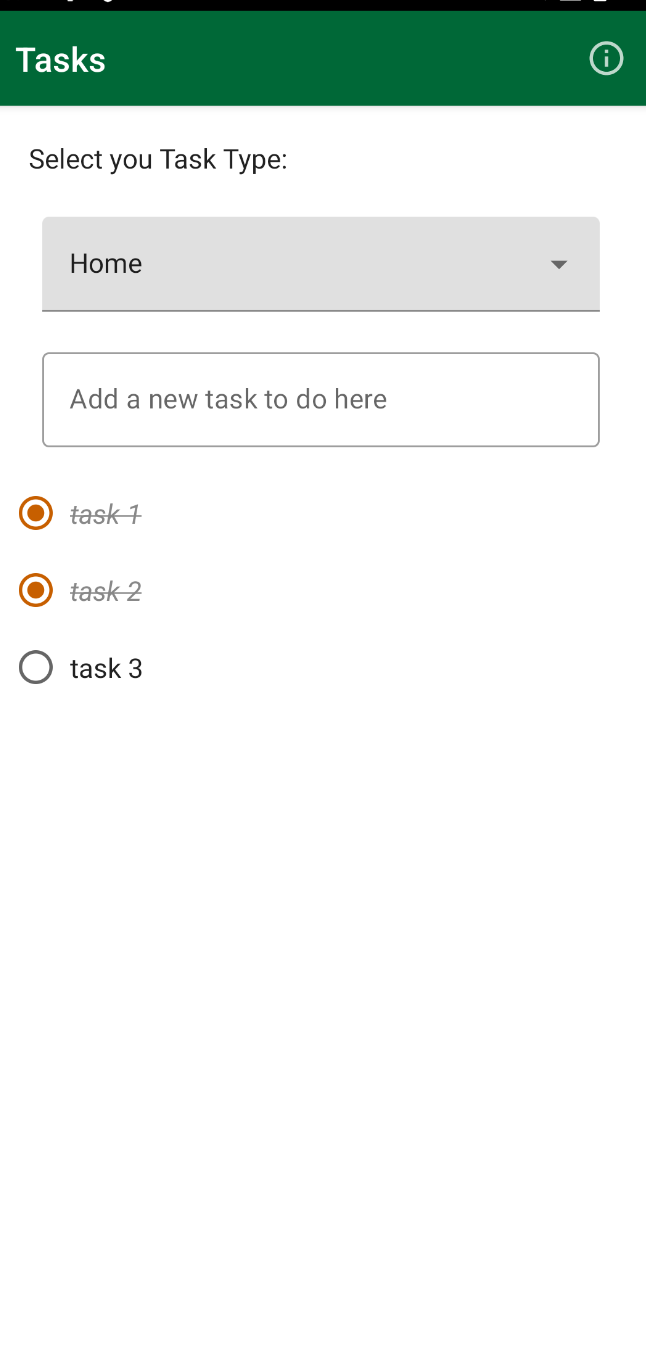
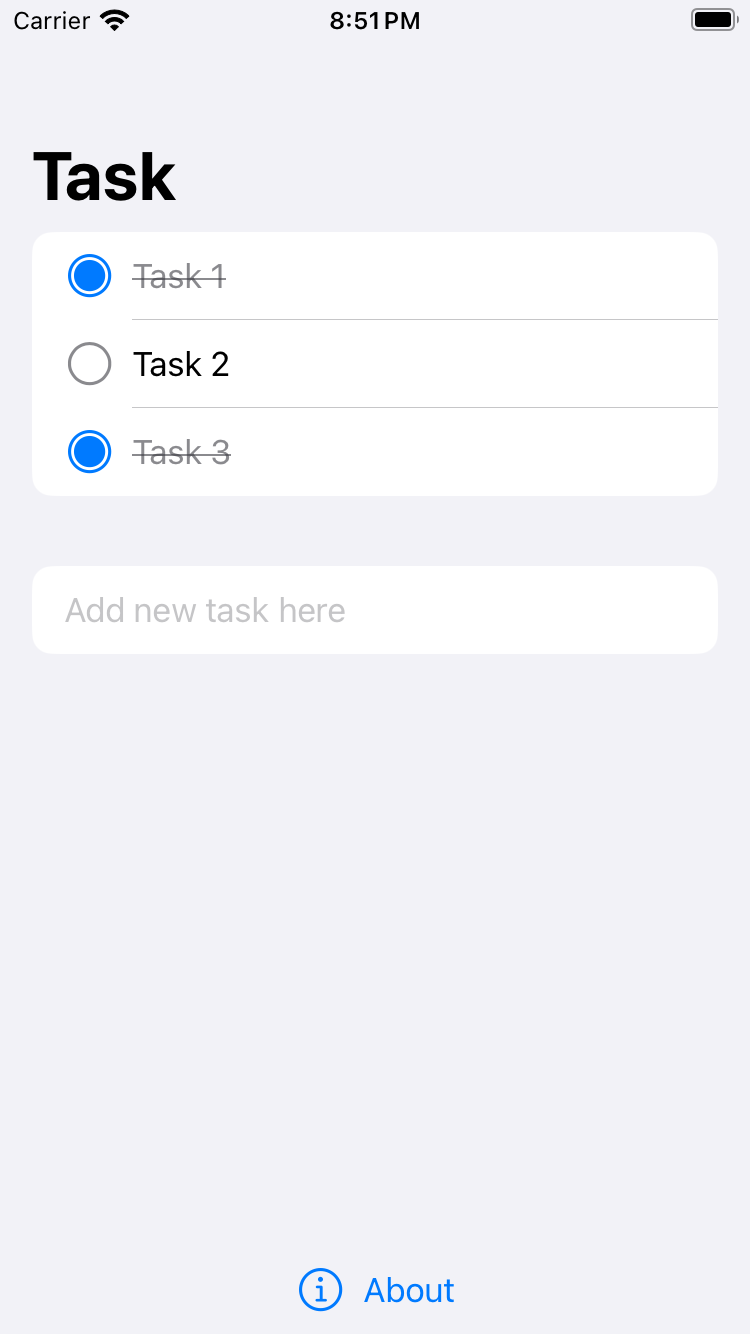
Thanks;) Write me if you have any questions and doubts…