Ultimate Git Commands Cheatsheet: A Complete Guide for Developers
Git has become the go-to version control system for developers worldwide, thanks to its robust feature set, flexibility, and ability to handle projects of any size. Whether you’re working on a solo project or collaborating with a team, knowing the essential Git commands can drastically improve your workflow. In this cheatsheet, we’ll cover everything from basic commands to advanced operations, making it a comprehensive resource for both beginners and seasoned developers.
Helpful Tip: Use Descriptive Commit Messages
A good habit to develop is writing clear and concise commit messages. It helps you and your team quickly understand the purpose of a commit without having to inspect the code changes in detail.
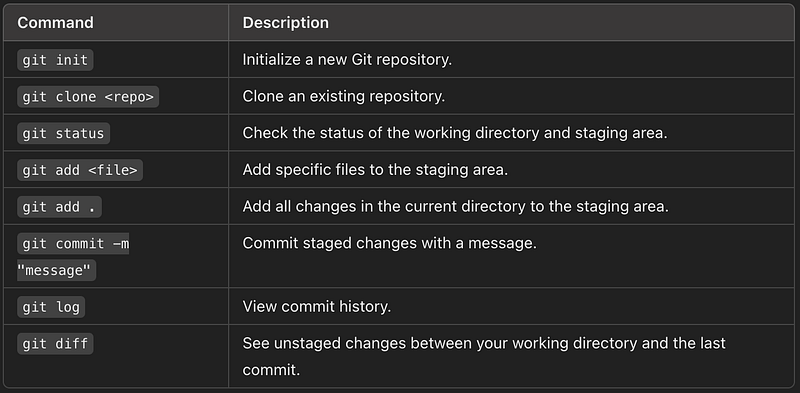
Basic Git Commands
These commands will get you started with Git, covering repository setup, tracking changes, and viewing your project’s history.
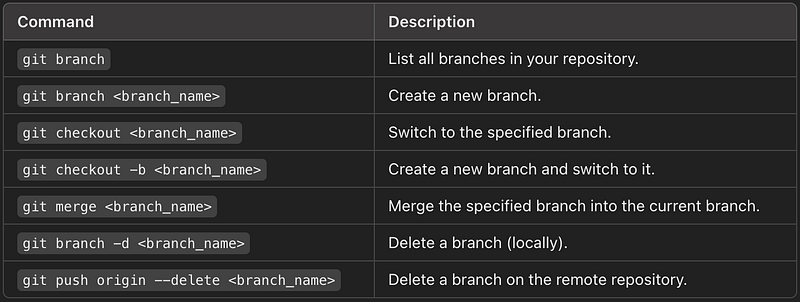
Branching and Merging
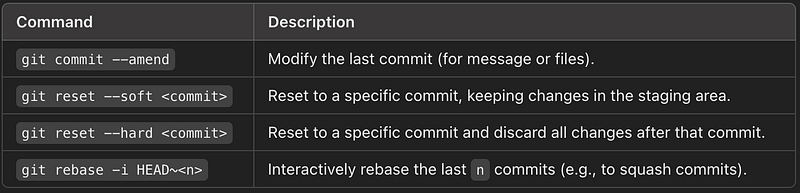
Commit Management
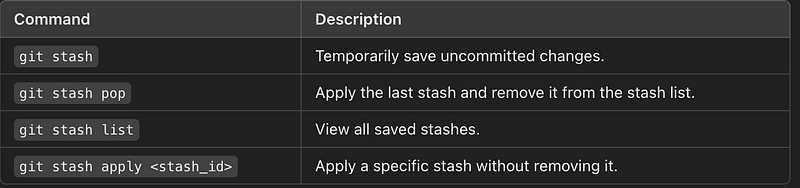
Stashing Changes
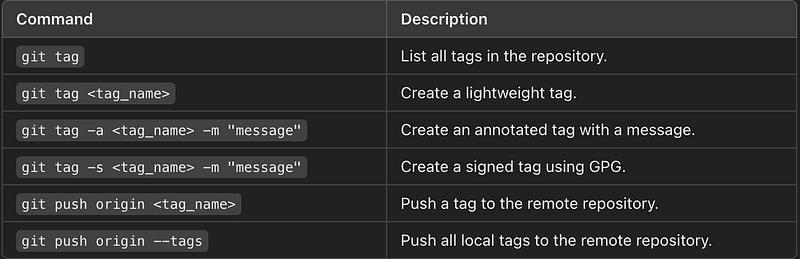
Tagging
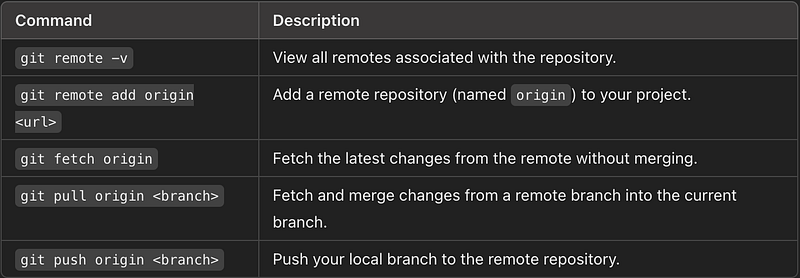
Remote Repositories
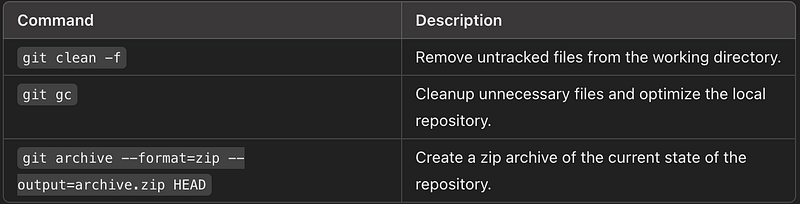
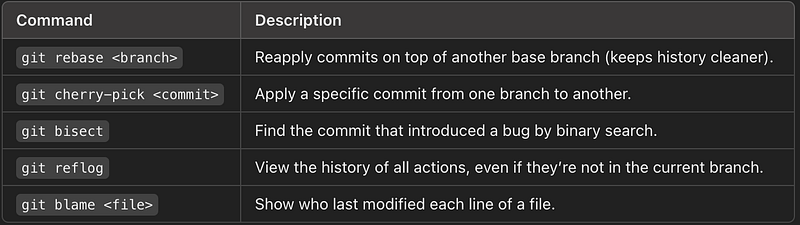
Miscellaneous Commands
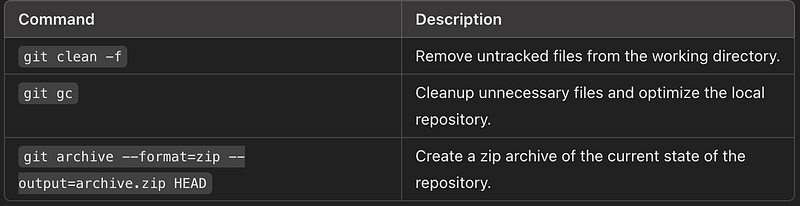
cheatsheet commands provide a comprehensive collection of basic and advanced Git commands to streamline your workflow, especially when working in production environments. Keep this handy while working with Git for quick reference!
✅✅feel free to connect with us.
LinkedIn: https://www.linkedin.com/in/karthick-dkk/
Follow my Medium Account (To get valuable information)
For more updates: subscribe to this medium account.
Follow for more: ✌️