
UI/UX Designer guide: How to create an amazing design handoff in Figma?

Design handoff is a crucial phase in the collaborative journey between designers and developers. Bridging the gap between design and development is essential for creating a smooth workflow and ensuring that the final product reflects the designer’s vision accurately.
In this guide, we’ll explore key steps to achieve an amazing design handover using Figma, emphasizing effective communication and collaboration between designers and developers.
Learn Auto-layout
Understanding and mastering Auto-layout in Figma is a fundamental skill for designers. Auto-layout allows you to create responsive designs that adapt to different screen sizes, making it easier for developers to implement your designs efficiently.
This ensures that the transition from design to development is seamless and the final product maintains its visual integrity.
Here are some resources on how to master auto-layout:
Make sure you create a style guide/design system
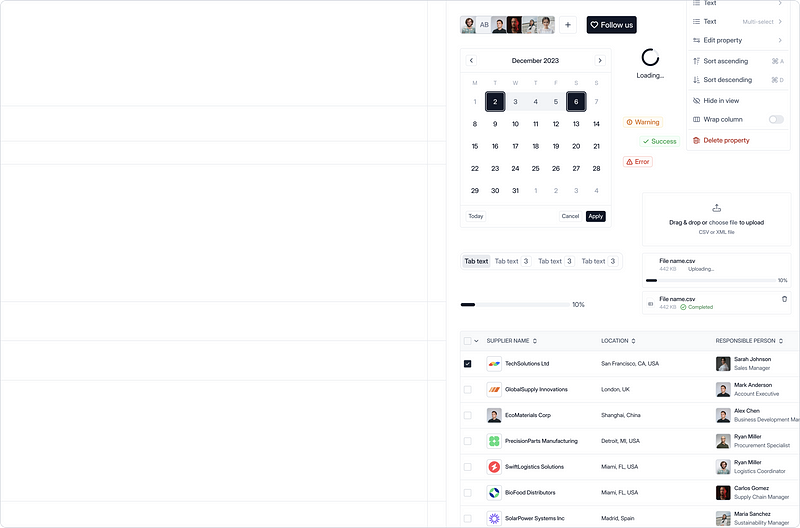
Establishing a comprehensive style guide or design system is a game-changer for design consistency. Include color palettes, typography, iconography, and component libraries.
This not only streamlines the design process but also serves as a valuable resource for developers. Consistency in design elements facilitates a smoother handover and implementation, reducing the chances of misinterpretation.
Organize your files for handoff
Organizing your Figma files is crucial for efficient collaboration. Create a logical folder structure and use clear naming conventions for artboards and layers. This not only helps you stay organized but also aids developers in navigating through the design files effortlessly.
Connect your files with specifications
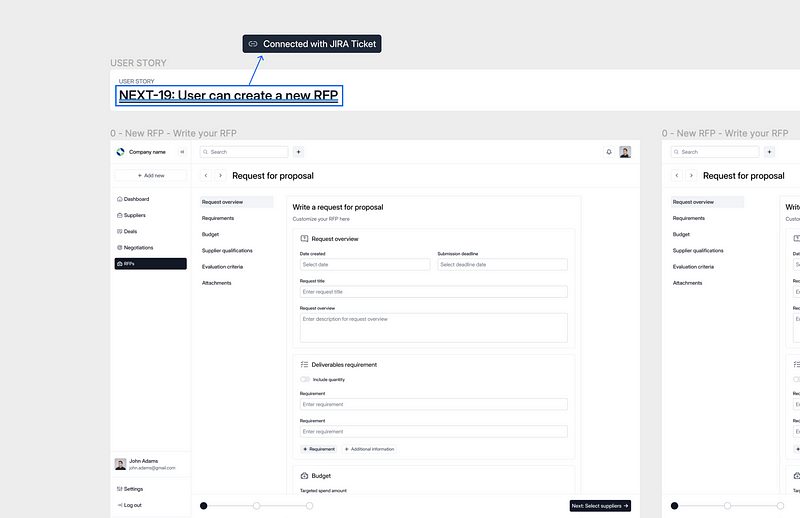
Utilize Figma’s linking capabilities to connect specific design files with relevant specifications. This ensures that developers can easily access the necessary information without getting lost in a sea of design assets. Linking files with specifications promotes a more contextual understanding of the design intent.
Create specifications
How to structure your specifications
The most common way how we structure the specifications is based on the user stories.
Example of a user story
Title: User registration
User Story: As a new user, I want to be able to register on the platform.
Acceptance Criteria:
- The user should be able to fill out a registration form.
- Upon successful registration, the user should receive a confirmation email.
Add Link to design file
Through Figma, we cover now most of the important things:
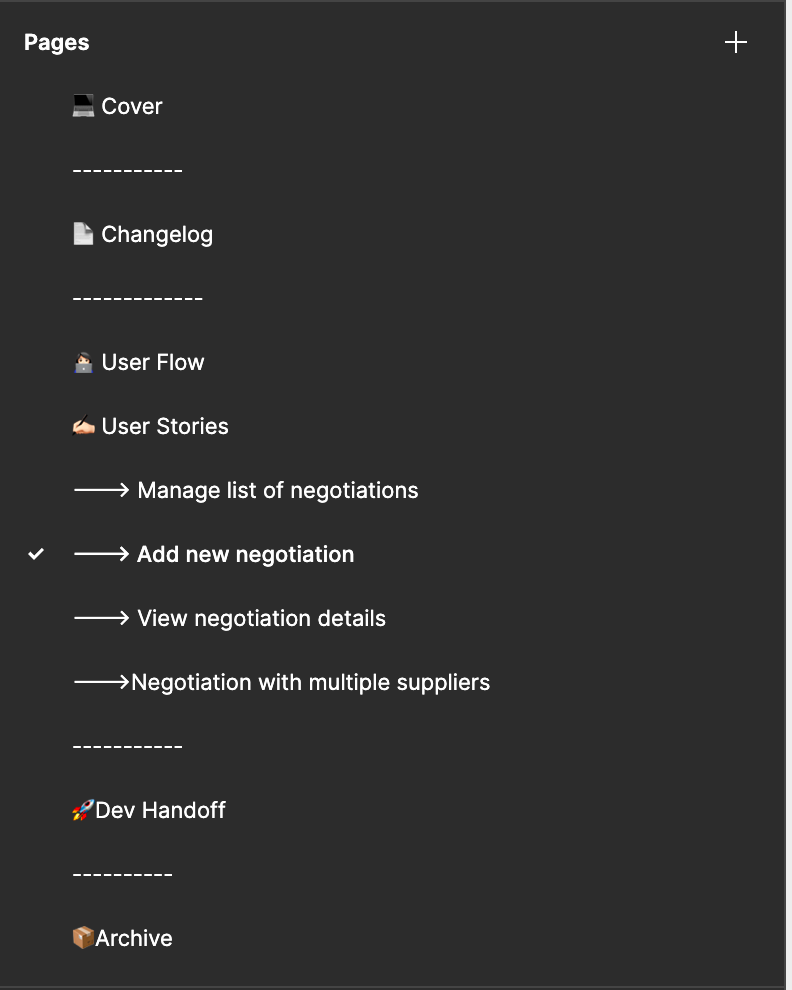
User flows
Create visual representations of user flows to illustrate how users navigate through the system. Use flowcharts or diagrams to depict the sequence of steps and decision points.
Changelog
Make sure to update the changelog with new updates with every handover — to track improvements
Dev Handoff page
Leave one page for Dev Handoff, make sure that developers can interact with it, leave comments, and communicate design easily.
Behavior specification
Leave notes: Describe how different components should respond to user interactions.
Introduce Developers with Figma DevMode
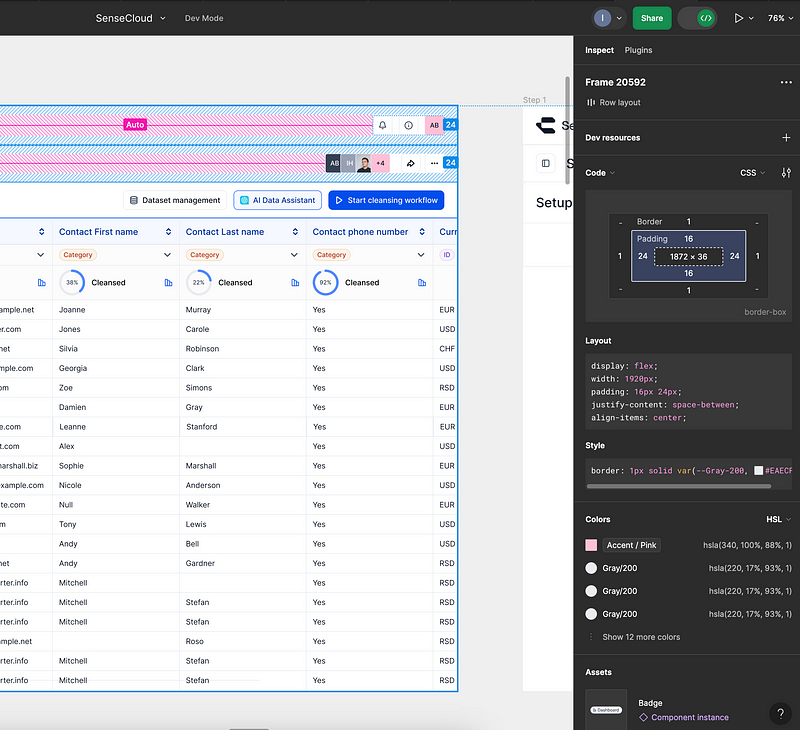
Figma’s DevMode is a powerful tool for developers. Familiarize your development team with this feature, as it allows them to inspect and export code directly from Figma. This streamlined process enhances communication and reduces the chances of misinterpretation during the handover.
💡Tip: Guide developers on extracting CSS values directly from Figma for efficient coding.
Communicate design with Devs early in the process
Encourage open communication between designers and developers right from the beginning of the project.
Regular check-ins, collaborative discussions, and shared feedback help build a stronger understanding of design decisions. By involving developers early, potential roadblocks can be identified and addressed before they become major issues.
💡 Tip: Schedule regular check-ins to discuss design decisions and gather developer input.
Creating an amazing design handover in Figma requires a combination of technical skills, effective communication, and collaboration. This not only benefits the workflow but also contributes to the creation of high-quality, visually consistent digital products.


