
Web Development
What Are Template Literal Types in TypeScript 4.1?
Recursive conditional types, JSX factories for React, and more features in the new TypeScript release

I’ve been working with TypeScript for years now and find it very simple to understand — especially as someone with a Java background. But after reading the news about TypeScript 4.1, the language’s latest big update, I was surprised by how much I didn’t know.
I don’t think that I’m an exception in my ignorance. After using the news as an opportunity to have a deeper understanding of how the type system really works, I want to share with you the exciting features and changes from the new version with an explanation of the keywords and a lot of demystifying examples.
If you’re sure you’ve got a solid grasp of all the language basics and you are eager to learn advanced functionality, then let’s get started.
New Language Features
Template Literal types
Introduced in ES6, Template Literals allow you to use backticks instead of single or double quotes when you work with strings:
const message = `text`;As noted by Flavio Copes, they provide a lot of features that normal strings built with quotes do not:
- They offer great syntax to define multi-line strings.
- They provide an easy way to interpolate variables and expressions in strings.
- They allow you to create DSLs (Domain Specific Language) with template tags.
The template literal type has the same syntax as template literal strings in JavaScript, except it’s used in type positions:
When used with concrete literal types, a new string literal type is produced by concatenating the contents.
Key remapping in mapped types
A mapped type can create new object types based on arbitrary keys. String literals can be used as property names in mapped types:
If you want to be able to create new keys or filter out keys, TypeScript 4.1 allows you to remap keys in mapped types with a new as clause:
The new as clause lets you leverage features like template literal types to easily create new property names based on old ones. Keys can be filtered by producing never so that you don’t have to use an extra Omit helper type in some cases:
JSX Factories
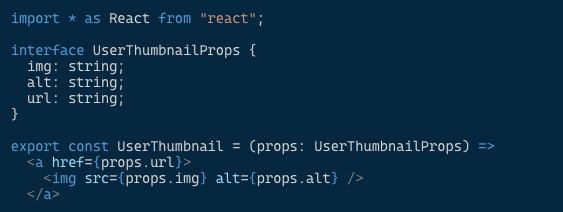
JSX stands for JavaScript XML. It allows you to write HTML elements in JavaScript and place them in the DOM without any createElement() and/or appendChild() methods. Here is an example:
TypeScript 4.1 supports React 17's jsx and jsxs factory functions through two new options for the jsx compiler option:
react-jsxreact-jsxdev
“These options are intended for production and development compiles respectively. Often, the options from one can extend from the other.” — TypeScript release notes
Here are two examples from TypeScript’s documentation of configuration for production and development:
Recursive Conditional Types
Another new addition to the current release is recursive conditional types. They offer more flexible handling of conditional types by allowing them to reference themselves within their branches. This feature makes it easier to write recursive type aliases. Here is an example of unwrapping a deeply nested promise by using Awaited:
It should be noted, however, that TypeScript needs more time for type checking of recursive types. Microsoft cautions that they should be used responsibly and sparingly.
Checked indexed accesses
Index signatures in TypeScript allow you to access arbitrarily named properties like in the following Options interface. Here, we see that an accessed property that does not have the name path or the name permissions should have the type string | number:
A new flag, --noUncheckedIndexedAccess, provides a node where every property access (like opts.path) or indexed access (like opts["blabla"]) is considered potentially undefined. That means that if you need to access a property like opts.path in the last example, you have to check for its existence or use a non-null assertion operator (the postfix ! character):
The --noUncheckedIndexedAccess flag is useful to catch a lot of errors but might be noisy for a lot of code. That’s why it’s not automatically enabled by the --strict flag.
Paths without baseUrl
Before TypeScript 4.1, to be able to use paths in tsconfig.json file, you had to declare the baseUrl parameter. In the new release, specifying the paths option without baseUrl is possible. This resolves the problem of having poor paths in auto-imports.
checkJs now implies allowJs
If you have a JavaScript project where you are using the checkJs option to report errors in .js files, you should have also declared allowJs to allow JavaScript files to be compiled. With TypeScript 4.1 this is no longer the case. checkJs now implies allowJs by default:
Editor support for the JSDoc @see tag
When working with TypeScript in editors, there is now better support for the JSDoc tag @see. This should improve the usability of TypeScript 4.1:
Breaking Changes
lib.d.ts changes
lib.d.ts is a file provided with every installation of TypeScript. It contains the ambient declarations for various common JavaScript constructs present in JavaScript runtimes and the DOM to make it easy for you to start writing type-checked JavaScript code.
This file is automatically included in the compilation context of your TypeScript project. You can exclude it by specifying the --noLib compiler command-line flag or "noLib": true in tsconfig.json.
In TypeScript 4.1, due to how the DOM types are automatically generated, lib.d.ts may have a set of changed APIs. Reflect.enumerate, for example, has been removed, as it was removed from ES2016.
abstract members can’t be marked async
In another breaking change, members marked as abstract can no longer be marked as async. So to fix your code, you have to remove the async keyword:
any/unknown Are Propagated in Falsy Positions
Before TypeScript 4.1, for an expression like foo && somethingElse, the type of foo was any or unknown. The type of the whole expression would be the type of somethingElse, which is { someProp: string } in the following example:
declare let foo: unknown;
declare let somethingElse: { someProp: string };
let x = foo && somethingElse;In TypeScript 4.1, any and unknown are propagated outward instead of the type on the right side. Often the appropriate fix to this change is to switch from foo && someExpression to !!foo && someExpression.
Note: The double exclamation mark (!!) is a short way to cast a variable to be a boolean (true or false) value.
resolve’s parameters are no longer optional in promises
resolve parameters are no longer optional in Promise:
The previous example may throw an error like this:
As a fix, resolve must be given at least one value in promises or you have to declare Promise with an explicit void generic type argument in the cases where resolve() really does need to be called without an argument:
Conditional spreads create optional properties
In JavaScript, object spreads { ...files } don’t operate over falsy values. This means files will be skipped over if it’s null or undefined.
In the following example where conditional spread is used, if file is defined, the properties of file.owner will be spread in. Otherwise, no properties will be spread into the returned object:
Before TypeScript 4.1,getOwner returned a union type based on each spread:
{ x: number } | { x: number, name: string, age: number, location: string }- All the properties from
Person(the type ofowner) iffileis defined. - Otherwise, none of them would be defined on the result.
However, it turns out that this ends up being extremely expensive and usually not beneficial — with hundreds of spreads in a single object and each spread potentially adding in hundreds or thousands of properties. To perform better, in TypeScript 4.1, the returned type sometimes uses all-optional properties:
{
    x:         number;
    name?:     string;
    age?:      number;
    location?: string;
}
Unmatched parameters are no longer related
Parameters that didn’t correspond to each other were previously related to each other in TypeScript by relating them to the type any.
In the following example of overloading (supplying multiple function types for the same function), the pickCard function will return two different things based on what the user has passed in. If the user passes in an object that represents the deck, the function will pick the card. If the user picks the card, they will get which card they’ve picked:
With TypeScript 4.1, some cases of assignability will fail and some cases of overload resolution can fail. As a workaround, you may be better off using a type assertion to avoid errors.
Final Thoughts
TypeScript saves you time by catching errors and providing fixes before you run your code. By having a deeper understanding of it, you get ideas about how to improve your TypeScript application structure and resolve complicated scenarios. Hopefully, this article has helped you explore the type system and make your programming journey more exciting.
TypeScript 4.1 can be accessed through NuGet or NPM:
npm install typescript🧠💡 I write about engineering, technology, and leadership for a community of smart, curious people. Join my free email newsletter for exclusive access or sign up for Medium here.
You can check my video course on Udemy: How to Identify, Diagnose, and Fix Memory Leaks in Web Apps.


