avatarOleh Teslenko

Free AI web copilot to create summaries, insights and extended knowledge, download it at here

4405

Abstract

er based on the prompt “A Dan Flavin art of a rabbit”.</figcaption></figure><p id="2b9b">It’s a beauty. Simple, poetic, surprising. The reference to Dan Flavin creates an atmospheric, illuminated render of the rabbit. I could see this as a piece in my own space.</p><p id="16cf" type="7">“An Isamu Noguchi art of a rabbit”</p><figure id="8d22"><img src="https://cdn-images-1.readmedium.com/v2/resize:fit:800/1*gj4fxhoA7HyROuRpYyb8Ig.png"><figcaption>A DALL-E render based on the prompt “An Isamu Noguchi art of a rabbit”.</figcaption></figure><p id="113c">Stunning. There is a bit of surrealism in the form itself, but it’s an impressive concept of a rabbit.</p><p id="03ce" type="7">“A Barbara Hepworth sculpture of a rabbit”</p><figure id="4eee"><img src="https://cdn-images-1.readmedium.com/v2/resize:fit:800/1*7LOC2oigQDzizr7kBf2stg.png"><figcaption>A DALL-E render based on the prompt “A Barbara Hepworth sculpture of a rabbit”.</figcaption></figure><p id="7855">This render looks right out of the imaginary sculpture park itself. The texture is amazingly realistic, the composition is dynamic. In its poise, the rabbit displays a big personality.</p><h1 id="830a">Defining the three-prong prompt: A sculptural reference, persona, and an action</h1><p id="5b77">Now that we’ve explored a basic static DALL-E render of a sculptural reference, we can expand the prompt with a third contextual element, <b>action</b>.</p><p id="56be">We’ll ask for the rabbit to be active, jumping, or leaping.</p><figure id="3b09"><img src="https://cdn-images-1.readmedium.com/v2/resize:fit:800/1*lYLI6loWGLuEmEit8uZNKw.png"><figcaption>Adding ‘action’ to the initial prompt. This defines the 3-prong approach for the prompt.</figcaption></figure><p id="2f0c">Defining an action for our persona will add fluidity and spatial aspects. We can describe the action as leaping, or jumping through the air.</p><p id="360c">The prompts for DALL-E are thus:</p><p id="e870" type="7">“A Dan Flavin art of a rabbit leaping through the air”</p><figure id="a91c"><img src="https://cdn-images-1.readmedium.com/v2/resize:fit:800/1*OhgL44MaPkgu2NcnBBcPwA.png"><figcaption>A DALL-E render based on the 3-prong prompt “A Dan Flavin art of a rabbit leaping through the air”.</figcaption></figure><p id="1c1b">DALL-E rendered this beautifully based on the 3-prong input. The image has a cinematic, ethereal quality. While we’re not sure where this narrative is going, it can be the take-off point for the rabbit hero story.</p><p id="ac7b" type="7">“An Isamu Noguchi sculpture of a rabbit jumping through mid air”</p><figure id="5b4e"><img src="https://cdn-images-1.readmedium.com/v2/resize:fit:800/1*-tfcnwiVkpOpni9ziPb53Q.png"><figcaption>A DALL-E render based on the 3-prong prompt “An Isamu Noguchi sculpture of a rabbit jumping through mid air”.</figcaption></figure><p id="9b64">In this DALL-E image, the hero, the rabbit is taking on a playful personality, jumping into the air, escaping the picture, leaping into his freedom. Action here defines the hero as having energy and aspirations.</p><p id="6506" type="7">“A Barbara Hepworth sculpture of a rabbit jumping”</p><figure id="60fc"><img src="https://cdn-images-1.readmedium.com/v2/resize:fit:800/1*tn92Rom8N8RRMEy5-MTVvg.png"><figcaption>A DALL-E render based on the 3-prong prompt “A Barbara Hepworth sculpture of a rabbit jumping”.</figcaption></figure><p id="c4a3">This DALL-E rabbit seems to be dancing on his concrete cube, excited to be in this park-like environment. The action here adds delightfulness and subtlety.</p><h1 id="0612">Defining the four-prong prompt: The sculptural reference, persona, action, and environment</h1><p id="600e">We can expand a 3-prong set-up to include any other attribute. We can set the stage by defining the surroundings, colors, expression, background, textures, and so many other aspects.</p><figure id="44e0"><img src="https://cdn-images-1.readmedium.com/v2/resize:fit:800/1*_LiLU-WRYZnBBdfaLNyXCQ.png"><figcaption>An illustrative outline of a 4-prong approach to crafting the prompt. This includes the sculptural style reference, the hero (rabbit), the action, and the environment.</figcaption></figure><p id="b24a">For this exploration, we define the environment on the Barbara-Hepworth-inspired dancing rabbit.</p><p id="5bd8" type="7">“A Barbara Hepworth sculpture of a rabbit diving into a big swimming pool”</p><figure id="cc8

Options

f"><img src="https://cdn-images-1.readmedium.com/v2/resize:fit:800/1*VM3eVfQ3YmXeriXWTUAQBA.png"><figcaption>A DALL-E render based on the 4-prong prompt “A Barbara Hepworth sculpture of a rabbit diving into a big swimming pool”.</figcaption></figure><p id="0744">It’s a nice rendering, although it took a few rounds to get a render of the rabbit’s entire body. The form of the sculpture is lovely, smooth, and artistic. I could see this sculpture in someone’s swimming pool.</p><p id="3c60">This can become an idea for a prototype. Or it can be a visual cue for a story that yet has to be written.</p><p id="58a0">Expanding on the prompts can add interesting dimensions, although it will take several tries before DALL-E can loosely match one’s expectation, even on a rudimentary level.</p><h1 id="f09d">Learnings and takeaways</h1><p id="e758">DALL-E renders take time (and money). They need a meaningful prompts to make a render valuable to the designer.</p><p id="ea35">Crafting a prompt takes a conceptual input. We need to define our expectations of a DALL-E render. (Randomness is fine, but unsurprisingly, the outcome is unpredictable).</p><p id="4faf">It is important to know the artistic style references well. Read up about artists’ and their work and look images of their oeuvre. Delve into their universe that took them decades to create.</p><p id="6c89">Study art history, visit museums, attend art lectures, research art movements. It will come in handy when you need to write design inputs.</p><p id="47f6">Keep being amazed by what you see around you and make a note of it.</p><p id="2ce2">Experiment with the prompt, but don’t ask for the impossible. Remember, DALL-E pulls from open source databases. DALL-E doesn’t have the human ability to bend its mind around corners.</p><p id="5f04">Remain humble and always remember, DALL-E does not replace the human imagination and creative mind. DALL-E is a tool. We can use it to explore.</p><p id="bd7b">Above all, enjoy the journey into AI.</p><p id="87ca">And then, take a break from it all.</p><p id="734f"><b>Interested in learning more about UX design, AI, design tools & trends, and art? Join Medium with <a href="https://evaschicker2012.medium.com/membership">this link</a>, and support my future writing. Thank you! </b>✍️🧡</p><p id="7ff8"><i>All images created with DALL-E ©Eva Schicker 2023.</i></p><p id="be5c">Read more about AI and design:</p><div id="f8f5" class="link-block"> <a href="https://evaschicker.medium.com/applying-abstract-art-references-to-dall-e-as-stylistic-concepts-55a000660f8c"> <div> <div> <h2>Applying abstract art references to DALL-E as stylistic concepts</h2> <div><h3>5 explorations on how DALL-E’s AI is interpreting modernist art styles</h3></div> <div><p>evaschicker.medium.com</p></div> </div> <div> <div style="background-image: url(https://miro.readmedium.com/v2/resize:fit:320/1*FJxhtMEaieIBKV-Tqsu18w.jpeg)"></div> </div> </div> </a> </div><div id="144e" class="link-block"> <a href="https://evaschicker.medium.com/how-to-explore-the-golden-ratio-in-design-and-typography-b124331ba378"> <div> <div> <h2>How to explore the golden ratio in design and typography</h2> <div><h3>The secret lies in 1.61803398875</h3></div> <div><p>evaschicker.medium.com</p></div> </div> <div> <div style="background-image: url(https://miro.readmedium.com/v2/resize:fit:320/1*6VIjPYDeIFm-JvSKNYg50g.jpeg)"></div> </div> </div> </a> </div><div id="770e" class="link-block"> <a href="https://evaschicker.medium.com/creating-steam-in-css-d8641ba7525c"> <div> <div> <h2>Creating steam in CSS</h2> <div><h3>Think hot, delightful, freshly brewed coffee</h3></div> <div><p>evaschicker.medium.com</p></div> </div> <div> <div style="background-image: url(https://miro.readmedium.com/v2/resize:fit:320/1*VuQaTsutYWfyUueWNHz2aQ.gif)"></div> </div> </div> </a> </div><p id="0bce">Thank you.</p></article></body>

How to Create Typed Forms in Angular

Photo by Mediamodifier on Unsplash

In this article, I want to show you how to create typed forms in Angular.

Although it’s possible to create forms without types, it’s not the best choice when building something great.

Using types in your Angular forms can help catch errors early in the development process, improve code readability and maintainability, and enhance the overall developer experience.

Let’s get started.

First of all, we need to create a simple form using FormGroup:

// typescript file

public userForm: FormGroup;

this.userForm = new FormGroup<any>({
  id: 0,
  name: 'John',
  email: '[email protected]',
  password: '123456',
  createdAt: new Date()
});
// html file

<form [formGroup]="userForm">

  <div class="form-group">
    <label for="name">Name</label>
    <input type="text" class="form-control" id="name" formControlName="name">
  </div>

  <div class="form-group">
    <label for="email">Email</label>
    <input type="email" class="form-control" id="email" formControlName="email">
  </div>

  <div class="form-group">
    <label for="password">Password</label>
    <input type="password" class="form-control" id="password" formControlName="password">
  </div>
  <button type="submit" class="btn btn-primary" [disabled]="!userForm.valid">Submit</button>

</form>

As you can see, the type of the form is ‘any’. If we want to add types, we should create an interface:

interface IUserForm {
  id: FormControl<number | null>;
  name: FormControl<string | null>;
  email: FormControl<string | null>;
  password: FormControl<string | null>;
  createdAt: FormControl<Date | null>;
}

In this example, we’ve created an interface with FormControl and a special type in <...>.

Next, we add new FormControl() to our FormGroup:

this.userForm = new FormGroup<IUserForm>({
  id: new FormControl<number>(0),
  name: new FormControl<string>('John'),
  email: new FormControl<string>('[email protected]'),
  password: new FormControl<string>('123456'),
  createdAt: new FormControl<Date>(new Date())
});

Finally, we add our interface to the userForm variable, and that's all you need to get a typed form.

public userForm: FormGroup<IUserForm>;
// FINAL RESULT
import { Component } from '@angular/core';
import { CommonModule } from '@angular/common';
import {FormControl, FormGroup, ReactiveFormsModule} from "@angular/forms";

interface IUserForm {
  id: FormControl<number | null>;
  name: FormControl<string | null>;
  email: FormControl<string | null>;
  password: FormControl<string | null>;
  createdAt: FormControl<Date | null>;
}

@Component({
  selector: 'app-typed-form-group',
  standalone: true,
  imports: [CommonModule, ReactiveFormsModule],
  templateUrl: './typed-form-group.component.html',
  styleUrls: ['./typed-form-group.component.scss']
})
export class TypedFormGroupComponent {
  public userForm: FormGroup<IUserForm>;

  constructor() {
    this.userForm = new FormGroup<IUserForm>({
      id: new FormControl<number>(0),
      name: new FormControl<string>('John'),
      email: new FormControl<string>('[email protected]'),
      password: new FormControl<string>('123456'),
      createdAt: new FormControl<Date>(new Date())
    });
  }
}

There’s one more thing to mention about creating FormGroup: you can use FormBuilder to make things even easier.

The FormBuilder provides syntactic sugar that shortens the process of creating instances of a FormControl, FormGroup, or FormArray. It reduces the amount of boilerplate needed to build complex forms.

Here's how you can use it:

constructor(private fb: FormBuilder) {
  this.userForm = fb.group<IUserForm>({
    id: fb.control<number>(0),
    name: fb.control<string>('John'),
    email: fb.control<string>('[email protected]'),
    password: fb.control<string>('123456'),
    createdAt: fb.control<Date>(new Date())
  });
}

From here, we can then look to use a tool such as Bit to turn our code into an independent component that we can use and reuse across any projects that require it.

Here are a few useful links from the Angular documentation:

Remember to use types and be happy!

Build Angular Apps with reusable components, just like Lego
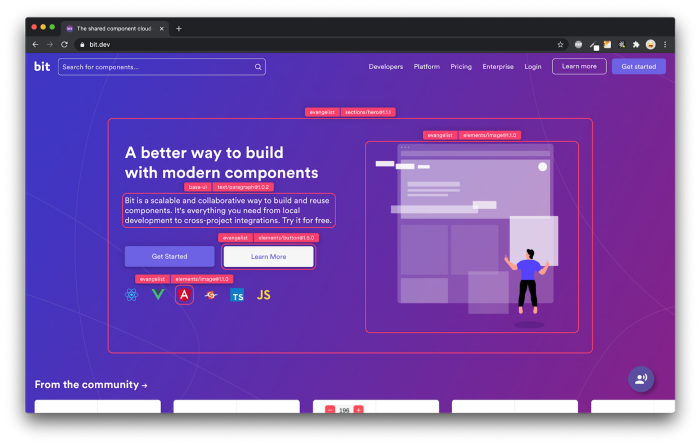
Bit’s open-source tool help 250,000+ devs to build apps with components.

Turn any UI, feature, or page into a reusable component — and share it across your applications. It’s easier to collaborate and build faster.

Learn more

Split apps into components to make app development easier, and enjoy the best experience for the workflows you want:

→ Micro-Frontends

→ Design System

→ Code-Sharing and reuse

→ Monorepo

Learn more:

Angular
Recommended from ReadMedium