
Kaggle Twitter Sentiment Analysis: NLP & Text Analytics
Classifying whether tweets are hatred-related tweets or not using CountVectorizer and Support Vector Classifier in Python

Hello Medium and TDS family!
In this post, I am going to talk about how to classify whether tweets are racist/sexist-related tweets or not using CountVectorizer in Python. In this tutorial, I am going to use Google Colab to program.
Check out the video version here: https://youtu.be/DgTG2Qg-x0k
You can find my entire code here: https://github.com/importdata/Twitter-Sentiment-Analysis
Data Collection
We are going to use Kaggle.com to find the dataset. Use the link below to go to the dataset on Kaggle.
1. Understanding the dataset
Let’s read the context of the dataset to understand the problem statement.
In the training data, tweets are labeled ‘1’ if they are associated with the racist or sexist sentiment. Otherwise, tweets are labeled ‘0’.
2. Downloading the dataset
Now that you have an understanding of the dataset, go ahead and download two csv files — the training and the test data. Simply click “Download (5MB).”
After you downloaded the dataset, make sure to unzip the file.
Let’s move on to Google Colab now!
Data Exploration (Exploratory Data Analysis)
Let’s check what the training and the test data look like.
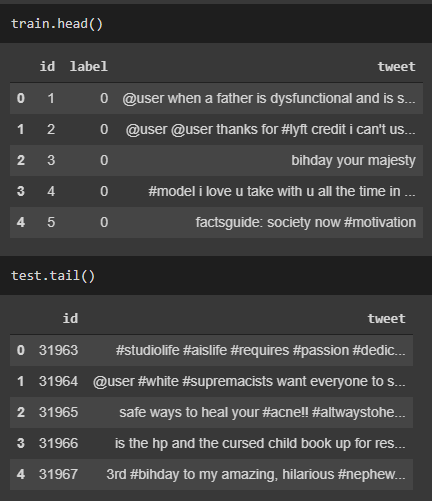
Notice how there exist special characters like @, #, !, and etc. We will remove these characters later in the data cleaning step.
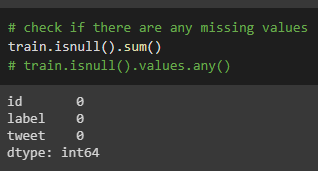
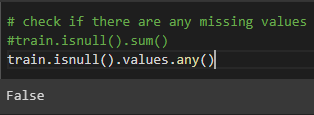
Check if there are any missing values. There were no missing values for both training and test data.
Data Cleaning
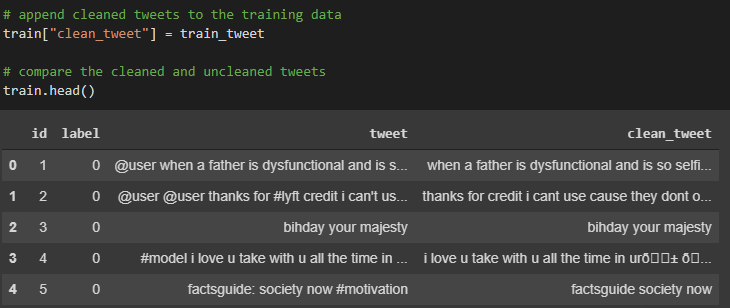
We will clean the data using the tweet-preprocessor library. Here’s the link: https://pypi.org/project/tweet-preprocessor/
This library removes URLs, Hashtags, Mentions, Reserved words (RT, FAV), Emojis, and Smileys.
We will also use the regular expression library to remove other special cases that the tweet-preprocessor library didn’t have.
Test and Train Split
Now that we have cleaned our data, we will do the test and train split using the train_test_split function.
We will use 70% of the data as the training data and the remaining 30% as the test data.
Vectorize Tweets using CountVectorizer
Now, we will convert text into numeric form as our model won’t be able to understand the human language. We will vectorize the tweets using CountVectorizer. CountVectorizer provides a simple way to both tokenize a collection of text documents and build a vocabulary of known words.
For example, let’s say we have a list of text documents like below.
CountVectorizer combines all the documents and tokenizes them. Then it counts the number of occurrences from each document. The results are shown below.

Model Building
Now that we have vectorized all the tweets, we will build a model to classify the test data.
We will use a supervised learning algorithm, Support Vector Classifier (SVC). It is widely used for binary classifications and multi-class classifications.
You can find more explanation on the scikit-learn documentation page: https://scikit-learn.org/stable/modules/generated/sklearn.svm.SVC.html
Accuracy
And here we go! The accuracy turned out to be 95%!



