
Twitch Unveils Exciting New Features for Streamers
Enhancing community interaction and engagement with integrated alerts and celebrations.
In the ever-evolving world of streaming, Twitch continues to lead the way with its latest release of new features designed specifically for streamers. With the new Twitch Alerts editor, streamers can now easily customize and control when alerts appear to their viewers. This gives streamers more control over how they interact with their communities, from personalized alert messages to special celebratory moments. The Twitch Alerts editor also allows for group editing so that multiple alerts can be created at once. This helps save time and effort in creating multiple alerts.
In addition, Twitch has also released its new Celebrations feature. With Celebrations, streamers can now reward their viewers with special visuals that appear when a viewer achieves a certain milestone or goal. This could be anything from hitting a subscriber count milestone to earning an achievement in-game.
Let’s dive into the features, functionality, and unique features of Twitch Alerts.
Twitch Alerts
TL;DR according to Twitch:
Alerts can help grow your brand, your engagement, your income, and your meme potential. — Twitch Blog
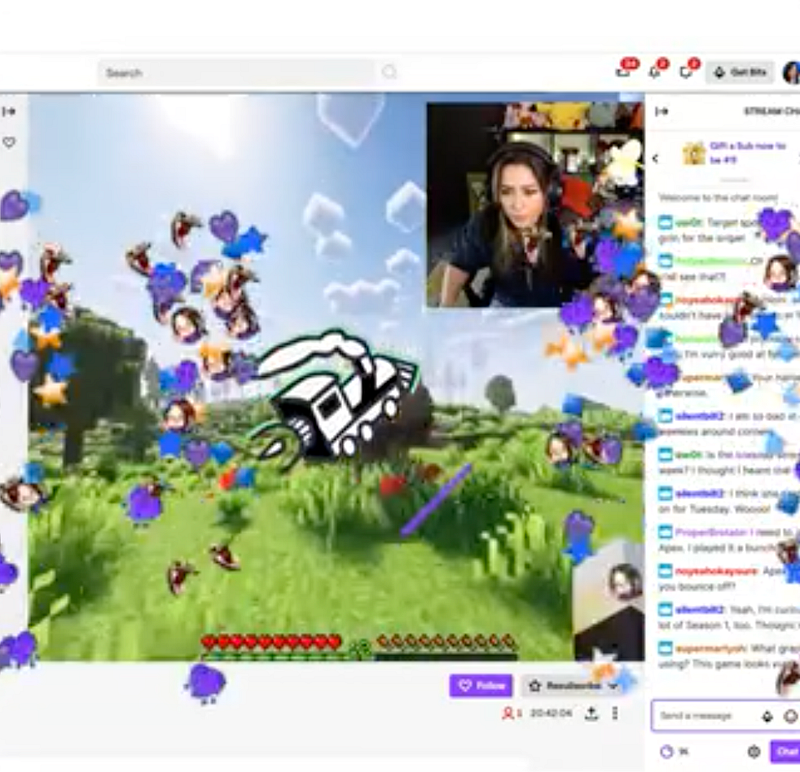
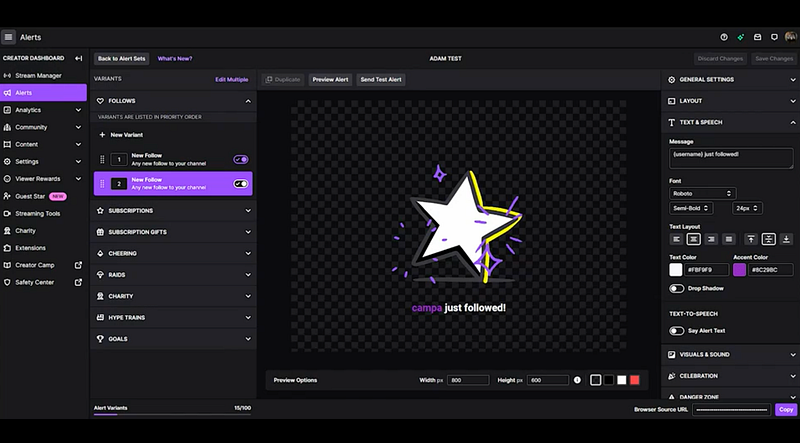
Twitch introduced an integrated alerts feature empowering streamers and creators to add alerts to their stream without needing a thrid-party engagement tool (e.g. StreamElements, Streamlabs, etc.). Twitch Alerts bring the activity field to life with real-time interactions, important moment/event celebrations, and more. One of the biggest additions to Twitch streaming is its suite of new Alerts which bring the activity feed to life and empower streamers to create memorable experiences above and beyond the traditional sub, resub, cheer alerts. Twitch Alerts feature additional alerts for Twitch Charity, Goals, Hype Trains, Channel Points, and more. These customizable notifications can be set up and triggered by different events such as subscribers, interactive resubs, followers, cheers, donations, raids, and more. Streamers can also create unique custom alerts with uploaded graphics or videos to add an extra layer of personalization. All streamers have access to add and customize integrated Twitch alerts from the Creator Dashboard. The wide range of events to choose from is an obvious benefit; let’s dive into more of the customization and productivity features that really set Twitch Alerts apart from the rest.
Group Editing
Streamline Your Alert Customization
One of the standout additions to Twitch Alerts is the group editing feature. Streamers can now effortlessly customize multiple alerts simultaneously, saving valuable time during the setup process. Whether it’s tweaking the visual appearance or adjusting the timing of various alerts, group editing allows for efficient management of your stream’s visual and auditory elements. We will guide you through the simple steps of group editing, ensuring that your alerts align perfectly with your branding and stream atmosphere.
Stream Interactivity and Automation
Elevate the Entertainment Factor, Minimize Distractions
Twitch’s multi-action batching feature provides streamers with unparalleled control over alert triggers. With this functionality, you can combine multiple actions within a single alert, reducing on-screen clutter while maximizing viewer engagement. Imagine thanking subscribers, displaying the latest donation, and highlighting a new follower all at once, seamlessly integrating these interactions into your stream. Discover how to leverage multi-action batching effectively, creating dynamic and immersive experiences for your audience.
Enhancing Productivity and Creativity
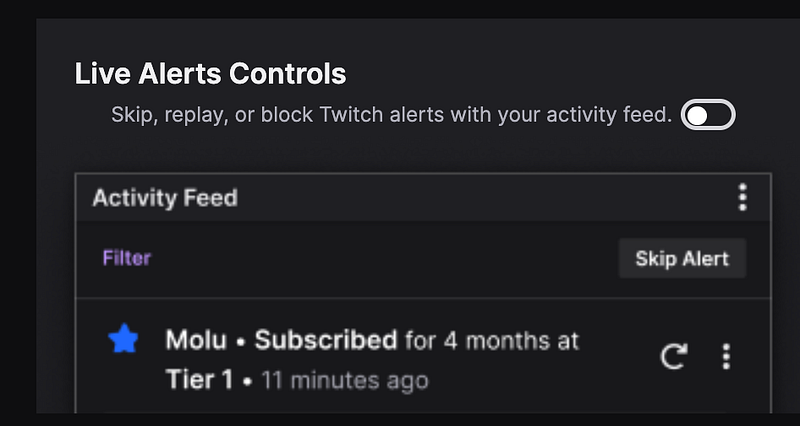
Streamers often find themselves juggling multiple tasks simultaneously, from managing chat interactions to crafting engaging content. Twitch’s new workflow functionality aims to simplify these challenges by introducing intuitive tools that enhance productivity and creativity. Explore the various workflow features, such as customizable hotkeys, automated event triggers, and task automation, enabling you to focus on delivering top-notch streams without compromising on viewer interaction.
Leveraging Twitch Alerts’ New Features
Best Practices and Examples
To truly grasp the potential of Twitch’s latest features, it is crucial to understand how streamers have successfully integrated them into their content. We will provide a range of use cases and real-life examples from popular streamers, showcasing innovative ways to engage with viewers and build community interactions. From creative transition animations to interactive mini-games triggered by alerts, learn how to captivate your audience and keep them coming back for more.
What’s Next?
Embrace the Future of Streaming with Twitch’s New Features
Twitch’s continuous commitment to streamer success is evident in their latest release of feature-packed tools. By harnessing the power of group editing, multi-action batching, and workflow functionality, streamers can unlock new levels of engagement and interactivity with their viewers. Seamlessly customize alerts, reduce distractions, and optimize your workflow to create a captivating streaming experience like never before. Embrace the future of streaming with Twitch’s new features and stay one step ahead in the ever-evolving world of content creation.
Level-Up Your Stream
References
Twitch Help, Eurogamer, Streamersquare, Twitch Support on Twitter, StreamScheme, Hexeum, DweebHub