avatarShima

Summary

The web content explains the concepts of Backfilling and Catchup in Apache Airflow, detailing their use cases, key parameters, and how they work to ensure that all scheduled tasks are executed as intended.

Abstract

Apache Airflow employs Backfilling and Catchup mechanisms to manage the execution of tasks within DAGs (Directed Acyclic Graphs). Backfilling is the process of running historical tasks that were missed due to reasons such as system downtime or misconfiguration, ensuring that all data is processed up to the present. It is particularly useful for initial setups, system downtimes, and correcting tasks after bug fixes. Catchup, on the other hand, is a feature that, when enabled, allows Airflow to run any missed intervals of a DAG's schedule to maintain its currency. This feature is controlled by parameters such as catchup (which defaults to True), start_date, and schedule_interval. When catchup is set to True, Airflow will run all missed intervals sequentially from the start_date to the current date. Conversely, when catchup is disabled, only the most recent scheduled run is executed. The content also provides a Python code snippet illustrating how to set these parameters in a DAG definition and visual examples comparing the behavior of Airflow with and without Catchup and Backfilling enabled.

Opinions

  • The author suggests that Backfilling is crucial for processing historical data when a new DAG is introduced or when tasks need to be re-run due to system issues or code corrections.
  • The use of Backfilling is recommended for ensuring data continuity and integrity, especially after resolving issues that prevented normal task execution.
  • The Catchup mechanism is presented as a convenient feature for automatically executing missed DAG intervals, thus keeping the workflow up-to-date without manual intervention.
  • The author emphasizes the importance of the catchup parameter in controlling whether Airflow should run missed intervals, highlighting its impact on workflow management.
  • The provided code example and visual comparisons serve to underscore the practical differences between enabling and disabling Catchup and Backfilling, guiding users in making informed decisions based on their specific needs.

Tutorial Series: Catchup vs Backfilling in Airflow

Both the Backfilling and Catchup mechanisms are concepts of airflow and really important for managing and ensuring the execution of tasks within DAGs.

Here is an overview of each concept:

Backfilling:

Backfilling refers to the process of executing historical DAG runs that were not executed at their scheduled times. This can happen due to various reasons, such as system downtime, misconfiguration, or deliberate pauses.

Backfilling ensures that all historical data is processed even if the DAG was not active during that period.

Use Cases:

  • Initial Setup: When a new DAG is created, you might want to run it on historical data.
  • System Downtime: If the system is down or tasks fail to execute, you need to rerun the missed tasks.
  • Corrections: If a bug is discovered and fixed, backfilling can be used to rerun the tasks with the corrected logic.

Catchup Mechanism:

Catchup is a feature in Airflow that allows DAGs to run any missed intervals, effectively catching up to the current schedule.

Key Parameters:

  • catchup (default True): When set to True, Airflow will run all the backlogged DAG runs that were missed. When set to False, Airflow will only run the most recent DAG run and skip any past scheduled intervals.
  • start_date: The date from which the DAG will start running. If the start_date is in the past and catchup is True, Airflow will attempt to backfill the missed intervals.
  • schedule_interval: The frequency at which the DAG should run. This is used to determine the intervals that need to be caught up.

Catchup allows Airflow to automatically run missed intervals, ensuring the DAG’s schedule is up to date.

How It Works:

  • If catchup is enabled, Airflow will sequentially run all the DAG runs from the start_date to the current date according to the schedule_interval.
  • If catchup is disabled, Airflow will only execute the latest scheduled run and ignore any missed intervals.
from airflow import DAG
from datetime import datetime

default_args = {
    'owner': 'airflow',
    'start_date': datetime(2023, 6, 1)
}

dag = DAG(
    'example_dag',
    default_args=default_args,
    description='A simple DAG',
    schedule_interval="@daily",
    catchup=True  # Set this to False to disable backfilling/catchup
)

Comparison:
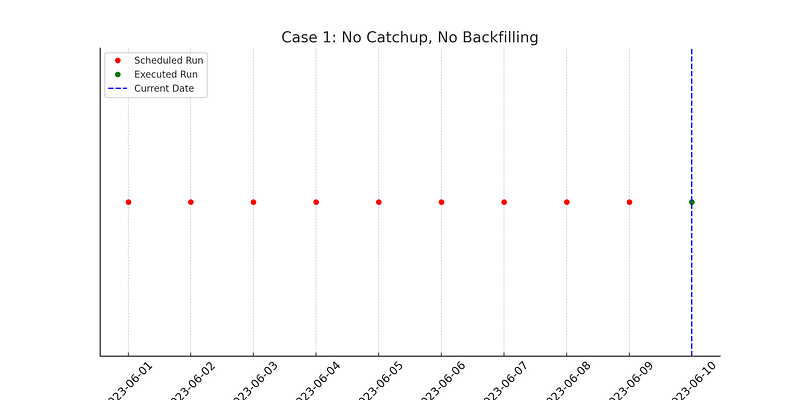
No Catchup, No Backfilling: Shows only the current date (June 10, 2023) is executed. With catchup=False, Airflow ignores all missed intervals and only runs the DAG from the current date onward.
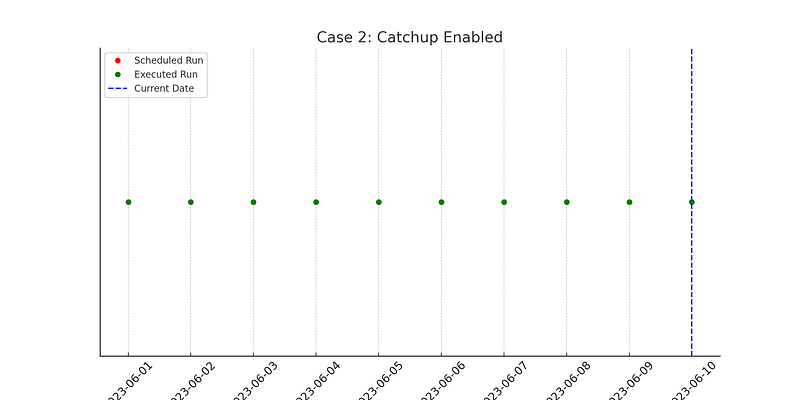
Catchup Enabled: Shows all dates from June 1 to June 10 being executed. With catchup=True, Airflow will sequentially run all missed intervals from the start_date to the current date.
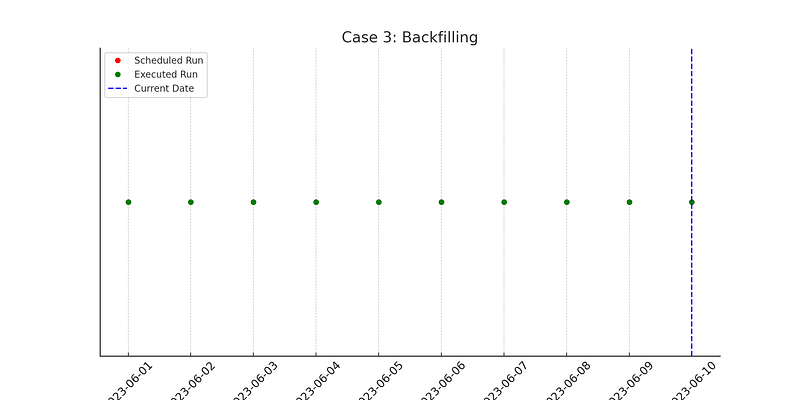
Backfilling: Similar to catchup enabled, shows all dates from June 1 to June 10 being executed. Backfilling is the process of manually triggering missed intervals. It is functionally similar to enabling catchup but can be controlled more precisely through manual interventions.
Data Engineering
Data Analytics
Data Analysis
Airflow
Orchestration
Recommended from ReadMedium