
TrueNAS Is A Great Network Attached Storage Software
This free and easy-to-use network-attached storage software is ideal for Mac, Linux, and Windows users looking for reliable storage.

TrueNAS is network-attached storage software that allows you to use commodity hardware. The software is free, but there is also an enterprise offering for people needing support, scalability, and high availability.
I’ve been using TrueNAS for years, even when it was still called FreeNAS. I’ve never had any significant issues, even with failed drives. The upgrade from FreeNAS to TrueNAS was seamless and didn’t cause any problems.
This NAS software is ideal for storing data on a network for Macs, Windows, Linux, and other operating systems. For Macs, you can use it as a regular network drive or even a time machine drive that can be used for Time Machine backups.
It’s usually better to go with an open-source solution and your own hardware rather than choosing a store-bought proprietary NAS.
Features of TrueNAS
- Free and open source
- Built with OpenZFS file system for built-in RAID, data management tools, and automatic detection and repair of silent data corruption (and bit rot).
- Cloud sync to Amazon S3, Backblaze B2, Box, Dropbox, FTP, Google Cloud Storage, Google Drive, HTTP, Hubic, Mega, Microsoft Azure Blob Storage, Microsoft OneDrive, OpenStack Swift, pCloud, SFTP, WebDAV, and Yandex
- Supports Snapshots and VMWare Snapshots
- Supports Active Directory, LDAP, NIS, and Kerberos authentication
- Supports sharing via Apple Shares (AFP), iSCSI, NFS, WebDAV, and Windows SMB.
- Has plugins to provide Asigra for backup, Iconik media access management, Minio for S3 storage, NextCloud file hosting service, Plex Media Server for multi-media center software, Syncthing peer-to-peer file synchronization application, Jenkins automation software, for and Tarsnap secure online backup.
- Supports BSD Jails for creating virtual machines.
Hardware To Use
The great thing about TrueNAS is that it can run on any hardware. Whether you want to use higher-end hardware for more performance and reliability or cheaper hardware to save money, the choice is up to you.
I use the HPE ProLiant Gen10 MicroServer for three years without any issues.
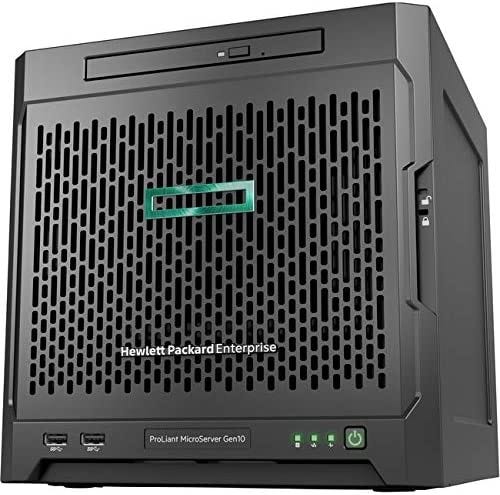
I chose this hardware because it is power efficient, offers six USB ports, is quiet, supports up to four SATA drives, and has an internal USB port for a thumb drive to be used for the operating system.
WebUI
You can access TrueNAS either through SSH or using the fantastic Web UI.
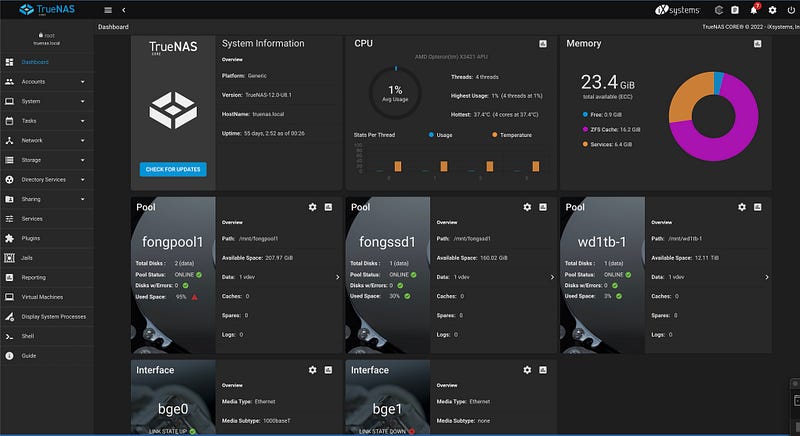
You can check out the TrueNAS website for more information or download it at
Conclusion
There are many open-source NAS software options available, but in my opinion, TrueNAS is the most reliable and easy to use. I highly recommend it for anyone who wants network-attached storage for extra network storage or backup purposes.
I’ve found TrueNAS to be an easy-to-use and reliable storage solution for Mac, Windows, and Linux.
Please consider joining Medium as a paying member. It’s $5 a month OR $50 a year for unlimited access. And if you use the following link, it will go a long way in supporting me as a writer. Thank you!


