
Trimming the Docker Image: How I Made My Docker Images Slimmer with Vite, React, and Multi-Stage Builds

Ever felt your Docker images are wearing a few extra layers? I’ve been there. Dockerizing sample Vite + React app used to result in a chunky image. But then, I was introduced to multi-stage builds and everything changed. Let’s dive in, starting from the very beginning!
Step 1: Setting Up a React App with Vite
Before we even touch Docker, let’s get our React app up and running with Vite:
- Create a New Project: Kickstart your React project with:
npm create vite@latest my-react-app -- --template vue --template react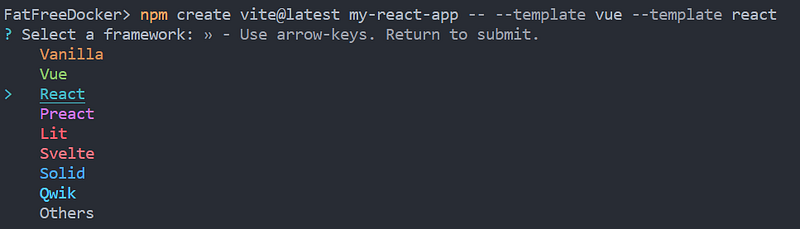
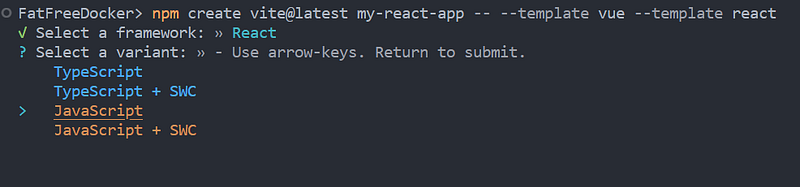
- Navigate and Start:
cd my-react-app
npm install
npm run dev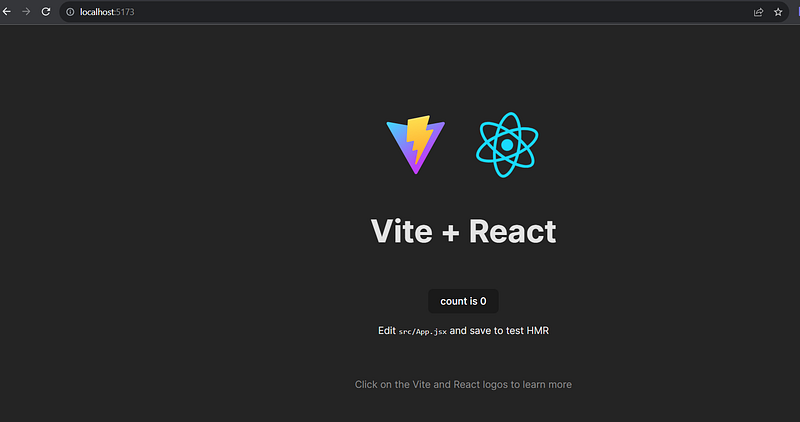
Voilà! You should have a React app running smoothly with Vite.
Step 2: The Good Ol’ Dockerfile
Quick tip — before creating the Docker image:
If you want to run the app with Docker, you need to modify the vite.config.js present in your project.
import { defineConfig } from 'vite';
import react from '@vitejs/plugin-react';

export default defineConfig({
  plugins: [react()],
  server: {
    watch: {
      usePolling: true,
    },
    host: true, // needed for the Docker Container port mapping to work
    strictPort: true,
    port: 5173, // you can replace this port with any port
  }
});
Now, Here’s the Dockerfile I initially used for my Vite + React project:
FROM node
WORKDIR /app
COPY package.json .
RUN npm i
COPY . .
EXPOSE 5173
CMD ["npm", "run", "dev"]
Build the docker image:
docker build -t my-vite-react-app .It’s straightforward, but the image size? A whopping 1.24 GB+.

Step 3: Slimming Down with Multi-Stage Builds
Multi-stage builds let us use multiple FROM statements in our Dockerfile. This means one stage for building and another for running, only carrying forward the essentials.
Here’s the revamped Dockerfile:
# ---- Build Stage ----
FROM node:latest AS build
WORKDIR /app
COPY package.json .
RUN npm install
COPY . .
RUN npm run build

# ---- Runtime Stage ----
FROM node:alpine
WORKDIR /app
# Install serve globally
RUN npm install -g serve
COPY --from=build /app/dist /app/dist

EXPOSE 5173
CMD ["serve", "-s", "dist", "-l", "5173"]
Build the docker image:
docker build -t my-vite-react-app-multistage .
See how the image size shrinks for the same app from 1.24 GB to 191.4 MB.
The magic:
- Build Stage: We use the standard Node image, get our dependencies, and build our app.
- Runtime Stage: We switch to the lightweight
node:alpine, grab only the essentials, and install just the production dependencies.
Step 4: The Results
After this makeover, our Docker image went from chunky to sleek, shedding several hundred megabytes. Faster deployments, less bandwidth, and a happier DevOps (that’s me!).
Wrapping Up:
Starting with Vite for React and ending with a slim Docker image, we’ve journeyed through efficient app development and deployment. If you’re about to Dockerize your Vite + React app, remember: in the Docker world, less is often more!
P.S. If you found value in this article or it resonated with you, please consider giving it a clap 👏, share it around & comment. Your support not only encourages me to keep sharing insights but also helps others discover this content. Together, we can spread knowledge and inspire others. Thank you for being a part of this journey!”


