avatarCharmaine Chui

Summary

The author of the article describes their journey in creating a tool to transform SVG files into symbols for inline use in web development, a solution prompted by the need for a localized, offline method to bypass strict security measures blocking access to font icons.

Abstract

The article delves into the author's struggle to find a Python library or npm package capable of converting SVG images directly into symbols for inline SVG use in web development. This need became critical when the author's workplace security blocked access to font icons, rendering the UI design ineffective. After discovering online tools like IcoMoon for converting SVGs, the author sought to create a more user-friendly solution that could be used offline. Finding no existing tools that met their requirements, the author studied the code behind an existing web application and developed a backend API in Node.js. This led to the creation of their own web app, which simplifies the conversion process by allowing multiple SVG files to be imported and converted without manual code input. The author's tool is now available at https://svg2symbol.glitch.me/ and https://svg2symbol.onrender.com, providing a valuable resource for developers facing similar challenges.

Opinions

  • The author expresses frustration with the lack of available tools for converting SVG files into symbols for inline use.
  • The author believes that SVG icons are superior to font icons for several reasons, including security and performance, and provides a comparison table to support this opinion.
  • The author highlights the unconventional reason for their switch to SVG icons: the security restrictions at their workplace that blocked font icons.
  • The author finds existing solutions like IcoMoon and https://svg-to-symbol.herokuapp.com/ to be limited in functionality and not user-friendly, particularly in terms of UI/UX.
  • The author values the ability to work offline and the importance of having localized tools for development tasks.
  • The author is proud of their contribution to the web development community by creating a tool that addresses a specific need and sharing it openly for others to use and improve upon.

Transforming svg files into symbols for svg inline-use (no internet required)

I, for the life of me, could not find a single python library or npm package to get this simple job done — directly transforming a svg image to an svg symbol for inline svg use in the web development. Now for those of you who are confused, I am referring to using:

as compared to using:

to render the following icon:

in web applications:

Image by Author | Example of use icons in a web application — Icons are circled in red

While there are many reasons why svg icons should be used in comparison to font icons .(eot|ttf|otf|woff), the following is a simple table of comparisons:
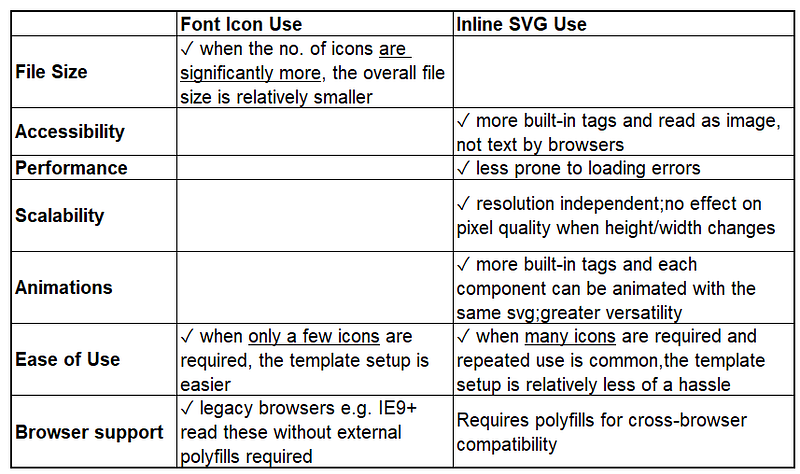
Image by Author | Table of comparisons — Font Icons vs Inline SVG Usage

However, my main reason for switching to svg is rather unconventional. While working as a web developer 2 years ago, the security of my work environment was particularly stringent and blocked browser access to font icon files with extensions .(eot|ttf|otf|woff) All my font-awesome icons rendered by bootstrap were now blocked, causing my UI design to fail instantly overnight.

As such, it was such a blessing in disguise when I found readily available utilities online such as https://icomoon.io/ to convert these files into .svg format along with the added benefits of using svg icons instead of font icons. I proceeded to set up the template for inline svg use and convert the old icons accordingly:
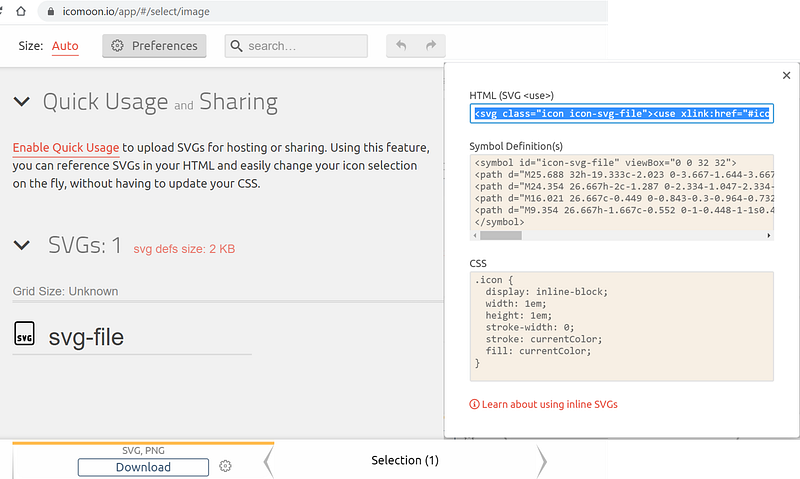
Image by Author | Using the https://icomoon.io/ tool to convert the icon svg-file into a symbol

However, another issue occurred when I found myself having to change an icon right before a presentation. Naturally, with no access to utilities such as IcoMoon App @https://icomoon.io/ on my local laptop, I had to forsake the edits and present what I thought could have been better, which led me to write this article to share my discovery on figuring out the exact transformation algorithm and implement it myself.

Surprisingly, there was no direct and straightforward answer to this. While svg in-line use was common, I could not find any specific npm or python packages that appeared readily in my google search for “convert svg into symbol”. The closest I found was this application deployed at: https://svg-to-symbol.herokuapp.com/ which was a minimalistic setup of the function I required:
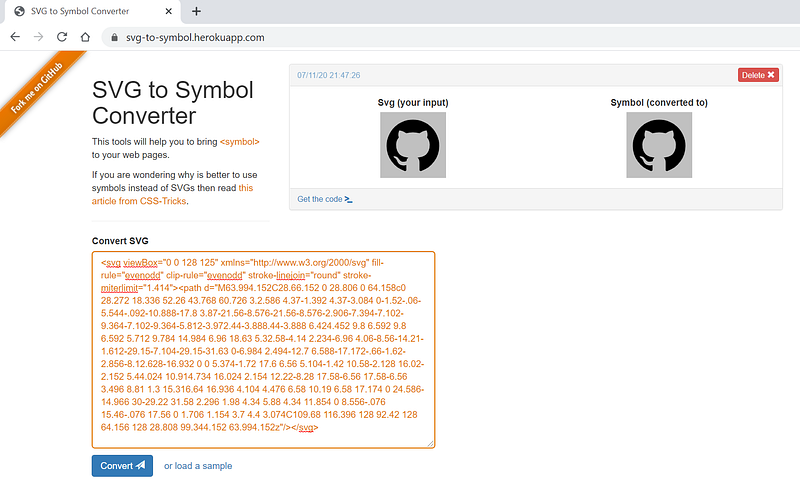
Image by Author | A screenshot of the application deployed at https://svg-to-symbol.herokuapp.com/ | Note that this web application tool enabled users to convert only 1 svg image at a time | Requires users to copy and paste the svg code manually | Not exactly very user-friendly UX

Although the application does have some UI and UX quirks — in particular, I had to zoom out of my screen to 75% before I could see the “Convert” button, I could at least study the author’s code and finally uncover what transformation processes were involved in converting an svg image to a symbol. In a nutshell, it leveraged on the npm package known as SVGSpriter — which encompasses only a part of the functionality I was seeking. Based on this web app, I chose to develop my backend API in nodeJS as well but reconfigured it to use vanilla JS rather than angularJS. My application is now currently deployed at: https://svg2symbol.glitch.me/ (Backup site: https://svg2symbol.onrender.com.)
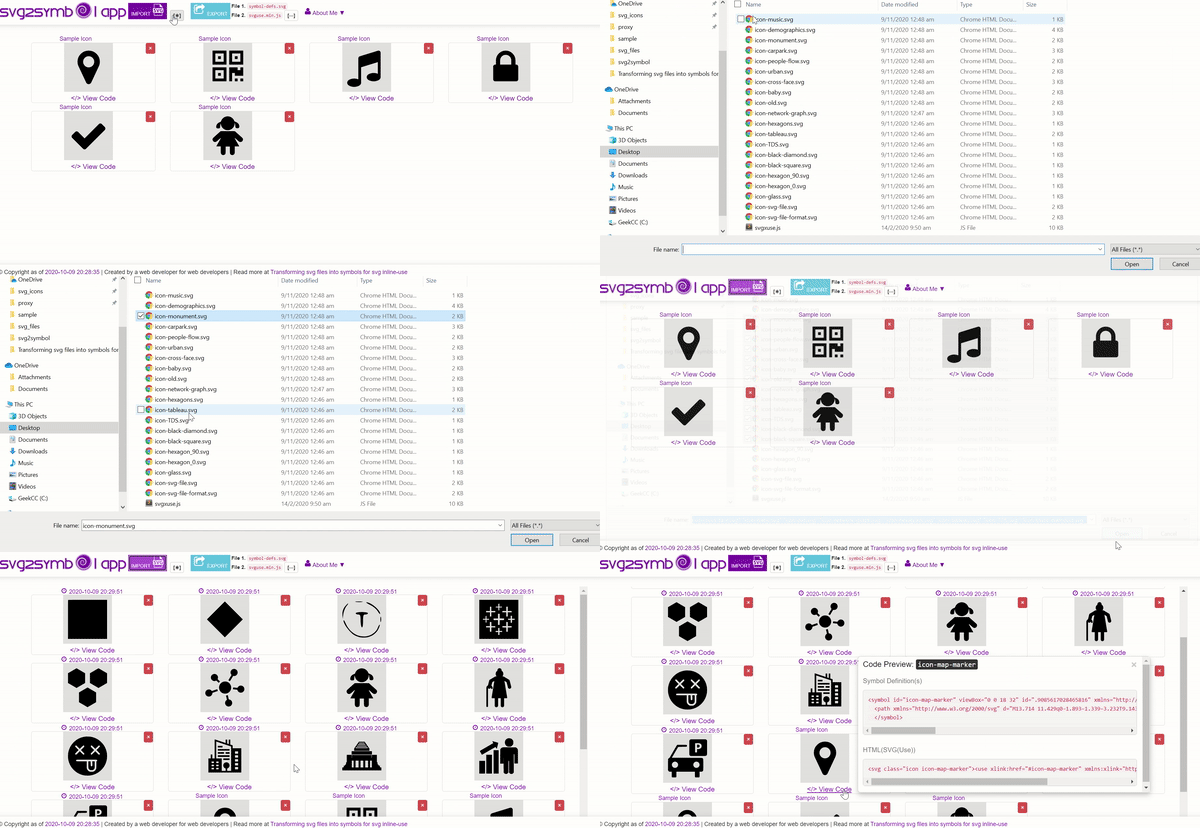
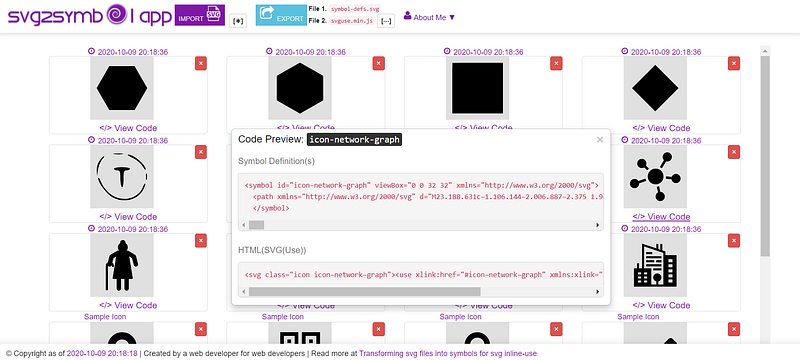
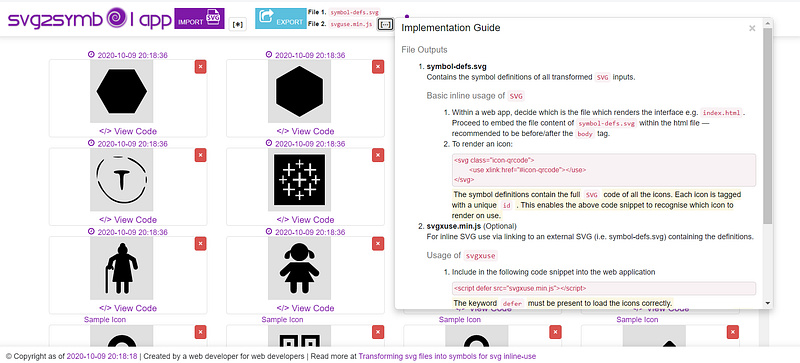
Image by Author | Preview of my Heroku web app at https://svg2symbol.glitch.me/ | Note that this enables users to import in multiple svg images at one go | No manual input of svg code is necessary on the users’ end
Image by Author | Another showcase of my web app at https://svg2symbol.glitch.me/ | Displaying both symbol definition and the code snippet for HTML svg use
Image by Author | Another showcase of my web app at https://svg2symbol.glitch.me/ | Contains a basic implementation guide of using the 2 files exported (symbol-defs.svg) from the app

In essence, this journey of discovery was difficult despite its simplicity. Inline svg use is growing increasingly common but the availability of known localised tools to convert font icons for legacy browsers is strangely scarce. Hope someone has found this article enlightening and feel free to fork the code at: https://github.com/incubated-geek-cc/svg2symbol for a local version set-up.

Thanks for reading!

Web Development
Productivity
JavaScript
Design
Programming
Recommended from ReadMedium