
Top Apps for Productivity and Research for iPhone in 2024
The Best Apps You Didn’t Know for iPhone This Year.
Hi, it’s Nov Tech. I’m delighted to have you on this story, and I think that if you’re here, it’s to discover these famous apps. To help more people through this blog, I invite you to share or save it to your reading list.
Before I start, I’d like to clarify that these applications are neither sponsors nor partners. I only recommend them according to their use because I always test them before I put forward an application or any productivity idea. You can read this story below if you’ve just discovered me to get an idea of my work, and if you like it, you can check out my profile or subscribe; it’s up to you.
Here are the latest applications that caught my eye, some of which I use regularly.
App #1: Copilot
To search and get answers to your questions, many use ChatGPT, and you can use version 3.5 for free by default. However, GPT4 provides the best answers and chat, which costs around €23 per month. To use Chat GPT4 free of charge, use the new Microsoft Copilot app.
But that’s not the only advantage of this app: Microsoft’s new intelligent assistant features a checkbox at the top of the chat window that allows you to use ChatGPT4 for free. Then, you ask it the questions you want, and for each answer, Copilot indicates the source of the information so that you can check it but also learn more by consulting the sources directly. Below each answer, Copilot will display several suggestions for digging deeper into the subject of your quest.
So, another thing I like is the ability to generate images by entering a description of what you want, for example, a dog in a café wearing glasses and using an iPhone. I’m using this Copilot feature more and more to generate illustrative images below my posts on X and Threads, but also in the newsletters I publish twice a month.
In short, this is a new freebie from Microsoft that I recommend you try to research a particular subject and create the images you have in mind.
App #2: One Sec
To gain several hours of life per week by spending less time on the smartphone, I’ve read several books and tested many methods. One of them that has worked well despite my initial doubts is the use of the excellent app One Sec.
It has enabled me to drastically reduce my screen time. It’s an app that tackles the problem of unconscious use of social networks, and I can tell you that it’s devilishly effective at changing your habits in the long term once properly configured.
After choosing the apps you want to spend less time on, when you launch one of these time-stealing apps, One Sec will display a mini mindfulness exercise lasting a few seconds where you breathe in once and breathe out. Then it asks you whether you want to open the app in question or not.
This breathing allows you to become aware of your behavior and realize that you don’t need to open the app after all. If you ever give in, you decide how long to spend in the app, and one second reminds you at the end of that time not to lose yourself indefinitely in the addictive app in question.
What’s more, a timer appears at the top to show you how much time has elapsed. Everything in the app is customizable, including the type of intervention that appears on the screen when you launch a social network. You can also display a healthier alternative, such as a shortcut to your reading app, to learn something new.
I had read the results of a scientific study in which the use of addictive social networking apps was reduced by an average of 57% thanks to One Sec.

I was dubious about this app, but it really works and is probably the best weaning app on the App Store for people who want to spend less time on their smartphones. It allows you to regain several hours of life per week that you can use for more rewarding activities.
App #3: Reader
The ReadWise Reader app is a new app released in 2023 that I’m an absolute fan of. It’s indispensable for doing my research, especially when it comes to extracting interesting information from many online sources.
I store all the fascinating content I find on the web, whatever its format, e.g., articles, newsletters, and PDF files. Social network posts and even YouTube videos are content that you can classify by tag but also by priority in the app.
Whether it’s worth your time or not.
I can also launch audio playback of content or just read quietly in Reader and highlight anything that seems relevant to a new topic I’m researching. Something I’ve never seen before is that it’s possible to play YouTube videos and highlight captivating passages below each video.
The text scrolls as you read, and for each highlight, I can add a comment and, above all, a tag, allowing me to extract interesting information from many sources and group them all together.
The same tag will be used later when it’s time to write an article like this one.
I display all my notes and highlights related to the subject in Readwise, and I can also import all this data into note-taking software like Notion.
This app is my discovery of 2023, so much so that it has become part of my doc and is an incredibly useful tool for researching any subject.
To unearth these apps, I have to test hundreds of them.
App #4: Windscribe
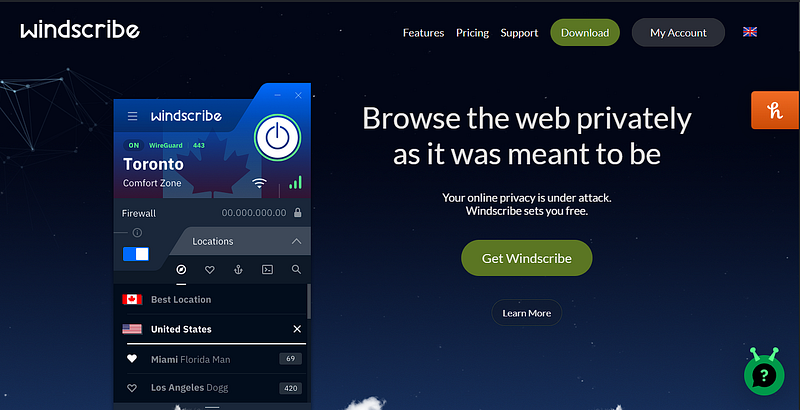
Often, to sign up for different services, I don’t necessarily want to always give out my information, which may then end up being sold on the Internet. To protect my identity online, I’ve been using the Windscribe service, which is also the best VPN for me. It’s the best VPN on the market, and you can use it in many ways, such as watching content that’s
Unavailable in France or the UK on your streaming services.
You can use Windscribe on virtually any machine, including smartphones, tablets, laptops, and even connected TVs.
If you’re interested in Windscribe, you can go through the link below and sign up.
(Just a reminder: it’s not my sponsor, and I don’t earn anything from it.) Just to help you.
Thanks for reading. If you like this concept and would like to receive more applications, just comment Add More, and I’ll add the rest when we reach 20 comments and 500 claps.


