avatarErik Santana

Free AI web copilot to create summaries, insights and extended knowledge, download it at here

3162

Abstract

ption>Magnet</figcaption></figure><p id="11da">One of the features that I most like about Windows (this is starting to become a pattern) is the way you can resize windows by moving them to the edges of the screen. <a href="https://apps.apple.com/us/app/magnet/id441258766?mt=12">Magnet</a> brings this feature into Mac OS. It places an icon in the menu bar that allows you to choose the type of window resize (left, right, center, etc.) along with a keyboard shortcut for that action. You can also just drag the window to the screen edge for the same effect. This is the first paid app on the list. I have tried other free solutions, but I really like the way Magnet works. Available for <a href="https://apps.apple.com/us/app/magnet/id441258766?mt=12">download</a> on the Mac OS App store for $7.99 US.</p><figure id="9b0d"><img src="https://cdn-images-1.readmedium.com/v2/resize:fit:800/1*lWXCzV0i0-o4mjxV2cLe_g.png"><figcaption></figcaption></figure><h1 id="87cb">5 — iTerm2</h1><figure id="dcf2"><img src="https://cdn-images-1.readmedium.com/v2/resize:fit:800/1*T3QUHe-lMqWE0CUsydlbIg.png"><figcaption>iTerm2</figcaption></figure><p id="3490">This is for all my terminal nerds out there. I got to be honest, I like both the regular Mac OS Terminal app and I also like iTerm2. <a href="https://iterm2.com/downloads.html">iTerm2</a> does have one thing going for it: split windows. If you are a terminal multitasker, iTerm2 is the app for you. You can get it for free at the <a href="https://iterm2.com/downloads.html">iTerm2 website</a>.</p><figure id="92bd"><img src="https://cdn-images-1.readmedium.com/v2/resize:fit:800/1*DINPl-_cLBZID_GpvHRldw.png"><figcaption></figcaption></figure><h1 id="8fe7">6 — IINA</h1><figure id="a483"><img src="https://cdn-images-1.readmedium.com/v2/resize:fit:800/1*Q_CNEMXNhGQhbiWTLkjc7Q.png"><figcaption>IINA</figcaption></figure><p id="b282"><a href="https://iina.io/">IINA</a> is an open-source media player. What I like about IINA is the design. The UI goes hand in hand with Mac OS. There is VLC and other media players available for Mac OS, but I feel that IINA is the one that feels most “at home” in the OS. You can get it <a href="https://iina.io/">here</a>.</p><figure id="fe66"><img src="https://cdn-images-1.readmedium.com/v2/resize:fit:800/1*OCCD66vq-Os0qzV5Kxaseg.png"><figcaption>Source: <a href="https://iina.io/">https://iina.io/</a></figcaption></figure><h1 id="f6b0">7 — Spark</h1><figure id="ac34"><img src="https://cdn-images-1.readmedium.com/v2/resize:fit:800/1*KAt0Pxwz5Alf4bITbKtRNg.png"><figcaption>Spark</figcaption></figure><p id="a3f6"><a href="https://apps.apple.com/us/app/spark-email-app-by-readdle/id1176895641?mt=12">Spark</a> is a mail client for Mac OS, Windows, Android, and iOS. Now, if you are like me and have to keep up with email on several different devices, Spark is the best solution out there. Not only does it have a beautiful UI, but it also has a very comprehensive set of features (calendar, gatekeeper, priority emails, etc.) Free, with some disabled features. Get it in the <a href="https://apps.apple.com/us/app/spark-email-app-by-readdle/id1176895641?mt=12">Mac App Store</

Options

a>.</p><figure id="1354"><img src="https://cdn-images-1.readmedium.com/v2/resize:fit:800/1*de9kBP0wDP7aHP4vaTxs7Q.png"><figcaption>Source: <a href="https://sparkmailapp.com/">https://sparkmailapp.com/</a></figcaption></figure><h1 id="7a10">8 — Forklift</h1><figure id="12a5"><img src="https://cdn-images-1.readmedium.com/v2/resize:fit:800/1*8LPstmTrUlLuUqTCcI2KQg.png"><figcaption>Forklift (Source: <a href="https://binarynights.com/">https://binarynights.com/</a>)</figcaption></figure><p id="4b9b"><a href="https://binarynights.com/store">Forklift</a> is the Finder on steroids. It’s an amazing file manager that can make connections with: SFTP, FTP, WebDAV, Amazon S3, Backblaze B2, Google Drive, Rackspace CloudFiles, SMB, AFP, and NFS. It has a dual pane setup that allows you to transfer files easily between devices. A single-user license costs $19.95, but there is a free trial available. Forklift is an indispensable tool in my arsenal. You can get it from <a href="https://binarynights.com/store">Binary Nights</a>.</p><figure id="e160"><img src="https://cdn-images-1.readmedium.com/v2/resize:fit:800/1*RCvt8mvWj38HjiBku-DvaQ.png"><figcaption>Source: <a href="https://binarynights.com/">https://binarynights.com/</a></figcaption></figure><h1 id="95af">9 — UTM</h1><figure id="c839"><img src="https://cdn-images-1.readmedium.com/v2/resize:fit:800/1*6Cm50vC_qhj1Sug4wR11LQ.jpeg"><figcaption>UTM (Source: <a href="https://mac.getutm.app/">https://mac.getutm.app/</a>)</figcaption></figure><p id="419a">Need to run Kali Linux on an ARM-based Mac? UTM might be the solution for you. <a href="https://mac.getutm.app/">UTM</a> is a free and open-source virtualization app that allows you to run other operating systems on your Mac. It is a bit tedious to set up, but there are many tutorials out there that can teach you how to install the OS of your choice in UTM. Download it <a href="https://mac.getutm.app/">here</a>.</p><figure id="3232"><img src="https://cdn-images-1.readmedium.com/v2/resize:fit:800/1*BKKjU4uXmK8FlfiOeEQJTw.png"><figcaption>Source: <a href="https://mac.getutm.app/">https://mac.getutm.app/</a></figcaption></figure><h1 id="e6bd">10 — Homebrew</h1><figure id="b4fe"><img src="https://cdn-images-1.readmedium.com/v2/resize:fit:800/1*h7RItQSaQgBCoOwUOGyDfA.png"><figcaption>Homebrew (Source: <a href="https://brew.sh/">https://brew.sh/</a>)</figcaption></figure><p id="c943">Okay, so I cheated on this last one. <a href="https://brew.sh/">Homebrew</a> is not an app, it is a package manager that allows you to download other applications from the terminal. It brings out the power of the Mac terminal. Install apps with one-liners like “brew install — cask iterm2”. If you even dabble in the terminal, you need to install Homebrew. Free and open source, you can get the command line installer from this <a href="https://brew.sh/">link</a>.</p><figure id="13fb"><img src="https://cdn-images-1.readmedium.com/v2/resize:fit:800/1*XvuX_319biby4ZdSr3uABw.png"><figcaption></figcaption></figure><p id="476e">That is it. I hope you enjoyed this list. Hope some of these help you out in one way or another. Have a great day.</p></article></body>

Top 10 Mac OS Apps to use in 2023

I am going straight to the point. These applications are the ones that I use on a daily basis on Mac OS (Ventura as of this writing). Even though this is a list for 2023, most of these apps I have been using for years now, and even better, most of them are freeware/open-source software. So please enjoy this list and if you have any app suggestions, don’t hesitate to share them in the comments.

1 — Freeform

Freeform

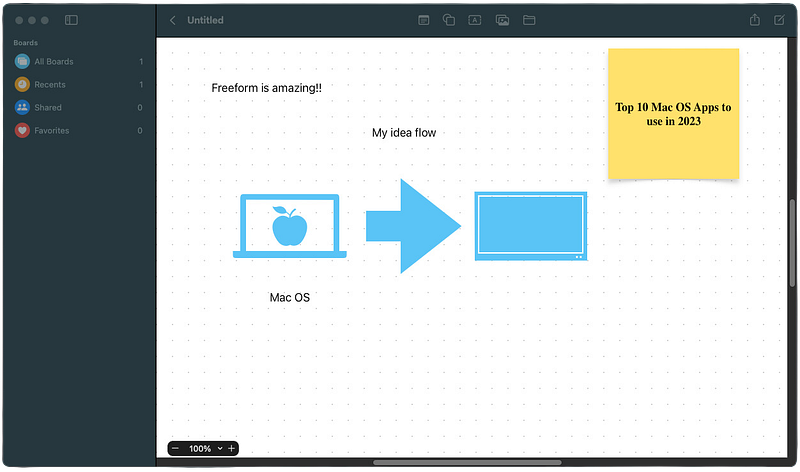
Freeform is a new brainstorming app from Apple. It allows you to create a canvas where you can jot down your ideas and collaborate with other people on a “digital blackboard”. I use it to jot down “everything, everywhere, all at once”. You can add videos, pictures, logos, notes, etc. No need to download as it is already available in your Ventura installation.
2 — AppCleaner

AppCleaner

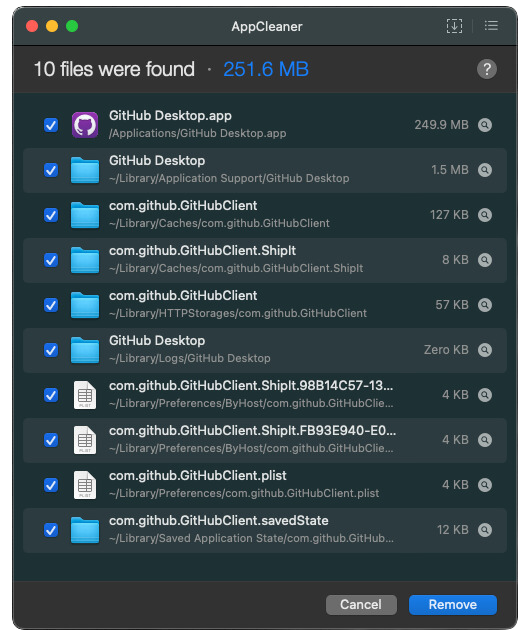
AppCleaner from FreeMacSoft is one of those essential apps if you want to keep your Mac clean of stray files. Drag and drop the application you want to remove into AppCleaner. AppCleaner will search your computer for all associated files. Press remove and that’s it. The application is purged entirely from the computer. Available to download for free from the FreeMacSoft site.
3 — Itsycal

Itsycal

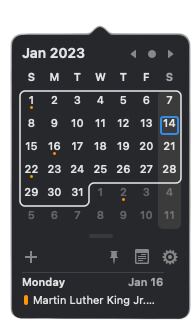
Unlike Windows, when you click on the time in the Mac OS menu bar, you do not get a calendar. You get widgets. Yes, you can add a calendar widget, but for me, it doesn’t feel natural. Enter Itsycal, a tiny calendar that lives in the menu bar and feels like a native part of Mac OS. It can also display calendars you are subscribed to. There are other more robust solutions like Fantiscal, but I like how Itsycal keeps things simple, plus, it’s free. You can get it here from Mowglii Apps.
4 — Magnet

Magnet

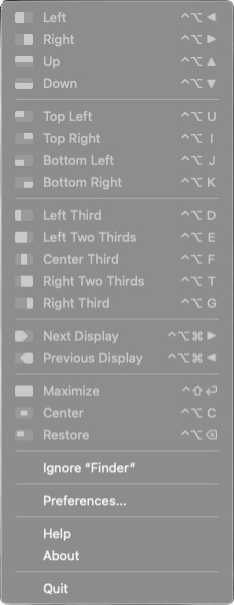
One of the features that I most like about Windows (this is starting to become a pattern) is the way you can resize windows by moving them to the edges of the screen. Magnet brings this feature into Mac OS. It places an icon in the menu bar that allows you to choose the type of window resize (left, right, center, etc.) along with a keyboard shortcut for that action. You can also just drag the window to the screen edge for the same effect. This is the first paid app on the list. I have tried other free solutions, but I really like the way Magnet works. Available for download on the Mac OS App store for $7.99 US.
5 — iTerm2

iTerm2

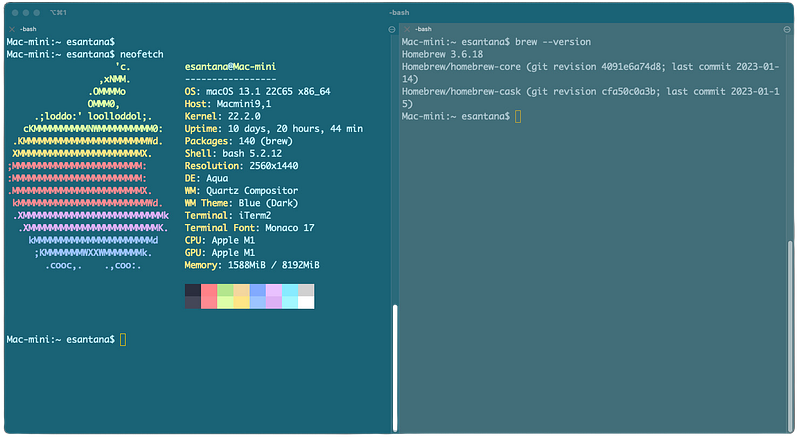
This is for all my terminal nerds out there. I got to be honest, I like both the regular Mac OS Terminal app and I also like iTerm2. iTerm2 does have one thing going for it: split windows. If you are a terminal multitasker, iTerm2 is the app for you. You can get it for free at the iTerm2 website.
6 — IINA

IINA

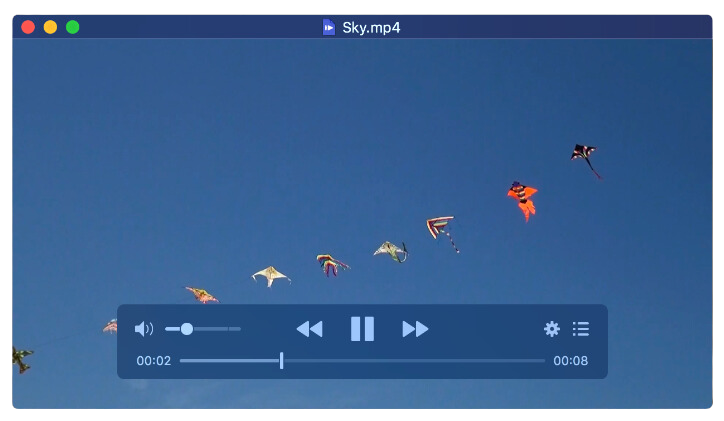
IINA is an open-source media player. What I like about IINA is the design. The UI goes hand in hand with Mac OS. There is VLC and other media players available for Mac OS, but I feel that IINA is the one that feels most “at home” in the OS. You can get it here.
Source: https://iina.io/

7 — Spark

Spark

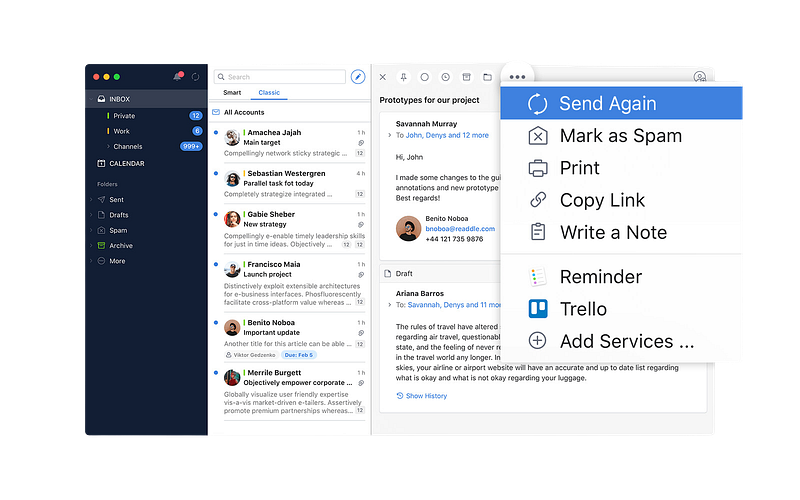
Spark is a mail client for Mac OS, Windows, Android, and iOS. Now, if you are like me and have to keep up with email on several different devices, Spark is the best solution out there. Not only does it have a beautiful UI, but it also has a very comprehensive set of features (calendar, gatekeeper, priority emails, etc.) Free, with some disabled features. Get it in the Mac App Store.
Source: https://sparkmailapp.com/

8 — Forklift

Forklift (Source: https://binarynights.com/)

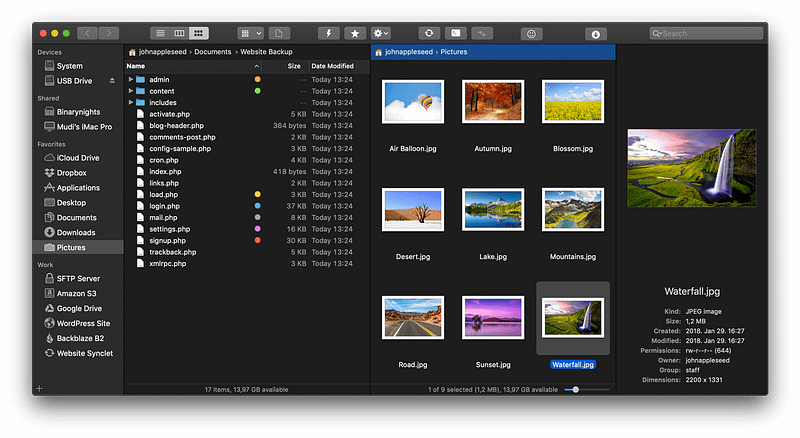
Forklift is the Finder on steroids. It’s an amazing file manager that can make connections with: SFTP, FTP, WebDAV, Amazon S3, Backblaze B2, Google Drive, Rackspace CloudFiles, SMB, AFP, and NFS. It has a dual pane setup that allows you to transfer files easily between devices. A single-user license costs $19.95, but there is a free trial available. Forklift is an indispensable tool in my arsenal. You can get it from Binary Nights.
Source: https://binarynights.com/

9 — UTM

UTM (Source: https://mac.getutm.app/)

Need to run Kali Linux on an ARM-based Mac? UTM might be the solution for you. UTM is a free and open-source virtualization app that allows you to run other operating systems on your Mac. It is a bit tedious to set up, but there are many tutorials out there that can teach you how to install the OS of your choice in UTM. Download it here.
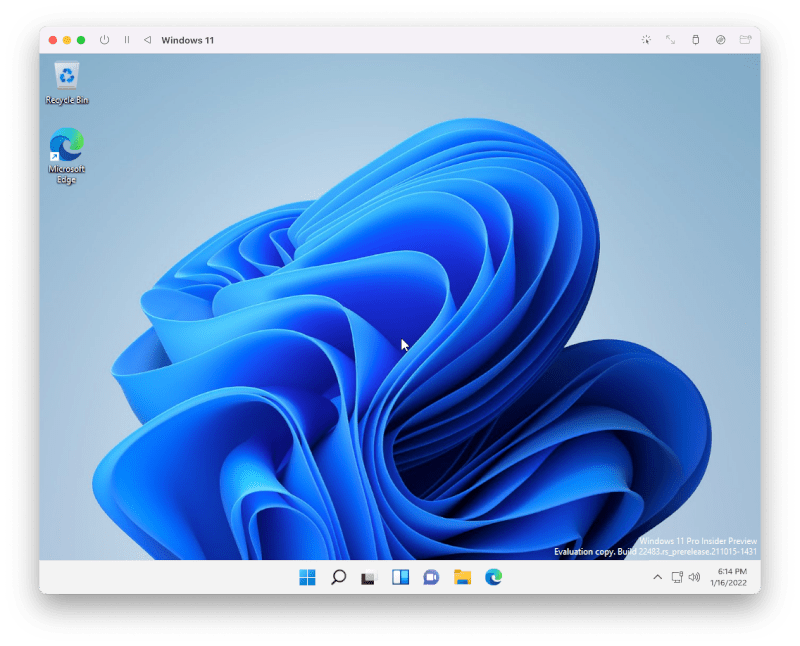
Source: https://mac.getutm.app/

10 — Homebrew

Homebrew (Source: https://brew.sh/)

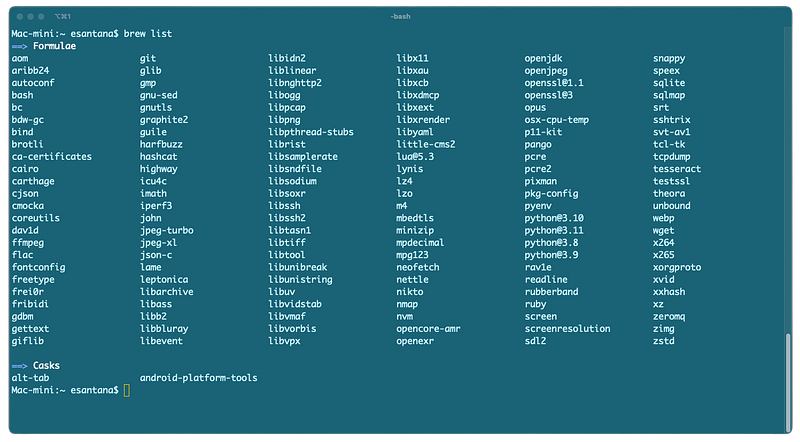
Okay, so I cheated on this last one. Homebrew is not an app, it is a package manager that allows you to download other applications from the terminal. It brings out the power of the Mac terminal. Install apps with one-liners like “brew install — cask iterm2”. If you even dabble in the terminal, you need to install Homebrew. Free and open source, you can get the command line installer from this link.
That is it. I hope you enjoyed this list. Hope some of these help you out in one way or another. Have a great day.

Mac
Apple
Apps
Macos
Recommended from ReadMedium