
Top 10 changes introduced in Flask 2.0
Note: For non-members, this article is also available at https://progressstory.com/tech/python/async-requests-with-flask/

Before jumping into Flask 2.0, let’s discuss what is Flask in general. If you are a python geek and know something about webservers, you have definitely heard about Flask or worked on it. Flask is classified as a microframework because it does not require particular tools or libraries and it has no database abstraction layer, form validation, or any other components where pre-existing third-party libraries provide common functions.
If you are new to the Flask world, then check out my template project of Flask with a 12-factor app https://github.com/anandtripathi5/barah. Just create your Gitrepo with this project so that your project will be 12-factor compatible.
A few days back on 11th May 2021 pallets projects have released a major stable version of Flask that is Flask 2.0. In this blog, we will try to cover all the new changes that are introduced in the new version and also what all things are dropped from it.
Overview of Flask 2.0
To get the full list of changelog of Flask 2.0 you can follow the official link. In this blog, we are going to cover only the following changes
- Drops the support of python 2 and 3.5.
- Added route decorators for common HTTP methods. For example,
@app.post("/login")is a shortcut for@app.route("/login", methods=["POST"]) - Built-in support for asynchronous routes, error handlers, before and after request functions, and teardown callbacks
- Type hinting introduced
- Nested blueprint introduced
- Config.from_file introduced to import config from arbitrary file loaders and deprecated config.from_json
- Improved CLI messages when the app failed to load when looking up commands.
- When loading environment from .env or .flaskenv file, the current working directory will no longer be changed to the directory of .env file
- flask shell will now have tab and history completion if
readlineis installed
1. Flask 2.0 Drops support of python 2 and 3.5
Don’t get too excited with the news as the Flask 2.0 doesn’t support python 2 and python3.5. If your current application python version is below 3.5 then, the flask will not upgrade from 1.1.4 to 2.0.1. To crosscheck first, check your current python version using the command below
python --version

If the python version is lower than python 3.6 then upgrading the flask version will not work
pip install -U flask
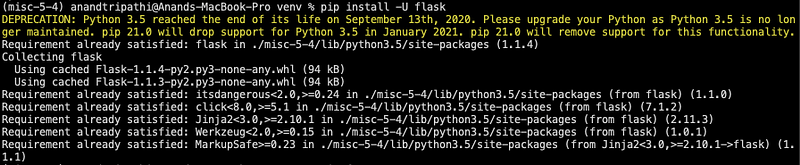
You can see the flask is upgraded to 1.1.4 instead of 2.0.1

Now check again with python version greater than 3.5
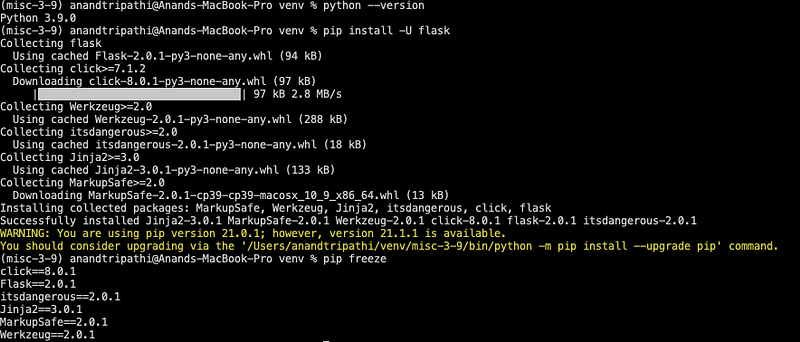
2. Flask 2.0 added route decorators for common HTTP methods.
This update is only syntactic sugar. As we all know to create a minimal server using Flask, we will create a route using Flask app context
Now, with Flask 2.0 we can replace route with the method, for example, app.post() or app.get() or app.put() or app.delete(). It's just saving some extra words that are it, but on a personal note, this looks quite awesome.
The only concern will be when there are multiple routes for the same functionality so rather than saving words it will increase the route lines. If you also have the same concern, please do write that in a comment.
3. Async Await introduced in Flask 2.0
Starting with Flask 2.0, you can create asynchronous route handlers using async/await:
To run async-await just install flask with extra async using the below command
pip install flask[async]
Check out the below diagram for the working of coroutines
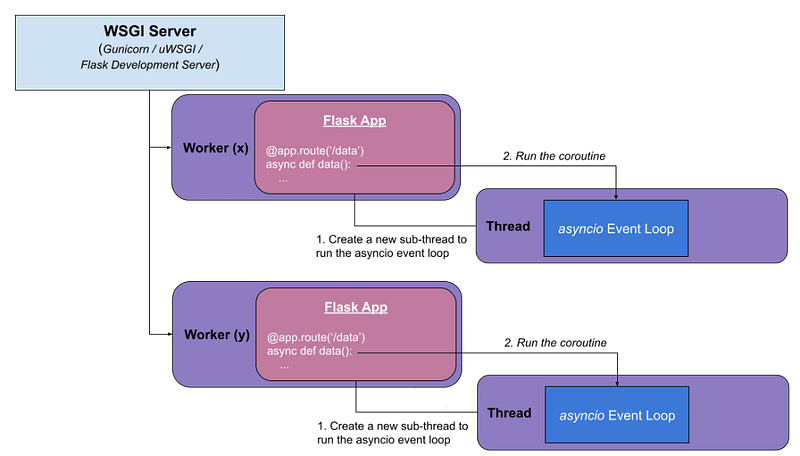
As flask 2.0 is not an async server as it is running the coroutine function in the same process where the master flask server is running. Unfortunately, the flask has started the support for coroutines but not to the full extent. If you want to have async support in Flask to a full extent check out the library aioflask created by Miguel Grinberg
4. Type Hinting Introduced in Flask 2.0
This one is the best. Type hints were introduced in Python 3.5 and from that time it has been extensively used in the python world. But sadly type hints were not there in Flask. If you check the Zen of python
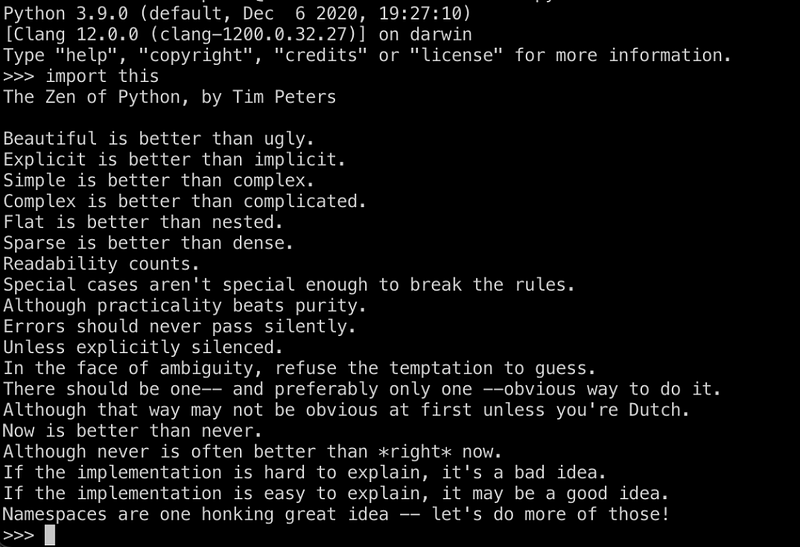
The second point is Explicit is better than ugly. Type hints will make sure that this point is getting followed. If you have Flask 1.0 and fire the below command
help(Flask)
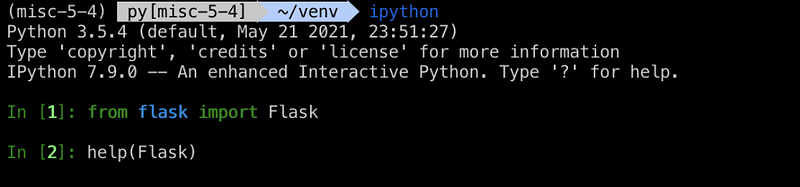
Output
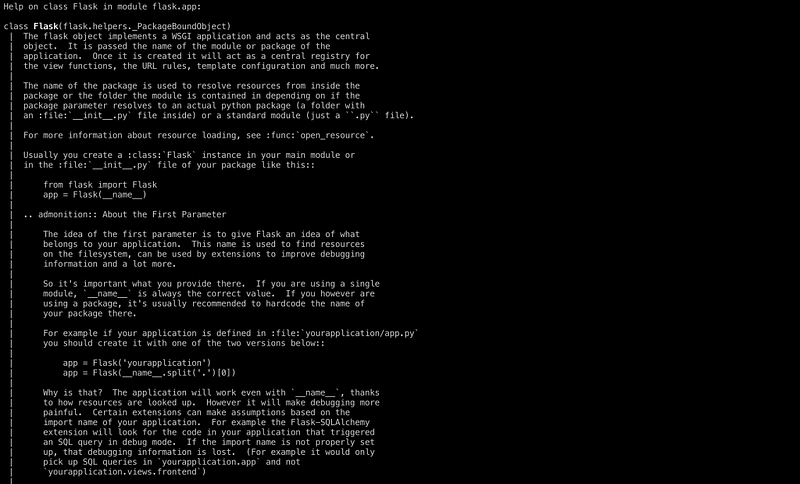
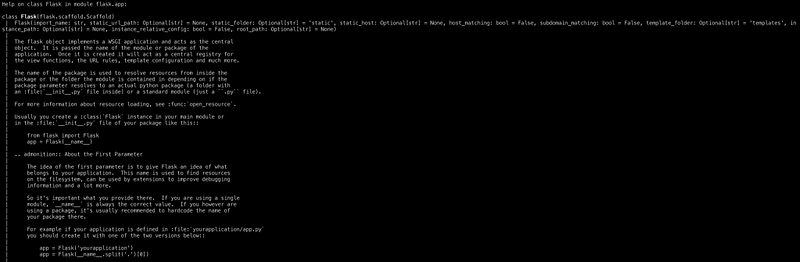
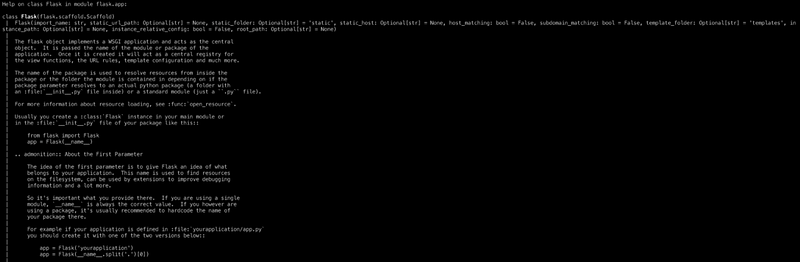
Now try with Flask 2.0.1 version. The output will have all the type hints in the implementation of Flask
Now try with Flask 2.0.1 version. The output will have all the type hints in the implementation of Flask
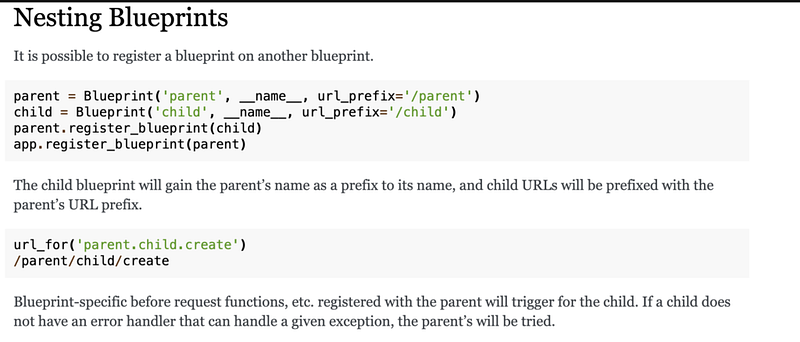
5. Nested Blueprints Introduced in Flask 2.0
Previously we have to create a separate blueprint even if the child endpoint is changing. That was leading to a code replication in URLs. Flask 2.0 has introduced a nested blueprint. Please check out the link for the official nested blueprint change
6. from_file method introduced to load configuration
Every project needs configuration. And flask has actually numerous ways to load config in the app context. For example
- from_object => from class object type
- from_envvar => from environment variables
- from_pyfile => from python configuration file
- from_json => from JSON file

Guess what! Now flask has introduced from_file that can load configuration from any type of file by simply passing the loader as an argument in it. So if you were longing to have TOML files holding your configuration information, rejoice! Now you can!
Let’s create a toml file with the below configuration in it and before going ahead just install the toml library in your environment.
pip install toml
# config.tomlDEBUG = true
SECRET_KEY = "development key"Now all you have to do is use the new .from_file() method to read the variables from the configuration file. This is done by passing the file path and the file reader to the .from_file() method:
Also, if you were using the .from_json() to load your configs, that has been deprecated! You'll need to update your code to use the .from_file() method. You probably had something like this before:
from flask import Flask
app = Flask('__name__')
app.config.from_json('config.json')
Here’s the updated version using the .from_file() method:
import jsonfrom flask import Flask
app = Flask('__name__')
app.config.from_file('config.json', json.load)
The most important thing to keep in mind when using .from_file() is that you have to have a function that parses that type of file, which means you might need to import new modules or libraries for reading and parsing that file. In the example above, I used the json module to read the configuration from a JSON file, whereas to read from a TOML file, I had to install the toml package.
7. Improved CLI messages when APP failed
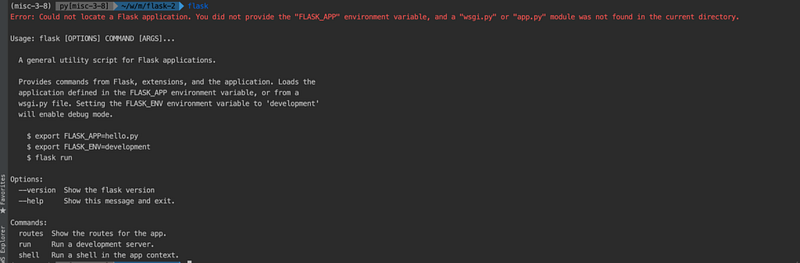
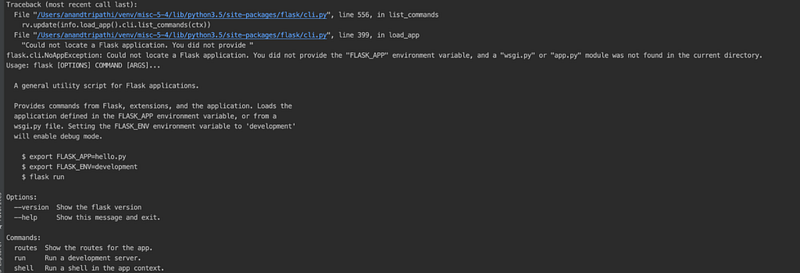
In Flask 2, the team has put a lot of effort into improving the CLI error messages that appear when the app failed in load up. As there is the support for lazy loading the app, when running flask CLI without providing the proper environment variables we must see a better warning instead of the raw exception.
Error message in Flask 2
Error Message Flask 1.0
8. Current working directory changed for .env and .flaskenv
By the current implementation, if .env or .flaskenv was found in the top-level directory, Flask will change the current work directory to the directory that contains the .env or .flaskenv file.
When the user accidentally put a .env or .flaskenv in the top-level directory, then executing flask run in the current directory (contains app.py) will throw out NoAppException.
Checkout below example

If we run the above project with Flask 1.1.4 or below from inside the project directory, it will throw the below error.

Now run the same project with Flask 2.0 it will not raise any error as it will not change the current working directory.
9. Flask shell will have tab and history completion
Flask shell is being used while debugging the project as by default it loads the flask app context in it. But it is generally hard to do the debugging in it as it doesn’t support any tab and history completion in it. In the new Flask update, the flask shell will have the tab and history completion by default in it. Just run the flask shell using the command below
flask shell
It will now work like just any interactive python shell with the tab completion and history completion feature.
Conclusion
This is the gist of mostly all of the updates that are in Flask 2.0. It’s not a giant leap for mankind but yeah it’s a small step and if you think it will make a difference in your production application then, you must have to go for it. In my personal opinion, we can do much more in the async coroutines section as other frameworks like Quart/FastAPI are way ahead of Flask right now, in terms of coroutines.
See you next time! Peace Out ✌️
Help keep the caffeine levels high and my keyboard awake! Buy me a coffee, because my words are fueled by beans, not just dreams. Let’s turn coffee into content together!
Checkout awesome blogs on Python, Database and Devops on Pythonistas publication of Medium 👇


