
Amazing Tools for Any Writer to Up Productivity and Word Counts
These are the ones I have used to up my output.

If there’s anything I see in common between writers, it’s our proclivity to collect tools for writing.
It’s like we hoard them like precious jewels, pulling them out in the middle of the night as if we’re dragons guarding the treasures.
I have way more than I need of and still keep my eyes open for the next best thing. It’s a bad habit, isn’t it?
I can’t help it, though. It’s my thing and I’m consumed by the search. Maybe there’s a dopamine thing to it. I don’t know.
I’ve tested a lot of them out, trying to figure out which ones will work best with my author career. Most I have run across are less than useless, but there are a few shining gems I’d like to share with you.
Best of all, a lot of these are free. No need to waste good money going after bad, right?
So, let’s dive in.
OpenOffice
Microsoft Word and the suite associated with it are great tools to use. No one can deny the power they bring to any author who wants to use them.
The problem is, it’s an expensive piece of software, and though it brings a lot to the table — a lot of things have become standardized to it, in fact — there has to be a better way.
Enter OpenOffice.
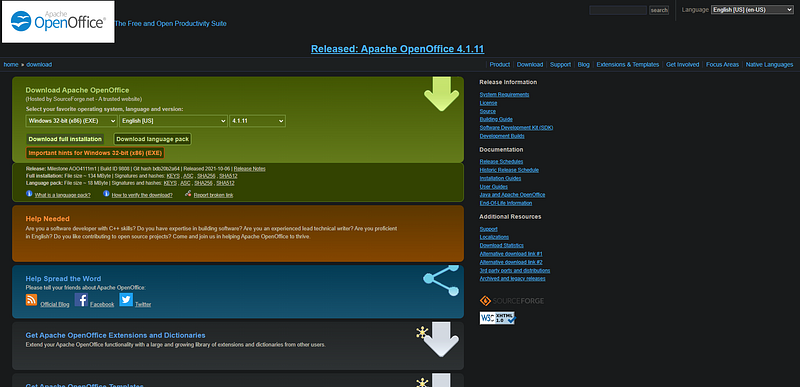
OO is an open-source project and has been around for many years now. They developed it as a free alternative to the Microsoft Office suite. That includes Word.
What I have found with OpenOffice is the power available in it closely matches that of Microsoft’s version. The developers have done a lot to improve upon the programming in the original suite too, to the point many folks feel it’s more intuitive than Word.
Because of the open-source nature of it, there are a lot of plugins available to make it do just what you’d like, as well.
Not bad. The fact it’s all free is even better.
The Sage
While doing a simple Google search for definitions, synonyms and antonyms work fine, some people need more.
That’s where The Sage comes in.
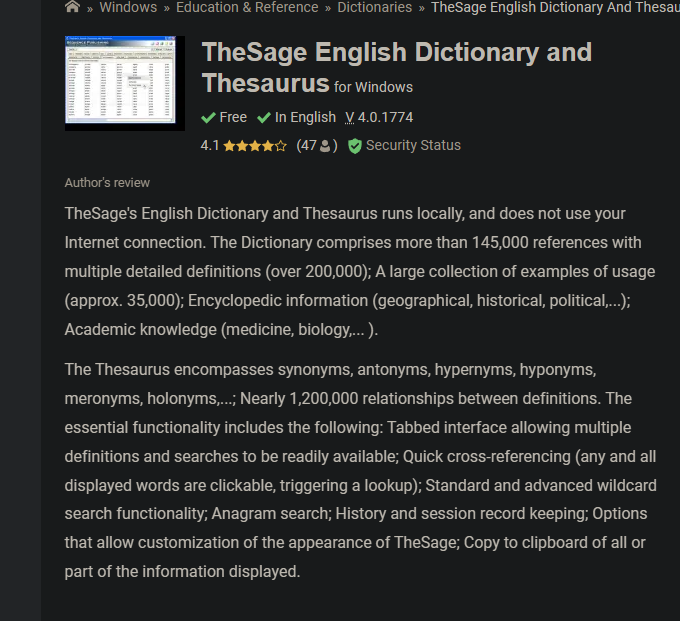
This program is useful because it has a full dictionary and thesaurus available, but it also tosses in usage examples and pronunciations of the words, too. That’s really handy for those looking for that bit of extra.
The nice thing with The Sage is we can use it while being offline as well as online. Some people write where there is no internet available, so having an alternative like this is good.
Grammarly and ProWritingAid
There is a lot that could be said about these programs, not least of which is that they are really essential pieces of software.
Anyone who is serious about writing needs to go with one of these, especially if you’re working without an editor.
I included both because I have used both, and while the ultimate power of neither are free, they’re still what I would consider something you cannot skip.
While Grammarly seems to be the more popular of the two, I personally did not care for it. That might be because I had to integrate it with my Microsoft Word to get it to function correctly, but your experiences might be different.
Both of them have the same basic functions. They check the grammar, spelling, syntax, and readability of your words. They will offer alternatives for what you’re working on, so you can put your best foot forward to your readers.
They diverge after that, though.
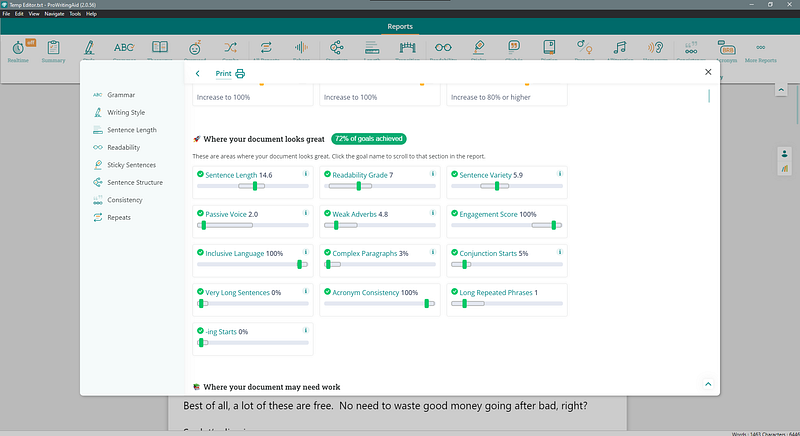
I have a lot more experience with ProWritingAid (referral link), and if I were to recommend either of the two, it would be that one. I find it’s got a bit more power for my own needs than Grammarly and is cheaper as well.
I have a lifetime license for it and consider it one of the best investments I could have made for my writing.
You can find a lot of codes online to get it cheaper than they offer on the site, and once in a while, you’ll also find it on sale. I picked it up for half price a few years ago.
Either works, and either one is essential. Please don’t skip these.
Headline Tweakers
Marketers know the key to getting readers into the sales funnels is done through the headlines they use.
Any writer can make use of the same principles.
There are quite a few of these available on the net right now, but the one I use a lot is from isitwp (non-affiliate link).
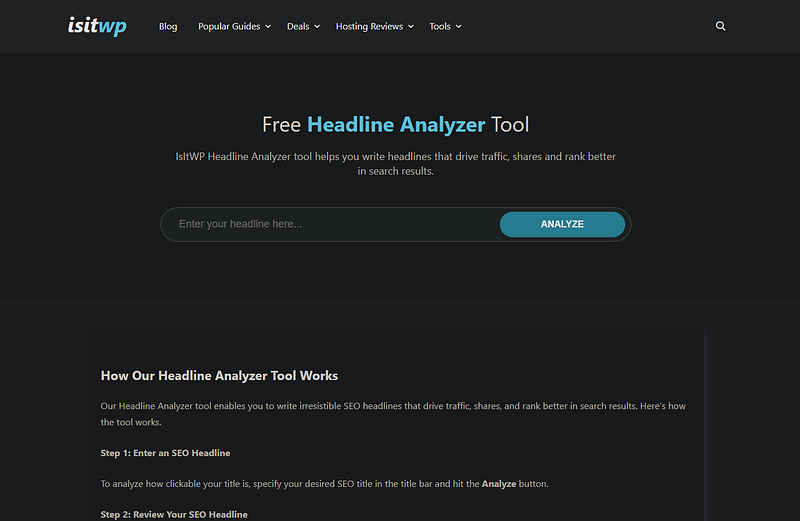
You can put in the idea you have for the headline and begin drilling it down to a better version before you hit the publish button.
The more emotional and powerful words you use in the title, the more likely that the reader is to click the thing.
The best part? It, like many of these other tools, is free to use.
Auto-posting Software for Social Media
These are a little controversial, perhaps, but there’s no denying the potential available through them.
There are, like the headline analyzers, a lot of these available.
I’ve used two specific ones, and can talk about them both here, but understand the basics are the same with any of them you’ll encounter.
The idea is that you can schedule social media posts like Tweets, Facebook updates, and more, ahead of time. Some of these programs will limit how many you can do at once. Some allow 10 posts in their free programs, others up to 50.
It’s great to sort of fire and forget the posts so you can concentrate more on the writing rather than the marketing.
The controversy comes from people who think of this kind of thing as cheating or spamming.
I don’t, myself, but I also know that through the ability to automatically post whatever you want whenever you want, it’s easy to spam your viewers.
The two programs I’ve used for this are Buffer and Publer.
There are variations between the two, but I have found Publer to offer a little more power and ease of use than Buffer. I used Buffer for about 5 years or so, and have been with Publer for a few months now.
Buffer offers automatic posts to Twitter, Facebook, Instagram, and a few others.
Publisher's got a bit more on the table in this department. They’ll do Twitter, Facebook, Instagram, Pinterest, YouTube, TikTok, WordPress, LinkedIn, and Telegram.
That’s a lot of potential automation.
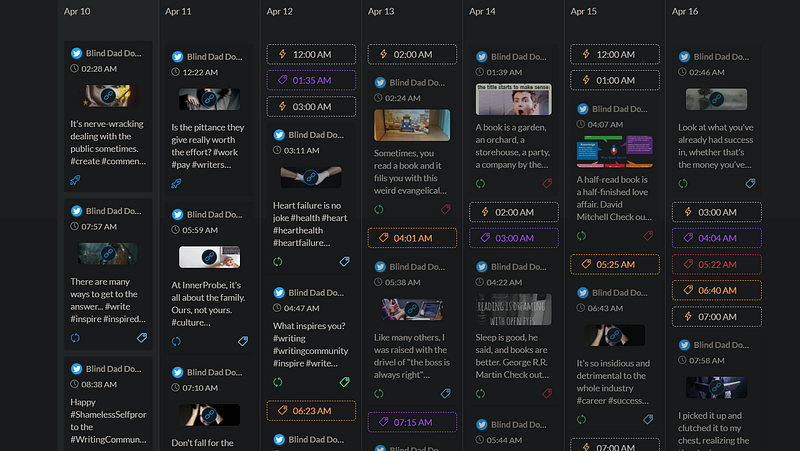
It also allows you to “recycle” posts, so if you have nothing scheduled, it’ll choose from lists of posts you’ve done ahead of time and show those to your folks for you. Great for people like me who constantly forget to post things.
I also think, with the power it offers, Publer (affiliate link) is one of the best bangs for the buck, too, but there are a lot of automation tools out there for you.
Obsidian
The last tool I’d like to talk about is called Obsidian.
This tool is a note-taking and organizing software that acts, as they call it, as a “second brain.”
There are a lot of note-making software out there (Notion, Roam Research, etc), but I find Obsidian the easiest to use, and offers the most potential.
You can use it to link notes together in weird ways and find salient ideas within each that you might not have realized went together.
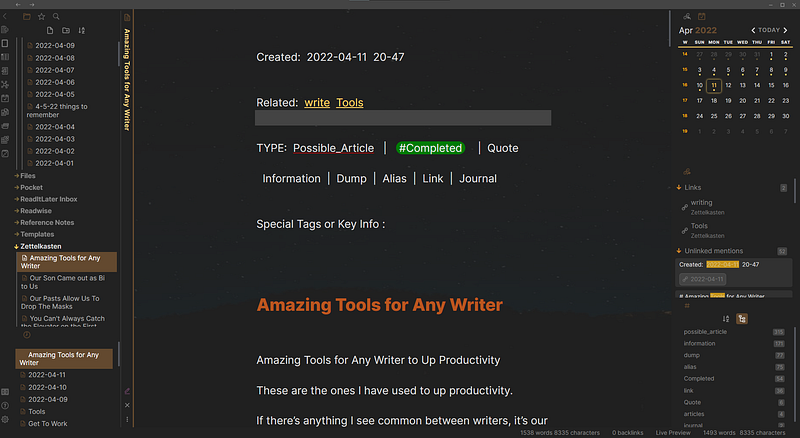
I plan on doing a large write-up about the power Obsidian offers for organizing yourself, but suffice to say I am a person who has PTSD, Bipolar, DID, ADHD, and a lot of trouble with object permanence.
This software has helped me diminish my brain fog and track what I’m doing so easily. It’s addictive. You can also modify it to look and act exactly how you want through plugins and themes.
I have almost 9 million words worth of information stored in my Obsidian Vault (non-affiliate link), and no signs of stopping soon.
Find what works for you.
There are probably as many tools out there available as there are writers, and each of us has different needs at unique moments.
Whatever methods you use to organize yourself and push yourself to your next best offering are the most essential tools at your fingertips. Mix and match as your needs come along and don’t worry about the rest.
And try to not be like Good Old Ira. Don’t get too addicted to finding the newest. Whatever works, works.
People have been writing for generations without having the latest and greatest tools available to them. You can, if need be, do the same.
NOTE: Some links in this article are affiliate links, and I will get a commission from any sales through them. It’s just a way to help supplement my income.
Other stuff from me:
About me:
I am an author with over a dozen books and dozens of short stories published. I have experience with both traditional and self-publishing and love to discuss the pros and cons of both.
Why do I write? Because I am blind and live on woefully low disability payments each month. The government graced me with trying to live on about $700 per month, and I decided to start publishing because I also like to be able to eat.
If you like my work and feel inclined to support it, please consider buying me a Ko-Fi.
Thank you from the depths of my soul for being here. Keep striving to “be the best you that you can be” at this moment.
If you would like to support me in my efforts to help feed my family, please consider becoming a member of Medium. A portion will be given to me at no extra cost to you, and you’ll not only be helping this blind man take care of his needs, you’ll also be supporting every other author on Medium, as well. Please go here to begin your membership today!


