
Medium 101
Tips for Formatting Your Title and Headers
This is your readers’ first impression of your story — make it look great
This post was updated in May, 2022
When a reader lands on your story or sees it in their feed, the title and subtitle are the first thing they see. We recommend formatting your title and subtitle properly in order to provide a better experience for your readers. Before they start your story, they will have an idea of what they’re about to read. Think of it as a brief introduction of your story for your readers. While it isn’t the focus of this tutorial, note that you can also customize the preview title and subtitle of your stories.
Some advice on writing a great headline (aka title) can be found here:
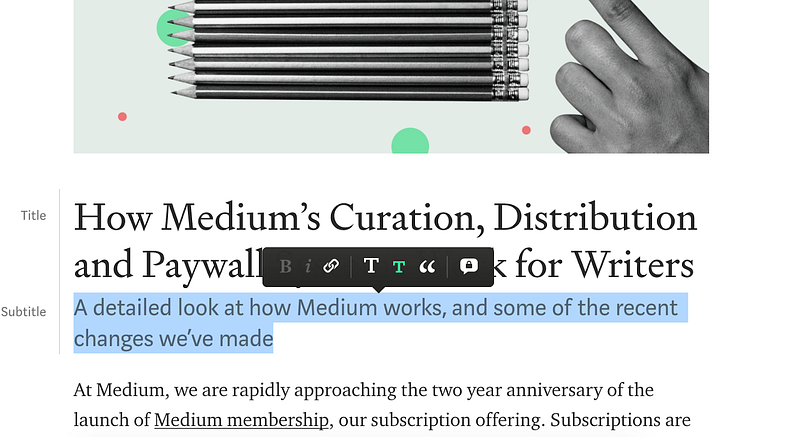
For the purpose of this tutorial, we’ll reference the title, subtitle, and subheaders in this (now-out-of-date) story, “How Medium’s Curation, Distribution and Paywall Systems Work for Writers.” This is an example of a good title. It is clear and tells you what the story is about. The subtitle, “A detailed look at how Medium works, and some of the recent changes we’ve made,” tells the reader a bit more about the story.
Formatting the title and subtitle
When you open the editor, you’ll see a space to include the title and subtitle.

Click on “Title” and write the title. It will look like this:
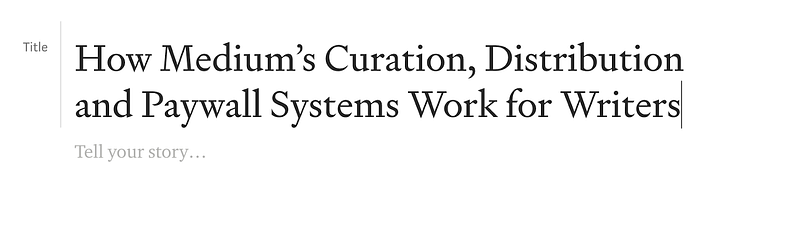
Below that, type the subtitle over the “Tell your story” section under the title.
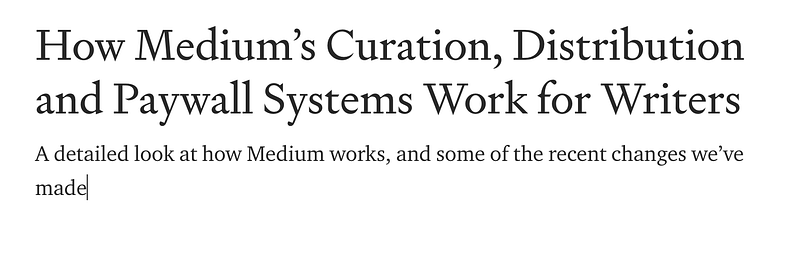
Notice the formatting looks like body text. In order to format the subtitle properly, highlight the text and select the small “T” icon from the formatting menu.
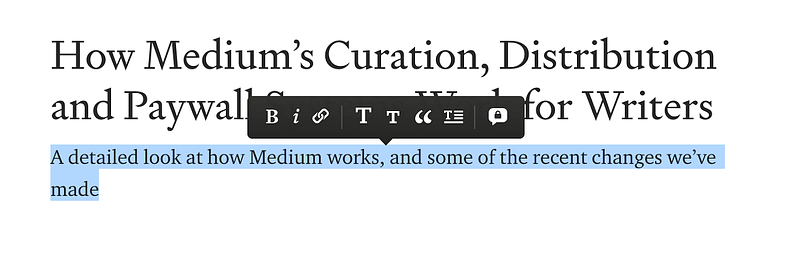
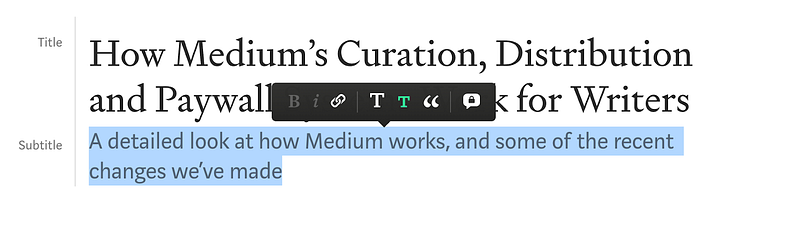
The subtitle is now properly formatted. Notice how it reads better than when it was unformatted and looked like body text.
You may find that after writing your title and subtitle, they default to being unformatted. This doesn’t look great, and it is hard to tell that these two lines are the title and subtitle.
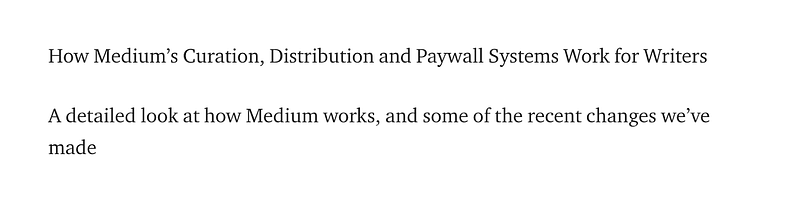
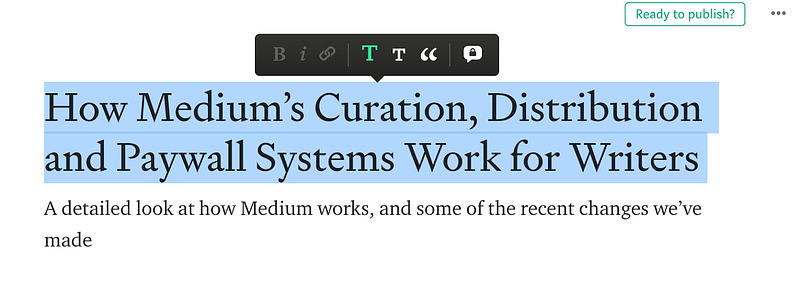
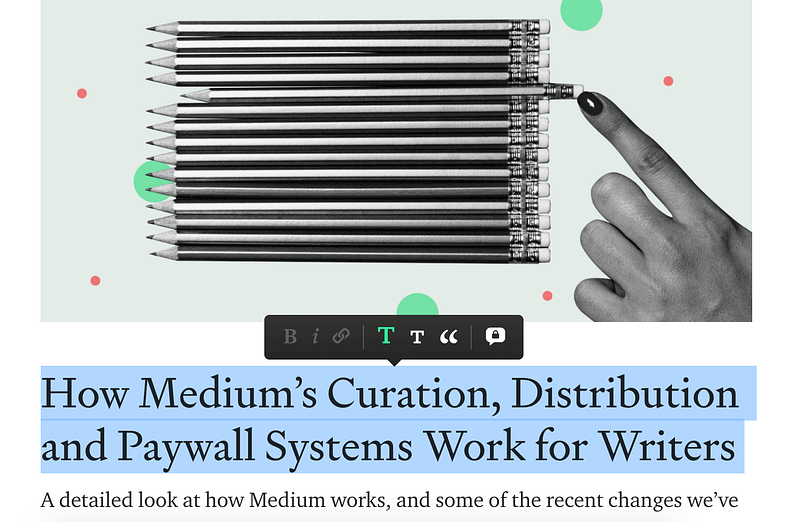
In order to format the title properly, move the text to the top of the story so the title is the first line. Then select the text and click the big “T” icon.
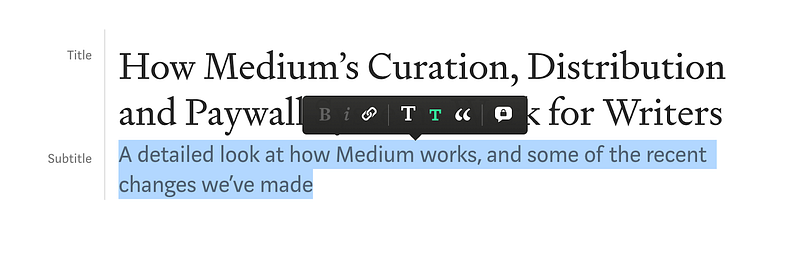
To format the subtitle, follow the same steps, selecting the small “T” icon.
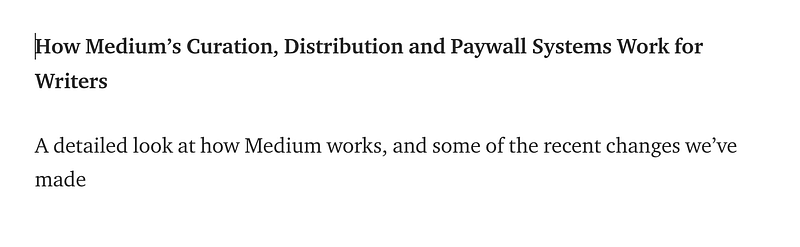
You might be tempted to use alternative formatting for your titles. This is possible, but it is not recommended and may disqualify your story from curation. Here is an example of simply bolding the first line. This is less readable than the properly formatted title.
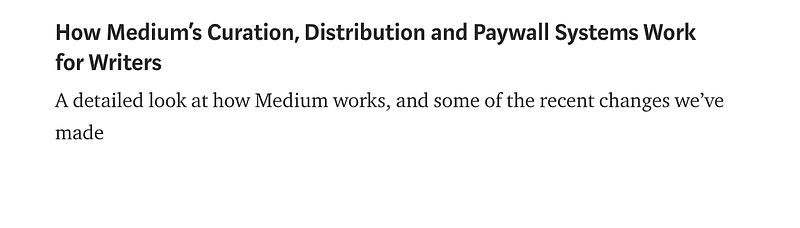
Here’s another example of formatting we don’t recommend: using the small “T” icon for the title.
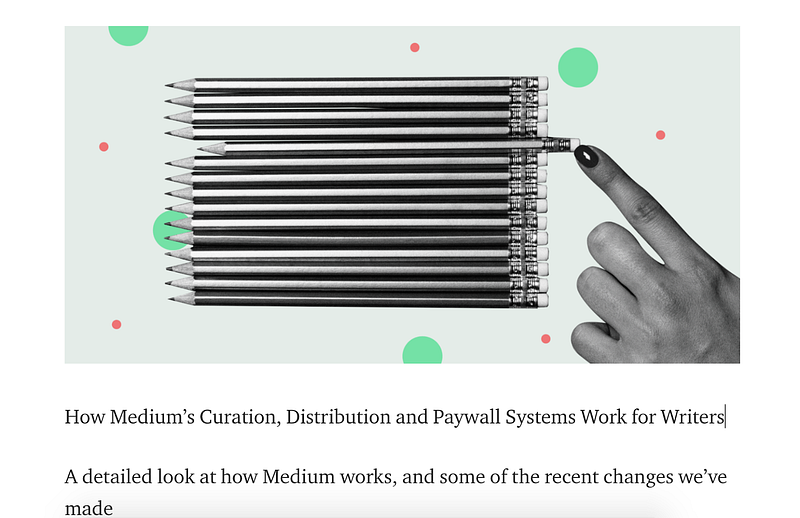
You can also format a title and subtitle properly if you move an image above them.
Formatting the primary and secondary headers
You can divide your stories into sections using subheaders. There are a few options. The big “T” icon will only format the text as a title when it is the first line of the story. Otherwise, it will format the line as a primary header. Use the primary header for subheads in your story.
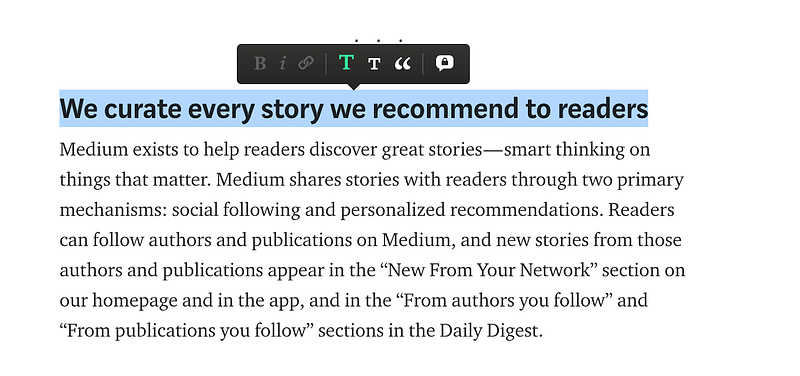
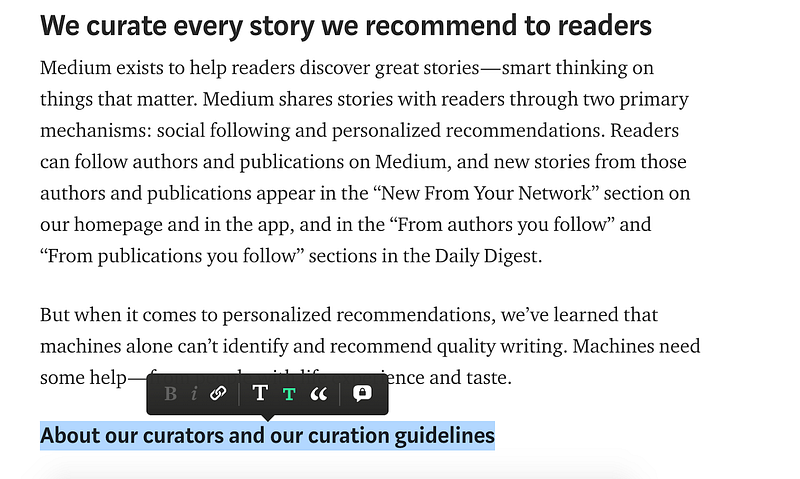
For additional subsections, you can use the secondary header, or the small “T” icon. This is useful when it would be helpful to provide further structure in a story, like in tutorials and explanations. An example of where this is used is in the example story. In the section “We curate every story we recommend to readers,” there are the subsections “About our curators and our curation guidelines,” “Topics power personalized recommendations,” and “Curated stories are eligible for featuring.” These subsections each dive deeper into the process of curation and reader recommendations.
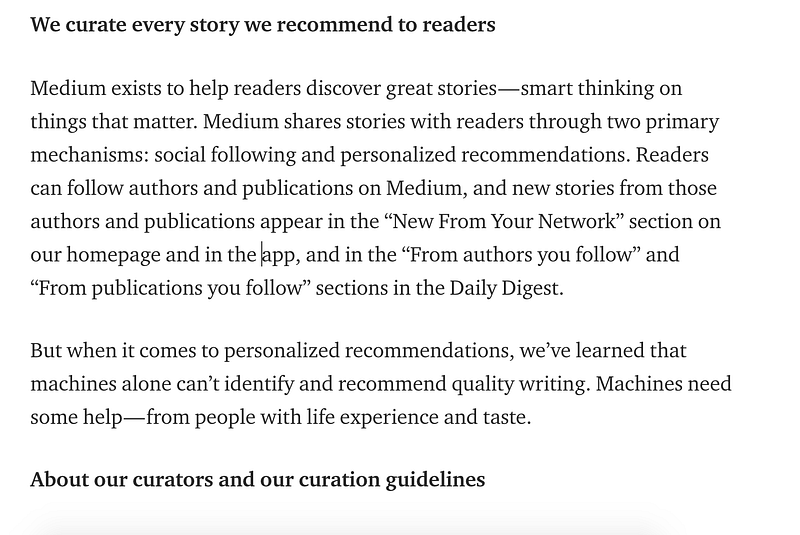
You might be tempted to just bold headers and subheaders instead of using the primary and secondary header formatting. We do not recommend this, as it is less readable.
Go forth and format great stories
When you map out your story, consider how you might split it into sections to make it more approachable to readers. From there you can include the title, the subtitle, the primary subheaders, and the secondary subheaders — and remember to use the recommended formatting.


