
In Hindsight, 1980s Analog Productivity Was Awesome
Can the same principles cross over to the digital world?
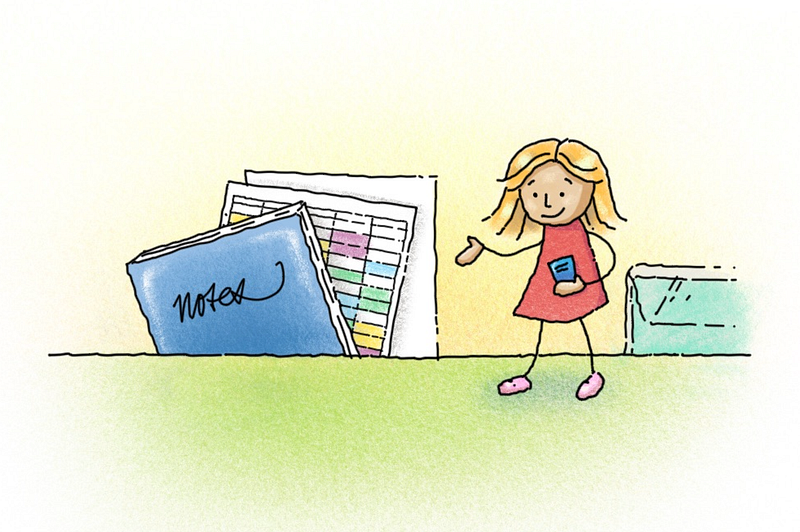
As a young uni student¹ in the mid 1980s, I seem to have been unconsciously, effortlessly organised — according my rose-coloured memory of times past, at least!
I knew what and when things needed to happen, and for the most part, they did. My paper-based productivity system wasn’t perfect, but it was simple, effective, and didn’t get in the way of actually getting things done.
Granted, life pre marriage, children, and running a business was simpler than post, but the system I used ran on principles that hold true no matter how complicated life became.
The Ingredients
My system consisted of 5 main elements:
- A cheap A4 hard cover notebook
- An A3 pad of translucent layout paper, something like this
- A set of clear folders for organising projects
- The cheapest A5 student diary I could find (usually around $1.50)
- A3 sheets of paper drawn up for timeblocking (one per week), from a hand-drawn template which I’d make copies of as needed
The Recipe
A4 hard cover notebook
This was my everything book. It served as a giant inbox, and because I rarely kept them once full I don’t know that it filled the criteria of being a classic commonplace book.
I always did two things with a new notebook: left the first page blank and hand-numbered each page². Every time I had a new idea or topic I’d rule a line and write it below the last topic, or start a new page if that felt warranted.
This is where I’d take notes during lectures, plan lessons to be given in my capacity as a volunteer with the children’s group at church, copy down a new recipe to try, and sketch quick ideas or mind maps.
Every Sunday I’d start a new page (usually ruled up the day or week before), and use these headings:
- Date
- Today — things to do that particular Sunday
- This Week — things that needed to be done in the coming week
- Coming Up — birthdays, assignment due dates (eg. “Dissertation due in 2 weeks”), planned meetings and what I needed to do to prepare, anything I was waiting for
Folders: one per project
One oversized folder per subject, with the project brief stuck to the front cover and a time sheet stuck to the back. A collection point for loose notes, sketches and research. Some folders got very full, but rather than spilling into another folder for the same project, I’d go through and discard irrelevant information or consolidate and summarise to make more room.
A3 layout pad
The heart of my system, believe it or not! A beautifully unconstrained yet elegant means of capturing information and ideas from the world and my own head, in one simple pad of 45–60 gsm paper.
It allowed me the freedom to sketch, plan, write to my heart’s content. The translucent nature of the paper made it easy to iterate by tracing over initial ideas. As a page was filled, I’d tear it out, fold it in half, and place it into its corresponding project folder.
A5 student diary
This is where I recorded appointments, deadlines, and pencilled in plans. I referred to the diary several times a day and regularly looked ahead to mentaly prepare for what was coming up.
Sometimes I’d write notes in blank spaces to record feelings and events (in green), or anything else I wanted to remember (in black). Interestingly, it didn’t usually take long to flick back and find the notes I was looking for.
Each page was like a map of sorts, with its own unique, memorable patterns. Sometimes I’d fold or cut to fit pieces of paper I wanted to refer to often and stick them to the inside covers of the diary.
Time-blocking sheets
Each month I’d head to the uni’s photocopy room and print off four sheets of A3 paper. The hand-drawn template I used had five vertical columns labelled Monday to Friday and hours down the left-hand side. This gave me a bird's-eye view, and allowed for more granular time blocking of my working week.
I’d use colour pencils or highlighters to colour-code different subjects and activities, making it easy to see where my time was going, and how much unallocated time there was.
So there you have it: a completely analog, paper-based system — back then we had no other choice — and it worked!
Ah yes, but this is today
What’s changed since then? For a start, I have more areas of responsibility. I don’t live at home anymore, I’m co-owner of a business, and I now have a husband, children and grandchildren.
Technology since the 80s has changed in ways that weren’t even on the radar of our radars back then: it’s next to impossible to ignore the plethora of task-tracking, project-planning products waving their flashy features and productivity promises in front of us. I’ve faced that dilemma (many times), experienced app-addiction, and am now enjoying the sweet view on the other side.
Will I ever be able to recapture the sanguine simplicity of my youth? Probably not, but I’m starting to feel that I’m coming close in some areas. For the past 4 years I’ve been experimenting with plain text productivity methods, and what a wonderful rabbit hole it is!
You can read about my adventures with a paperless workflow here. I’m currently working on an article about the three apps I’m using to recreate my analog system in the digital realm. It’s going very well—stay tuned.
Takeaway principles
My 1980s system worked so well because it was based on timeless principles; principles you can apply to any analog or digital system. If you only remember one thing from this story, make it the first one: simplify.
- As simple as needed, but no simpler³. Could one notebook have done the job? Maybe so, but I found the 5 components of my system played a different role and complemented each other well. Most importantly, I enjoyed using them and they worked for me. Your milage will almost certainly vary.
- Limit the number of capture tools. My notebook and diary were the only places I ever needed to go when looking for general information. Project-related info was captured in my notebook or layout pad, with the latter being transferred to project folders.
- Have a way of containing information by project. A folder can be physical or digital — it just needs to contain whatever information or resources are needed for the project at hand. For digital organisation I highly recommend a fluid setup like Tiago Forte’s PARA system: Projects, Areas, Resources, Archive. I paid for a month of his Praxis Blog just to be able to read more about it than his free articles allow — 1000% worth it!
- Have a way to plan your time so you can see what needs to be done. Time-blocking doesn’t have to mean micro-managing every minute in advance, but if you don’t want things to fall through the cracks, you do need to have a basic idea of when you’re going to tackle your various areas of responsibility. Most digital planners handle the roles my diary and time-blocking sheets filled.⁴
- Give yourself permission to be messy, and to iterate. Everyone needs a scratchpad! These days mine is a Moleskine cahier, plus a notebook in Noteshelf on my iPad that I call “Scratchpad”. However you do it, have somewhere you can plan and sketch and scribble without worrying about messing up an expensive book or trying to make your notes and squiggles fit a perfect system⁵. Dream and explore now, harvest the gems later.
- For perspective, I was studying for a Bachelor of Design, Visual Communication. Our learning was almost entirely project-based.
- Even though I didn’t create a proper index at the time, this would have been the perfect place to do it.
- This saying is attributed to Einstein, but its origins aren’t as clear as I thought they were.
- For analog users on a budget, I recommend the Passion Planner. Buy a hardcopy version if you can, but if you’re tight on cash they have free PDFs to download and print yourself. I’ve used their PDF in Goodnotes as my personal digital planner, and loved it. These days I create my own.
- Note to self: the perfect system doesn’t exist, but when you have a good awareness of what your needs are and you’re willing to progress beyond tools and systems that no longer serve you, you can come pretty close.