
These Are the Productivity Tools and Tips I Use Every Day
The importance of doing more in less time
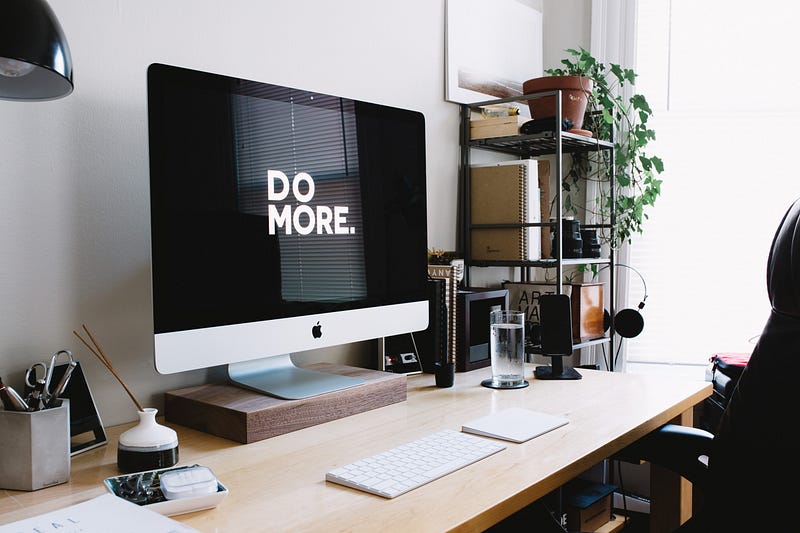
We all have the same 24 hours in a day, yet some people do more with this time while others do much less. Why is that?
The people that get a lot of stuff done, probably have a system in place to measure their performance, organise their tasks and have someone that holds them accountable.
If you find yourself procrastinating a lot, probably you should consider starting to implement ways of fixing it. I was probably the king of procrastination and I’m far from the people that are achieving great things, but I’m slowly but steadily trying to get there.
You shouldn’t try to go from doing anything to doing 100 things in a day in the same way that you wouldn’t run a marathon if your daily life consists on watching Netflix in the sofa the whole day.
These are some tips and tools I use daily that help me get stuff done. I hope some of them are useful to you as well:
Avoid social media
This can be a time vortex if you are not careful. It’s ok to check it sometimes, but many people spend hours and hours on Facebook, Instagram, TikTok, Twitter etc. Generally, I check my social media for half an hour a day, although sometimes I break this rule with Twitter. But I make sure it’s only during breaks.
Plan your tasks the day before
This is a big one. If you don’t plan your day ahead, you will likely not get much done. Before I go to sleep, I think of what I need to do the day after. I use the app Google Tasks (available for Android and iOS). It’s a very simple app, but it does what I need, which is just adding tasks that I can mark as done when I finish them.
Marinara: Pomodoro Assistant
The Pomodoro Technique is a technique used by over 2 million people to be more productive. It basically consists of intervals of 25 minutes of work followed by 5 minutes breaks. Once you finish 4 pomodoros, you can get a longer break (20 or 30 minutes). I use the extension Marinara: Pomodoro Assistant for Chrome, but there are apps for all kind of devices, you may need to use a different one.
Alexa
I use Alexa for many different things, not just work-related. I use especially the functionality to make lists, as I can add and remove items with my voice.
Unlike the list that I create every day in Google Tasks, which is only for the tasks I have to do the next day, the tasks I add in Alexa lists are not necessarily for the day after, but due in a week or more. These are normally related to accounting, tax and this kind of stuff. Some examples could be: pay VAT by X date, do year accounts, contact X recruiter or company, etc.
Trello
Thanks to Trello I can organise my work, creating columns (To Do, In Progress, Ready for Testing, Done) and adding and moving cards to them.
I use this for every client I work for as it gives me a clear view of the status of the project. I usually give access to clients as well, so they can comment, add designs, check what’s ready for testing, etc.
Slack
If you hate communicating by e-mail with clients as much as I do, you should consider using Slack.
Slack is a messaging service for companies and it’s widely used in the IT sector. You don’t need to pay for the premium versions, the free one will give you the basic tools you need.
You can create groups, add apps like Zapier to add automation, bots to integrate with Github or integrate with Trello boards among many other things. And of course other less useful stuff like adding gifs from Giphy or emoticons like the party parrot.
Google Calendar
Google Calendar, in my opinion, is a must-have. I use it for non-work stuff like birthdays (yes, without Google Calendar I would certainly forget) and work-related stuff to remember important dates. I also use Google Calendar with Alexa, so I can easily ask what are my next events tomorrow or the rest of the week.
Have someone holding you accountable
If you find yourself procrastinating, you should consider asking someone to hold you accountable. It can be a family member or friend. Not everyone has the same willpower to get things done and nowadays there are too many distractions like social media, videogames, Netflix or YouTube.
Reward and punish yourself
Make sure you add small rewards and punishments if you do or don’t do your tasks. For example, I allow myself to watch some Netflix only if I’ve done everything I had planned to do.
Set deadlines
For bigger tasks like writing a book, you should think about setting deadlines, otherwise, you’ll never get it done. This is something I do, but more rarely as I prefer to do smaller tasks and having small wins that will compound over time.
I constantly evaluate what works and what doesn’t. What works for me might not work for you, so make sure you always adjust what you use to manage your productivity until you find something suitable for you. What tips and tools do you use? I would love to know about them.


