
These AI Tools EXPLODED My Amazon KDP Earnings | Part 2
The digital market is flooding with new AI tools that can streamline your KDP business and enhance your profits.
In this article, I’ll explore some amazing tools that have significantly boosted my KDP earnings.
- Discover Your Ideal Font with WhatFontIs.com:
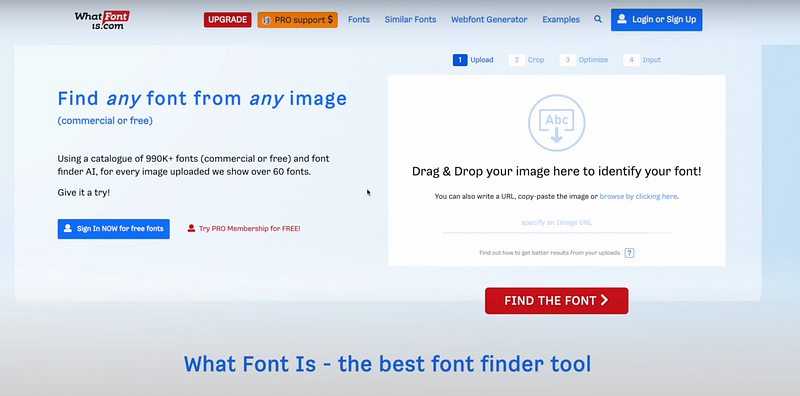
What it does: This online tool identifies fonts from any image you upload. Perfect for when you come across a font style you like but can’t pinpoint its name.
Detailed Functionality:
- Font Identification: By uploading an image containing text, the tool scans and identifies the exact or similar fonts used in the image.
- AI-backed Algorithm: It uses an advanced AI algorithm to match the uploaded font with its extensive database of fonts.
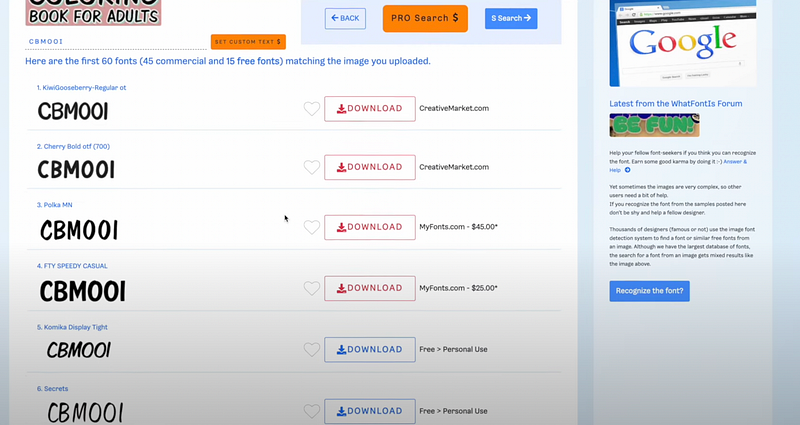
- Output Options: Offers both free and commercial font alternatives based on the uploaded sample.
- Usage Rights: Each font comes with specified usage rights, letting users know if they can use them for personal or commercial purposes.
How to use:
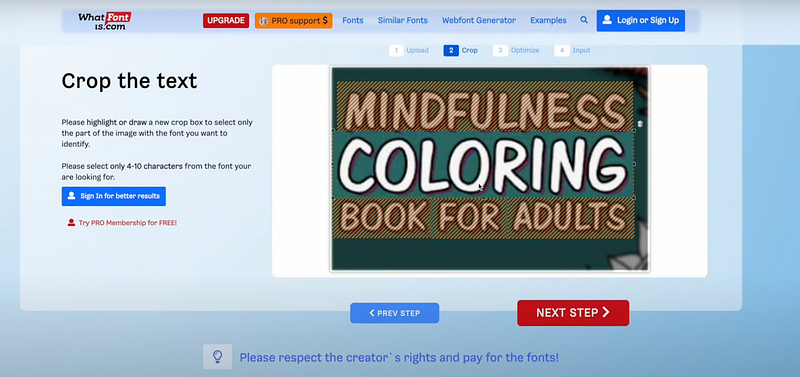
- Visit Amazon, search for a product (e.g., a coloring book) and take a screenshot of the font you’re interested in.
- Navigate to “WhatFontIs.com” and upload the screenshot.
- The AI-backed system scans the image and offers both paid and free font options resembling the uploaded font. Ensure you verify the usage rights (personal or commercial) before downloading.
2. Improve Your Writing with Grammarly’s AI Features:
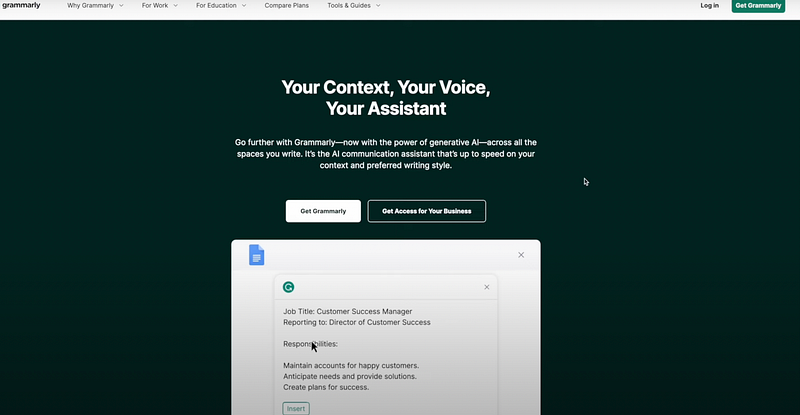
What it does: Apart from correcting grammar and punctuation errors, Grammarly has now integrated generative AI to enhance your writing.
Detailed Functionality:
- Grammar Checker: Detects and corrects grammatical, punctuation, and spelling errors.
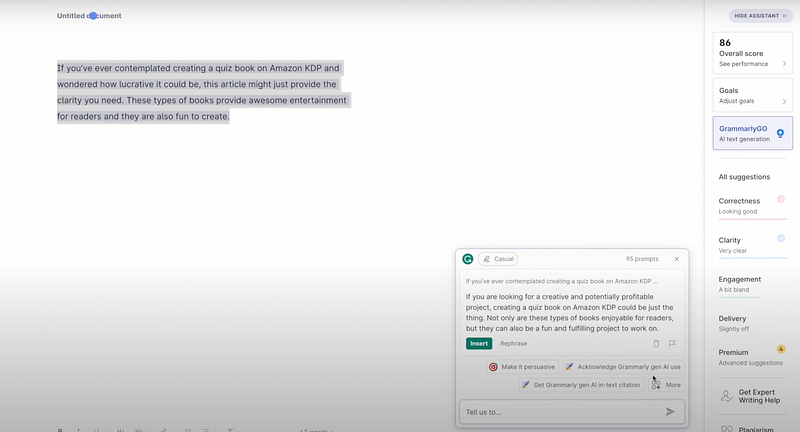
- Generative AI Integration: Uses AI to suggest better phrasings, offer synonyms, and even rewrite entire sentences or paragraphs.
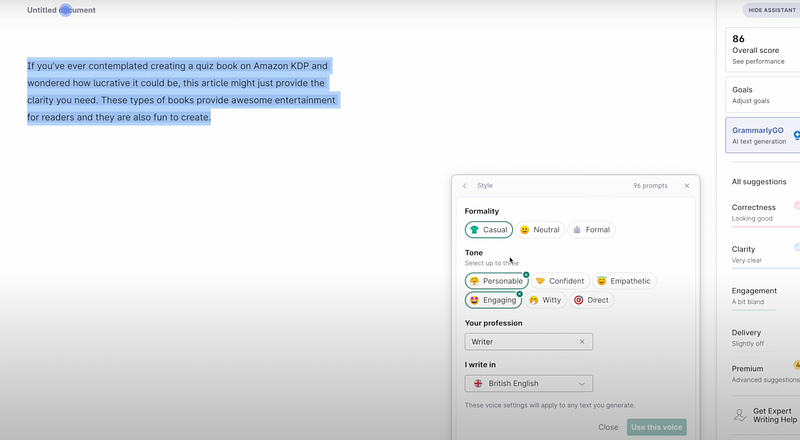
- Tone and Voice Customization: Allows users to select specific tones (e.g., formal, casual) and voices for their content.
- Plagiarism Checker: Scans the internet to check for similar content, ensuring originality.
- Performance Score: Provides an overall score for the written content, indicating areas of improvement.
How to use:
- Sign up on Grammarly.
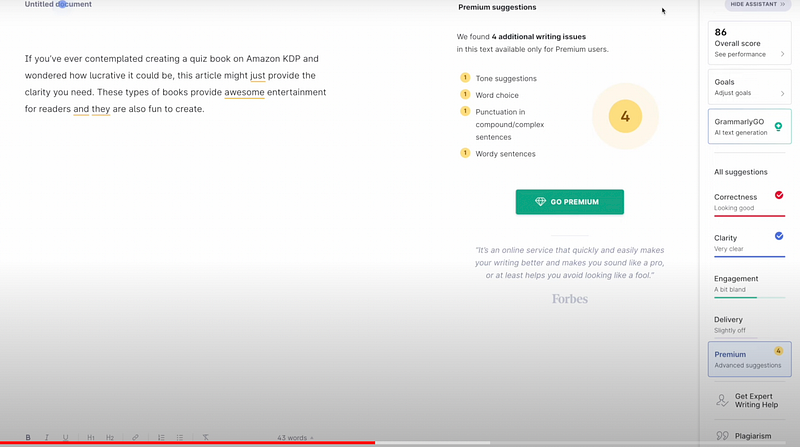
- Copy your content and paste it into the Grammarly editor.
- Use the “AI text generation” feature to rewrite your content in different voices and tones.
- Other features include a plagiarism checker and an overall content score.
3. Create Mesmerizing Images with Leonardo AI:
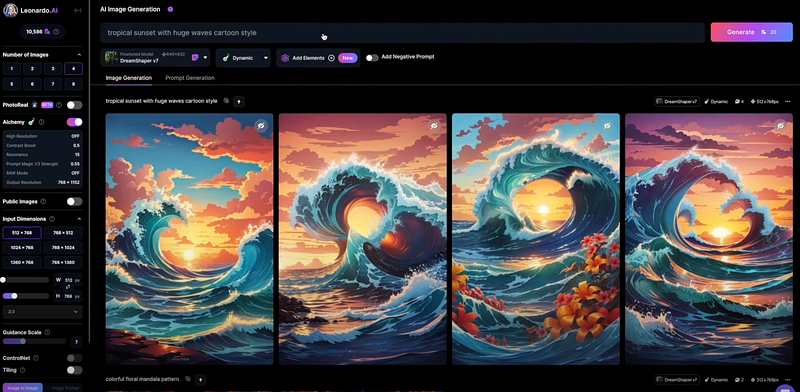
What it does: Leonardo AI generates unique textures and images based on your instructions. From mandala patterns to cartoon-style sceneries, the possibilities are endless.
Detailed Functionality:
- Multiple Models: Offers various AI models for generating images. Some models, like the “Dream Shaper V7,” are optimized for more advanced and intricate designs.
- Commercial Use: All images generated, whether from a free or paid account, can be used for commercial purposes, providing users with a significant advantage.
- Private Generation: For paid subscribers, the images they create are private, ensuring unique content.
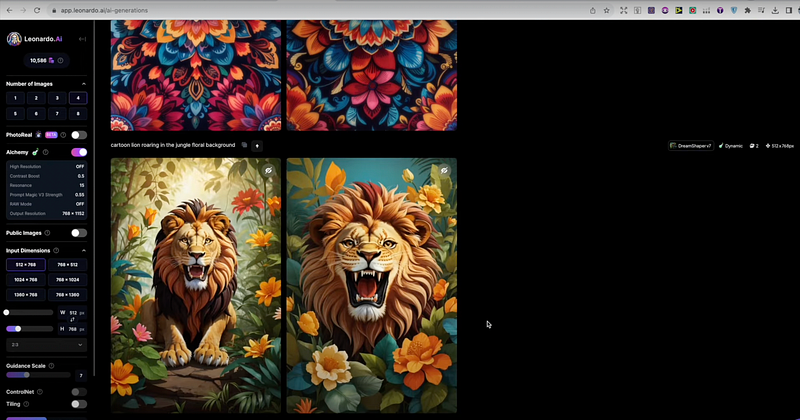
How to use:
- Choose a model; for premium users, the “Dream Shaper V7” is recommended.
- Give instructions, like “a tropical sunset with huge waves in cartoon style”.
- Use the generated images for your ebook covers or any other commercial purpose. The best part? Both free and paid subscribers can use these images for commercial activities.
4. Upscale Your Images with Upscayl:
The digital market is flooding with new AI tools that can streamline your KDP business and enhance your profits.
- Use the “AI text generation” feature to rewrite your content in different voices and tones.
- Other features include a plagiarism checker and an overall content score.
3. Create Mesmerizing Images with Leonardo AI:
What it does: Leonardo AI generates unique textures and images based on your instructions. From mandala patterns to cartoon-style sceneries, the possibilities are endless.
Detailed Functionality:
- Multiple Models: Offers various AI models for generating images. Some models, like the “Dream Shaper V7,” are optimized for more advanced and intricate designs.
- Commercial Use: All images generated, whether from a free or paid account, can be used for commercial purposes, providing users with a significant advantage.
- Private Generation: For paid subscribers, the images they create are private, ensuring unique content.
How to use:
- Choose a model; for premium users, the “Dream Shaper V7” is recommended.
- Give instructions, like “a tropical sunset with huge waves in cartoon style”.
- Use the generated images for your ebook covers or any other commercial purpose. The best part? Both free and paid subscribers can use these images for commercial activities.
4. Upscale Your Images with Upscayl:
Upscayl.com Screenshot By Author
What it does: This tool enhances and enlarges your images without diminishing quality.
Upscayl.com Screenshot By Author
Detailed Functionality:
- Image Enhancement: Improves the resolution of uploaded images without losing quality.
- Comparison Slider: Offers a side-by-side comparison of the original and upscaled image.
- Batch Upload: Users can upscale multiple images at once, which is time-efficient.
- Local Processing: All image processing happens on the user’s device, ensuring privacy and faster results.
- Scaling Options: Provides varying degrees of upscaling, allowing images to be enhanced up to 16 times their original resolution.

How to use:
- Simply upload your image.
- Slide to compare the old image with the upscaled version to witness the enhancement in detail.
- You can upscale images up to 16 times without compromising their quality.
You can watch my full tutorial video on Upscayl here.
Final Thoughts:
Harnessing the power of these AI tools can significantly elevate your KDP business, saving time and enhancing output quality.
Remember, as with all tools, understanding their features and applying them effectively is key.
Watch my full video on the video on these four tools here.
You can also read part 1 about AI Tools that exploded my KDP business.