
These 7 New iPhone Accessibility Features Might Surprise You
Finally features that the disabled need
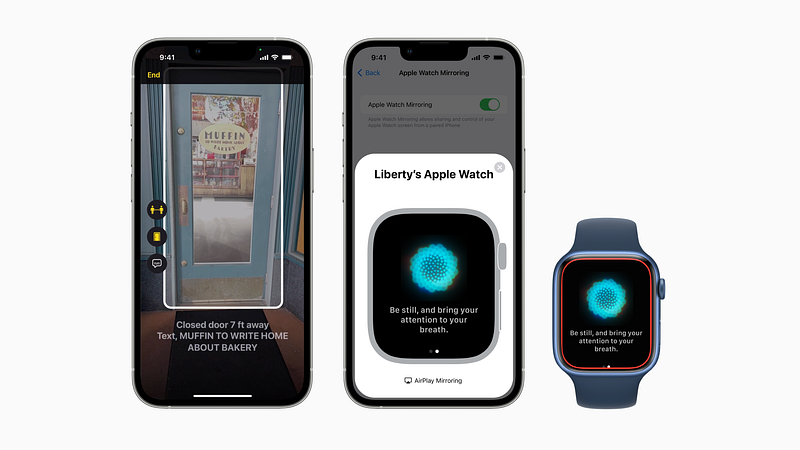
A recent Apple Newsroom article highlights new accessibility features the company has previewed.
These powerful features employ hardware, software, and Machine Learning to help people with disabilities rely more safely and confidently on their iPhones.
It’s the first time Apple’s bringing such a useful features on the iPhone, and they’re sure to surprise you.
#1. Door Detection
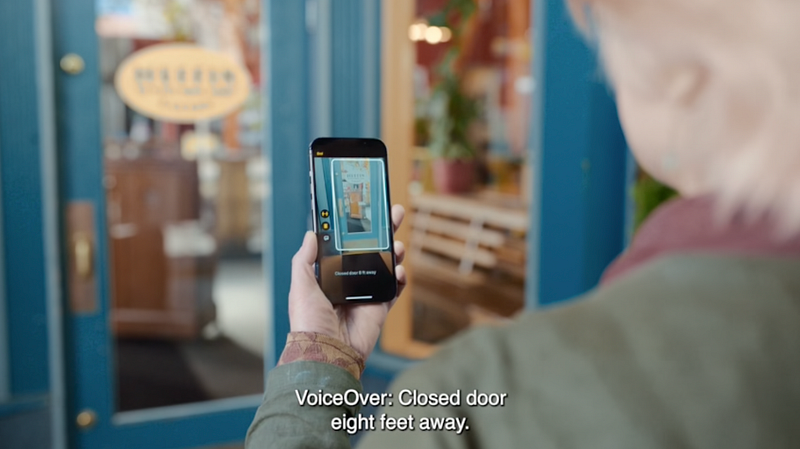
Apple’s bringing “Door Detection” to the Magnifier app, which assists users with low or zero vision.
With this, they could roam around at their home or a building with the Magnifier app open, and it could speak out:
- How far they’re from a door,
- If it’s open or closed,
- If it’s closed, whether it could be opened by knob or handle, and
- What’s written on the door — like the room number.
This employs Apple’s LiDAR Scanner for accurate measurements, so this accessibility feature will be available only on:
• iPhone 13 Pro,
• iPhone 13 Pro Max,
• iPhone 12 Pro,
• iPhone 12 Pro Max,
• iPad Pro 11-inch (2nd and 3rd generation), and
• iPad Pro 12.9-inch (4th and 5th generation)
#2. Mirror Apple Watch to iPhone
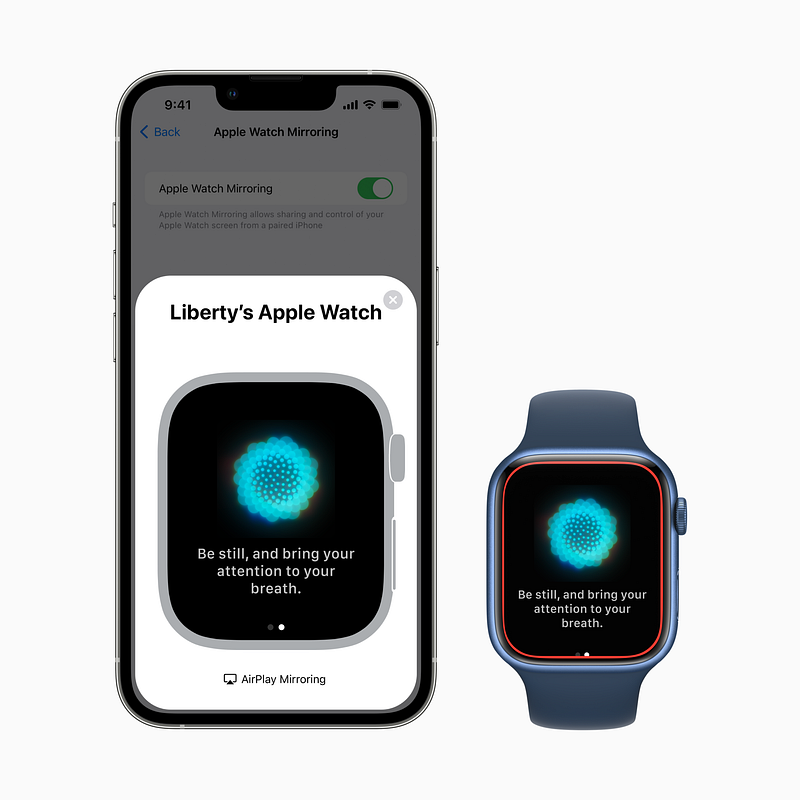
Though the latest Apple Watch boasts its biggest ever screen of 45 mm size, it’s still difficult for differently-abled people to look and accurately tap on it.
So, Apple now comes up with a game-changing plan — Apple Watch Screen Mirroring.
With this, you could share your Apple Watch’s screen via AirPlay onto your iPhone so it’d appear bigger, and you’ll be able to use it remotely and more comfortably.
Plus, you could also use iPhone’s assistive features — like voice commands, head tracking, sound actions, and also use external MFi switches — as alternatives to tapping your Apple Watch’s screen.
#3. Live Captions for Almost Everything
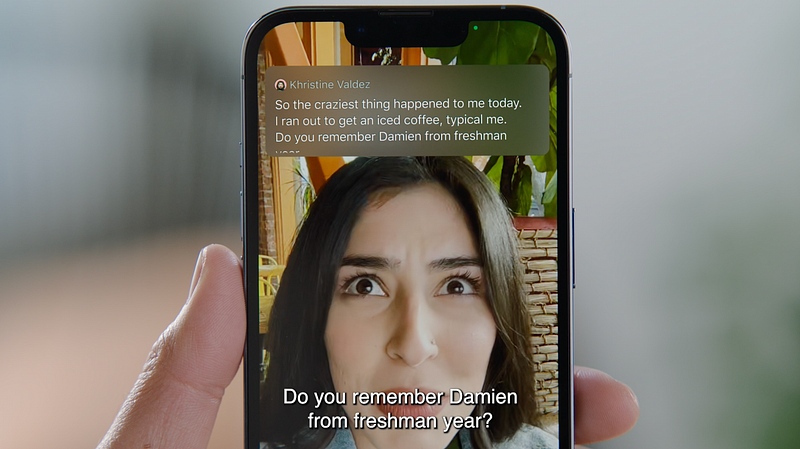
Apple’s introducing live captions for the deaf and hard of hearing community.
This would pop up real-time live captions in cellular or FaceTime calls, online meets, social media streamings, or the best part, even while having a conversation with someone next to us!
The font of the captions can be adjusted according to the user’s needs.
Additionally, in an online conference, it could segregate captions based on who’s speaking it — so it’d be more convenient for people with hearing difficulties.
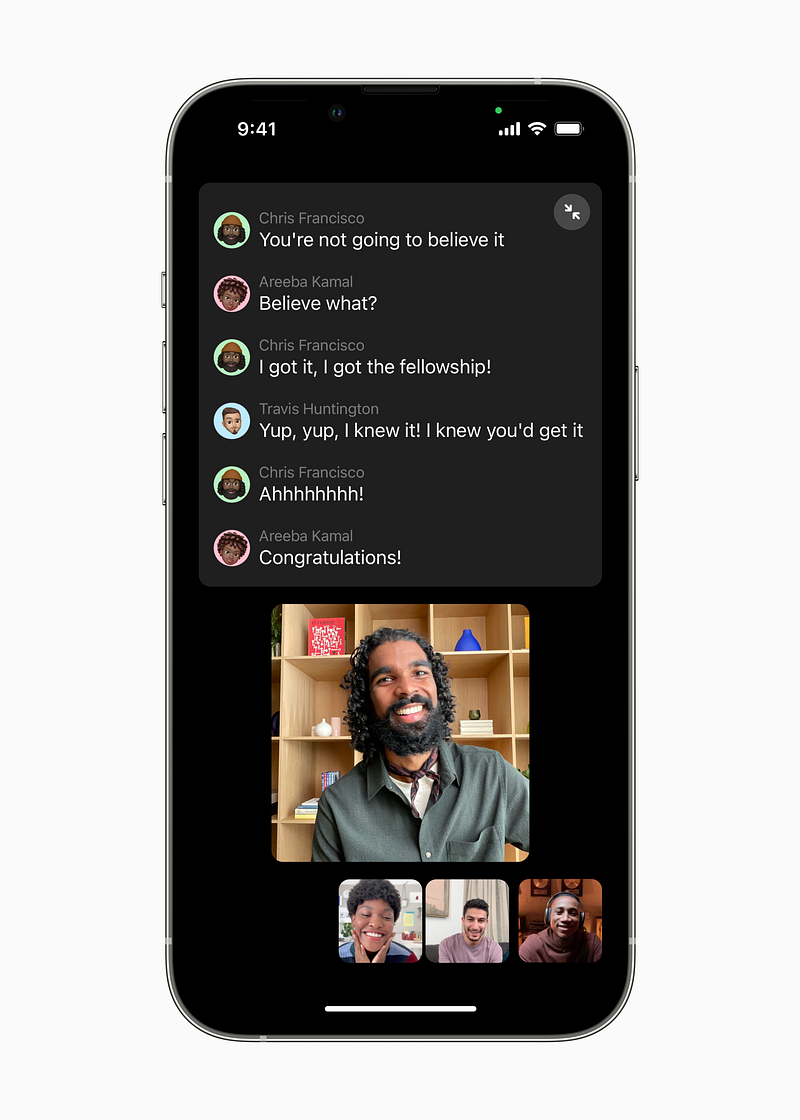
Also, Live Captions users on a Mac would have the option to type their response which would be spoken aloud in real-time to others who’re also a part of the online meet.
Note: All live captions are generated on-device, so your data stays private and secure.#4. Siri will Wait before Responding
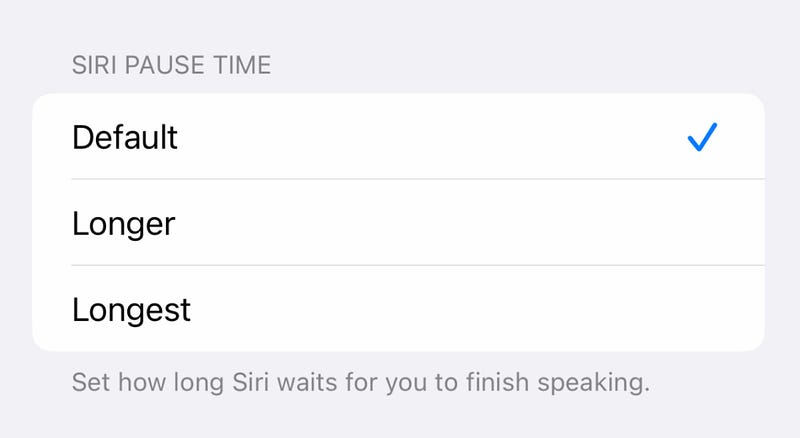
With the new ’Siri Pause Time’ users can adjust the duration of how long Siri waits before giving response.
#5. Input Words Letter-by-Letter
Users with speech difficulties will be able to dictate words letter-by-letter.
For example, if Harry finds it difficult to spell Chiaroscurist, he can say C-H-I-A-R-O-S-C-U-R-I-S-T instead to get it typed.
#6. Customised Sound Recognition
Sound Recognition was introduced in iOS 14, and till today, it was only able to detect sounds that were trained by Apple — so obviously, it wasn’t very accurate in detecting all types of our surrounding sounds.
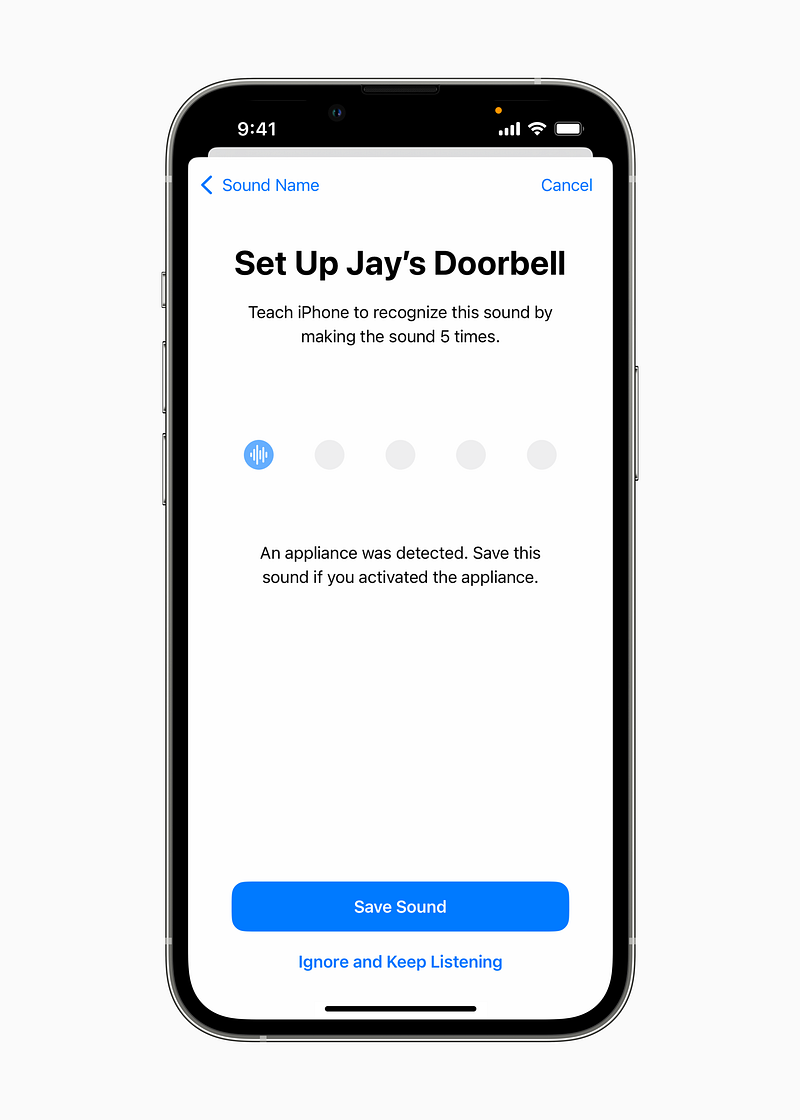
But, Apple plans to allow you to customise Sound Recognition tailored to your environment, like your own doorbell, alarms, or appliance sounds.
Go teach your iPhone how your doorbell sounds like.
#7. Accessibility for Apple Books
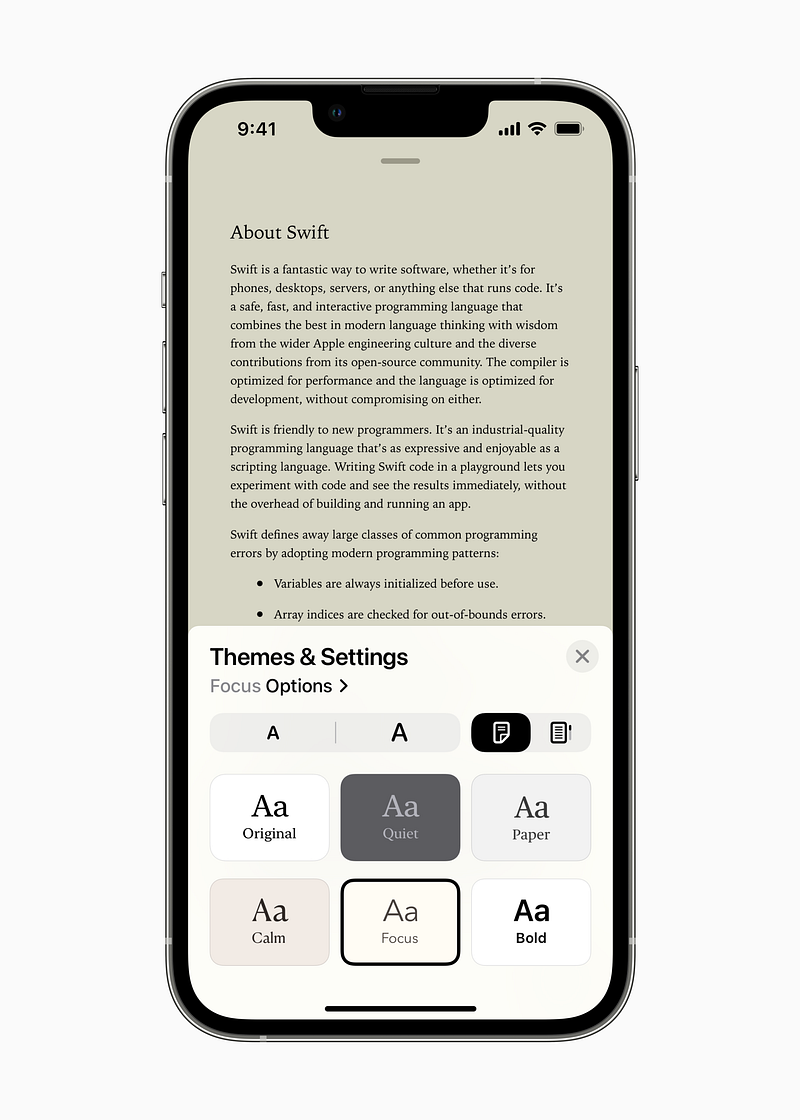
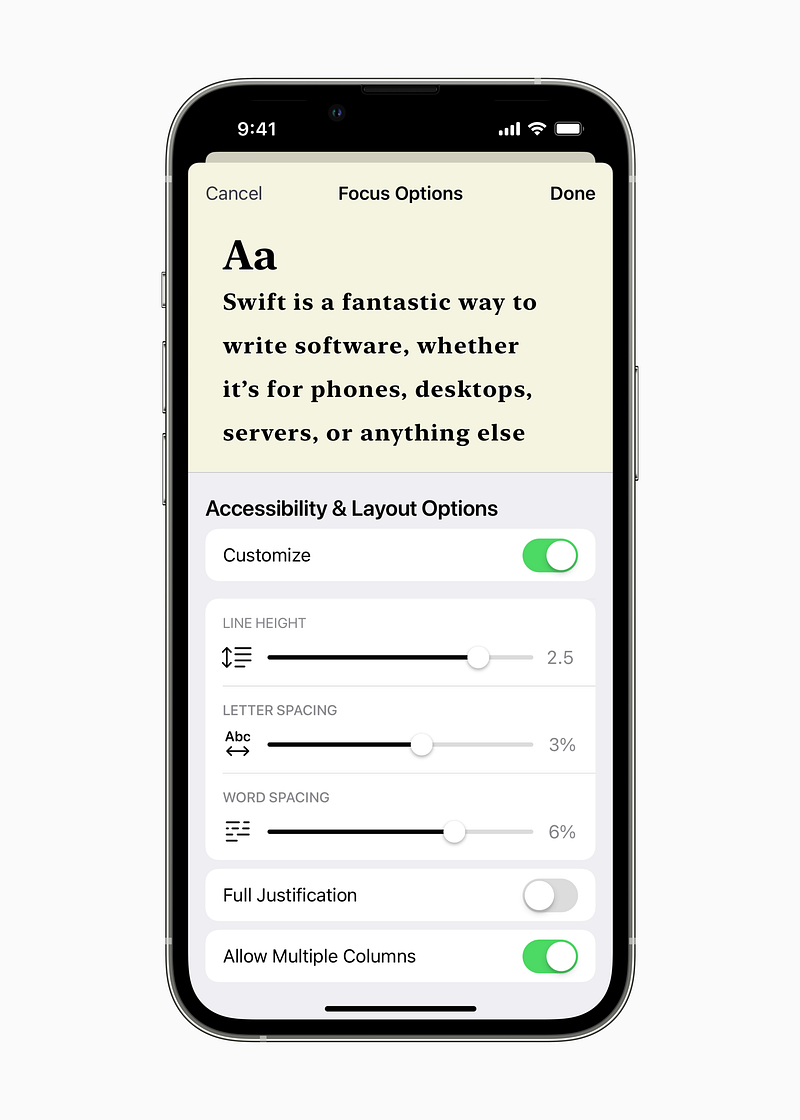
Apple Books will be offering new themes, and customisation options like boldness adjustment, and line, character, and word spacing for a more comfortable reading experience for the disabled.
Bonus Features…
#8. “Buddy Controller” for Gaming
With the new “Buddy Controller”, a disabled player can ask their friend or caretaker to help them play a game.
This combines two game controllers into one — i.e., two controllers input for a single player only (like in a driving school, where there exist two steerings for the same car).
This allows the other person to promptly save the game character if he’s at the risk of losing due to the visual or hearing disability of the original player.
#9. Enhanced VoiceOver
You might have already been knowing what Apple’s VoiceOver is. It speaks out what’s on the screen especially for users with low or no vision.
Apple’s now adding support for 20 additional locales and languages for VoiceOver. Also, dozens of new voices optimised for assistive features.
VoiceOver users on a Mac will be able to use the new Text Checker tool to detect common formatting issues like multiple spaces and misplaced letters which makes their letters and emails easier to read.
Conclusion
It feels great to see Apple offering features that enable even disabled people use iPhones on par with general public. I really hope these features arrive as soon as iOS 16 and watchOS 9 do. Just can’t wait to play with them.
Are you too?
If you liked this story, you might also like:
Hey! If you enjoyed this story, sign up for Medium as a member using my referral link! It’s just $5, and you get access to all of Medium.
Also, you can join 65+ others to get notified whenever I publish. Grab a free copy of my ebook “A Tech Blogger’s Guide” to write tech better!


