
The Ultimate Guide to Mastering “JOINS” in SQL

In my experience, at any data science-related job interview, SQL is the most frequently asked topic. And, in SQL, I find questions related to JOINS are asked the most.
Can you relate to it, or do you have a different experience with these interviews?
So, in this article, I will guide you all about “JOINS” in SQL with some common scenarios and examples.
But, before going into the article, I would like to share my latest eBook with you, which will be a very useful resource for you before any data science interview.
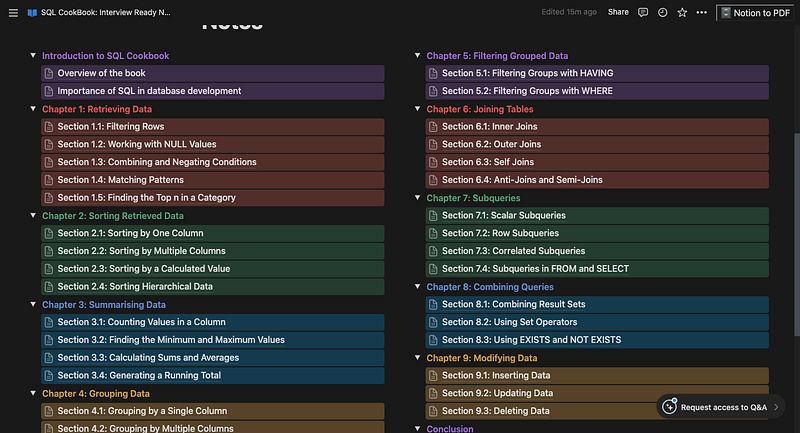
I will give 50% off as my “5K Followers Celebration” on both of these eBooks.
Original price: $6. Get it for $3 only.
💡Get Your Copy: Personal INTERVIEW Ready “SQL” CheatSheet
💡Similar eBook: Personal INTERVIEW Ready “Statistics” Cornell Notes
So, what are you waiting for? Grab your copy immediately.
Discount Code: “RICHARD50” (Valid till January 30th)
Now, going back to this article, let’s get started.
What are joins, and why are they useful?
In simple words, a JOIN clause in SQL is used to combine rows from two or more tables based on a common field or condition between the tables.
-- Syntax

SELECT column_list
FROM table1
JOIN_TYPE table2
ON join_condition;
Assume we have two tables: the customers table and the orders table, which have all the information about our customers and their orders, respectively.
The Customers table consists of columns like “CustomerID,” “Name,” and “Address.” And similarly, the Orders table has columns like “OrderID,” “CustomerID,” and “OrderDate.”
Here, we see that the “CustomerID” column is common in both tables, and it shows the relationship between them: "Each order belongs to a particular customer.”
Now, to answer why “JOINS” is useful:
Suppose we want to answer questions like, “How many orders did each customer place?” “Which customers have not placed any orders?.”
To answer these questions, we need to combine the data from both tables using a JOIN clause.
Hence, the JOIN clause helps us create a result set that consists of columns and rows from both tables, based on the matching values in the common field.
-- Example:How many orders did each customer place?

SELECT Customers.Name, COUNT(Orders.OrderID) AS OrderCount
FROM Customers
JOIN Orders
ON Customers.CustomerID = Orders.CustomerID
GROUP BY Customers.Name
ORDER BY OrderCount DESC;
What are the different types of JOINS, and how do you use them?
Types of JOINS?: There are mainly four types of JOINS in SQL.
- INNER JOIN
- LEFT JOIN
- RIGHT JOIN
- FULL JOIN
Each of these types has its own different way of handling the rows that don’t match the join condition.
INNER JOIN
Here, if we are using INNER JOIN in our query, it will return only the rows that have matching values in both tables.
SELECT Customers.Name, Orders.OrderDate
FROM Customers
INNER JOIN Orders
ON Customers.CustomerID = Orders.CustomerID;
For example, in this query above, the rows from both the customers table and the orders table that do not have a matching row will not be included in the result set.
Hence, INNER JOIN is useful when we want to find the rows that have a relationship in both tables.
LEFT JOIN
When we use LEFT JOIN (also known as LEFT OUTER JOIN) in our query, it will return all the rows from the left table and the rows that are matched from the right table.
SELECT Customers.Name, Orders.OrderDate
FROM Customers
LEFT JOIN Orders
ON Customers.CustomerID = Orders.CustomerID;
For example, in this query above, the rows from the customers table that do not have a matching value will still be included in the result set with their value as “NULL” in the “OrderDate” column.
Therefore, LEFT JOIN is useful when we want to find all the rows from the left table, regardless of whether they have a matching value in the right table or not.
RIGHT JOIN
Now, it is just the opposite of LEFT JOIN, mentioned above.
Here, when we use RIGHT JOIN (also known as RIGHT OUTER JOIN) in our query, it will return all the rows from the right table and the matched rows from the left table.
SELECT Customers.Name, Orders.OrderDate
FROM Customers
RIGHT JOIN Orders
ON Customers.CustomerID = Orders.CustomerID;
Again, in this query, the rows from the orders table that do not have a matching value in the other table are still included in the result set with their values as “NULL” in the “Name” column.
Being opposite to LEFT JOIN, RIGHT JOIN is useful when we want to find all the rows from the right table, regardless of whether they have a match in the left table or not.
FULL JOIN
Lastly, if we use FULL JOIN (also known as FULL OUTER JOIN) in our query, it will return all the rows from both tables and match them only if possible.
SELECT Customers.Name, Orders.OrderDate
FROM Customers
FULL JOIN Orders
ON Customers.CustomerID = Orders.CustomerID;
This query above will produce a result set in which all the rows from both tables that do not have a match in the other table are still included with their values as “NULL” in the columns from the other table.
For example, the unmatched rows from the customers table will have “NULL” as a value in the “OrderDate” column, and the unmatched rows from the orders table will have the same “NULL” as their value in the “Name” column.
Hence, FULL JOIN is useful when we want to include all the rows from both tables, regardless of whether they have a match in either table or not.
Some interview questions from my eBook mentioned above:
Why are you missing “SQL Cheat Sheet with Interview Questions"? Go get your copy now! — Click here
1. How do you join more than two tables?
To join more than two tables, we need to use consecutive join clauses.
For example, to join the customers, orders, and products tables on the customer_id and product_id columns, we can write:
SELECT *
FROM customers
JOIN orders
ON customers.customer_id = orders.customer_id
JOIN products
ON orders.product_id = products.product_id;
2. How do you join a table to itself?
To join a table to itself, we need to use aliases to refer to different instances of the same table. This is also called a self-join.
For example, to join the employee table to itself on the manager_id column, we can write:
SELECT e1.employee_name, e2.employee_name AS manager_name
FROM employees AS e1
JOIN employees AS e2
ON e1.manager_id = e2.employee_id;
3. How do you filter the result of a join?
To filter the result of a join, we can use a WHERE clause after the join clause.
For example, to join the customers and orders tables on the customer_id column and filter the result by the order_date column, we can write:
SELECT *
FROM customers
JOIN orders
ON customers.customer_id = orders.customer_id
WHERE orders.order_date > '2023-01-01';
4. How do you join tables on multiple columns?
To join tables on multiple columns, we can use the AND operator in the join condition.
For example, to join the customers and orders tables on the customer_id and country columns, we can write:
SELECT *
FROM customers
JOIN orders
ON customers.customer_id = orders.customer_id
AND customers.country = orders.country;
5. How do you join tables without a common column?
To join tables without a common column, we can use a cross join, which produces the Cartesian product of the two tables.
A cross join can be written as a comma-separated list of tables, or as a CROSS JOIN clause.
For example, to join the customer and product tables without a common column, we can write:
SELECT *
FROM customers
CROSS JOIN products;

-- or

SELECT *
FROM customers, products;
Start learning data science in 2024.
📝 Read this valuable article for my best pieces of advice
If you enjoy my writing, support me.
⭐️ Visit My Gumroad Shop: https://codewarepam.gumroad.com/
My Best-selling eBook: Top 50+ ChatGPT Personas for Custom Instructions
Join my community of learners! Subscribe to my newsletter for more tips, tricks, and exclusive content on mastering Data Science & AI. — https://yourdataguide.substack.com/


